Setup page · Accounts payable
Accounts payable parameters
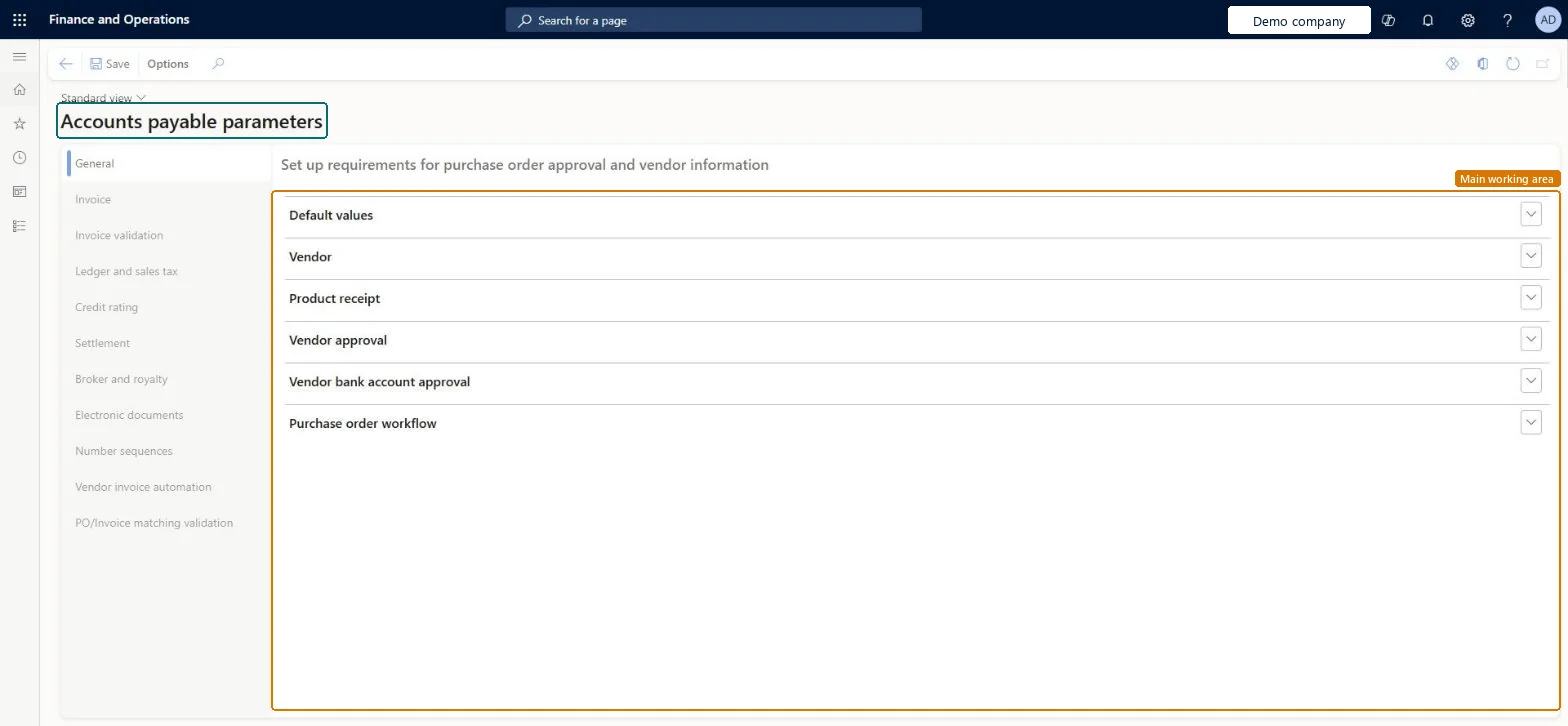
The main setup page for Accounts payable in each legal entity.
- Used by
- Accounts payable manager, Auditor, Accounting manager and 2 more roles
- Business process
- Perform invoice matching in Dynamics 365 Finance
- Menu item
VendParameters- Main table
PurchParameters- Data entity
PurchProcurementDocumentDefaultsEntity- Setup steps
- 7 on this page
Everyone
1What it is and why
| What it is | The main setup page for Accounts payable in each legal entity. |
|---|---|
| What you do here | Used to set default settings that apply when no more specific setting exists, parameters for various Accounts payable functionality, and the Accounts payable number sequences. |
| Example | For example, a company that wants accrued costs recorded when goods are received, before the vendor invoice arrives, selects the Post product receipts to ledger option on this page. |
Functional consultant · Solution architect
2Where it fits
End user · Functional consultant
3How to do it
Step by step, with screenshots
Confirm procurement and AP number sequences exist1 screen
Screen 1
Confirm the payables number sequences
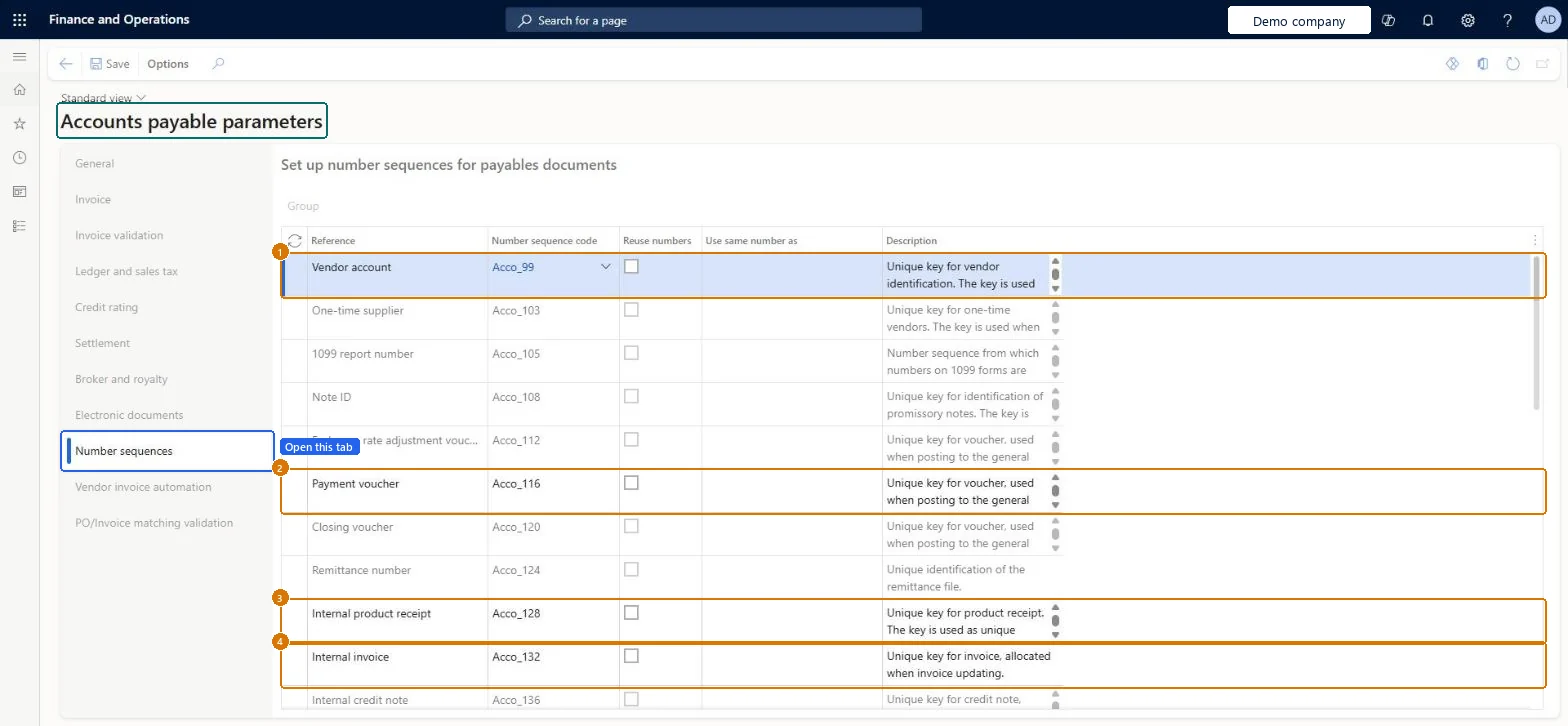
Go to Accounts payable > Setup > Accounts payable parameters, Number sequences tab
- Open the Number sequences tab
- Review each reference in the grid and its Number sequence code
- Assign a code to any reference that has none, then select Save
1Vendor account Acco_99 2Payment voucher Acco_116 3Internal product receipt Acco_128 4Internal invoice Acco_132 Check Every reference in the grid, including Vendor account, Payment voucher, Internal product receipt and Internal invoice, shows a number sequence code.
page title tab to open what to set or check
Enable invoice matching validation1 screen
Turn on the control that compares vendor invoice lines against purchase order and receipt data before posting, so price and quantity discrepancies are caught at entry rather than at reconciliation.
Screen 1
Turn on invoice matching validation
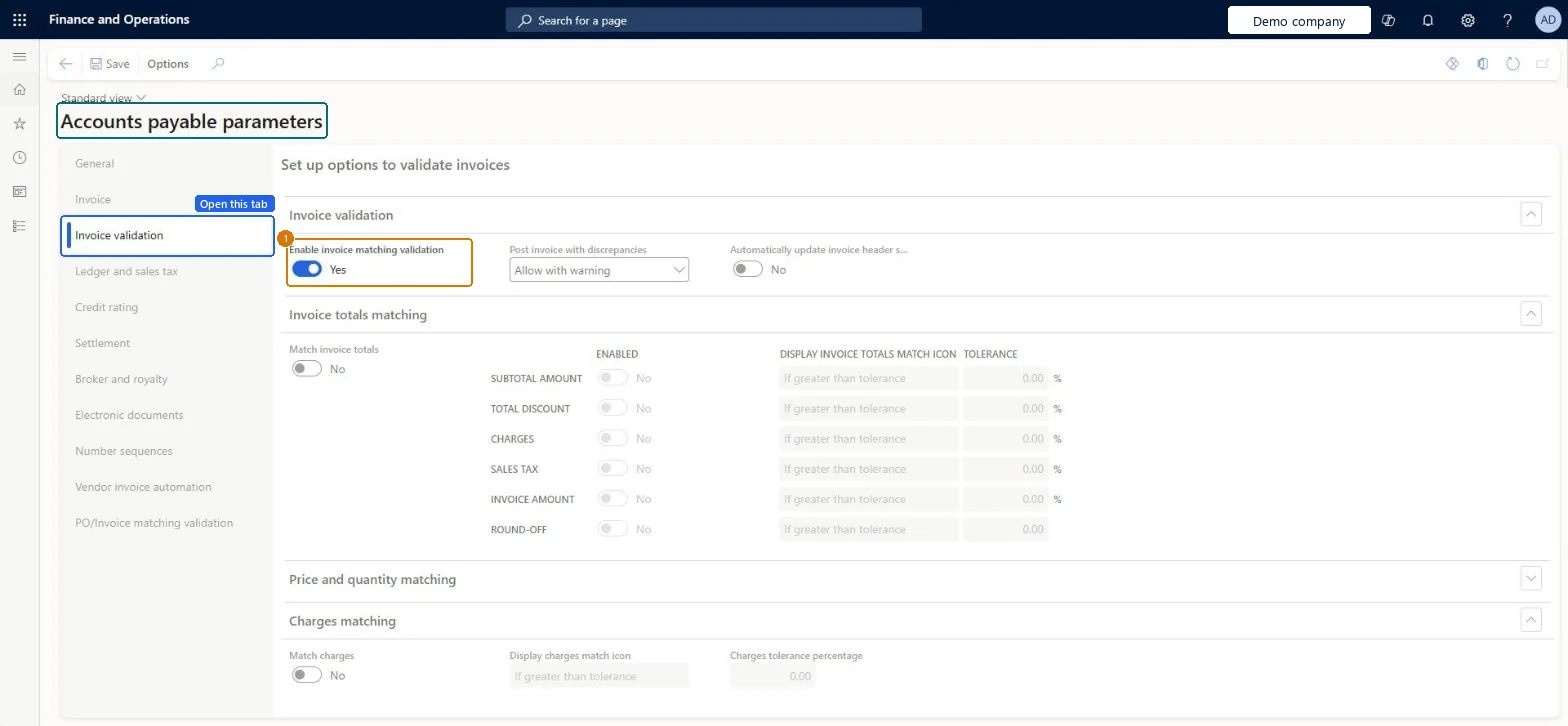
Go to Accounts payable > Setup > Accounts payable parameters, Invoice validation tab
- Open the Invoice validation tab
- In the Invoice validation section, turn on Enable invoice matching validation
- Select Save
1Enable invoice matching validation Yes 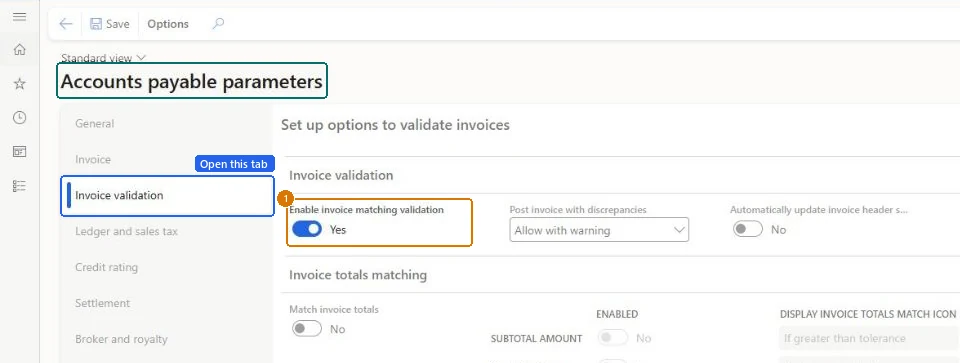
Show the full screen
page title tab to open what to set or check
Set the default line matching policy1 screen
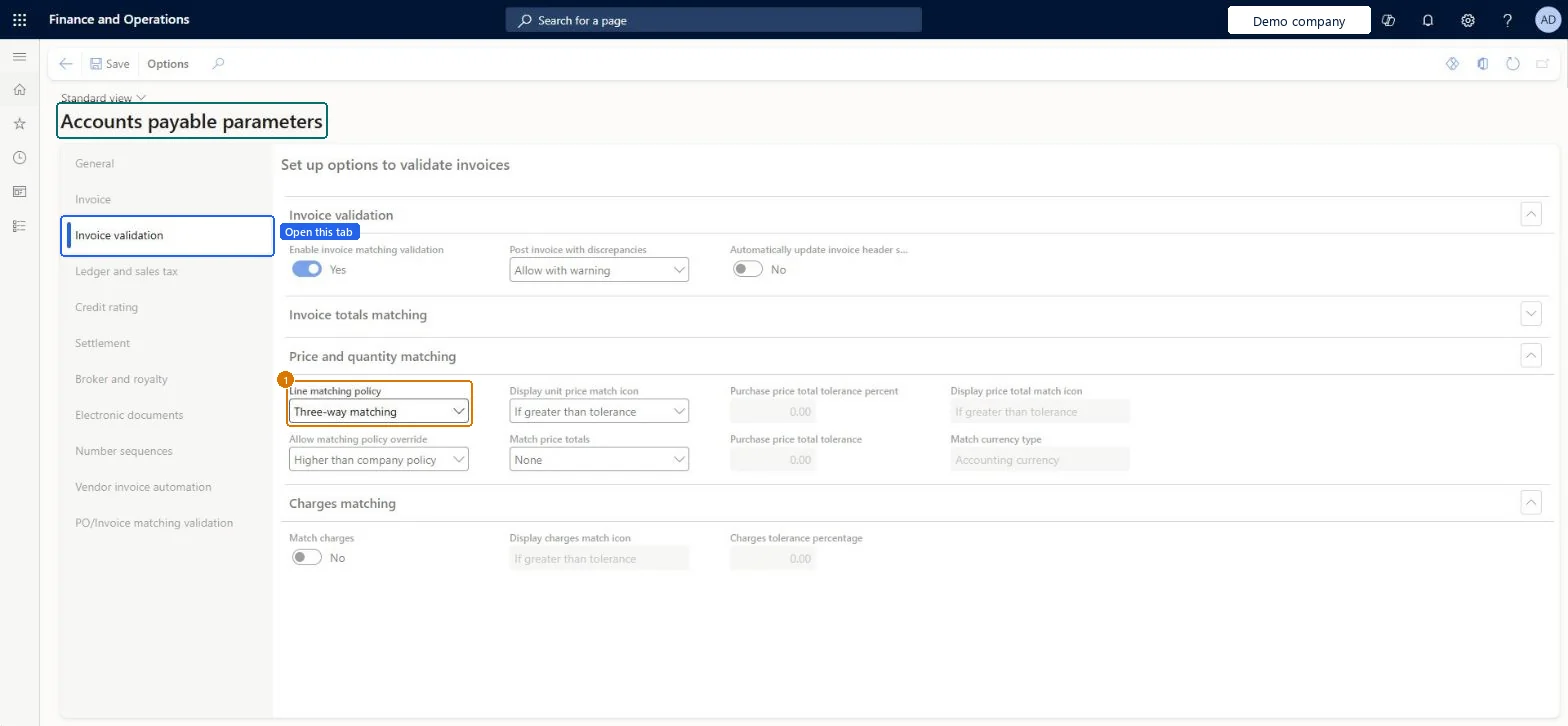
Establish whether invoice lines are validated against the PO only, or against the PO and the product receipt, as the organisation's default control level.
Screen 1
Set the line matching policy
Go to Accounts payable > Setup > Accounts payable parameters, Invoice validation tab
- Expand the Price and quantity matching section
- Set Line matching policy
- Select Save
1Line matching policy Three-way matching 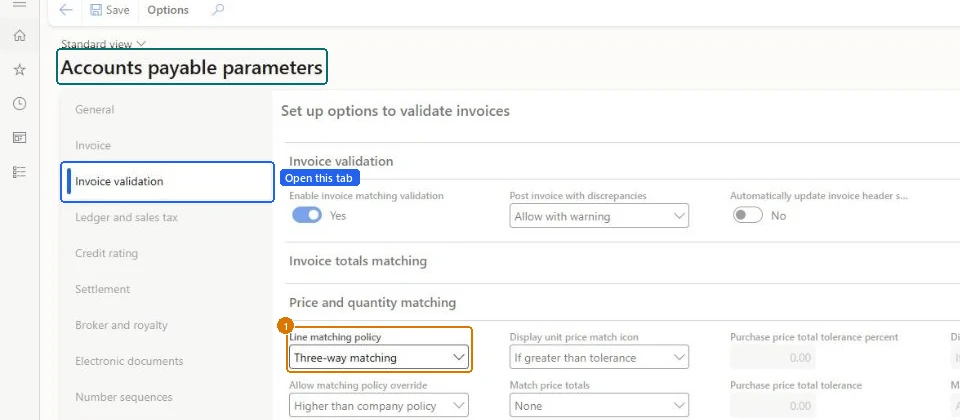
Show the full screen
page title tab to open what to set or check
Decide whether matching policy override is allowed1 screen
Screen 1
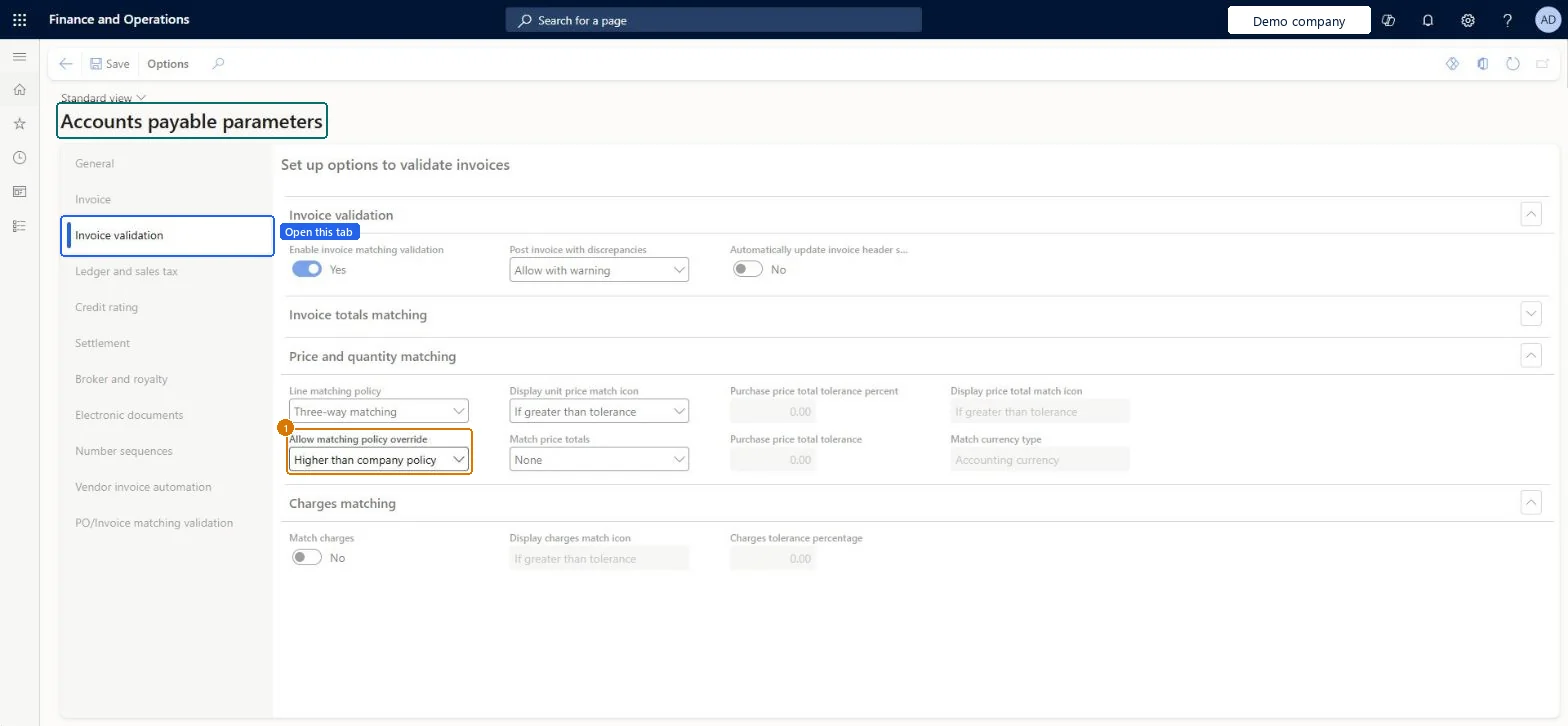
Allow a stricter policy override
Go to Accounts payable > Setup > Accounts payable parameters, Invoice validation tab
- Expand the Price and quantity matching section
- Set Allow matching policy override
- Select Save
1Allow matching policy override Higher than company policy 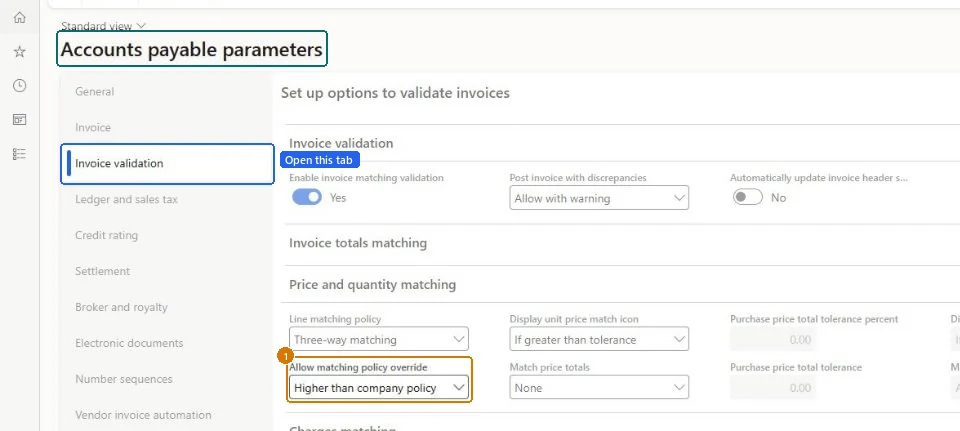
Show the full screen
page title tab to open what to set or check
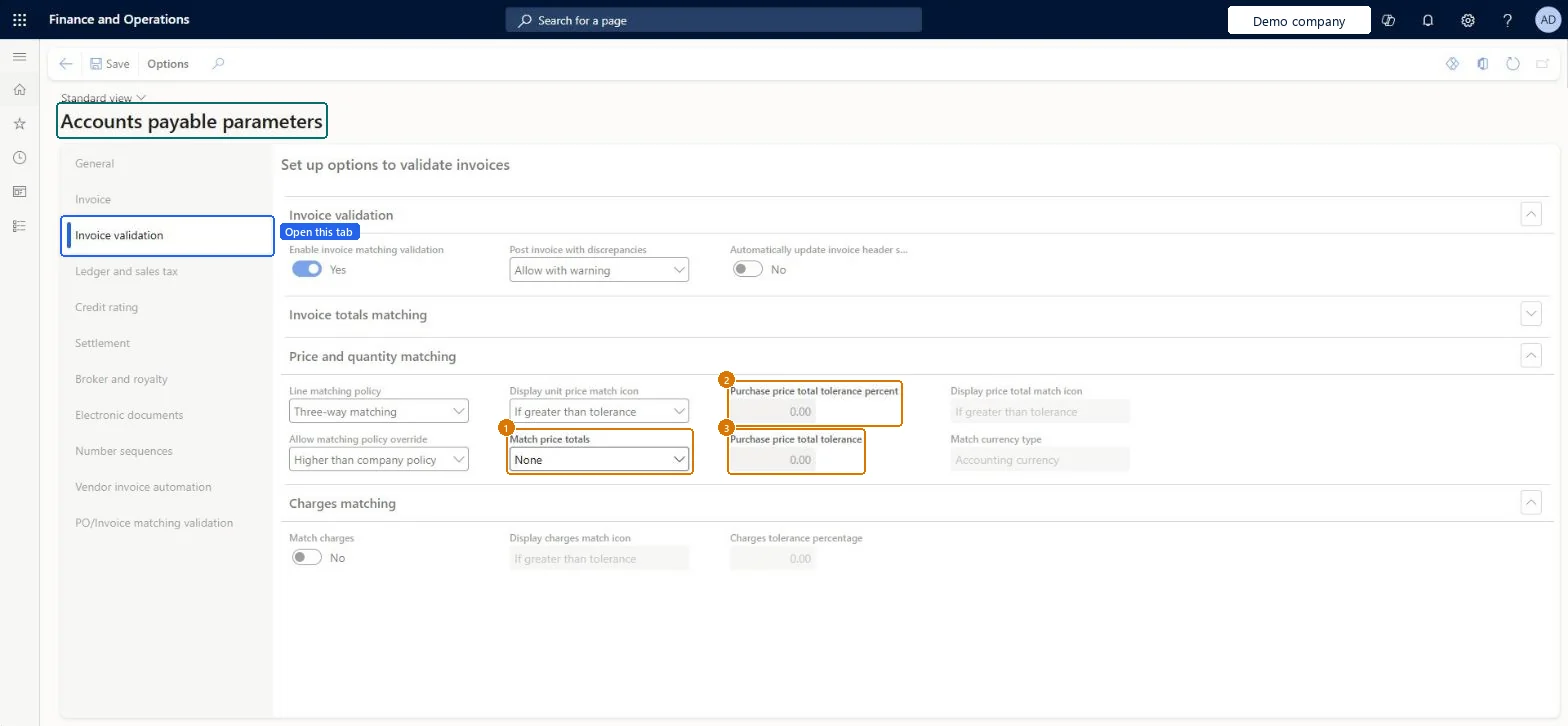
Configure price total matching and tolerance1 screen
Screen 1
Set price total matching and its tolerances
Go to Accounts payable > Setup > Accounts payable parameters, Invoice validation tab
- Expand the Price and quantity matching section
- Set Match price totals
- Check the two purchase price total tolerance fields
- Select Save
1Match price totals None 2Purchase price total tolerance percent 0.00 3Purchase price total tolerance 0.00 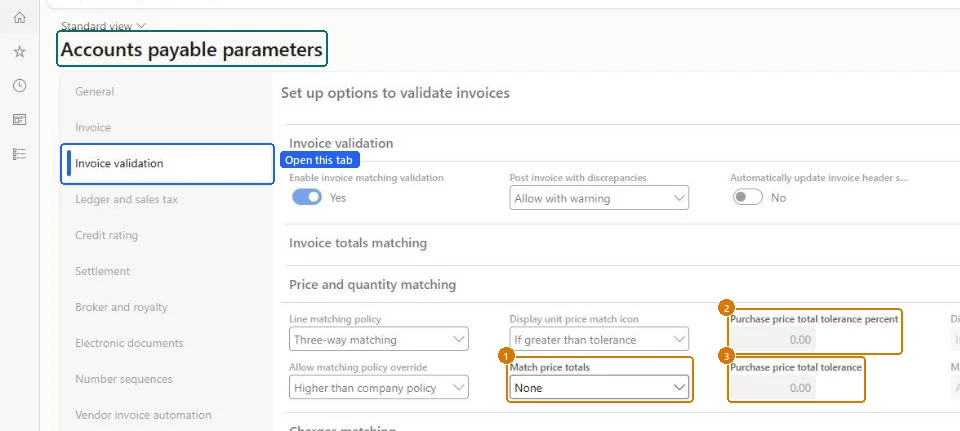
Show the full screen
page title tab to open what to set or check
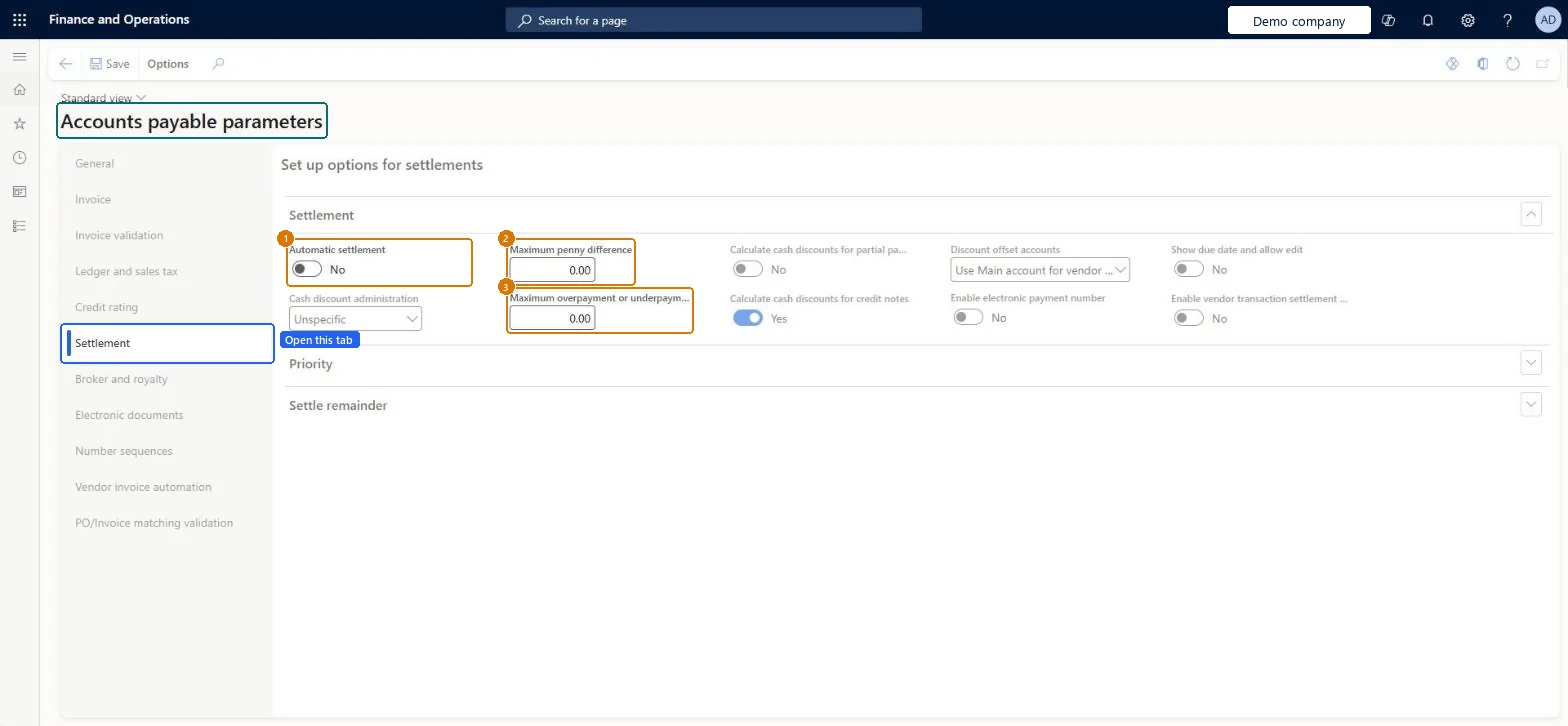
Set automatic vendor settlement behavior1 screen
Control whether an unallocated vendor payment is matched to open transactions automatically after posting.
Screen 1
Set automatic settlement and settlement limits
Go to Accounts payable > Setup > Accounts payable parameters, Settlement tab
- Open the Settlement tab
- Set Automatic settlement
- Enter Maximum penny difference and Maximum overpayment or underpayment
- Select Save
1Automatic settlement No 2Maximum penny difference 0.00 3Maximum overpayment or underpayment 0.00 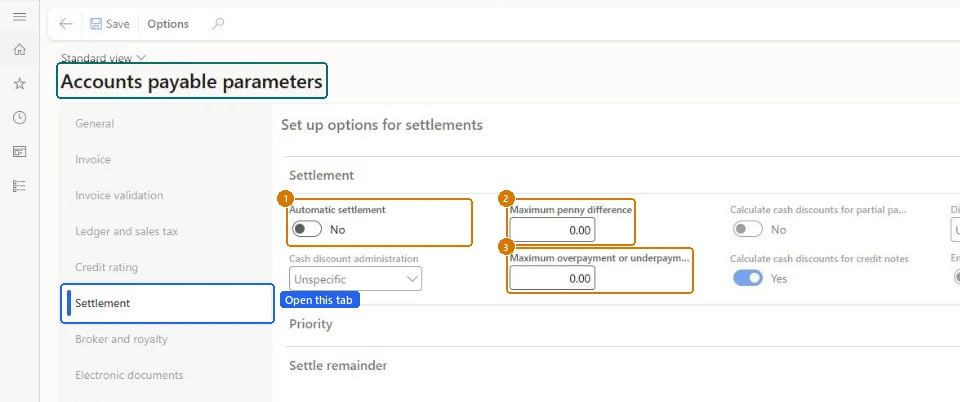
Show the full screen
page title tab to open what to set or check
Set the default vendor posting profile1 screen
Apply the approved AP posting profile to new vendor documents unless a more specific choice is made.
Screen 1
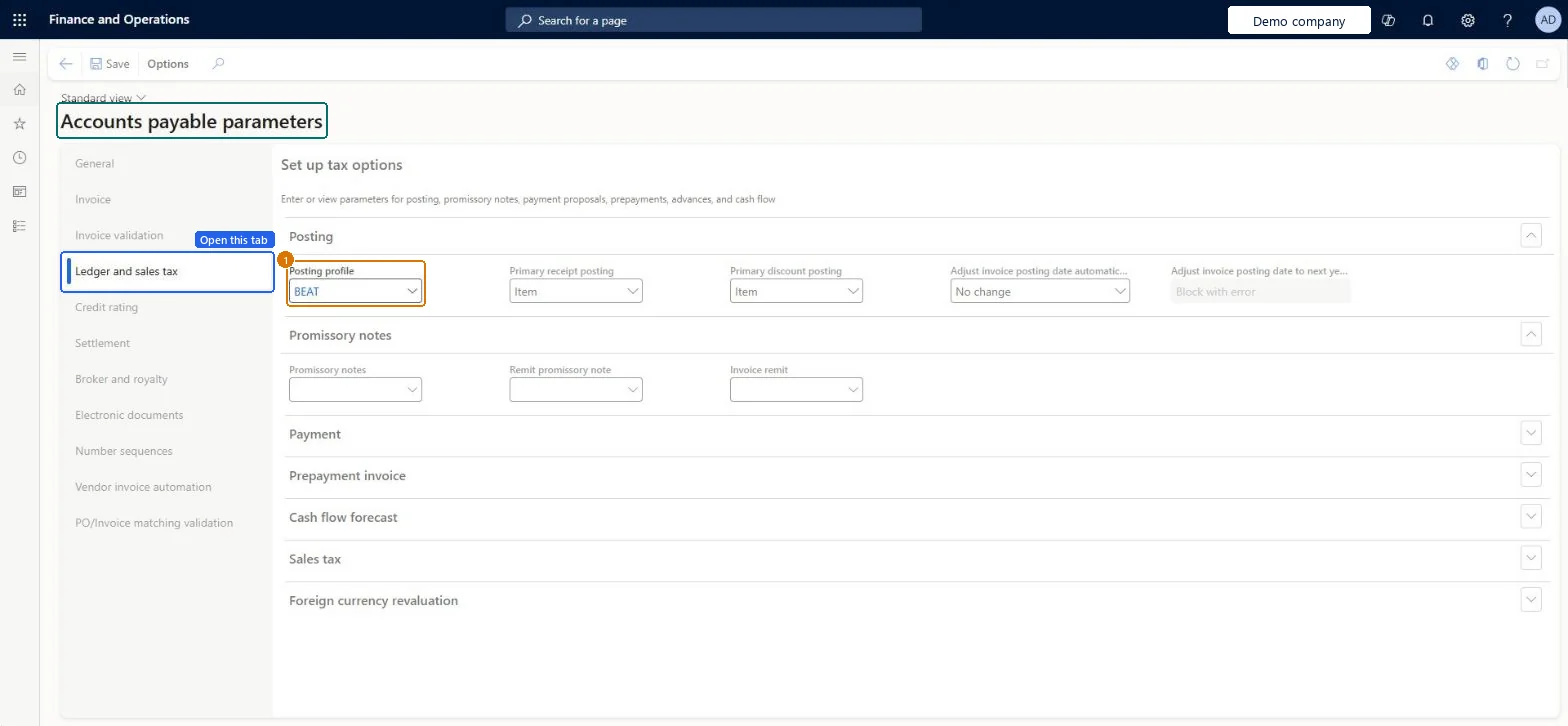
Set the default vendor posting profile
Go to Accounts payable > Setup > Accounts payable parameters, Ledger and sales tax tab
- Open the Ledger and sales tax tab
- In the Posting section, select the posting profile
- Select Save
1Posting profile BEAT 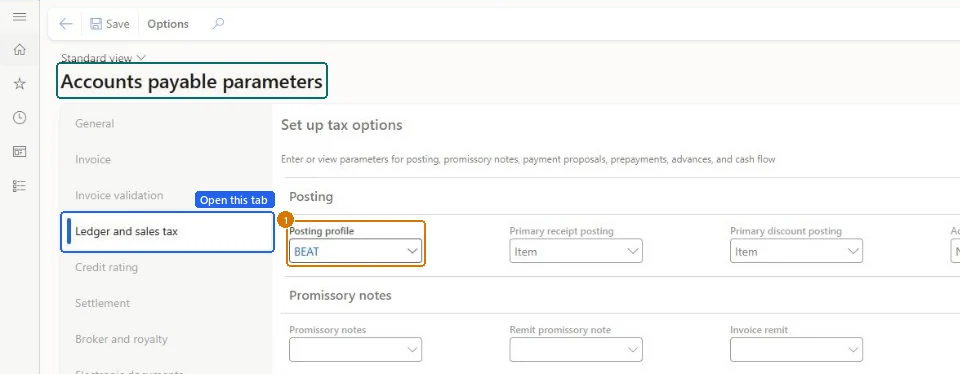
Show the full screen
page title tab to open what to set or check
Microsoft's steps
- Go to Accounts payable > Setup > Accounts payable parameters.
- Select the Invoice validation tab.
- Select or clear Enable invoice matching validation.
- In Post invoice with discrepancies, choose whether invoices with matching discrepancies need approval or can post with a warning.
- In Automatically update invoice header match status, choose whether matching runs automatically during invoice entry.
- For invoice totals matching, select Match invoice totals and enter the Invoice totals tolerance percentage.
- Select the Line matching policy and, if needed, a value in Allow matching policy override.
- Set Match price totals and its tolerance, and select Match charges to match charges against the purchase order.
Source: Microsoft Learn ↗
Field guide
| Field | What it means | Worked example | Table column |
|---|---|---|---|
| Enable invoice matching validation | Turns on invoice matching checks for vendor invoices in this legal entity.Microsoft Learn ↗ | Yes | — |
| Post invoice with discrepancies | Whether an invoice with matching discrepancies must be approved first or can be posted with a warning.Microsoft Learn ↗ | — | — |
| Automatically update invoice header match status | Whether matching runs automatically while the invoice is being entered.Microsoft Learn ↗ | — | — |
| Invoice totals tolerance percentage | The company-wide allowed variance for invoice totals, which vendors can override.Microsoft Learn ↗ | — | — |
| Line matching policy | The default line matching for the legal entity: not required, two-way or three-way.Microsoft Learn ↗ | Three-way matching | — |
| Allow matching policy override | Whether a different matching level can be set for an item, vendor, or purchase order line.Microsoft Learn ↗ | Higher than company policy | — |
| Match price totals | Compares the running net amount of all invoices for a purchase order line with the order line amount.Microsoft Learn ↗ | None | — |
| Match charges | Compares charges on the invoice with the charges expected from the purchase order.Microsoft Learn ↗ | — | — |
| Cash-discount administration | Where the difference goes when a payment doesn't match the discounted amount; Specific posts it to the vendor cash discount account.Microsoft Learn ↗ | — | — |
| Enable vendor approvals | Sends changes to selected vendor fields through an approval workflow.Microsoft Learn ↗ | — | — |
| Enable settle remainder | Lets the remaining amount after settlement go to a ledger account or another vendor.Microsoft Learn ↗ | — | — |
| Automatically submit imported invoices to workflow | Sends imported vendor invoices to workflow without manual steps.Microsoft Learn ↗ | — | — |
| Vendor account | — | Acco_99 | AgreementAccountKey_RU |
| Payment voucher | — | Acco_116 | — |
| Internal product receipt | — | Acco_128 | — |
| Internal invoice | — | Acco_132 | — |
| Purchase price total tolerance percent | — | 0.00 | — |
| Purchase price total tolerance | — | 0.00 | — |
| Automatic settlement | — | No | — |
| Maximum penny difference | — | 0.00 | — |
| Maximum overpayment or underpayment | — | 0.00 | — |
| Posting profile | — | BEAT | — |
Functional consultant
4Setup decisions
| Setup step | Recommended value and why | Decision · common mistake · test |
|---|---|---|
| Confirm procurement and AP number sequences exist · Number sequences tab | — | — |
| Enable invoice matching validation | YesWithout this, the matching policy, tolerance and discrepancy settings downstream have no effect. Every subsequent step in this process is inert until it is on — which is why it sequences before them rather than alongside. | —Enabled in one legal entity during a pilot and never replicated to the others, so matching silently does nothing in the entities that went live later. It is per-legal-entity, and there is no cross-entity warning.Test: Matching validation test pack |
| Set the default line matching policy | Three-way matching for stocked items; two-way where no receipt is recorded (services, some indirect spend)Three-way matching is the control auditors expect for goods, but it fails operationally wherever receipting isn't actually performed — it will block invoices that have no receipt to match against. Do not set three-way globally unless receipting discipline is confirmed in the to-be process. | What level of invoice matching control applies, and does it vary by spend category?Set to three-way in design workshops on the strength of an aspiration to receipt everything, then relaxed under go-live pressure. Decide against the actual receipting process, not the intended one. |
| Decide whether matching policy override is allowed | — | — |
| Configure price total matching and tolerance | — | — |
| Set automatic vendor settlement behavior · Settlement tab | — | Should open vendor transactions be settled automatically when an unallocated payment is posted?Assuming automatic settlement can clear payments across legal entities. Microsoft's settlement overview limits this setting to the same legal entity.Test: Automatic versus explicitly marked vendor settlement |
| Set the default vendor posting profile · Ledger and sales tax tab | — | Which vendors need different AP summary accounts or posting treatment?Treating the default profile as the final posting result even when the document profile is changed or General ledger posting definitions apply.Test: AP baseline defaults flow from setup to invoice and payment |
Solution architect
5Design impact
| Shared or per company | Per company: each legal entity has its own records. Microsoft data model ↗ |
|---|---|
| Can it be undone | — |
| Feature or country | — |
| If you change it later | Some settings don't change existing records on their own. For example, when you turn on Show due date and allow edit, you choose whether to update all existing vendor transactions now or fill the new fields only for new transactions. Microsoft Learn ↗ |
Technical architect
6Technical
| Menu item | VendParameters Checked in Dynamics 365 |
|---|---|
| Form | VendParameters Checked in Dynamics 365 |
| Table | PurchParametersShown as “Purchase parameters” in Record infoChecked in Dynamics 365 |
| Data entities | PurchProcurementDocumentDefaultsEntityProcurement type document default values Microsoft data model ↗PurchProcurementDocumentEntryPolicyEntityProcurement type document entry policies Microsoft data model ↗PurchProcurementDocumentProcessingPolicyEntityProcurement type document processing policies Microsoft data model ↗ |
| Who can open it | PrivilegesMaintain accounts payable parameters VendParametersMaintainView accounts payable parameters VendParametersViewDutiesEnable purchasing process ProcPurchasingProcessEnableInquire into purchase order to invoice policies PurchOrderToInvoicePoliciesInquireEnable purchase order to invoice process PurchOrderToInvoiceProcessEnableInquire into invoice and payment policies VendInvoiceInvoicePaymentPoliciesInquirEnable invoice and payment process VendInvoiceInvoicePaymentProcessEnable5 security rolesAuditorAuditPolicyManagerAccounting manager LedgerAccountingManagerAccounting supervisor LedgerAccountingSupervisorPurchasing manager TradePurchasingManagerAccounts payable manager VendInvoiceAccountsPayableManager |
| Actions on the page | — |
Developer
7Developer
| Open it directly | https://<your-environment>/?mi=VendParameters |
|---|---|
| Integrate with | PurchProcurementDocumentDefaultsEntity data entity Microsoft data model ↗ |
| Table definition | PurchParameters columns and relations Microsoft data model ↗ |
Everyone
8Sources and checks
- learn.microsoft.com/dynamics365/finance/accounts-payable/accounts-payable-overview
- https://aka.ms/BusinessProcessCatalog
- learn.microsoft.com/dynamics365/finance/accounts-payable/tasks/set-up-accounts-payable-invoice-matching-validation
- learn.microsoft.com/dynamics365/finance/cash-bank-management/settlement-overview
- learn.microsoft.com/dynamics365/finance/accounts-payable/vendor-posting-profiles
- learn.microsoft.com/common-data-model/schema/core/operationscommon/tables/supplychain/procurementandsourcing/parameter/purchparameters
- learn.microsoft.com/dynamics365/finance/accounts-payable/vendor-transaction-list-page
- learn.microsoft.com/training/modules/configure-accounts-payable-dyn365-finance/4cash-discounts
- learn.microsoft.com/dynamics365/finance/accounts-payable/vendor-workflow
- learn.microsoft.com/dynamics365/finance/cash-bank-management/settle-remainder
- learn.microsoft.com/dynamics365/finance/accounts-payable/vnd-invoice-set-up-options
- learn.microsoft.com/dynamics365/finance/accounts-payable/accounts-payable-overview
- Checked in a working Dynamics 365 system, version 10.0.49: the menu item, form, table and security, the page, the demo records and the values in the screenshots.