Setup page · Accounts payable
Vendor groups
A basic Accounts payable setup page for groups of vendors.
- Used by
- Accounts payable manager, Vendor account manager, Purchasing manager
- Business process
- Process supplier invoices
- Menu item
VendGroup- Main table
VendGroup- Data entity
VendVendorGroupEntity- Setup steps
- 1 on this page
Show what matters for
Everyone
1What it is and why
| What it is | A basic Accounts payable setup page for groups of vendors. |
|---|---|
| What you do here | Used to create and maintain vendor groups whose members share important parameters for posting, settlement and payment, reporting, and forecasting. |
| Example | For example, Adventure Works Cycles, which has many vendors to monitor, set up several vendor groups to make managing those vendors simpler. |
Functional consultant · Solution architect
2Where it fits
| Business process | Manage accounts payable › Process supplier invoices |
|---|---|
| Menu path | Accounts payable › Vendors › Vendor groups |
| Set up first | Terms of payment Microsoft Learn ↗ |
| Used next by | All vendors Microsoft Learn ↗Invoice journal Microsoft Learn ↗Define vendor posting profiles |
| Related pages | Terms of payment Microsoft Learn ↗Methods of payment Microsoft Learn ↗Vendor posting profiles Microsoft Learn ↗Accounts payable parameters Microsoft Learn ↗ |
End user · Functional consultant
3How to do it
Step by step, with screenshots
Define vendor groups1 screen
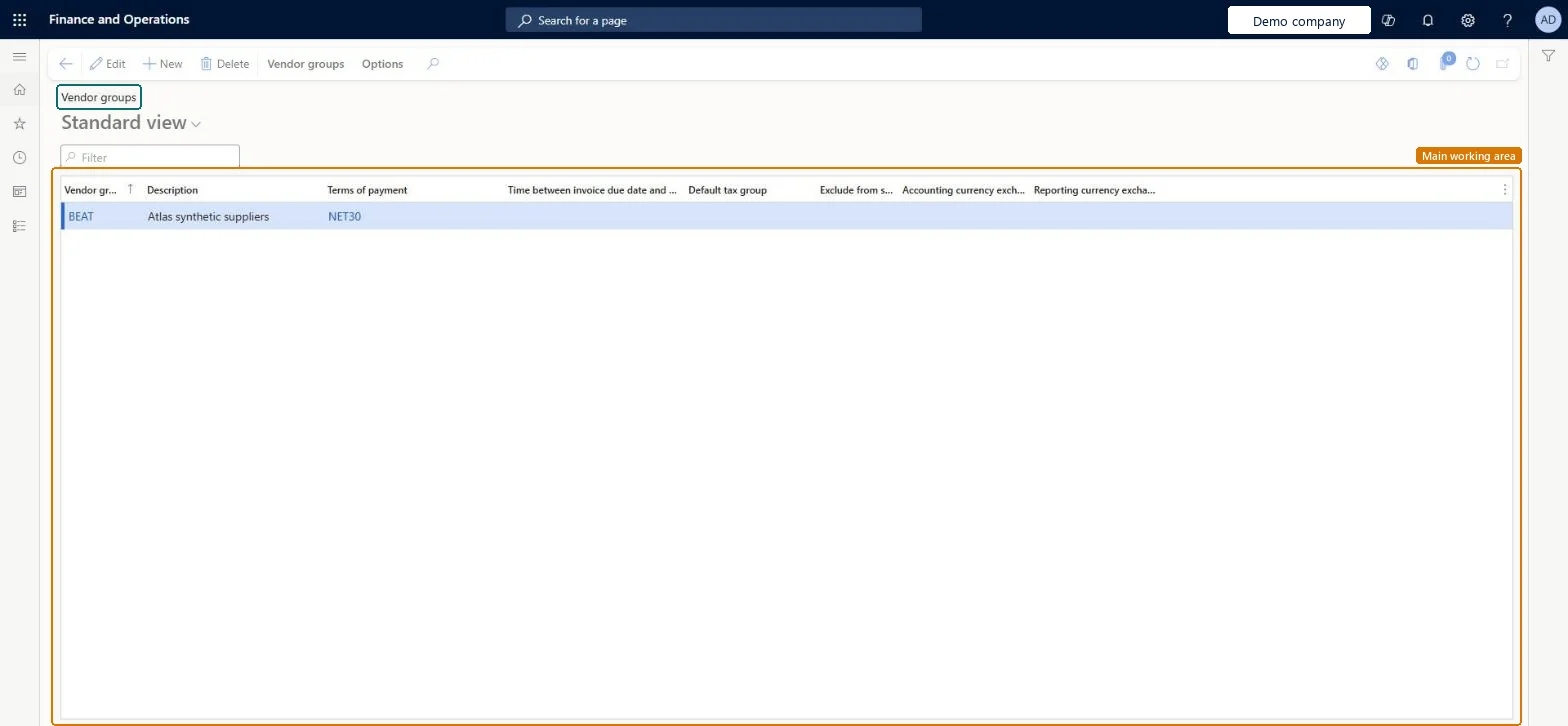
Group vendors that share posting, settlement, payment and reporting defaults.
Screen 1
Create the vendor group
Go to Accounts payable > Vendors > Vendor groups
- Select New
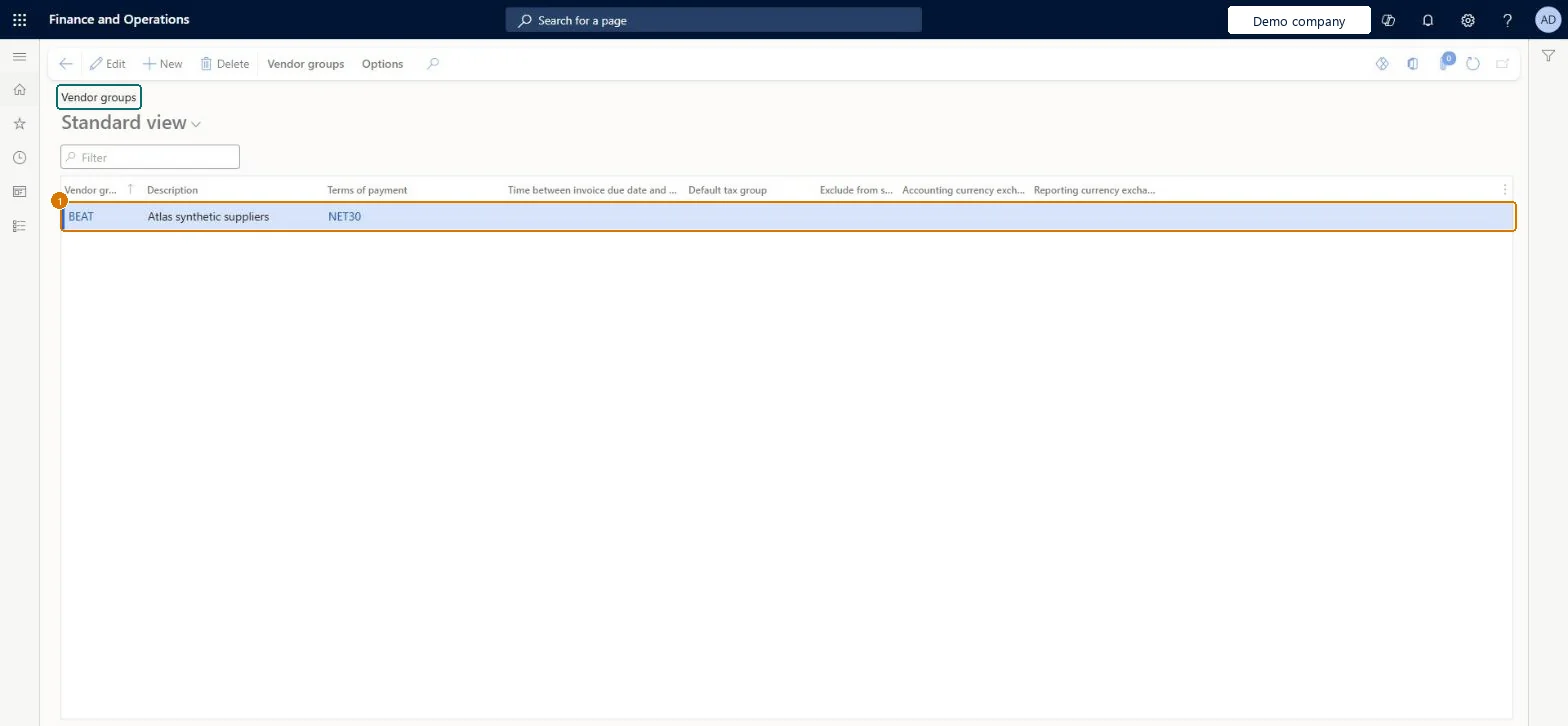
- Enter the group code, description and terms of payment
1Vendor group BEAT Description Atlas synthetic suppliers Terms of payment NET30 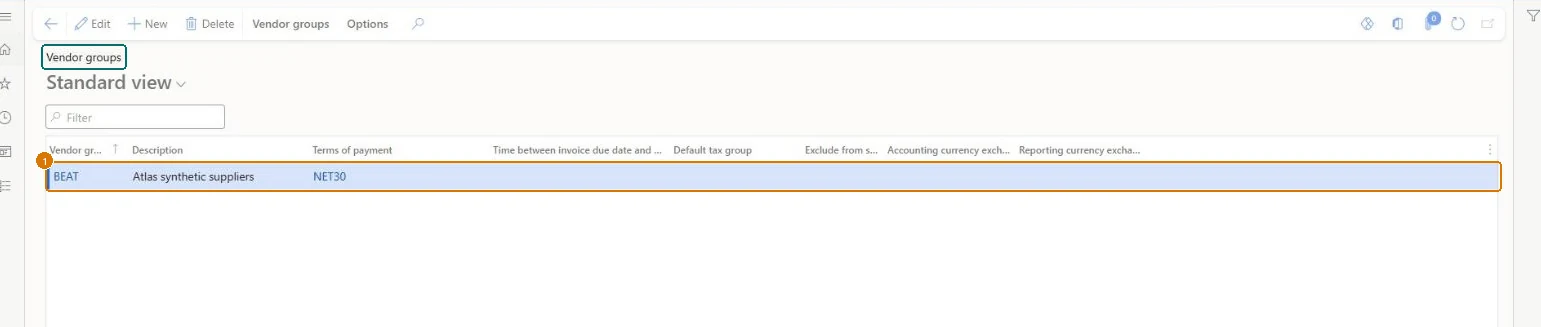
Show the full screen
page title tab to open what to set or check
Microsoft's steps
—
Field guide
| Field | What it means | Worked example | Table column |
|---|---|---|---|
| Posting | Opens the ledger posting setup for items, accounts and sales tax codes by vendor group.Microsoft Learn ↗ | — | — |
| Vendor group | — | BEAT | — |
| Description | — | Atlas synthetic suppliers | — |
| Terms of payment | — | NET30 | — |
Functional consultant
4Setup decisions
| Setup step | Recommended value and why | Decision · common mistake · test |
|---|---|---|
| Define vendor groups | — | —Creating groups by vendor name alone without checking whether they need distinct posting or payment defaults.Test: AP baseline defaults flow from setup to invoice and payment |
Solution architect
5Design impact
| Shared or per company | Per company: each legal entity has its own records. Microsoft data model ↗ |
|---|---|
| Can it be undone | — |
| Feature or country | — |
| If you change it later | — |
Technical architect
6Technical
| Menu item | VendGroup Checked in Dynamics 365 |
|---|---|
| Form | VendGroup Checked in Dynamics 365 |
| Table | VendGroupShown as “Vendor groups” in Record infoKey field: VendGroupChecked in Dynamics 365 |
| Data entities | VendVendorGroupEntityVendor groups Microsoft data model ↗DimAttributeVendGroupEntityMicrosoft data model ↗ |
| Who can open it | PrivilegesMaintain vendor groups VendGroupMaintainDutiesEnable vendor process VendVendorProcessEnable3 security rolesPurchasing managerTradePurchasingManagerAccounts payable manager VendInvoiceAccountsPayableManagerVendor account manager VendVendorAccountManager |
| Actions on the page | Vendor groups: [ButtonGroupSetup], [ButtonGroupForecast], [ButtonGroupWHS]Checked in Dynamics 365 |
Developer
7Developer
| Open it directly | https://<your-environment>/?mi=VendGroup |
|---|---|
| Integrate with | VendVendorGroupEntity data entity Microsoft data model ↗ |
| Table definition | VendGroup columns and relations Microsoft data model ↗ |
Everyone
8Sources and checks
- learn.microsoft.com/dynamics365/finance/accounts-payable/accounts-payable-overview
- learn.microsoft.com/dynamics365/finance/accounts-payable/accounts-payable-overview
- learn.microsoft.com/common-data-model/schema/core/operationscommon/tables/supplychain/vendor/group/vendgroup
- learn.microsoft.com/training/modules/configure-accounts-payable-dyn365-finance/6-vendor-groups
- learn.microsoft.com/dynamics365/finance/accounts-payable/default-offset-accounts-vendor-invoice-journals
- Checked in a working Dynamics 365 system, version 10.0.49: the menu item, form, table and security, the page, the demo records and the values in the screenshots.