SETUP GUIDEHow to set it up8 sections. Choose a role to highlight what matters to you.
Everyone
1What it is and why
What it is
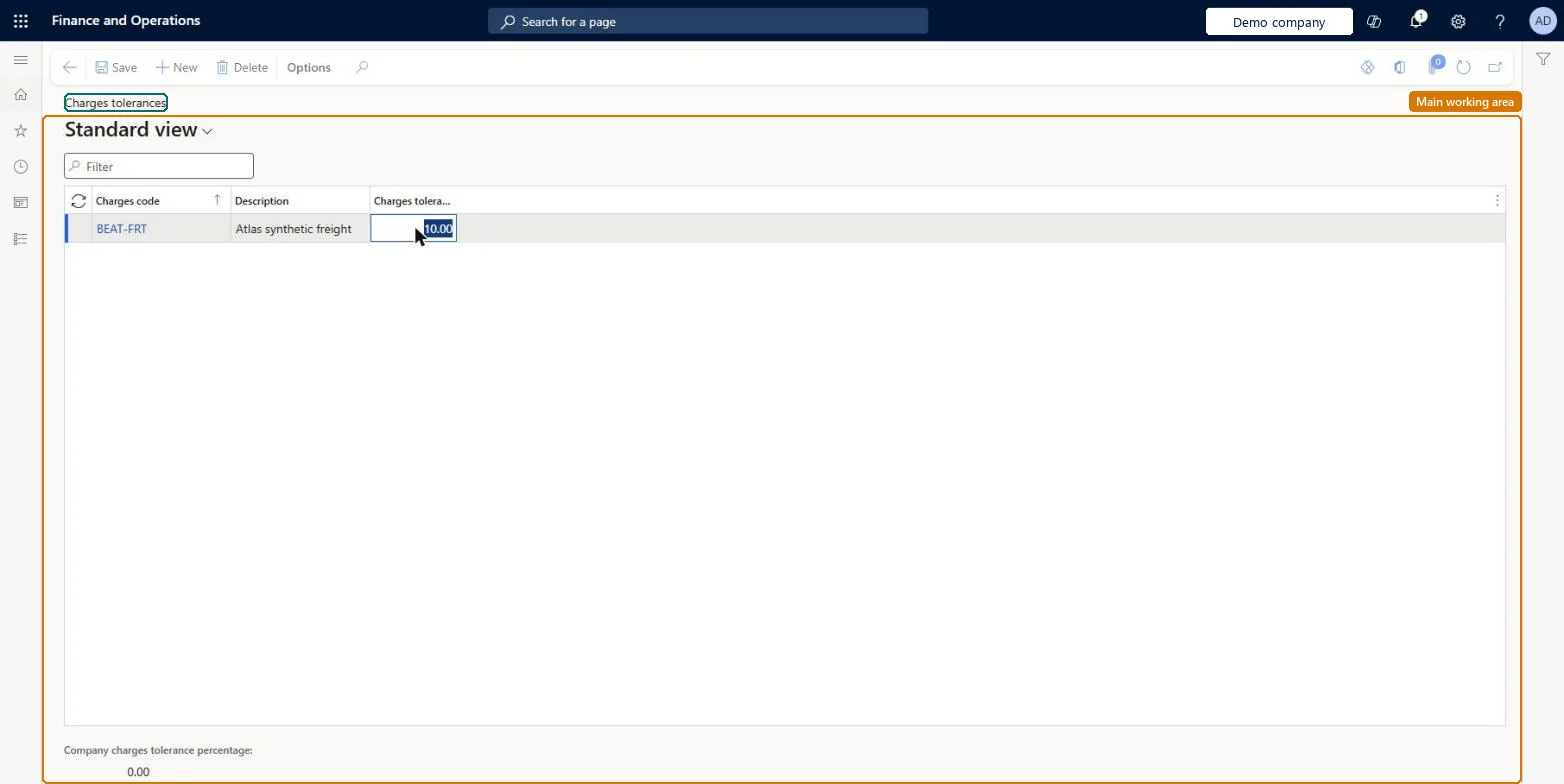
An invoice matching setup page for charges tolerances.
What you do here
Use this page to set up tolerances for charges.
Example
For example, if the allowed tolerance for a charges code is 25 percent and an invoice has a charge that was not on the purchase order, that charge is shown as a matching discrepancy.
The page in Dynamics 365. page title tab to open what to set or check
About the examples: Examples and screenshots in this guide use BEAT, a demo company in a Dynamics 365 test environment. Use your own company's codes and values instead of copying them.
Step by step, with screenshots
Define charges tolerances1 screen
Screen 1
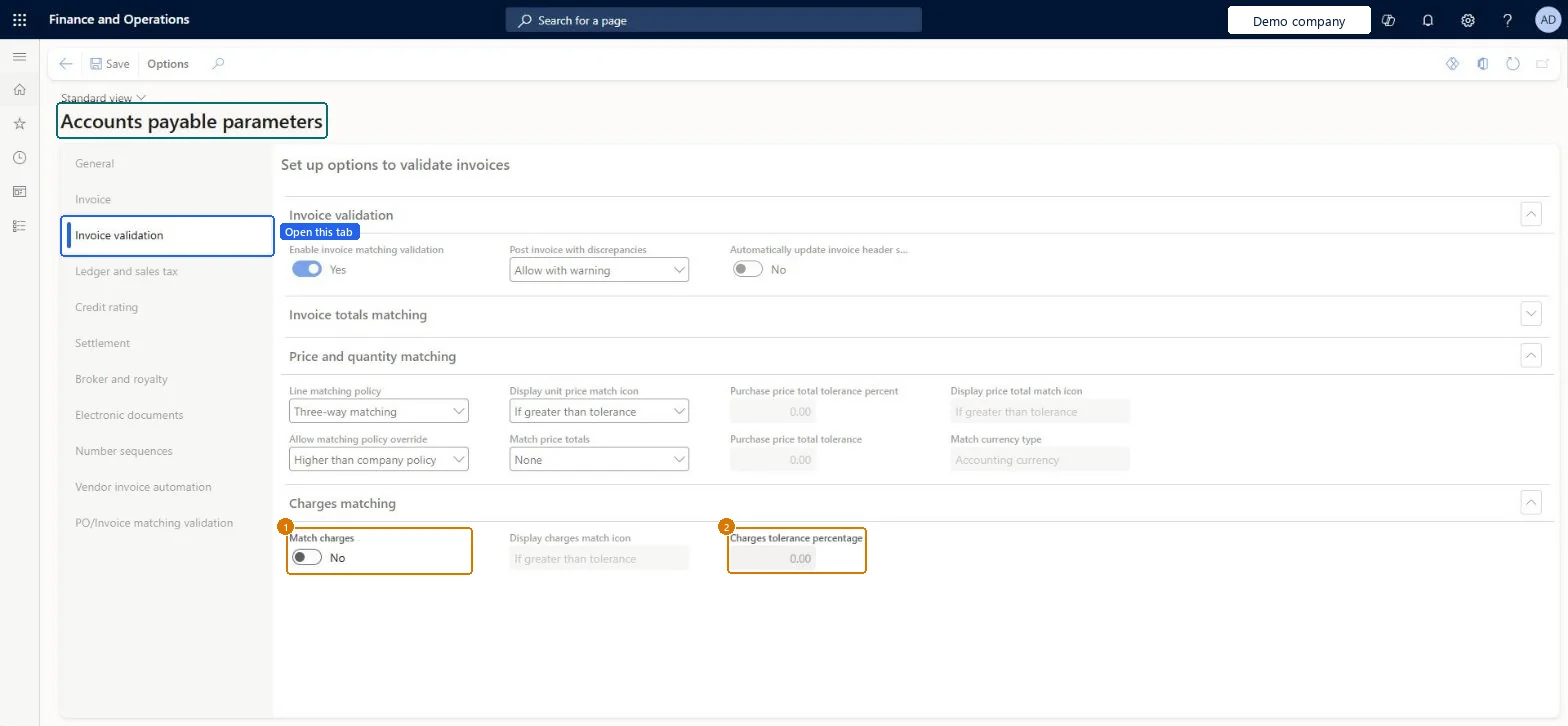
Set the charges matching tolerance
Go to Accounts payable > Setup > Accounts payable parameters, Invoice validation tab
Go to the Charges matching section
Set Match charges
Check Charges tolerance percentage
Select Save
1Match charges
No
2Charges tolerance percentage
0.00
Show the full screen page title tab to open what to set or check
Test checklist
Turn on Match charges and set Compare purchase order and invoice values on the Freight charges code.
Set a 25 percent tolerance for Freight.
Invoice a purchase order with Freight 50 percent above the order charge.
Open Compare charges values and check Freight shows Failed.
A tolerance percentage for each charges code that has Compare purchase order and invoice values turned onCharges matching compares totals per charges code against these tolerances, and only for codes with that toggle on.
Setting tolerances while Match charges is off in Accounts payable parameters, or on charges codes without Compare purchase order and invoice values: no charges matching happens.
MarkupChargesToleranceEntityCharges tolerances Checked in Dynamics 365
Roles to set it up and use it
To set it up or change itAccounts payable manager VendInvoiceAccountsPayableManagerAccounting supervisor LedgerAccountingSupervisorPurchasing manager TradePurchasingManagerTo use itAccounting manager LedgerAccountingManagerAccounts payable clerk VendInvoiceAccountsPayableClerkChief financial officer CompanyChiefFinancialOfficerFinancial controller LedgerFinancialControllerAccountant LedgerAccountantGive people one of these roles. On this system, 10 roles can open this page.Checked in Dynamics 365