Setup page · Accounts payable
Vendor posting profiles
A setup page for posting profiles that control how vendor transactions are posted to the general ledger, for all vendors, a vendor group or a single vendor.
- Used by
- Accounts payable manager, Auditor, Chief executive officer and 12 more roles
- Business process
- Process supplier invoices
- Menu item
VendPosting- Main table
VendLedger- Data entity
VendorPostingProfileHeaderEntity- Setup steps
- 1 on this page
Show what matters for
Everyone
1What it is and why
| What it is | A setup page for posting profiles that control how vendor transactions are posted to the general ledger, for all vendors, a vendor group or a single vendor. |
|---|---|
| What you do here | Used to assign the summary, settle, prepayment tax, arrival and offset accounts and settlement settings that apply when purchase orders, vendor invoices and payments are posted. |
| Example | You create two posting profiles, National and Foreign, to post vendor balances in the national currency and in a foreign currency to different accounts. |
Functional consultant · Solution architect
2Where it fits
| Business process | Manage accounts payable › Process supplier invoices |
|---|---|
| Menu path | Accounts payable › Setup › Vendor posting profiles |
| Set up first | Vendor groups Microsoft Learn ↗Define vendor groups |
| Used next by | Accounts payable parameters Microsoft Learn ↗Invoice register Microsoft Learn ↗Set the default vendor posting profile |
| Related pages | — |
End user · Functional consultant
3How to do it
Step by step, with screenshots
Define vendor posting profiles1 screen
Post vendor invoice and payment balances to the intended general ledger accounts.
Screen 1
Create the vendor posting profile
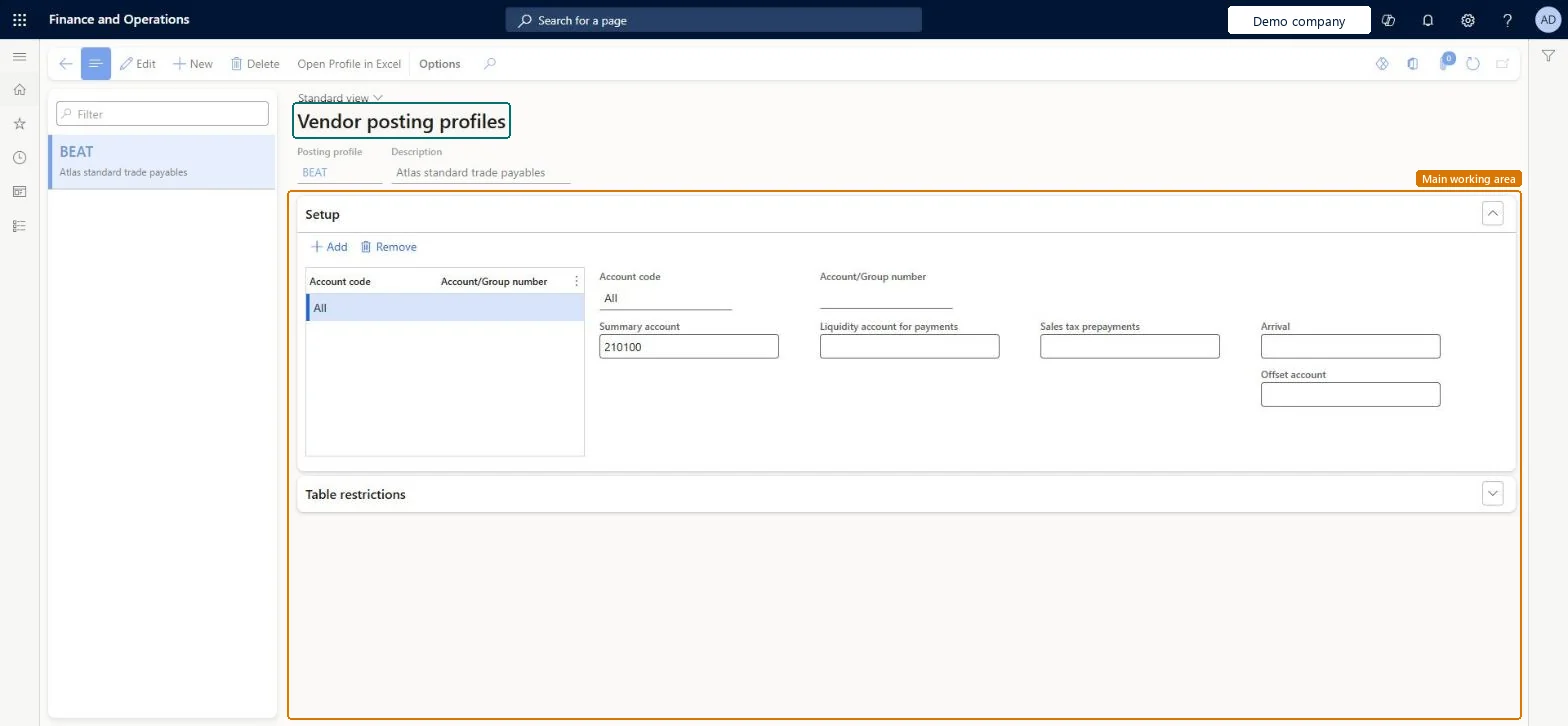
Go to Accounts payable > Setup > Vendor posting profiles
- Select New and enter the posting profile and description
- On the Setup FastTab, select Add
- Set Account code to All and enter the summary account
1Posting profile BEAT Description Atlas standard trade payables Account code All Summary account 210100 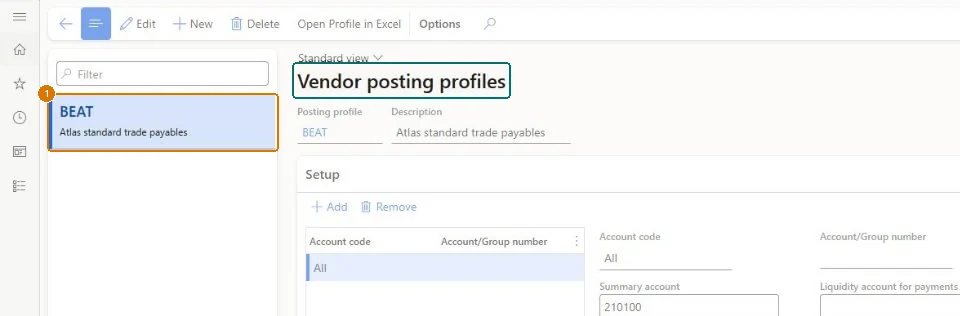
Show the full screen
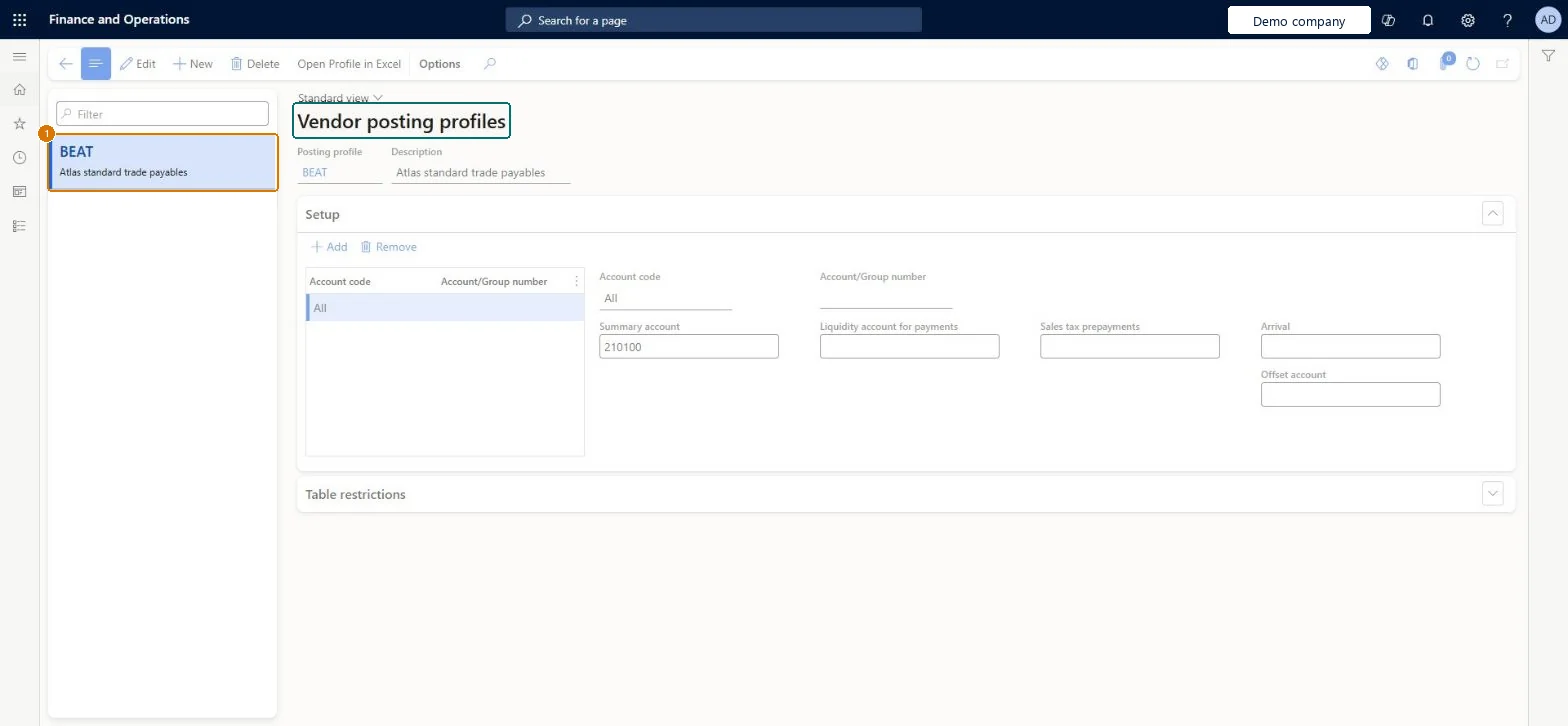
page title tab to open what to set or check
Microsoft's steps
—
Field guide
| Field | What it means | Worked example | Table column |
|---|---|---|---|
| Account code | Whether the profile applies to one vendor (Table), a vendor group (Group), or all vendors (All).Microsoft Learn ↗ | All | — |
| Summary account | The ledger account used as the vendor balance account for the vendors in this profile.Microsoft Learn ↗ | 210100 | — |
| Arrival | The account that unapproved invoices from the invoice register post to.Microsoft Learn ↗ | — | — |
| Offset account | The account that offsets unapproved invoices posted to the arrival account.Microsoft Learn ↗ | — | — |
| Sales tax prepayments | The account for sales tax on payments made in advance.Microsoft Learn ↗ | — | — |
| Settlement | Turns on automatic settlement for transactions with this profile.Microsoft Learn ↗ | — | Settlement |
| Close | The posting profile a transaction changes to once it is fully settled.Microsoft Learn ↗ | — | PostingProfileClose |
| Posting profile | — | BEAT | PostingProfile |
| Description | — | Atlas standard trade payables | — |
Functional consultant
4Setup decisions
| Setup step | Recommended value and why | Decision · common mistake · test |
|---|---|---|
| Define vendor posting profiles | — | Which vendors need different AP summary accounts or posting treatment?Assuming the All row wins when a more specific vendor or vendor-group row exists; Microsoft's lookup order is Table, Group, then All. A separate AP parameters action sets the default profile, and posting definitions can change the posting route.Test: AP baseline defaults flow from setup to invoice and payment |
Solution architect
5Design impact
| Shared or per company | Per company: each legal entity has its own records. Microsoft data model ↗ |
|---|---|
| Can it be undone | — |
| Feature or country | — |
| If you change it later | The system uses the most specific profile it finds: one vendor first, then the vendor group, then all vendors. If you later remove a summary account from a profile, check the Do not allow manual entry setting on that main account. Microsoft Learn ↗ |
Technical architect
6Technical
| Menu item | VendPosting Checked in Dynamics 365 |
|---|---|
| Form | VendPosting Checked in Dynamics 365 |
| Table | VendLedgerShown as “Vendor posting profile” in Record infoKey field: PostingProfileChecked in Dynamics 365 |
| Data entities | VendorPostingProfileHeaderEntityVendor posting profile Microsoft data model ↗ |
| Who can open it | PrivilegesMaintain vendor posting profiles VendPostingMaintainView vendor posting profiles VendPostingViewDutiesInquire into general ledger policies LedgerGeneralLedgerPoliciesInquireEnable general ledger process LedgerGeneralLedgerProcessEnableReview general ledger process performance LedgerGeneralLedgerProcessPerfReviewInquire into purchase order to invoice policies PurchOrderToInvoicePoliciesInquireEnable purchase order to invoice process PurchOrderToInvoiceProcessEnableInquire into general ledger policies RentalLedgerGeneralLedgerPolicieInquireEnable general ledger process RentalLedgerGeneralLedgerProcessEnableInquire into invoice and payment policies VendInvoiceInvoicePaymentPoliciesInquirEnable invoice and payment process VendInvoiceInvoicePaymentProcessEnable15 security rolesAuditorAuditPolicyManagerChief executive officer CompanyChiefExecutiveOfficerChief financial officer CompanyChiefFinancialOfficerInventory accountant InventCostAccountantInventory accountant clerk InventCostCostClerkAccountant LedgerAccountantAccounting manager LedgerAccountingManagerAccounting supervisor LedgerAccountingSupervisorFinancial controller LedgerFinancialControllerRental coordinator agent RentalCoordinatorAgentRental manager RentalManagerRental purchasing manager RentalPurchasingManagerRental sales manager RentalSalesManagerPurchasing manager TradePurchasingManagerAccounts payable manager VendInvoiceAccountsPayableManager |
| Actions on the page | Buttons: Open Profile in ExcelChecked in Dynamics 365 |
Developer
7Developer
| Open it directly | https://<your-environment>/?mi=VendPosting |
|---|---|
| Integrate with | VendorPostingProfileHeaderEntity data entity Microsoft data model ↗ |
| Table definition | VendLedger columns and relations Microsoft data model ↗ |
Everyone
8Sources and checks
- learn.microsoft.com/dynamics365/finance/accounts-payable/vendor-posting-profiles
- learn.microsoft.com/dynamics365/finance/accounts-payable/vendor-posting-profiles
- learn.microsoft.com/common-data-model/schema/core/operationscommon/tables/finance/accountspayable/group/vendledger
- Checked in a working Dynamics 365 system, version 10.0.49: the menu item, form, table and security, the page, the demo records and the values in the screenshots.