Setup page · Accounts payable
Price tolerances
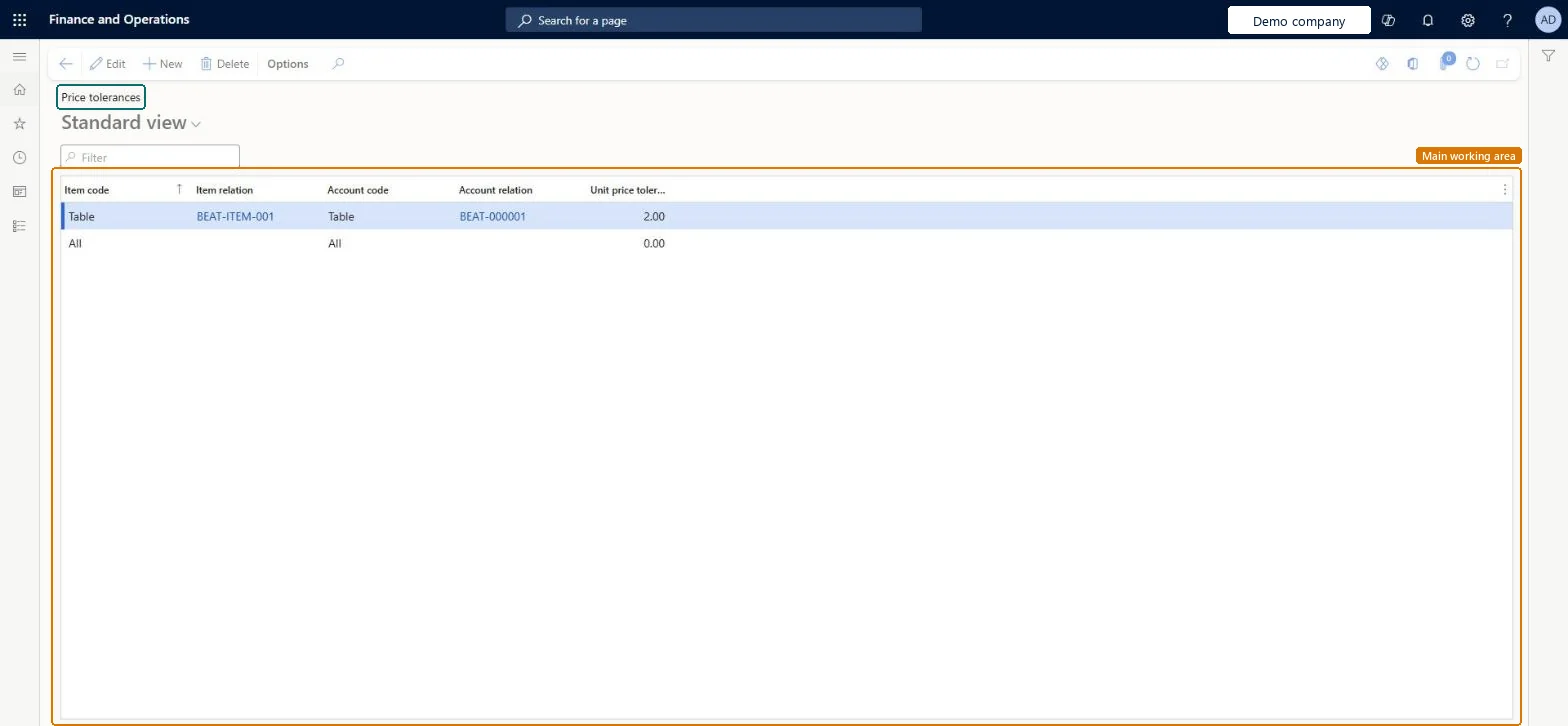
A setup page for allowed unit price tolerance percentages by legal entity, item and vendor (with a default of 0 percent for all items and accounts).
- Used by
- Accounts payable clerk, Accounts payable manager, Chief financial officer and 7 more roles
- Business process
- Perform invoice matching in Dynamics 365 Finance
- Menu item
PurchPriceTolerance- Main table
PurchPriceTolerance- Data entity
PurchPriceToleranceEntity- Setup steps
- 1 on this page
Show what matters for
Everyone
1What it is and why
| What it is | A setup page for allowed unit price tolerance percentages by legal entity, item and vendor (with a default of 0 percent for all items and accounts). |
|---|---|
| What you do here | Used with two-way or three-way matching to define how far invoice prices may differ from purchase order prices before a discrepancy is shown. |
| Example | For example, if the policy allows a 5 percent net unit price tolerance for an item and the purchase order price is 1.00, an invoice price of 1.05 is accepted but 1.10 is a price matching discrepancy. |
Functional consultant · Solution architect
2Where it fits
| Business process | Manage accounts payable › Process supplier invoices › Perform invoice matching in Dynamics 365 Finance |
|---|---|
| Menu path | Accounts payable › Invoice matching setup › Price tolerances |
| Set up first | Accounts payable parameters Microsoft Learn ↗Configure price total matching and tolerance |
| Used next by | Invoice history and matching details Microsoft Learn ↗ |
| Related pages | Item price tolerance groups Microsoft Learn ↗Vendor price tolerance groups Microsoft Learn ↗Matching policy Microsoft Learn ↗Invoice totals tolerances Microsoft Learn ↗Charges tolerances Microsoft Learn ↗ |
End user · Functional consultant
3How to do it
Step by step, with screenshots
Define price tolerances by item, vendor or combination1 screen
Screen 1
Add the item and vendor price tolerance
Go to Accounts payable > Invoice matching setup > Price tolerances
- Select New
- Enter the item and vendor combination and the unit price tolerance
- Keep the All / All row as the default
1Item relation BEAT-ITEM-001 Account code Table Account relation BEAT-000001 Unit price tolerance 2.00 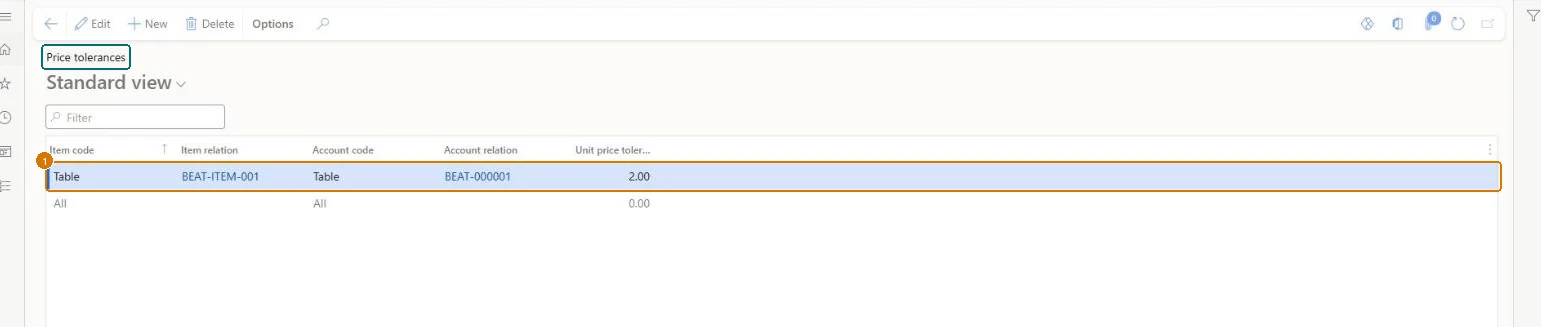
Show the full screen
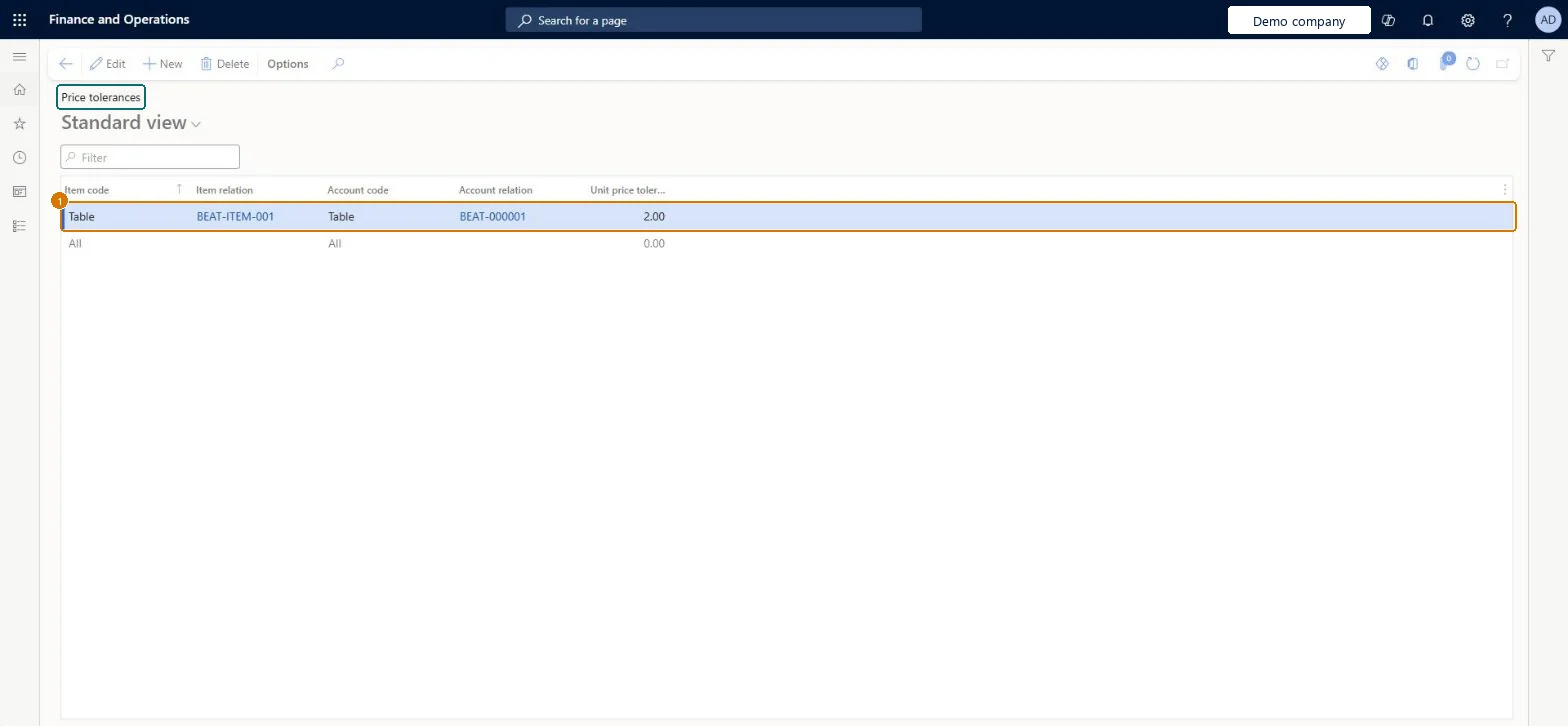
page title tab to open what to set or check
Microsoft's steps
- Make sure the line matching policy in Accounts payable parameters is set to two-way or three-way matching.
- Go to Accounts payable > Setup > Invoice matching setup > Price tolerances.
- Enter the allowed price tolerance percentages for the legal entity, items and vendors, or for groups of them.
- To also flag invoices priced below the order, set Display unit price match icon in Accounts payable parameters to If greater than or less than tolerance.
Source: Microsoft Learn ↗
Field guide
| Field | What it means | Worked example | Table column |
|---|---|---|---|
| Item relation | — | BEAT-ITEM-001 | ItemRelation |
| Account code | — | Table | AccountCode |
| Account relation | — | BEAT-000001 | AccountRelation |
| Unit price tolerance | — | 2.00 | — |
Functional consultant
4Setup decisions
| Setup step | Recommended value and why | Decision · common mistake · test |
|---|---|---|
| Define price tolerances by item, vendor or combination | — | — |
Solution architect
5Design impact
| Shared or per company | Per company: each legal entity has its own records. Microsoft data model ↗ |
|---|---|
| Can it be undone | — |
| Feature or country | — |
| If you change it later | When an invoice is checked, the system looks for the most specific tolerance first, from a single item and vendor down to all items and all vendors. The default record for all items and all vendors starts at 0 percent and can't be deleted. Microsoft Learn ↗ |
Technical architect
6Technical
| Menu item | PurchPriceTolerance Checked in Dynamics 365 |
|---|---|
| Form | PurchPriceTolerance Checked in Dynamics 365 |
| Table | PurchPriceToleranceShown as “Price tolerance setup” in Record infoKey field: RecIdChecked in Dynamics 365 |
| Data entities | PurchPriceToleranceEntityPrice tolerance setup Microsoft data model ↗VendInvoicePriceToleranceEntityInvoice matching unit price tolerance setup Microsoft data model ↗ |
| Who can open it | PrivilegesMaintain price tolerances PurchPriceToleranceMaintainView price tolerances PurchPriceToleranceViewDutiesEnable purchase order to invoice process PurchOrderToInvoiceProcessEnableInquire into vendor invoice status VendInvoiceVendorInvoiceStatusInquire10 security rolesChief financial officerCompanyChiefFinancialOfficerAccountant LedgerAccountantAccounting manager LedgerAccountingManagerAccounting supervisor LedgerAccountingSupervisorFinancial controller LedgerFinancialControllerAccounts payable centralized payments clerk PaymAccountsPayableCentralPaymClerkAccounts payable payments clerk PaymAccountsPayablePaymentsClerkPurchasing manager TradePurchasingManagerAccounts payable clerk VendInvoiceAccountsPayableClerkAccounts payable manager VendInvoiceAccountsPayableManager |
| Actions on the page | Options: Personalize, Page options, ShareChecked in Dynamics 365 |
Developer
7Developer
| Open it directly | https://<your-environment>/?mi=PurchPriceTolerance |
|---|---|
| Integrate with | PurchPriceToleranceEntity data entity Microsoft data model ↗ |
| Table definition | PurchPriceTolerance columns and relations Microsoft data model ↗ |
Everyone
8Sources and checks
- learn.microsoft.com/dynamics365/finance/accounts-payable/tasks/set-up-accounts-payable-invoice-matching-validation
- https://aka.ms/BusinessProcessCatalog
- learn.microsoft.com/dynamics365/finance/accounts-payable/tasks/set-up-accounts-payable-invoice-matching-validation
- learn.microsoft.com/common-data-model/schema/core/operationscommon/tables/finance/accountspayable/parameter/purchpricetolerance
- learn.microsoft.com/dynamics365/finance/accounts-payable/accounts-payable-invoice-matching
- learn.microsoft.com/dynamics365/finance/accounts-payable/accounts-payable-overview
- Checked in a working Dynamics 365 system, version 10.0.49: the menu item, form, table and security, the page, the demo records and the values in the screenshots.