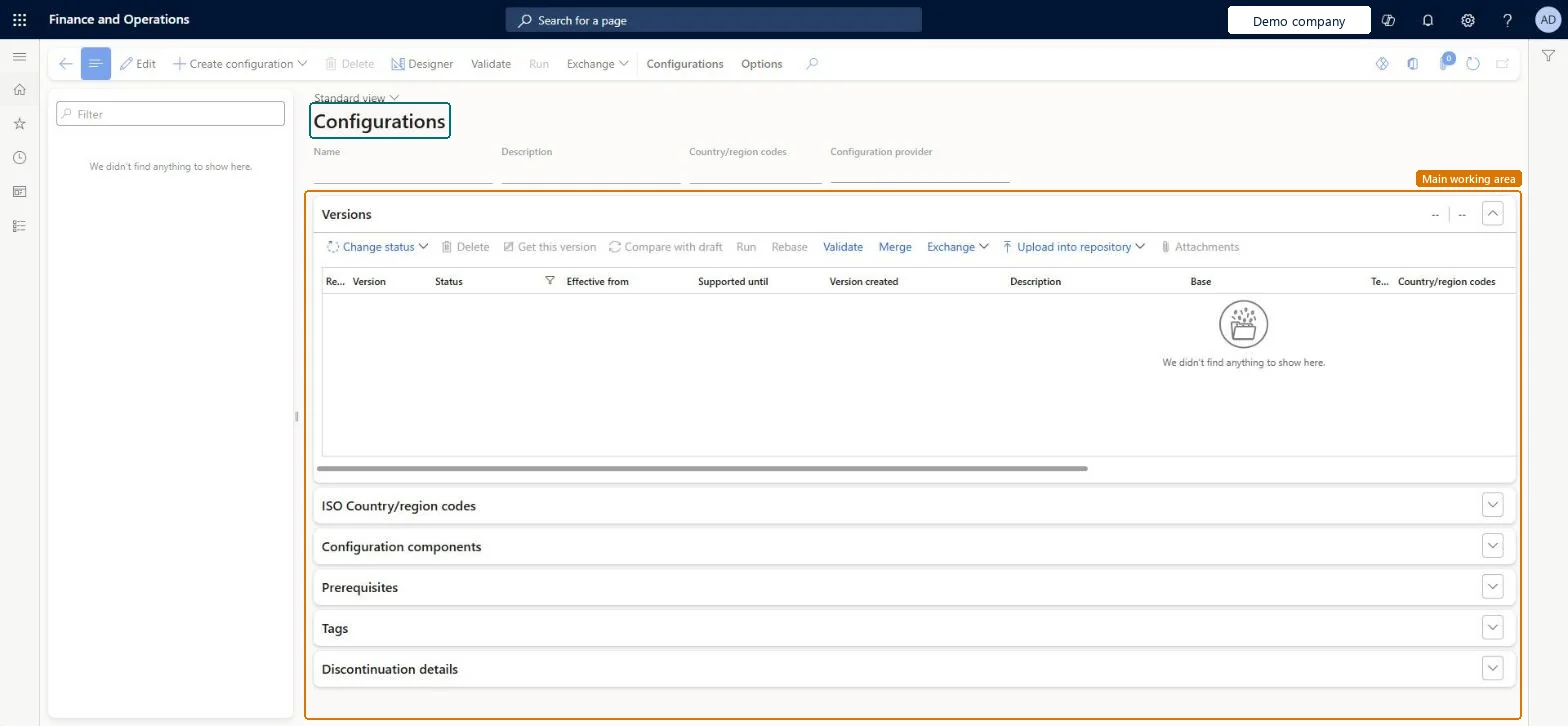
About the examples: Examples and screenshots in this guide use BEAT, a demo company in a Dynamics 365 test environment. Use your own company's codes and values instead of copying them.
Setup steps on this page
Set up Configurations
Use this page to import, design, version and run Electronic reporting configurations.
Steps from Microsoft
Go to Organization administration > Electronic reporting > Configurations.
At the top of the page, select Exchange.
Select Load from XML file.
Select Browse and choose the configuration file.
Select OK to import the configuration.
Import the data model configuration before the format configuration that uses it.
A version must be changed from Draft to Complete before the format is ready for use.Microsoft Learn
Status
Run in debug mode
A user parameter that writes a record to the debug log each time a format runs.Microsoft Learn
Enable data debugging at format run
A user parameter that lets you open the data source debugger while a format runs.Microsoft Learn
Common errors and fixes
Message
What to do
Format 'X' version is not completed
To drop your draft changes, select the highest Completed or Shared version on the Versions FastTab and select Get this version, then import again; otherwise complete your draft first. Microsoft Learn
Test checklist
Select a Microsoft format and use Create configuration > Derive from it under your own provider.
Make a change in the draft and run it with Run draft = Yes (User parameters > Run setting).
Change status to Complete and check the version is read-only and a new draft version appears.
Run the format normally and check the completed version is used.
Keep Microsoft configurations unchanged; derive your own copy under your own active provider and rebase it when Microsoft ships a new version.Learn recommends not changing Microsoft's configurations, because your edits would clash with future Microsoft versions; a derived configuration can be rebased onto the new base version.
Editing the draft version of a configuration and then importing a newer version: the import stops with an error to protect your draft changes.
Solution architect
5Design impact
Can it be undone
One-way: Warning: When a version's status is changed from Draft to Completed, that version becomes read-only and can't be changed again; further changes go into the new draft version.
If you change it later
Changes made in a derived version are kept as differences, so they can be carried into a new version of the original configuration automatically. Microsoft Learn
Technical architect
6Technical
Menu item
ERSolutionTableChecked in Dynamics 365
Form
ERSolutionTableChecked in Dynamics 365
Table
ERSolutionTableShown as “Configurations” in Record infoChecked in Dynamics 365
To set it up or change itElectronic reporting functional consultant ERFunctionalConsultantElectronic reporting developer ERDeveloperGive people one of these roles. On this system, 2 roles can open this page.Checked in Dynamics 365
Actions on the page
Configurations: Configuration repositories, Advanced settings, Labels, Application specific parameters, Create configurationOptions: Personalize, Page options, ShareChecked in Dynamics 365