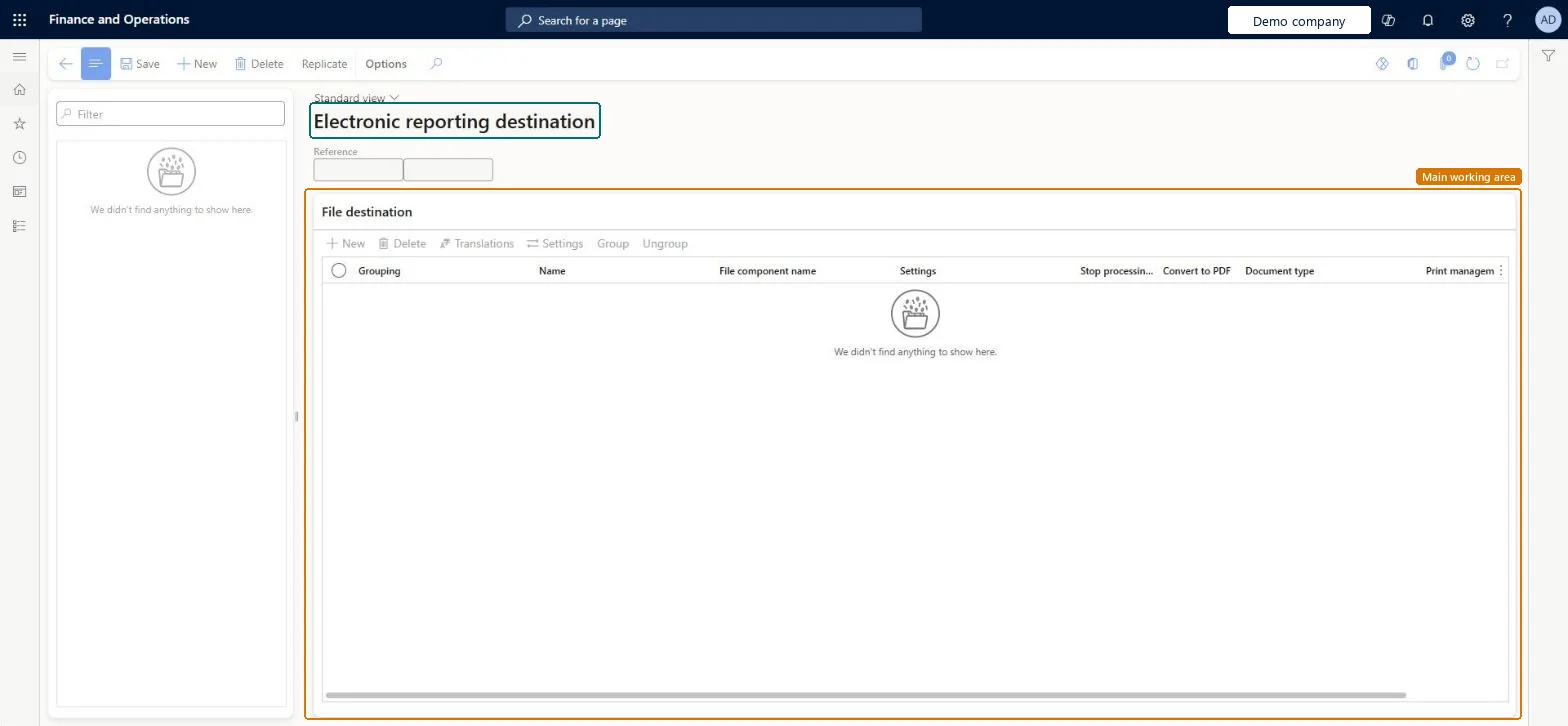
About the examples: Examples and screenshots in this guide use BEAT, a demo company in a Dynamics 365 test environment. Use your own company's codes and values instead of copying them.
Setup steps on this page
Set up Electronic reporting destination
Use this page to override the default handling of a format's output, for example to archive it, email it or convert it to PDF.
Steps from Microsoft
Go to Organization administration > Electronic reporting > Electronic reporting destination.
Select New.
In the Reference field, select the format to set destinations for.
Create a file destination for each Folder or File output of the format.
Select Settings to open the Destination settings dialog box.
Set the Enabled option for each destination you want to use.
Set destinations for each format in every company that runs it, with one file destination per output component (for example Archive for the original and Email of a PDF conversion).Destinations are company-specific and, once set, override the default open-or-save dialog for that component.
Testing a draft format and expecting the destinations to run: by default destinations apply only to Completed or Shared versions, unless Use destinations for draft status is turned on in User parameters.
Solution architect
5Design impact
Can it be undone
Reversible: Each destination has an Enabled option and can be changed or removed at any time.
If you change it later
Destinations are set for each company, so a format used in several companies needs destinations set up in each one. Microsoft Learn
Technical architect
6Technical
Menu item
ERFormatDestinationChecked in Dynamics 365
Form
ERFormatDestinationTableChecked in Dynamics 365
Table
ERFormatDestinationTableShown as “Electronic reporting destination” in Record infoChecked in Dynamics 365
Who can open it
PrivilegesMaintain electronic reporting format destination ERFormatDestinationMaintainDutiesConfigure electronic reporting format destination ERFormatDestinationConfigure2 security rolesElectronic reporting developer ERDeveloperElectronic reporting functional consultant ERFunctionalConsultantChecked in Dynamics 365
Roles to set it up and use it
To set it up or change itElectronic reporting functional consultant ERFunctionalConsultantElectronic reporting developer ERDeveloperGive people one of these roles. On this system, 2 roles can open this page.Checked in Dynamics 365
Actions on the page
Options: Personalize, Page options, Edit, ShareChecked in Dynamics 365
Checked in a working Dynamics 365 system, version 10.0.49: the menu item, form, table and security, the page.
To cite this step: OA-ER-040, Set up Electronic reporting destination. Beyond ERP Atlas Hub, 2026-11-11. https://www.beyonderp.cloud/atlas/step/OA-ER-040