SETUP GUIDEHow to set it up8 sections. Choose a role to highlight what matters to you.
Everyone
1What it is and why
What it is
A setup page where you define the classifications of work that can be performed for an approved nonconformance.
What you do here
Use this page to record the material, labor hours and charges needed for nonconformance work so that the system can estimate its cost.
Example
For example, replacing a bad bearing on a machine can be tracked as operations to stop the production line, clean it out, perform machine maintenance and inspect the machine.
The page in Dynamics 365. page title tab to open what to set or check
About the examples: Examples and screenshots in this guide use BEAT, a demo company in a Dynamics 365 test environment. Use your own company's codes and values instead of copying them.
Step by step, with screenshots
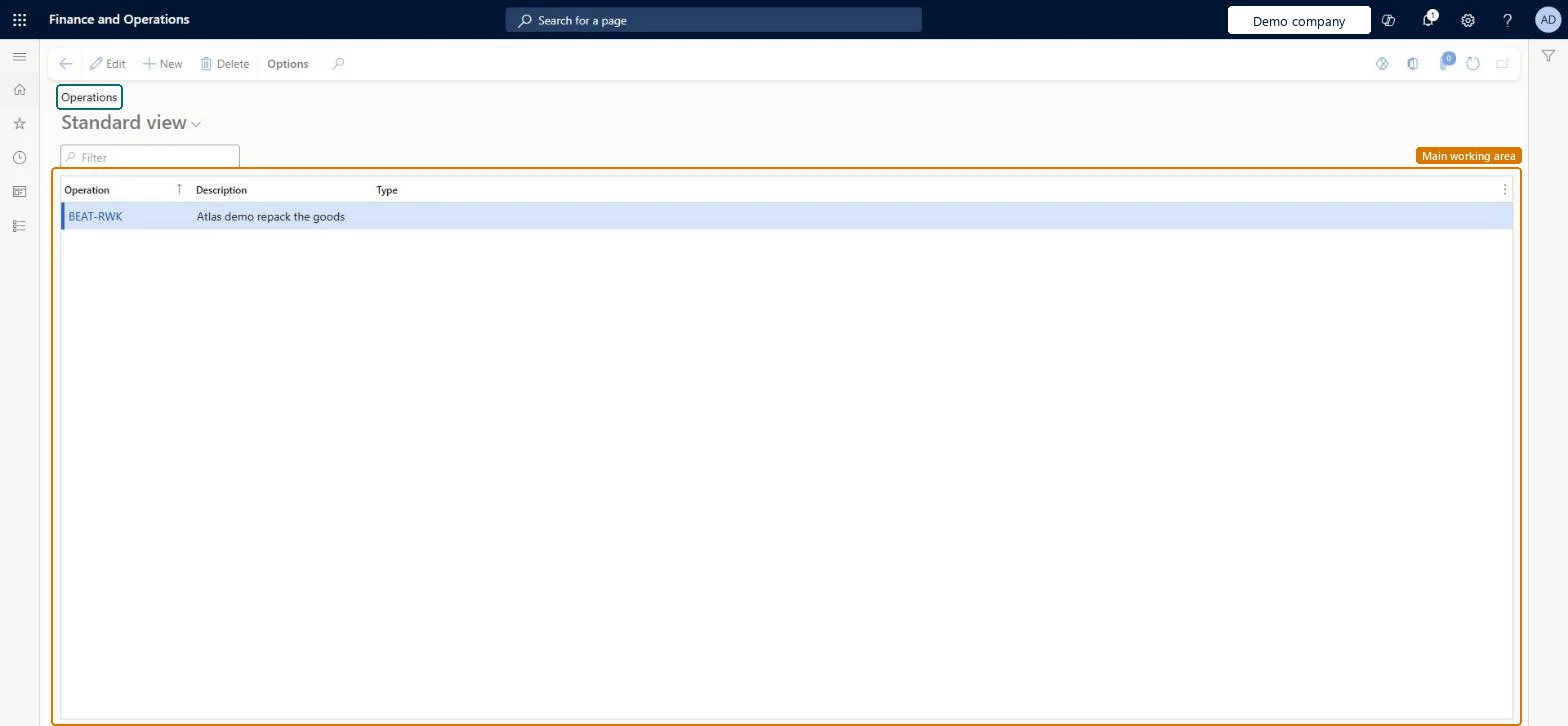
Set up Operations1 screen
Use this page to record the material, labor hours and charges needed for nonconformance work so that the system can estimate its cost.
Screen 1
Create a nonconformance operation
Go to Inventory management > Setup > Quality management > Operations
Select New
Enter the operation code and a description
Optionally choose the type, Purchase order or Sales order, when the operation is tied to one
Select Save
Add the operation to nonconformances or to a nonconformance operation group, and record the items, hours and charges it needs there
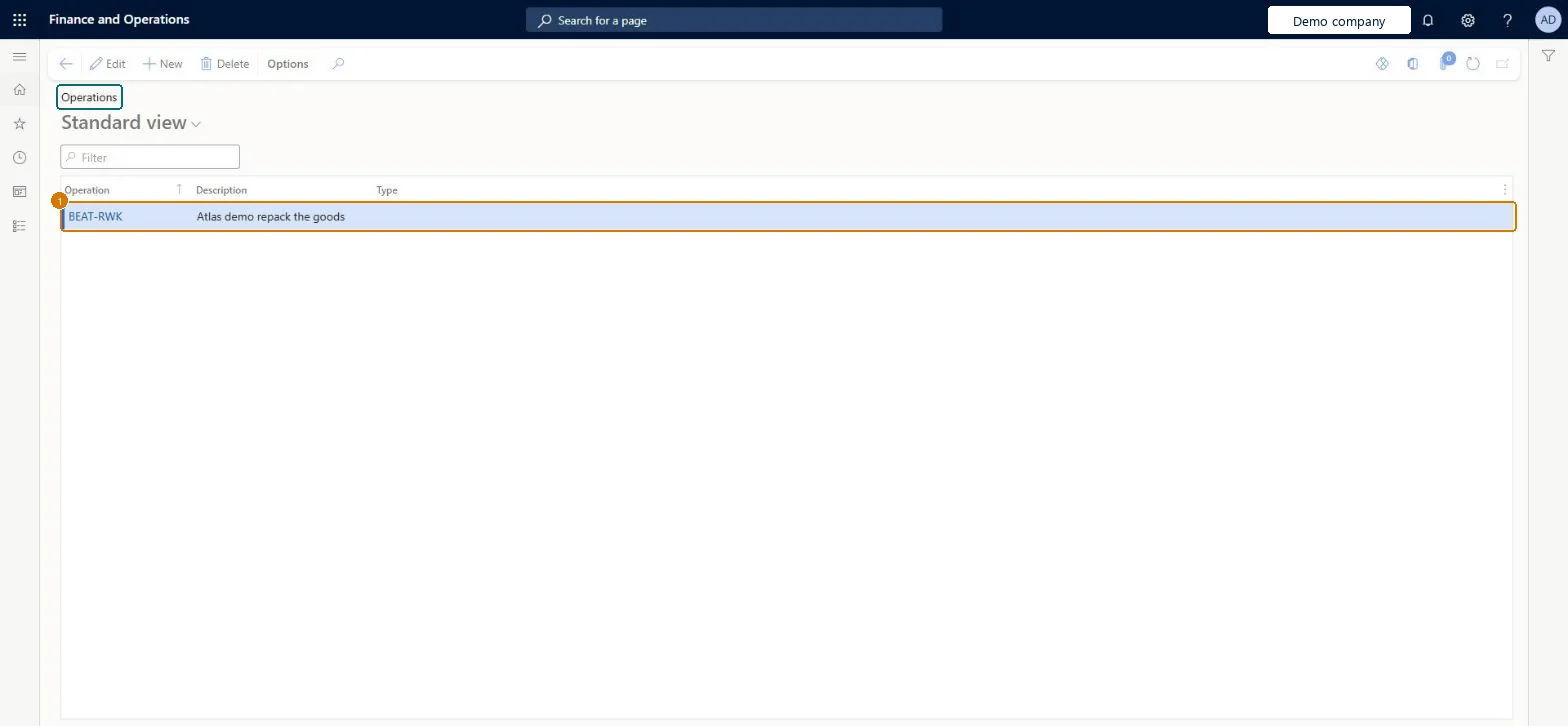
1Operation
BEAT-RWK
Description
Repack the goods
Type
(blank)
Show the full screen page title tab to open what to set or check
Steps from Microsoft
Go to Inventory management > Setup > Quality management > Operations.
Select New to add a row.
In the Operation field, enter a unique ID or name.
In the Description field, enter a detailed description.
In the Type field, select Purchase order or Sales order if the operation applies only to that order type.
One operation per step of corrective work (for example stop line, clean out, maintenance, inspect); set Type only when the operation applies only to Purchase order or Sales order nonconformancesLearn's example breaks a correction into operations, and Type restricts an operation to one order type.
Treating operation costs as accounting: costs, time and items entered are informational and aren't integrated with the general ledger, inventory subledger or Time and attendance.
Reversible: Operations can be edited; their costs are reference only.
If you change it later
Costs, time and items recorded for these operations are for reference only and aren't posted to the general ledger, the inventory subledger or the Time and attendance module. Microsoft Learn
Technical architect
6Technical
Menu item
InventTestOperationChecked in Dynamics 365
Form
InventTestOperationChecked in Dynamics 365
Table
InventTestOperationShown as “Operations” in Record infoKey field: OperationId, Description, OperationTypeChecked in Dynamics 365
Data entities
InventNonConformanceOperationCategoryEntityNonconformance operation categories Microsoft data model
Who can open it
PrivilegesMaintain nonconformance operations InventTestOperationMaintainView nonconformance operations InventTestOperationViewDutiesEnable quality control process InventQualityControlProcessEnableInquire into quality control reference data InventQualityControlReferenceDataInquir2 security rolesQuality control clerk InventQualityControlClerkQuality control manager InventQualityControlManagerChecked in Dynamics 365
Roles to set it up and use it
To set it up or change itQuality control manager InventQualityControlManagerTo use itQuality control clerk InventQualityControlClerkGive people one of these roles. On this system, 2 roles can open this page.Checked in Dynamics 365
Actions on the page
Options: Personalize, Page options, ShareChecked in Dynamics 365
InventNonConformanceOperationCategoryEntity (Nonconformance operation categories): loaded for each company, in Microsoft's default template 395 - Quality management.Load order: Microsoft's default template 395 - Quality management loads Nonconformance operation categories at execution unit 1, level 30, sequence 10. Lower levels load first, and entities at the same level load in sequence order.Load first: the default templates at lower levels (System setup to General ledger)Microsoft Learn
Checked in a working Dynamics 365 system, version 10.0.49: the menu item, form, table and security, the page, the demo records and the values in the screenshots.
To cite this step: IM-QM-070, Set up Operations. Beyond ERP Atlas Hub, 2026-11-11. https://www.beyonderp.cloud/atlas/step/IM-QM-070