BeyondERP.Newsletter
Menu

Setup page · Inventory management

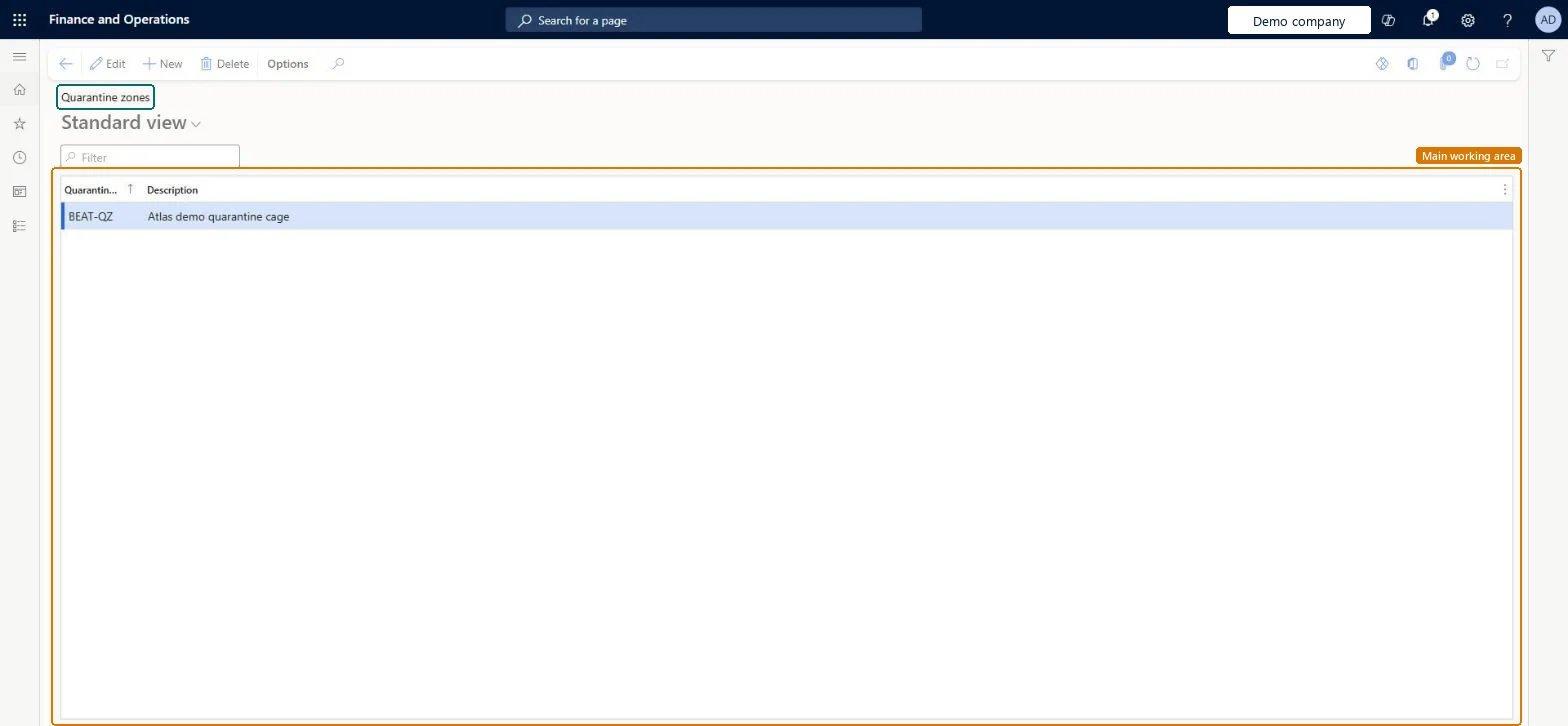
Quarantine zones

A setup page where you define zones that can be assigned to nonconformances.

Used by
Quality control clerk, Quality control manager
Business process
Maintain inventory levels
Menu item
InventQuarantineZone
Main table
InventQuarantineZone
Data entity
InventWarehouseQuarantineZoneEntity
Setup steps
1 on this page
Show what matters for
PAGE GUIDEWhat the page does and how to use it8 sections. Choose a role to highlight what matters to you.
Everyone

1What it is and why

What it isA setup page where you define zones that can be assigned to nonconformances.
What you do hereUse this page to record the area or location where a nonconforming item is kept.
ExampleFor example, if three bins and two racks are used to store nonconforming items, you can set up five quarantine zones, one for each bin and rack.
Quarantine zones page in Dynamics 365
The page in Dynamics 365. page title tab to open what to set or check
Functional consultant · Solution architect

2Where it fits

End user · Functional consultant

3How to do it

About the examples: Examples and screenshots in this guide use BEAT, a demo company in a Dynamics 365 test environment. Use your own company's codes and values instead of copying them.

Step by step, with screenshots

Set up Quarantine zones1 screen

Use this page to record the area or location where a nonconforming item is kept.

  1. Screen 1

    Create a quarantine zone

    Go to Inventory management > Setup > Quality management > Quarantine zones

    1. Select New
    2. Enter the quarantine zone code and a description of the area
    3. Select Save
    4. Select the zone on nonconformances to record where the nonconforming item is kept
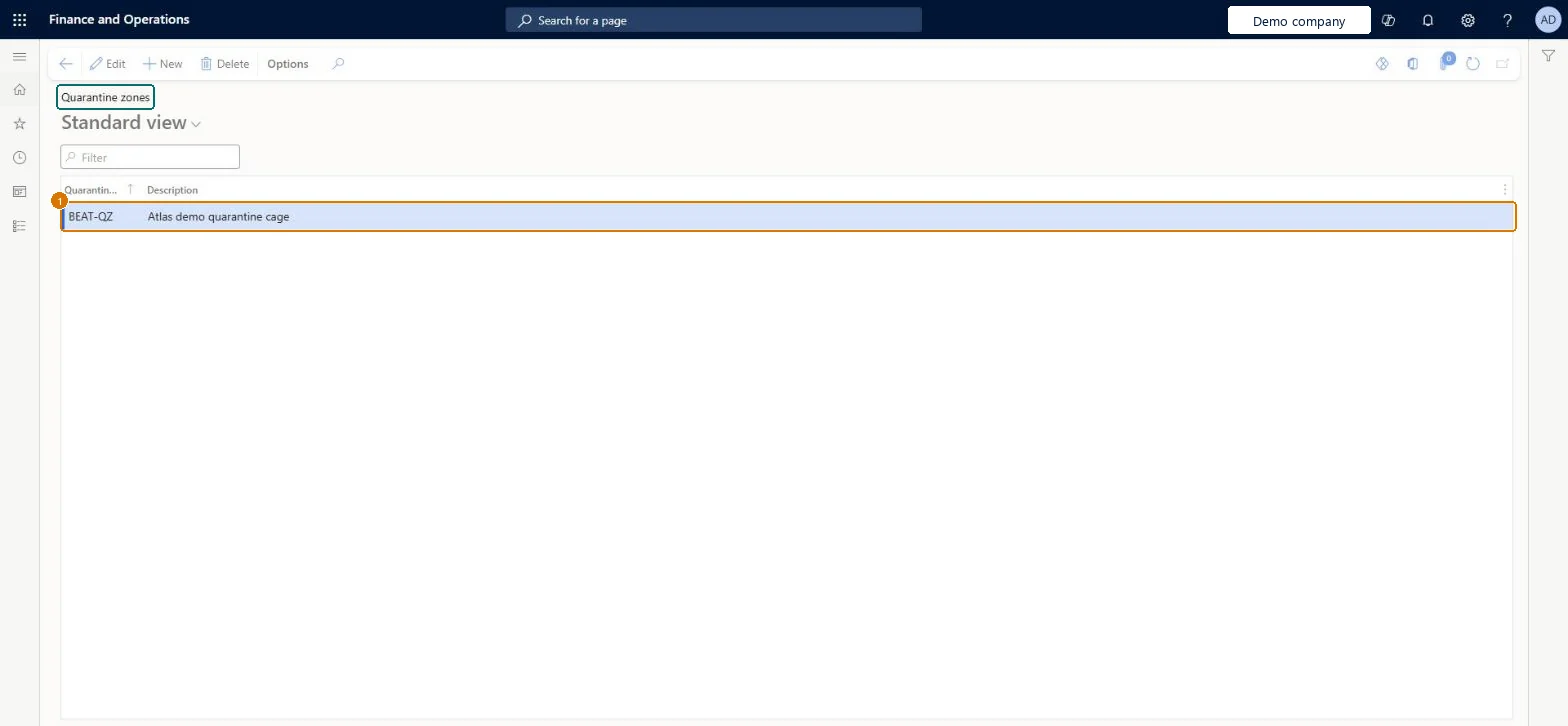
    1Quarantine zoneBEAT-QZ
    DescriptionQuarantine cage
    Create a quarantine zone (zoomed on the outlined fields)
    Show the full screenCreate a quarantine zone
    page title tab to open what to set or check

Steps from Microsoft

  1. Go to Inventory management > Setup > Quality management > Quarantine zones.
  2. Select New to add a row.
  3. In the Quarantine zone field, enter a unique ID or name.
  4. In the Description field, enter a detailed description.
  5. Close the page.

Source: Microsoft Learn

Fields on the page

FieldWhat it meansExampleTable column
Quarantine zoneA unique ID or name for the quarantine zone.Microsoft Learn HOLD-AREAQuarantineZoneId
DescriptionA detailed description of the quarantine zone.Microsoft Learn Quarantine cageDescription

Test checklist

  1. Create a zone.
  2. On a nonconformance, set Quarantine zone and Quarantine type.
  3. Print the nonconformance tag and check the zone is shown.

Source: Microsoft Learn

Functional consultant

4Setup decisions

Setup stepRecommended value and whyDecision, common mistake and test
Set up Quarantine zonesOne zone per physical place where nonconforming items are held (for example each bin and rack), or one per product typeLearn's examples use one zone per bin or rack, or one per product family; the zone prints on the nonconformance tag.
Solution architect

5Design impact

Shared or per companyPer company: each legal entity has its own records. Microsoft data model
Can it be undoneReversible: Zones can be added, edited or deleted. The zone is information on the nonconformance and its tag report. Microsoft Learn
Technical architect

6Technical

Menu itemInventQuarantineZone Checked in Dynamics 365
FormInventQuarantineZone Checked in Dynamics 365
TableInventQuarantineZoneShown as “Quarantine zones” in Record infoKey field: QuarantineZoneId, DescriptionChecked in Dynamics 365
Data entitiesInventWarehouseQuarantineZoneEntityQuarantine zones Microsoft data model
Who can open itPrivilegesMaintain quarantine zones InventQuarantineZoneMaintainView quarantine zones InventQuarantineZoneViewDutiesInquire into quality control master InventQualityControlMasterInquireMaintain quality control master InventQualityControlMasterMaintain
2 security rolesQuality control clerk InventQualityControlClerkQuality control manager InventQualityControlManager
Checked in Dynamics 365
Roles to set it up and use itTo set it up or change itQuality control manager InventQualityControlManagerTo use itQuality control clerk InventQualityControlClerkGive people one of these roles. On this system, 2 roles can open this page.Checked in Dynamics 365
Actions on the pageOptions: Personalize, Page options, ShareChecked in Dynamics 365
Developer

7Developer

Open it by URLhttps://<your-environment>/?mi=InventQuarantineZone
Integrate withInventWarehouseQuarantineZoneEntity data entity Microsoft data model
Data migrationInventWarehouseQuarantineZoneEntity (Quarantine zones): loaded for each company, in Microsoft's default template 395 - Quality management.Load order: Microsoft's default template 395 - Quality management loads Quarantine zones at execution unit 1, level 30, sequence 10. Lower levels load first, and entities at the same level load in sequence order.Load first: the default templates at lower levels (System setup to General ledger)Microsoft Learn
Table definitionInventQuarantineZone columns and relations Microsoft data model
Everyone

8Sources