| What it is | A setup page for vendor-specific tolerance percentages for invoice totals matching. |
|---|---|
| What you do here | Use this page to override the legal entity's invoice totals tolerance percentage for individual vendors. |
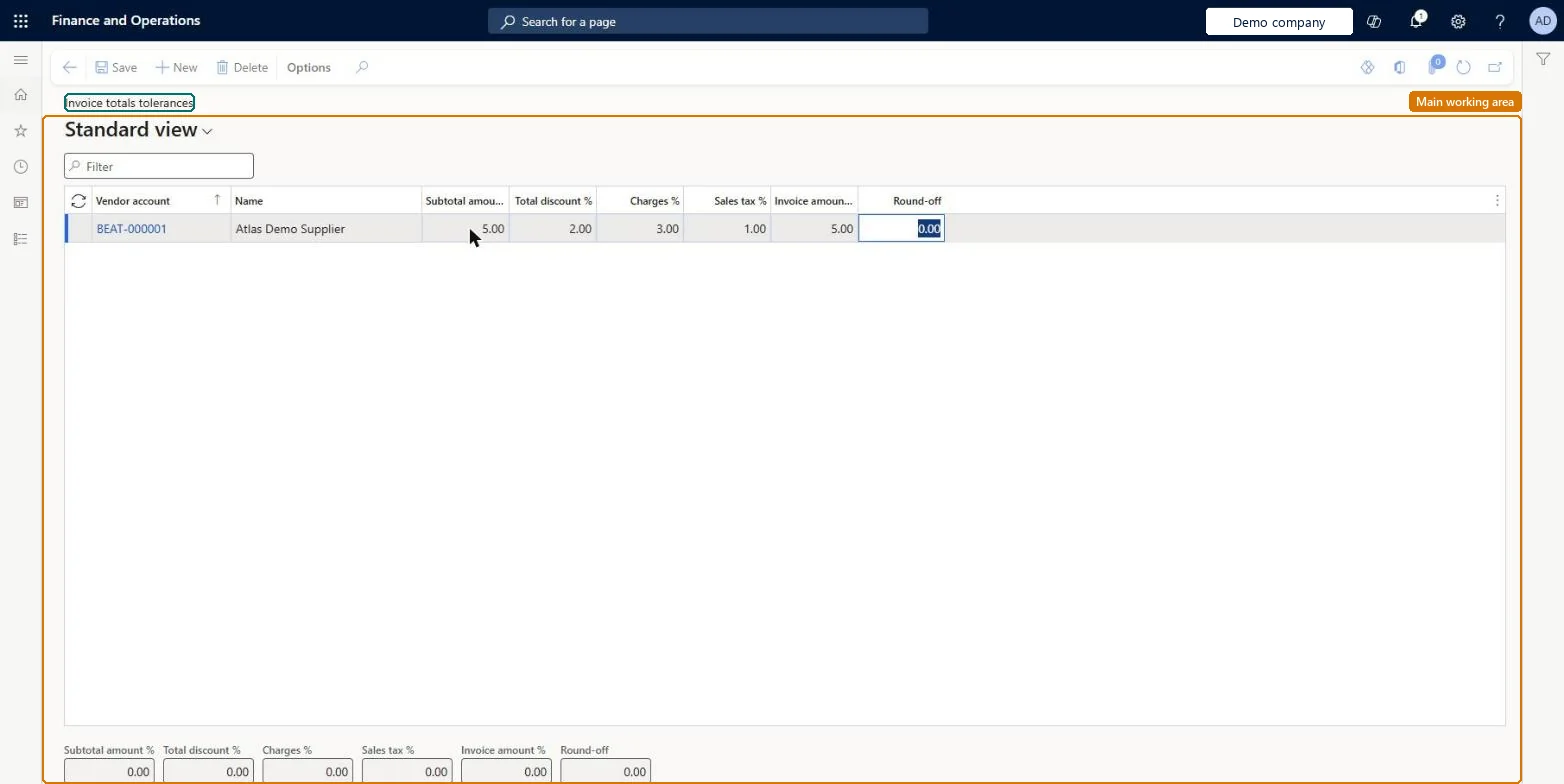
Setup step on the Invoice totals tolerances page · Accounts payable
Set up the tolerances that invoice matching applies to invoice totals.
VendTotalPriceToleranceVendorInvoiceTotalToleranceEntity| What it is | A setup page for vendor-specific tolerance percentages for invoice totals matching. |
|---|---|
| What you do here | Use this page to override the legal entity's invoice totals tolerance percentage for individual vendors. |
| Business process | Manage accounts payable › Process supplier invoices › Perform invoice matching in Dynamics 365 Finance |
|---|---|
| Menu path | Accounts payable › Invoice matching setup › Invoice totals tolerances |
| Set up first | Accounts payable parameters Microsoft Learn |
| Related pages | Price tolerances Microsoft Learn Matching policy Microsoft Learn Item price tolerance groups Microsoft Learn Vendor price tolerance groups Microsoft Learn Charges tolerances Microsoft Learn |
| In this process | Confirm procurement and AP number sequences exist · Set up Charges code |
About the examples: Examples and screenshots in this guide use BEAT, a demo company in a Dynamics 365 test environment. Use your own company's codes and values instead of copying them.
Set up the tolerances that invoice matching applies to invoice totals.
Screen 1
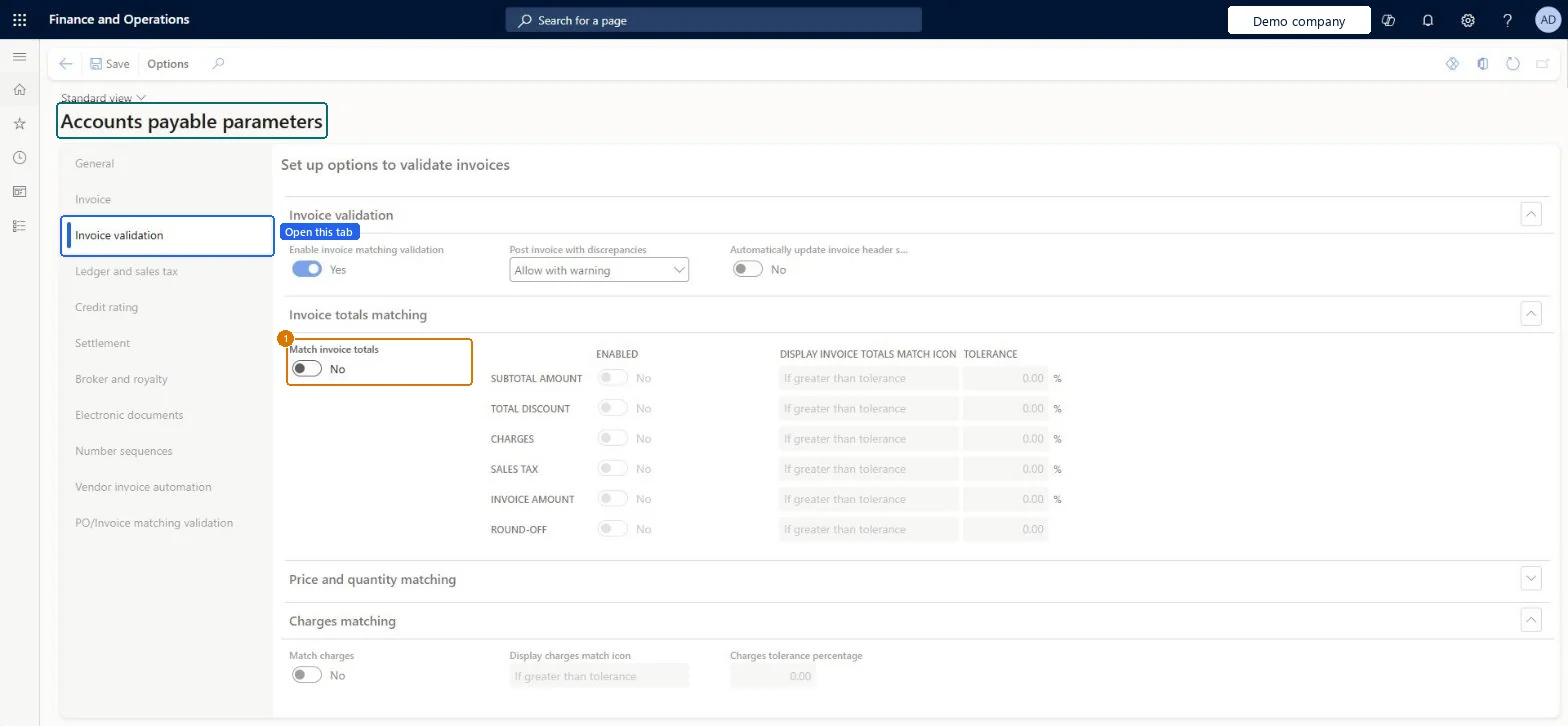
Go to Accounts payable > Setup > Accounts payable parameters, Invoice validation tab
| 1Match invoice totals | No |
|---|
Source: Microsoft Learn
Source: Microsoft Learn
| Setup step | Recommended value and why | Decision, common mistake and test |
|---|---|---|
| Set up Invoice totals tolerances | Rows only for vendors whose acceptable variance differs from the legal entity Invoice totals tolerance percentageVendors without a row use the legal entity percentage from Accounts payable parameters, so rows here are exceptions. | Setting the tolerance on the invoice account vendor: matching uses the vendor that is the order account on the invoice. |
| Can it be undone | Reversible: The tolerance is read when invoice totals are matched, so a change applies from the next match. |
|---|---|
| If you change it later | The tolerance is taken from the vendor used as the order account on the invoice. If that vendor has no tolerance here, the legal entity percentage in Accounts payable parameters is used. Microsoft Learn |
| Menu item | VendTotalPriceTolerance Checked in Dynamics 365 |
|---|---|
| Form | VendTotalPriceTolerance Checked in Dynamics 365 |
| Data entities | VendorInvoiceTotalToleranceEntityInvoice totals tolerance setup Checked in Dynamics 365 |
| Roles to set it up and use it | To set it up or change itAccounts payable manager VendInvoiceAccountsPayableManagerAccounting supervisor LedgerAccountingSupervisorPurchasing manager TradePurchasingManagerVendor account manager VendVendorAccountManagerTo use itAccounting manager LedgerAccountingManagerChief financial officer CompanyChiefFinancialOfficerFinancial controller LedgerFinancialControllerAuditor AuditPolicyManagerChief executive officer CompanyChiefExecutiveOfficerGive people one of these roles. On this system, 9 roles can open this page.Checked in Dynamics 365 |
| Open it by URL | https://<your-environment>/?mi=VendTotalPriceTolerance |
|---|---|
| Integrate with | VendorInvoiceTotalToleranceEntity data entity Checked in Dynamics 365 |
To cite this step: AP-MATCHSETUP-010, Set up Invoice totals tolerances. Beyond ERP Atlas Hub, 2026-11-11. https://www.beyonderp.cloud/atlas/step/AP-MATCHSETUP-010