SETUP GUIDEHow to set it up8 sections. Choose a role to highlight what matters to you.
Everyone
1What it is and why
What it is
A workspace where a vendor views and updates part of its own vendor master data held by the customer.
What you do here
Use this page to keep your vendor name, addresses, contacts, identification and tax numbers, procurement categories and certifications up to date, and to submit category requests.
Example
For example, the vendor admin of BEAT-000001 adds an ISO 9001 certificate with number Q-2291, certification date 3/1/2026 and expiration date 2/28/2029, and submits a category request for a new procurement category. BEAT's accounts payable team reviews the certificate and the purchasing team approves the category.
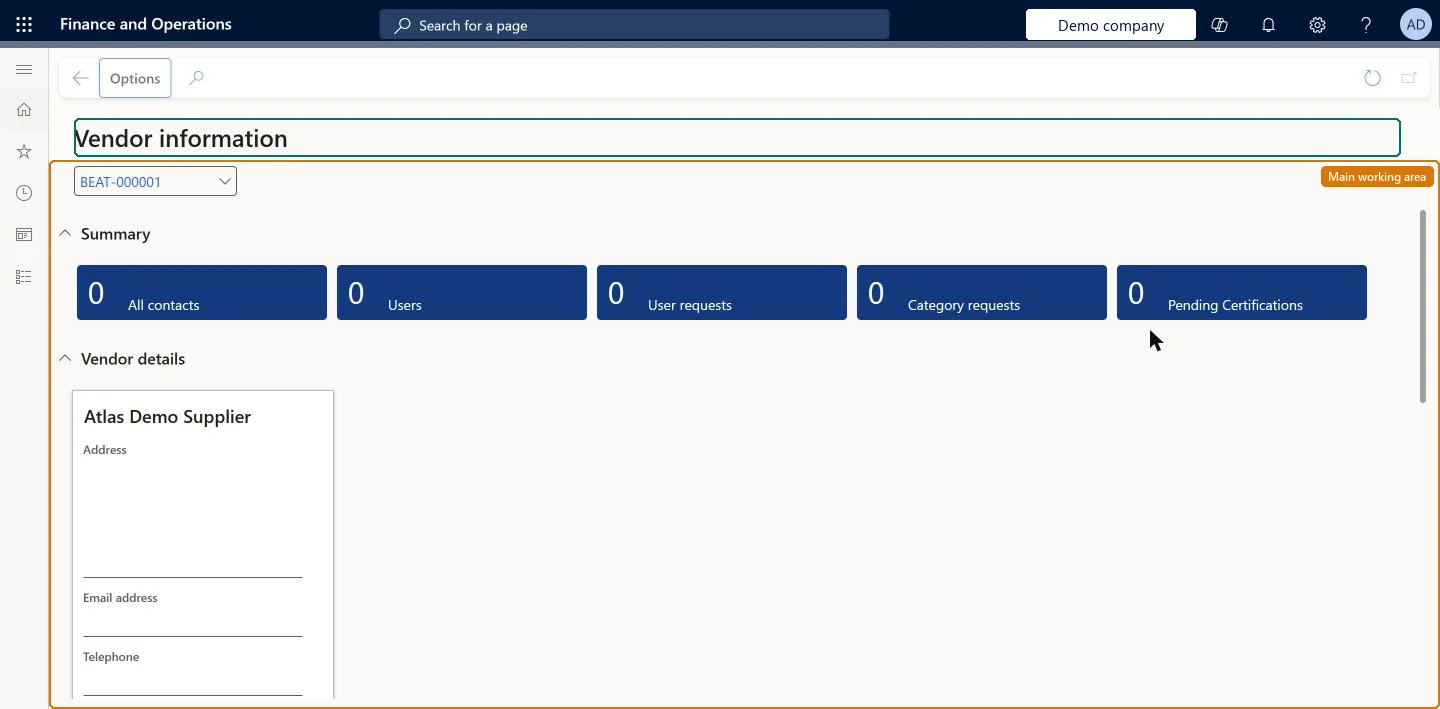
The page in Dynamics 365. page title tab to open what to set or check
About the examples: Examples and screenshots in this guide use BEAT, a demo company in a Dynamics 365 test environment. Use your own company's codes and values instead of copying them.
Setup steps on this page
Keep vendor master data current in Vendor information
Let vendors keep their own addresses, contacts, categories and certifications up to date.
Steps from Microsoft
Go to Vendor collaboration > Workspaces > Vendor information.
Select More details, and then select Certifications.
Select Add above the Certification grid.
Enter the certification number, certification type, certifying organization, certification date, effective date and expiration date.
Select Document to attach related documents if needed.
The parts of the vendor record the vendor can keep up to date: vendor name, addresses, contact information, contact persons, identification numbers, tax registration numbers, approved procurement categories and certifications. Only the Vendor admin (external) role can update them.Microsoft Learn
A new remit-to address.
Common errors and fixes
Message
What to do
The vendor can't change its address or certifications
Updating vendor master data needs the Vendor admin (external) role. Request the role through Maintain vendor user roles on All contacts. Microsoft Learn
No Certifications option is shown
Turn on Enable vendor collaboration certification management in Feature management. Microsoft Learn
Test checklist
Turn on Enable vendor collaboration certification management in Feature management.
Sign in as a user with Vendor admin (external), open Vendor information and add a certification with a number, type and expiration date.
Sign in as a Vendor (external) user and check that the data can be viewed but not changed.
In the customer company, check that the certification is listed for review on the vendor collaboration generated certifications page.
Give the Vendor admin (external) role to one or two named people per vendor; give everyone else Vendor (external)Only Vendor admin (external) can update vendor master data, add contacts and request users, so it should sit with the people the customer trusts to keep the record right.
Enable vendor collaboration certification management (Must be on for certifications)
Licence or add-in
Microsoft provides two external roles for vendor collaboration: Vendor admin (external), for contacts and user requests, and Vendor (external), for purchase orders, invoices, consignment inventory, RFQs and vendor information. External users created through a user request also get the SystemExternalUser role. On the live system, Vendor admin (external) maintains this workspace and Vendor contact (external) can view it.
The workspace shows the vendor master record that the customer keeps for the signed-in contact's vendor account; changes are made to that customer-side record. Microsoft Learn
Can it be undone
Reversible: Data can be corrected again; certifications are reviewed by the customer.
If you change it later
Certifications that a vendor adds or changes appear for review by the customer's accounts payable staff on the Vendor collaboration generated certifications page; category requests go through the customer's vendor category request workflow. Microsoft Learn
Technical architect
6Technical
Menu item
VendVendorProfileManagementWorkspaceChecked in Dynamics 365
Form
VendVendorProfileManagementWorkspaceChecked in Dynamics 365
Data entities
VendVendorRequestNewCategoryEntityVendor requests (only the category requests submitted from the workspace; the vendor master data itself is loaded in the customer company with the vendor entities)
To set it up or change itVendor admin (external) VendVendorContactExternalAdminTo use itVendor contact (external) VendVendorContactGive people one of these roles. On this system, 2 roles can open this page.Checked in Dynamics 365
VendVendorRequestNewCategoryEntity (Vendor requests): category requests, loaded for each company.Load order: Load vendors first, then open category requests. Certifications that vendors enter here are reviewed by the customer; migrate existing certifications on the vendor record in the customer company.Load first: vendors, procurement categoriesChecked in Dynamics 365
Checked in a working Dynamics 365 system, version 10.0.49: the menu item, form, table and security, the page.
To cite this step: VC-WS-030, Keep vendor master data current in Vendor information. Beyond ERP Atlas Hub, 2026-11-11. https://www.beyonderp.cloud/atlas/step/VC-WS-030