Accounts payableInquiries and reportsVendor reports
VendCertificationInquiryMenuItem
Used by
Accounts payable clerk, Accounts payable manager
Business process
Maintain vendors in Dynamics 365 Supply Chain Management
Menu item
VendCertificationInquiryMenuItem
Main table
VendCertification
Data entity
VendCertificationV2Entity
Show what matters for
PAGE GUIDEWhat the page does and how to use it7 sections. Choose a role to highlight what matters to you.
Everyone
1What it is and why
What it is
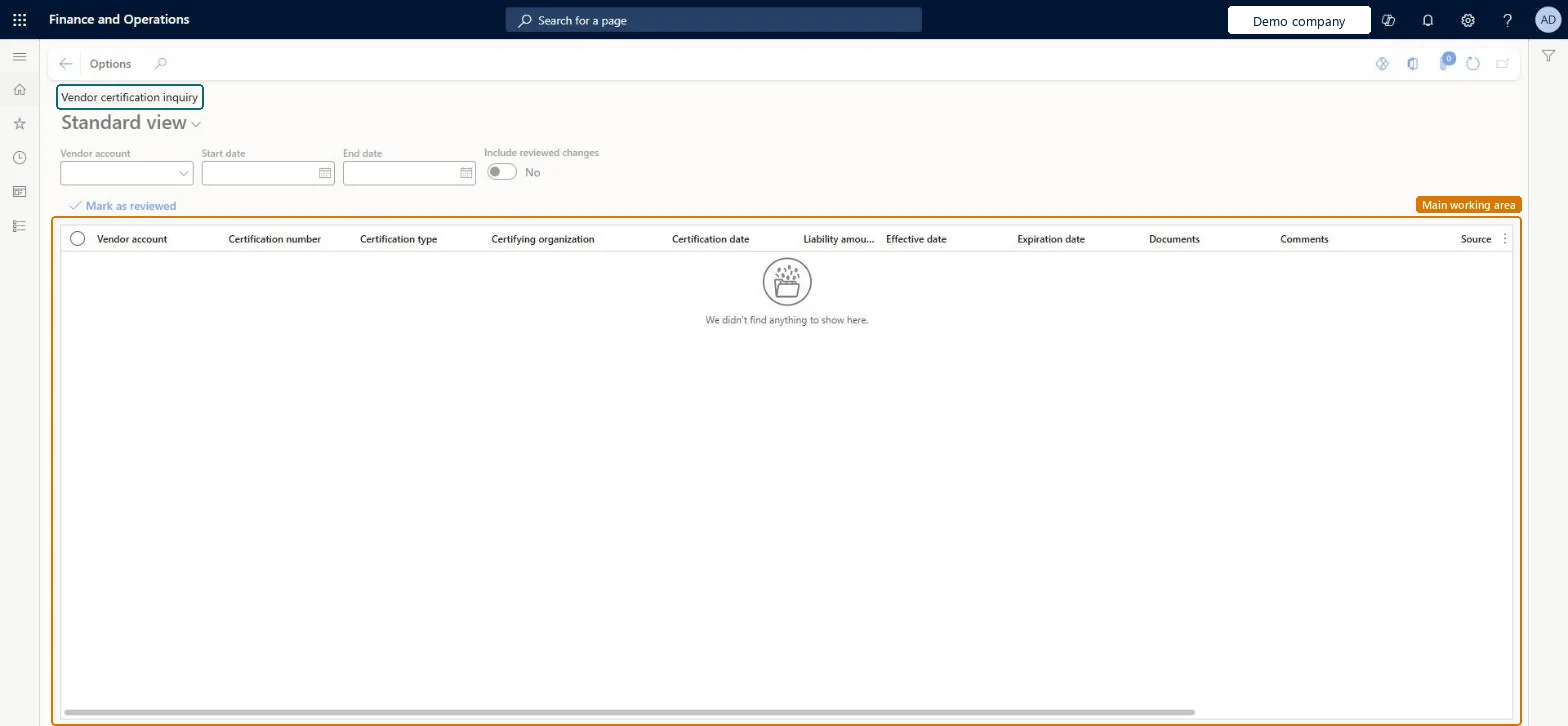
An inquiry page that shows the certification records that vendors have added or changed through vendor collaboration.
What you do here
It is used by an Accounts payable clerk to review and confirm new or changed vendor certifications and mark them as reviewed.
Example
For example, a vendor that is a Woman Business Enterprise (WBE) or a LEED company records that certification, and the record then appears here for review.
The page in Dynamics 365. page title tab to open what to set or check
About the examples: Examples and screenshots in this guide use BEAT, a demo company in a Dynamics 365 test environment. Use your own company's codes and values instead of copying them.
How to use it
Go to Accounts payable > Inquiries and reports > Vendor reports > Vendor certification inquiry.
Choose the Vendor account, and enter a Start date and End date.
Switch Include reviewed changes to Yes to see changes already reviewed.
Read the Certification number, Certification type, Certifying organization, Certification date and Expiration date columns.
Marking a certification record as reviewed removes it from the default list; adjust the filters to see reviewed changes. Microsoft Learn
Technical architect
5Technical
Menu item
VendCertificationInquiryMenuItemChecked in Dynamics 365
Form
VendCertificationInquiryFormChecked in Dynamics 365
Table
VendCertificationShown as “Set up certifications” in Record infoChecked in Dynamics 365
Data entities
VendCertificationV2EntitySet up certifications V2 Checked in Dynamics 365
Who can open it
PrivilegesMaintain privilege for the vendor certification inquiry page VendorCertificationInquiryMaintainPrivilegeView privilege for the vendor certification inquiry page VendorCertificationInquiryViewPrivilegeDutiesMaintain duty for vendor certification inquiry page VendorCertificationInquiryMaintainDutyView duty for vendor certification inquiry page VendorCertificationInquiryViewDuty2 security rolesAccounts payable clerk VendInvoiceAccountsPayableClerkAccounts payable manager VendInvoiceAccountsPayableManagerChecked in Dynamics 365
Roles to set it up and use it
To set it up or change itAccounts payable manager VendInvoiceAccountsPayableManagerTo use itAccounts payable clerk VendInvoiceAccountsPayableClerkGive people one of these roles. On this system, 2 roles can open this page.Checked in Dynamics 365