SETUP GUIDEHow to set it up8 sections. Choose a role to highlight what matters to you.
Everyone
1What it is and why
What it is
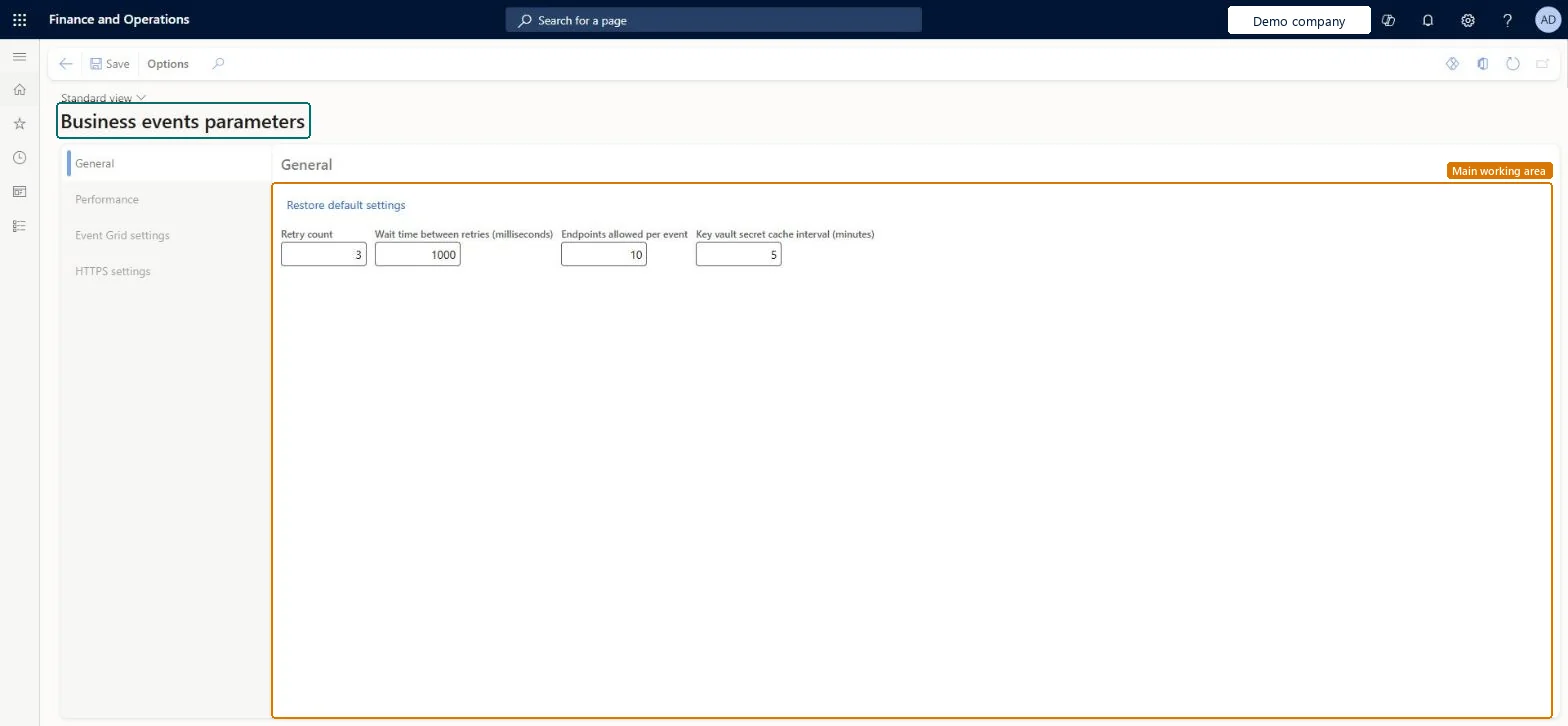
A setup page with the general, performance, Event Grid and HTTPS settings that apply to all business events.
What you do here
Use this page to tune retries, endpoint limits and the threads that send business events.
Example
For example, with Retry count 3 and Wait time between retries 1,000 milliseconds, an event that can't reach a BEAT endpoint is tried again three times and then appears on the Errors tab of the catalog, where it can be resent after the endpoint is fixed.
The page in Dynamics 365. page title tab to open what to set or check
About the examples: Examples and screenshots in this guide use BEAT, a demo company in a Dynamics 365 test environment. Use your own company's codes and values instead of copying them.
Step by step, with screenshots
Set up Business events parameters1 screen
Use this page to tune retries, endpoint limits and the threads that send business events.
Screen 1
Review the business events parameters
Go to System administration > Setup > Business events > Business events parameters
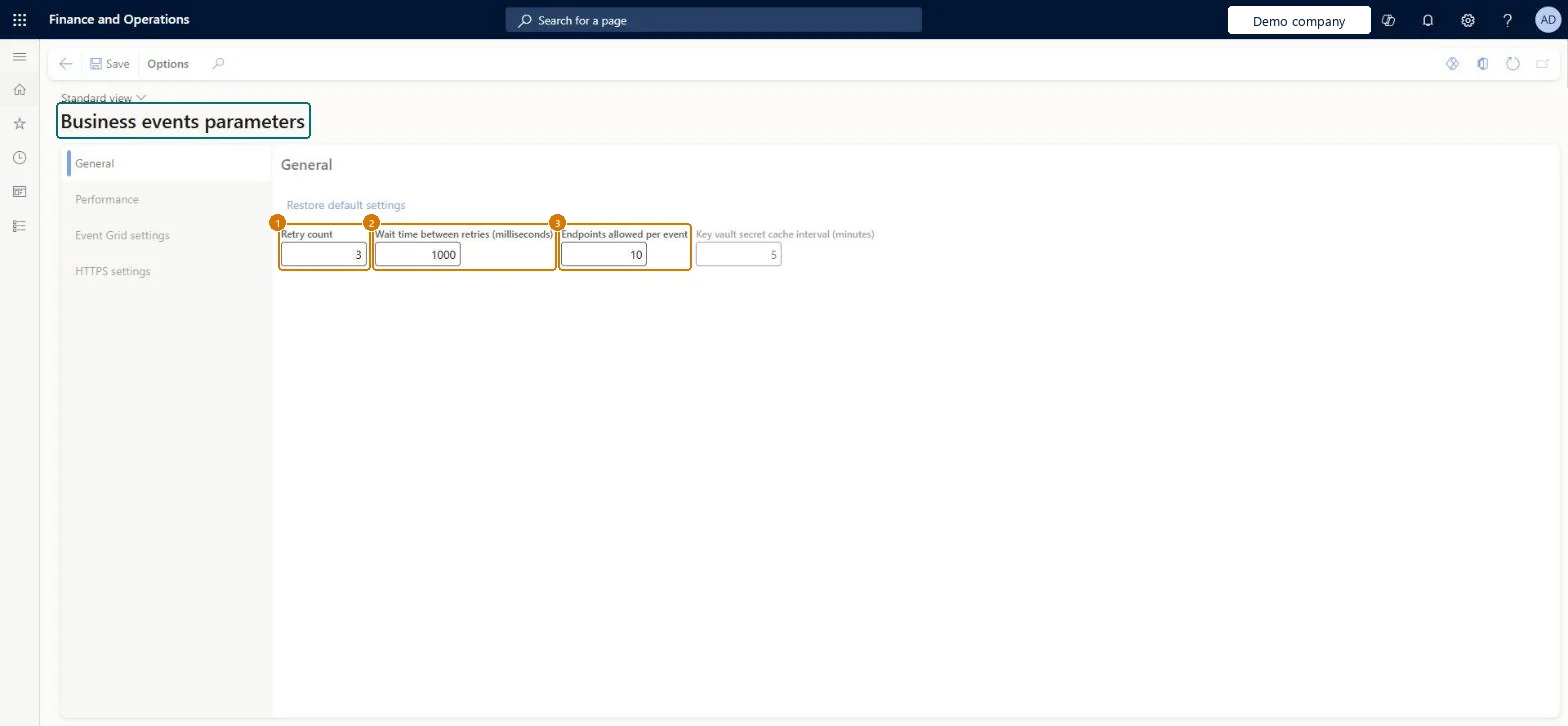
Open the General tab and review the retry count, the wait time between retries and the endpoints allowed per event
Open the Performance tab to review the threads that send business events
Select Restore default settings to return to the delivered values
Show the full screen page title tab to open what to set or check
Steps from Microsoft
Go to System administration > Setup > Business events > Business events parameters.
On the General tab, set Retry count, Wait time between retries (milliseconds), Endpoints allowed per event and Key vault secret cache interval (minutes).
Select Restore default settings to go back to the default values.
Select the Performance, Event Grid settings or HTTPS settings tab to set those options.
Sends the payload to Azure Event Grid endpoints as an object instead of a JSON string.Microsoft Learn
SendObjectInEventGridData
HTTP timeout (milliseconds)
How long the HTTPS adapter waits for an endpoint; 0 means the 10-second default.Microsoft Learn
HttpTimeoutInMilliseconds
Common errors and fixes
Message
What to do
An event appears on the Errors tab after all retries
Fix the endpoint, then use Resend on the error. Raise Retry count or Wait time between retries only if the endpoint is often briefly unavailable. Microsoft Learn
Test checklist
Create an endpoint and activate one business event (for example a purchase order confirmed event) for a legal entity.
Trigger the business process and check the event reaches the endpoint.
Disable the endpoint target and trigger again; check the event appears on the Errors tab after the retries.
Fix the endpoint and use Resend on the error; check it is delivered.
Keep the defaults (Retry count 3, Wait time between retries 1,000 ms, Endpoints allowed per event 10, Key vault secret cache interval 5 minutes, HTTP timeout 0 = 10 seconds) and change Processing threads (maximum 4) only after measuringProcessing threads come from the shared batch capacity, so Microsoft asks for care when changing them. Bundle size trades parallel processing against overhead on small bundles.
Reversible: Parameters can be changed at any time and apply to event processing from then on.
If you change it later
Business event threads come from the shared batch capacity, so changing them affects other batch processing. Microsoft Learn
Technical architect
6Technical
Menu item
BusinessEventsParametersChecked in Dynamics 365
Form
BusinessEventsParametersChecked in Dynamics 365
Table
BusinessEventsParametersShown as “Business events parameters” in Record infoChecked in Dynamics 365
Who can open it
PrivilegesBusiness events security privilege BusinessEventsSecurityPrivilegeDutiesBusiness events security duty BusinessEventsSecurityDuty1 security roleBusiness events security role BusinessEventsSecurityRoleChecked in Dynamics 365
Roles to set it up and use it
To set it up or change itBusiness events security role BusinessEventsSecurityRoleGive people one of these roles. On this system, 1 role can open this page.Checked in Dynamics 365
Actions on the page
Options: Personalize, Page options, Edit, ShareChecked in Dynamics 365
Load order: Business events parameters has no data entity in Data management, so it can't be loaded from a file or a configuration template. Keep the defaults or enter the values by hand in each environment; Restore default settings brings back Microsoft's values.Checked in Dynamics 365
Checked in a working Dynamics 365 system, version 10.0.49: the menu item, form, table and security, the page, the demo records and the values in the screenshots.
To cite this step: SA-SETUP-250, Set up Business events parameters. Beyond ERP Atlas Hub, 2026-11-11. https://www.beyonderp.cloud/atlas/step/SA-SETUP-250