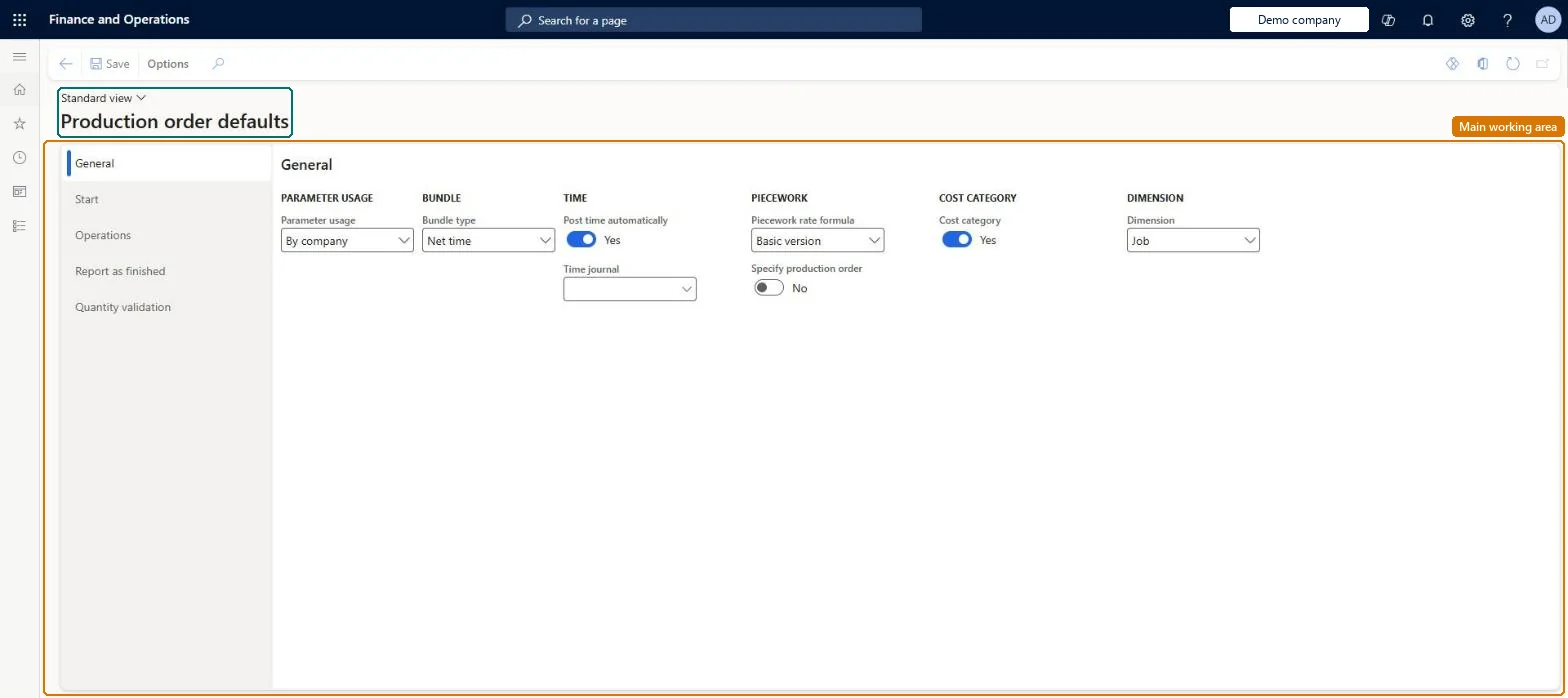
Setup step on the Production order defaults page · Production control
Set up Production order defaults
Use this page to decide, on the General, Start, Operations, Report as finished and Quantity validation tabs, when BOM and route consumption is posted, which job types workers register on, how started and reported quantities are validated, and whether time adjustments are skipped in actual cost.
SETUP GUIDEHow to set it up8 sections. Choose a role to highlight what matters to you.
Everyone
1What it is and why
What it is
A setup page where you set the company-wide production parameters for manufacturing execution: how starting a job, reporting feedback on operations and reporting as finished update production orders, consume materials and post journals.
What you do here
Use this page to decide, on the General, Start, Operations, Report as finished and Quantity validation tabs, when BOM and route consumption is posted, which job types workers register on, how started and reported quantities are validated, and whether time adjustments are skipped in actual cost.
Example
For example, to backflush materials when an operation is reported as finished, set Automatic BOM consumption to Never on the Start tab, Always on the Operations tab and Never on the Report as finished tab.
The page in Dynamics 365. page title tab to open what to set or check
About the examples: Examples and screenshots in this guide use BEAT, a demo company in a Dynamics 365 test environment. Use your own company's codes and values instead of copying them.
Setup steps on this page
Set up Production order defaults
Use this page to decide, on the General, Start, Operations, Report as finished and Quantity validation tabs, when BOM and route consumption is posted, which job types workers register on, how started and reported quantities are validated, and whether time adjustments are skipped in actual cost.
Steps from Microsoft
Go to Production control > Setup > Manufacturing execution > Production order defaults.
On the Report as finished tab, set the Update finished report on-line field to No, Status + Quantity, Quantity or Status.
On the Quantity validation tab, define any rules that control whether workers can start the next operation before a threshold of reported quantity on the previous operation is reached.
One consistent BOM consumption pattern across Start, Operations and Report as finished (for example Start Never, Operations Never, Report as finished Always for backflushing on production); select every job type on the Operations tab that has Job management on the route groupsLearn warns that the three Automatic BOM consumption stages must not contradict each other or materials are deducted twice or not at all, gives five consistent combinations, and says the job types selected for registration should match Job management on the route groups.
Reversible: Settings apply to registrations made after the change. Picking lists already posted are not reversed.
If you change it later
Inconsistent BOM consumption settings across the Start, Operations and Report as finished tabs can deduct materials from inventory twice or not at all, so the tabs must not contradict each other. Microsoft Learn
Technical architect
6Technical
Menu item
JmgProdParametersChecked in Dynamics 365
Form
JmgProdParametersChecked in Dynamics 365
Table
JmgProdParametersShown as “MANUFACTURING EXECUTION PRODUCTION PARAMETERS” in Record infoChecked in Dynamics 365
Data entities
JmgManufacturingExecutionProductionOrderDefaultsEntityManufacturing execution production order defaults Microsoft data model
Who can open it
PrivilegesMaintain production parameters in Manufacturing execution JmgProdParametersMaintainView production parameters in Manufacturing execution JmgProdParametersViewDutiesInquire into manufacturing execution policies JmgManufacturingExecutionPoliciesInquirEnable manufacturing execution process JmgManufacturingExecutionProcessEnable1 security roleProduction manager ProdProductionManagerChecked in Dynamics 365
Roles to set it up and use it
To set it up or change itProduction manager ProdProductionManagerGive people one of these roles. On this system, 1 role can open this page.Checked in Dynamics 365
Developer
7Developer
Open it by URL
https://<your-environment>/?mi=JmgProdParameters
Integrate with
JmgManufacturingExecutionProductionOrderDefaultsEntity data entity Microsoft data model
Data migration
JmgManufacturingExecutionProductionOrderDefaultsEntity (Manufacturing execution production order defaults): loaded for each company, in Microsoft's default template 410 - Production control.Load order: Microsoft's default template 410 - Production control loads Manufacturing execution production order defaults at execution unit 1, level 410, sequence 70. Lower levels load first, and entities at the same level load in sequence order.Load first: the default templates at lower levels (System setup to Transportation management)Microsoft Learn