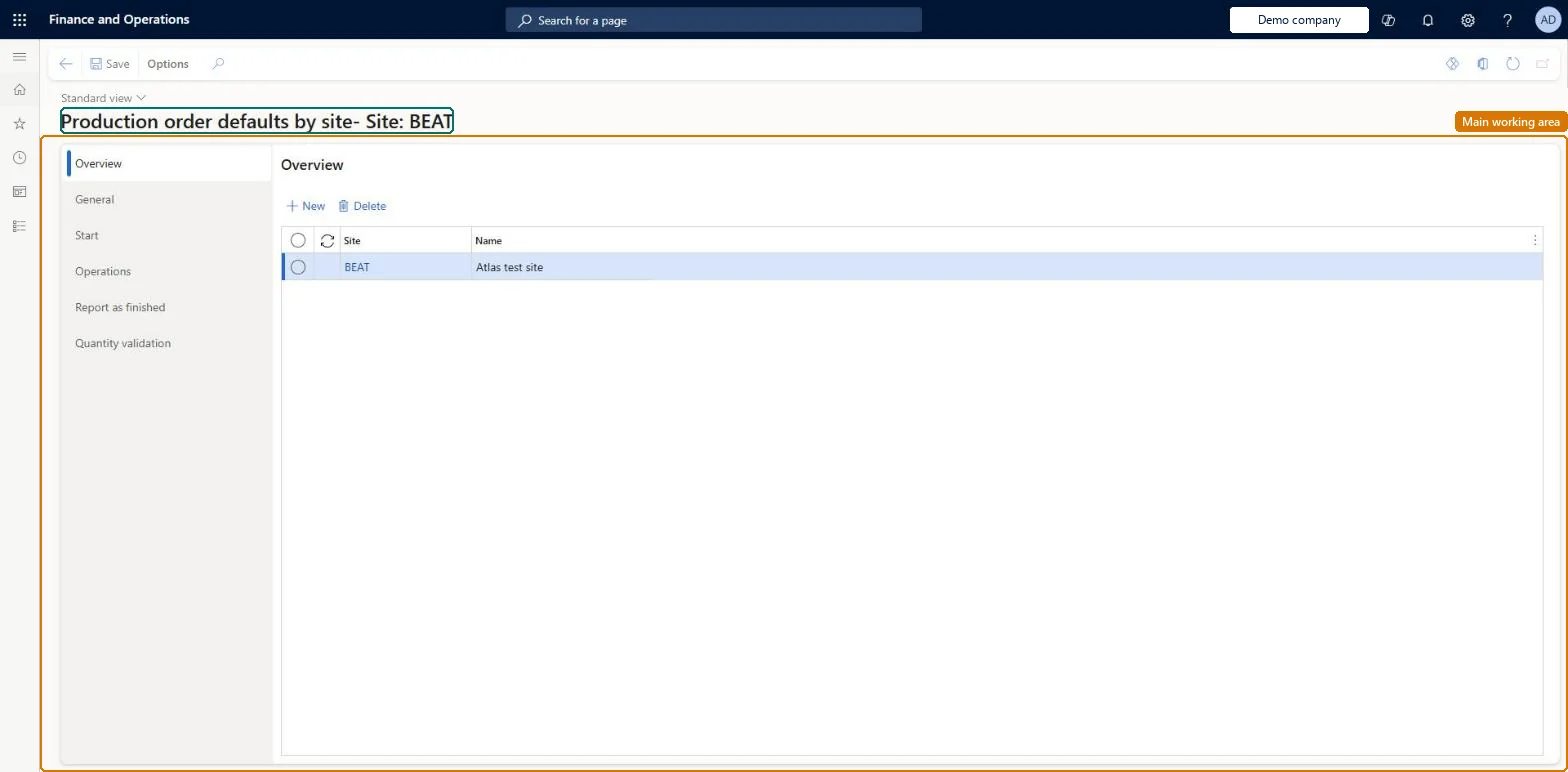
Setup step on the Production order defaults by site page · Production control
Set up Production order defaults by site
Use this page to select a site, set Parameter usage to By site, and maintain for that site the same General, Start, Operations, Report as finished and Quantity validation settings as on the company-wide Production order defaults page.
SETUP GUIDEHow to set it up8 sections. Choose a role to highlight what matters to you.
Everyone
1What it is and why
What it is
A setup page where you keep a site-specific version of the production order defaults, so that each site can run manufacturing execution with its own start, operation feedback, report-as-finished and quantity validation parameters instead of the company-wide ones.
What you do here
Use this page to select a site, set Parameter usage to By site, and maintain for that site the same General, Start, Operations, Report as finished and Quantity validation settings as on the company-wide Production order defaults page.
Example
For example, a company with several production sites can give one site its own parameters while the other sites keep using the company-wide settings.
The page in Dynamics 365. page title tab to open what to set or check
About the examples: Examples and screenshots in this guide use BEAT, a demo company in a Dynamics 365 test environment. Use your own company's codes and values instead of copying them.
Setup steps on this page
Set up Production order defaults by site
Use this page to select a site, set Parameter usage to By site, and maintain for that site the same General, Start, Operations, Report as finished and Quantity validation settings as on the company-wide Production order defaults page.
Parameter usage By site only for sites whose consumption or feedback practice really differs, using the same consistency rules as the company-wide defaultsLearn says multisite companies might want different production parameters for each site, and that the BOM consumption settings on Start, Operations and Report as finished must not contradict each other.
Copying only one tab's settings to a site. A site pattern that mixes stages (for example Flushing principle on Start but Never everywhere else) deducts materials twice or not at all for that site.
Reversible: Site values apply to registrations made after the change; posted journals stay as they are.
If you change it later
Site parameters change when feedback is registered and how inventory, production management and cost calculation are updated for that site, so they need the same care as the company-wide defaults. Microsoft Learn
Technical architect
6Technical
Menu item
JmgProdParametersDimChecked in Dynamics 365
Form
JmgProdParametersChecked in Dynamics 365
Table
JmgProdParametersDimShown as “MANUFACTURING EXECUTION PRODUCTION PARAMETERS” in Record infoChecked in Dynamics 365
Data entities
JmgSiteSpecificManufacturingExecutionProductionOrderDefaultsEntityManufacturing execution production order defaults by site Microsoft data model
Who can open it
PrivilegesMaintain production parameters by site in Manufacturing execution JmgProdParametersDimMaintainView production parameters by site in Manufacturing execution JmgProdParametersDimViewDutiesInquire into manufacturing execution policies JmgManufacturingExecutionPoliciesInquirEnable manufacturing execution process JmgManufacturingExecutionProcessEnable1 security roleProduction manager ProdProductionManagerChecked in Dynamics 365
Roles to set it up and use it
To set it up or change itProduction manager ProdProductionManagerGive people one of these roles. On this system, 1 role can open this page.Checked in Dynamics 365
JmgSiteSpecificManufacturingExecutionProductionOrderDefaultsEntity data entity Microsoft data model
Data migration
JmgSiteSpecificManufacturingExecutionProductionOrderDefaultsEntity (Manufacturing execution production order defaults by site): loaded for each company, in Microsoft's default template 410 - Production control.Load order: Microsoft's default template 410 - Production control loads Manufacturing execution production order defaults by site at execution unit 1, level 410, sequence 70. Lower levels load first, and entities at the same level load in sequence order.Load first: the default templates at lower levels (System setup to Transportation management)Microsoft Learn
Checked in a working Dynamics 365 system, version 10.0.49: the menu item, form, table and security, the page.
To cite this step: PC-MES-030, Set up Production order defaults by site. Beyond ERP Atlas Hub, 2026-11-11. https://www.beyonderp.cloud/atlas/step/PC-MES-030