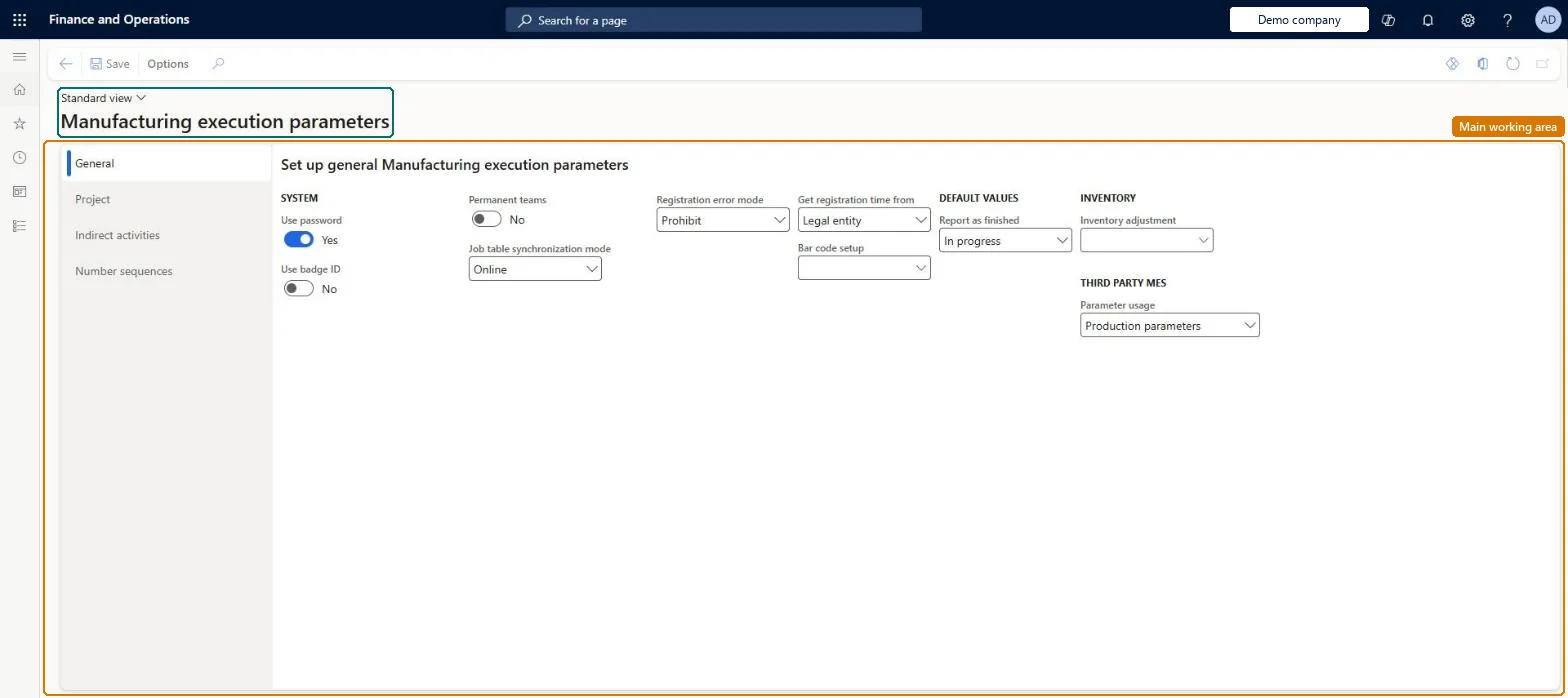
A setup page holding the module-wide settings for manufacturing execution: how workers identify themselves, team and job-table behaviour, where the registration time comes from, bar codes, the status shown after feedback, and number sequences.
PAGE GUIDEWhat the page does and how to use it8 sections. Choose a role to highlight what matters to you.
Everyone
1What it is and why
What it is
A setup page holding the module-wide settings for manufacturing execution: how workers identify themselves, team and job-table behaviour, where the registration time comes from, bar codes, the status shown after feedback, and number sequences.
What you do here
Use this page to decide whether workers sign in with a PIN or badge ID, whether pilot and assistant teams persist overnight, how the job table synchronises, how registration errors are handled, and which status a job shows when a worker reports feedback; it must be set before the production order defaults.
Example
For example, keep Use password enabled so that workers on shared terminals must enter a PIN and cannot register under another worker's ID.
The page in Dynamics 365. page title tab to open what to set or check
About the examples: Examples and screenshots in this guide use BEAT, a demo company in a Dynamics 365 test environment. Use your own company's codes and values instead of copying them.
Setup steps on this page
Set up Manufacturing execution parameters
Use this page to decide whether workers sign in with a PIN or badge ID, whether pilot and assistant teams persist overnight, how the job table synchronises, how registration errors are handled, and which status a job shows when a worker reports feedback; it must be set before the production order defaults.
Steps from Microsoft
Go to Production control > Setup > Manufacturing execution > Manufacturing execution parameters.
In the General area, select Use password or Use badge ID as the way workers identify themselves.
In the Report as finished field, select the status to display on production jobs when a worker reports feedback.
Use password = Yes when terminals are used for time and job registration, with a PIN for each workerLearn says PIN codes should be enabled on terminals to prevent workers registering with the wrong worker ID.
Reversible: These settings can be changed at any time; they govern registrations made after the change. Microsoft Learn
If you change it later
The registration time source sets the timestamp on every registration; Microsoft recommends server time, because wrong timestamps can corrupt registration data. Microsoft Learn
Technical architect
6Technical
Menu item
JmgMEParametersChecked in Dynamics 365
Form
JmgMEParametersChecked in Dynamics 365
Table
JmgParametersShown as “TIME AND ATTENDANCE - PARAMETERS” in Record infoChecked in Dynamics 365
Data entities
JmgTimeAndAttendanceParametersEntityTime and attendance and manufacturing execution parameters Microsoft data model
Who can open it
PrivilegesManage parameters in Manufacturing execution JmgMEParametersMaintainView parameters in Manufacturing execution JmgMEParametersViewDutiesInquire into manufacturing execution policies JmgManufacturingExecutionPoliciesInquirEnable manufacturing execution process JmgManufacturingExecutionProcessEnable1 security roleProduction manager ProdProductionManagerChecked in Dynamics 365
Roles to set it up and use it
To set it up or change itProduction manager ProdProductionManagerGive people one of these roles. On this system, 1 role can open this page.Checked in Dynamics 365
JmgTimeAndAttendanceParametersEntity (Time and attendance and manufacturing execution parameters): loaded for each company, in Microsoft's default template 410 - Production control.Load order: Microsoft's default template 410 - Production control loads Time and attendance and manufacturing execution parameters at execution unit 1, level 410, sequence 70. Lower levels load first, and entities at the same level load in sequence order.Load first: the default templates at lower levels (System setup to Transportation management)Microsoft Learn