Accounts payable clerk, Accounts payable manager, Budget manager and 11 more roles
Business process
Manage active assets
Menu item
LedgerJournalTableAssets
Main table
LedgerJournalTable
Data entity
AssetJournalV2Entity
Setup steps
1 on this page
Show what matters for
SETUP GUIDEHow to set it up8 sections. Choose a role to highlight what matters to you.
Everyone
1What it is and why
What it is
A journal where you enter and post fixed asset transactions such as acquisitions, depreciation, value adjustments and disposals.
What you do here
Use this journal to record fixed asset transactions by hand or to have proposals suggest the lines, then review and post them.
Example
For example, at month end an accountant can run an acquisition proposal in the journal and compare it with the Accounts payable records to check that every new computer was acquired correctly.
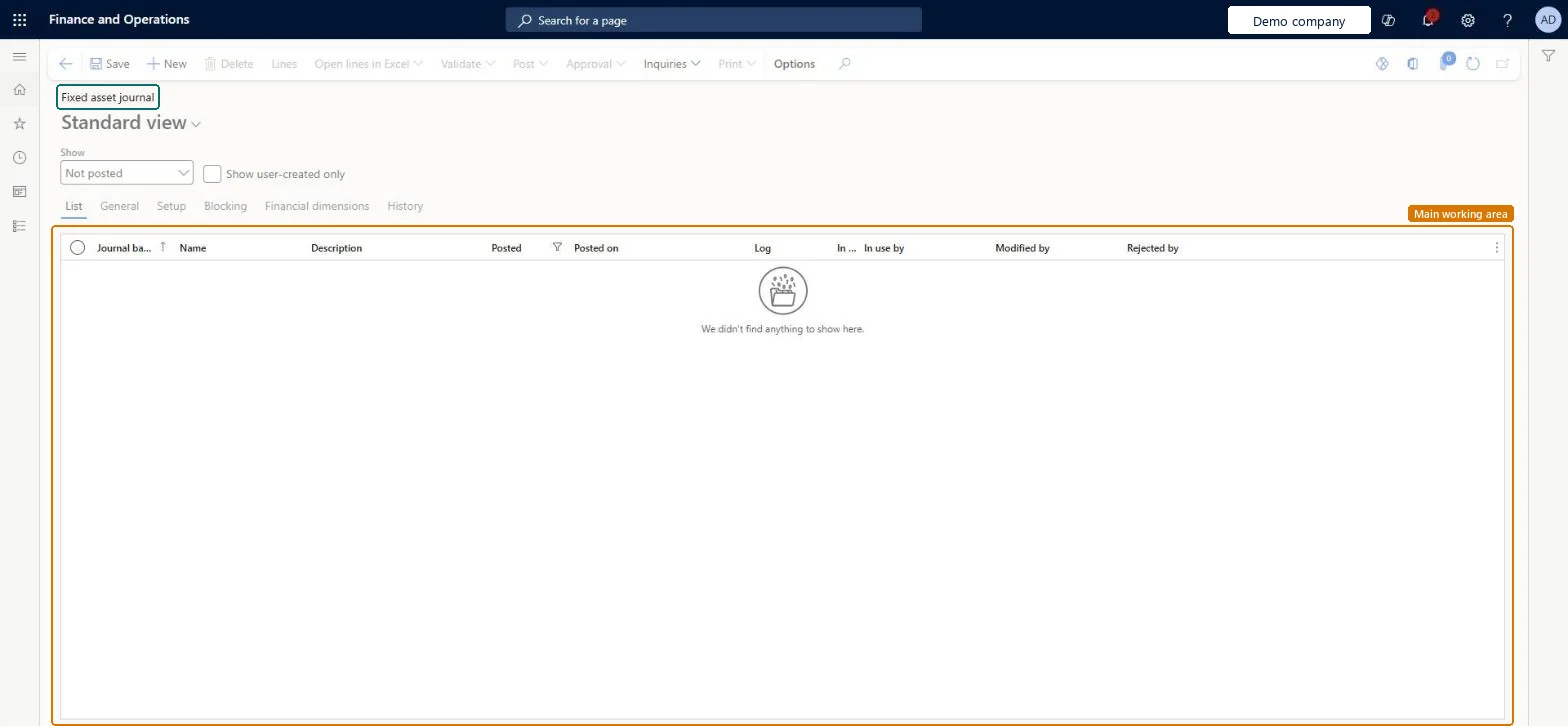
The page in Dynamics 365. page title tab to open what to set or check
About the examples: Examples and screenshots in this guide use BEAT, a demo company in a Dynamics 365 test environment. Use your own company's codes and values instead of copying them.
Setup steps on this page
Post fixed asset transactions in the journal
Enter and post acquisitions, depreciation, adjustments and disposals for asset books.
Steps from Microsoft
Go to Fixed assets > Journal entries > Fixed assets journal.
Select New.
In the Name field, select a journal name.
On the Action Pane, select Lines.
Select Proposals, and then select Acquisition proposal.
Select Filter, select Reset to clear earlier values, and enter the criteria for the assets to acquire.
Select OK twice and check that the lines were created.
Shows and lets you change the reporting currency amount of depreciation lines; a matching Credit in reporting currency column sits next to it.Microsoft Learn
Transaction type
The kind of fixed asset transaction, such as Acquisition, Depreciation, Disposal - sale or Disposal - scrap; it picks the accounts from the posting profile.Microsoft Learn
Transfers or splits fail, or several lines share one voucher
Use a journal name with Journal type Post fixed assets that doesn't have the One voucher number only setting; several automated processes, such as transfers and splits, need a unique voucher number. Microsoft Learn
Posting fails because no main account is found for the transaction type
Add an account for the transaction type and book (or book and group) on Fixed asset posting profiles. Disposal sale and Disposal scrap need accounts for every transaction type you use. Microsoft Learn
A book that doesn't post to the general ledger can't be posted from the journal
Transactions for such a book need a journal name whose posting layer is None. Microsoft Learn
Test checklist
Create a journal with a Post fixed assets journal name.
Add an Acquisition line for an asset and book.
Post and open the voucher.
Check the debit on the acquisition account from the posting profile and the asset book status Open.
Use separate Post fixed assets journal names for acquisitions, depreciation and disposals, none of them with One voucher number only; use a None-layer journal name for books that don't post to the ledger.Transfers and splits need a unique voucher number, and books that don't post to the ledger can only be posted with a journal name whose posting layer is None.
Fixed assets is part of Dynamics 365 Finance. Fixed asset accountants enter and post the journal. On this system the roles that open the page include Accountant, Accounting supervisor, Accounting manager, Chief financial officer. No Feature management feature needs to be turned on for this page.
To set it up or change itAccountant LedgerAccountantAccounting supervisor LedgerAccountingSupervisorTo use itAccounting manager LedgerAccountingManagerChief financial officer CompanyChiefFinancialOfficerBudget manager BudgetBudgetManagerRental manager RentalManagerRental purchasing manager RentalPurchasingManagerGive people one of these roles. On this system, 14 roles can open this page.Checked in Dynamics 365
Actions on the page
Options: Personalize, Page options, Edit, ShareChecked in Dynamics 365
AssetJournalV2Entity (Fixed asset journal V2): journal headers and lines in one entity, for opening balances.AssetJournalHeaderEntity (Fixed asset journal header).AssetJournalLineEntity (Fixed asset journal line).Load order: Microsoft's default configuration templates load Fixed assets at level 150, after General ledger (25), Bank (100), Accounts payable (120), Tax (130) and Accounts receivable (140). Within Fixed assets, load depreciation profiles, books, posting profiles and groups first, then the fixed assets and their books, and post opening acquisitions and depreciation through the fixed asset journal so that the subledger and the ledger agree.Load first: Fixed assets, Fixed asset books, Journal namesMicrosoft Learn
Checked in a working Dynamics 365 system, version 10.0.49: the menu item, form, table and security, the page.
To cite this step: FA-JNL-010, Post fixed asset transactions in the journal. Beyond ERP Atlas Hub, 2026-11-11. https://www.beyonderp.cloud/atlas/step/FA-JNL-010