About the examples: Examples and screenshots in this guide use BEAT, a demo company in a Dynamics 365 test environment. Use your own company's codes and values instead of copying them.
Setup steps on this page
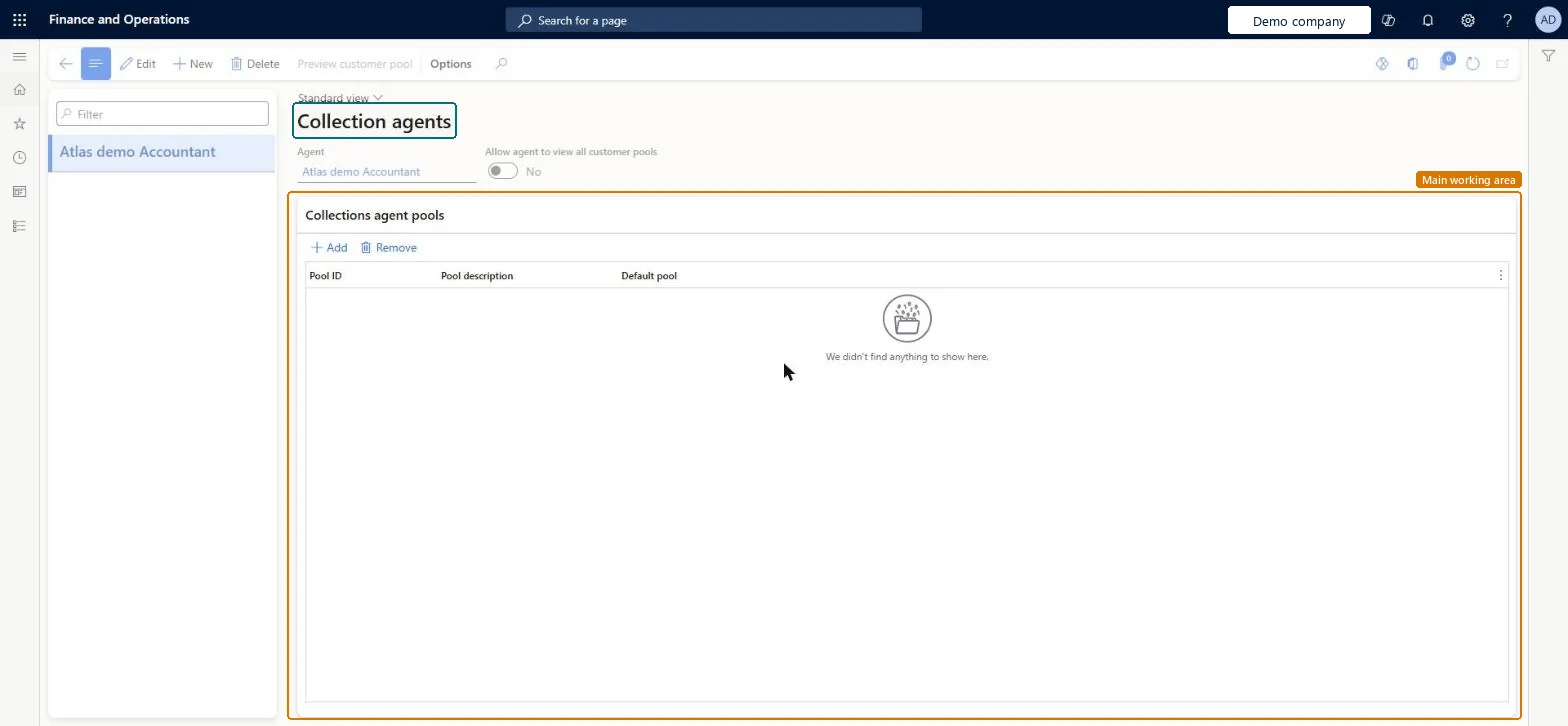
Set up Collections agents
Use this page to give the people who collect payments their own customer pools so that each agent works with their own customers.
Steps from Microsoft
Go to Credit and collections > Setup > Collections agents.
Select your collections team in Accounts receivable parameters (Collections tab) first, then add each agent with only the pools they own. Select Allow agent to view all customer pools only for supervisors.Agents are added to the team selected in the parameters; if none is selected, a team named Collections is created automatically. Without the view-all option, an agent sees only the pools assigned to them.
Adding agents before choosing a team, which creates an extra Collections team that then has to be tidied up.
Solution architect
5Design impact
Can it be undone
Reversible: Pool assignments and the view-all option can be changed at any time; they only change what the agent can filter on.
If you change it later
If no team is selected in Accounts receivable parameters, a team named Collections is created automatically and the agents are added to it. Microsoft Learn
Technical architect
6Technical
Menu item
CustCollectionsAgentChecked in Dynamics 365
Form
CustCollectionsAgentChecked in Dynamics 365
Data entities
DirPartyRelationshipEntityParty relationships Checked in Dynamics 365OMTeamMemberV2EntityTeam members V2 Checked in Dynamics 365
Roles to set it up and use it
To set it up or change itCollections manager CollectionLetterCollectionsManagerAccounts receivable manager CustInvoiceAccountsReceivableManagerAccounting supervisor LedgerAccountingSupervisorTo use itCollections agent CollectionLetterCollectionsAgentAccounting manager LedgerAccountingManagerFinancial controller LedgerFinancialControllerAccountant LedgerAccountantGive people one of these roles. On this system, 7 roles can open this page.Checked in Dynamics 365