BeyondERP.Newsletter
Menu

Setup step on the Bank facilities and utilization report page · Cash and bank management

Check facility limits and use

Use this report to see, per bank account and agreement, the facility limit, what is used and what is left before requesting a new letter of credit or guarantee.

Business process
Determine banking credit limits in Dynamics 365 Finance
Menu item
output:BankDocumentFacility
Setup steps
1 on this page
Show what matters for
SETUP GUIDEHow to set it up8 sections. Choose a role to highlight what matters to you.
Everyone

1What it is and why

What it isA report that lists the bank facility agreements and balances available to a legal entity.
What you do hereUse this report to check facility limits and how much of each bank facility is used.
ExampleFor example, after an import letter of credit is paid, you run the report for the bank account to verify the facility limit and its use.
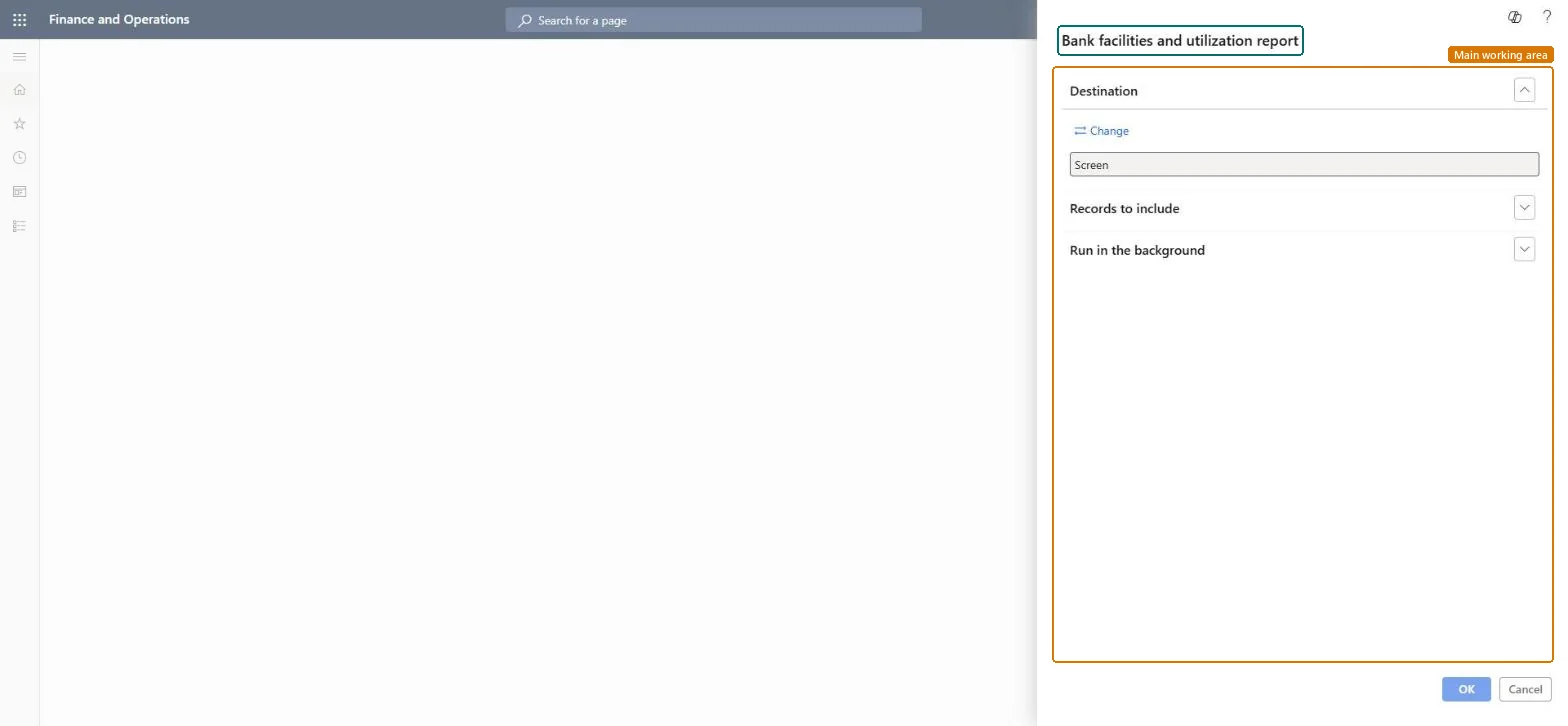
Bank facilities and utilization report page in Dynamics 365
The page in Dynamics 365. page title tab to open what to set or check
Functional consultant · Solution architect

2Where it fits

End user · Functional consultant

3How to do it

About the examples: Examples and screenshots in this guide use BEAT, a demo company in a Dynamics 365 test environment. Use your own company's codes and values instead of copying them.

When to run it

When to run itWhen you check how much of a bank facility is used, for example before you request a new letter of credit or letter of guarantee.
How oftenOn demand, whenever you need the current facility position.
What the output showsThe facility agreements of the bank account with Bank document number, Facility limit, Utilized amount and Facility balance amount. A balance that looks too high usually means a letter of credit or guarantee hasn't been processed against the facility yet.

Source: Microsoft Learn

Setup steps on this page

Check facility limits and use

Use this report to see, per bank account and agreement, the facility limit, what is used and what is left before requesting a new letter of credit or guarantee.

Steps from Microsoft

  1. Go to Cash and bank management > Inquiries and reports > Letters of credit or guarantee > Bank facilities and utilization report.
  2. Expand Records to include, select Filter, and set the Criteria field to the Bank account you need.
  3. Narrow the report on Agreement number when the bank account has more than one facility agreement with the bank.
  4. Read Bank document number, Facility limit, Utilized amount and Facility balance amount for each line of the report.

Source: Microsoft Learn

Fields on the page

FieldWhat it meansExample
Bank accountThe legal entity's bank account to include in the report.Microsoft Learn
Agreement numberThe facility agreement signed with the bank.Microsoft Learn
Utilized amountHow much of the facility limit confirmed letters of credit or letters of guarantee use.Microsoft Learn 500.00
Facility balance amountThe limit minus the utilized amount.Microsoft Learn 9,500.00

Common errors and fixes

MessageWhat to do
The utilized amount doesn't include a letter of creditOnly confirmed letters of credit use the facility; confirm it (and confirm again after an amendment). Microsoft Learn
Functional consultant

4Setup decisions

Setup stepRecommended value and whyDecision, common mistake and test
Check facility limits and useFilter on the bank account, then on the agreement number when the bank holds more than one agreement.The report reads per bank account; one filter per bank shows the full position with that bank.When is the facility position checked?Reading the limit as available: the facility balance amount is what is left.Test: The report shows the facility balance

Feature management and licence

Licence or add-inIn this system 1 role can run this report: Treasurer.

Checked in Dynamics 365

Solution architect

5Design impact

Shared or per companyPer company: it reads the facility agreements of the legal entity's bank accounts. Microsoft data model
Can it be undoneNothing to undo: The report changes no data.
If you change it laterRead-only view of the facility agreements and what confirmed bank documents use of them. Microsoft Learn
Technical architect

6Technical

Menu itemoutput:BankDocumentFacility Checked in Dynamics 365
FormSysOperationTemplateForm Checked in Dynamics 365
Roles to set it up and use itTo use itTreasurer PaymTreasurerGive people one of these roles. On this system, 1 role can run this page.Checked in Dynamics 365
Developer

7Developer

Open it by URLhttps://<your-environment>/?mi=output:BankDocumentFacility
Data migrationLoad order: The bank facilities and utilization report has no data entity in Data management, so it can't be loaded from a file or a configuration template. It reads the facility agreements and bank documents recorded in this environment.Microsoft Learn
Everyone

8Sources

To cite this step: CB-RPT-330, Check facility limits and use. Beyond ERP Atlas Hub, 2026-11-11. https://www.beyonderp.cloud/atlas/step/CB-RPT-330