Transaction page · Cash and bank management
Import letter of credit and import collection
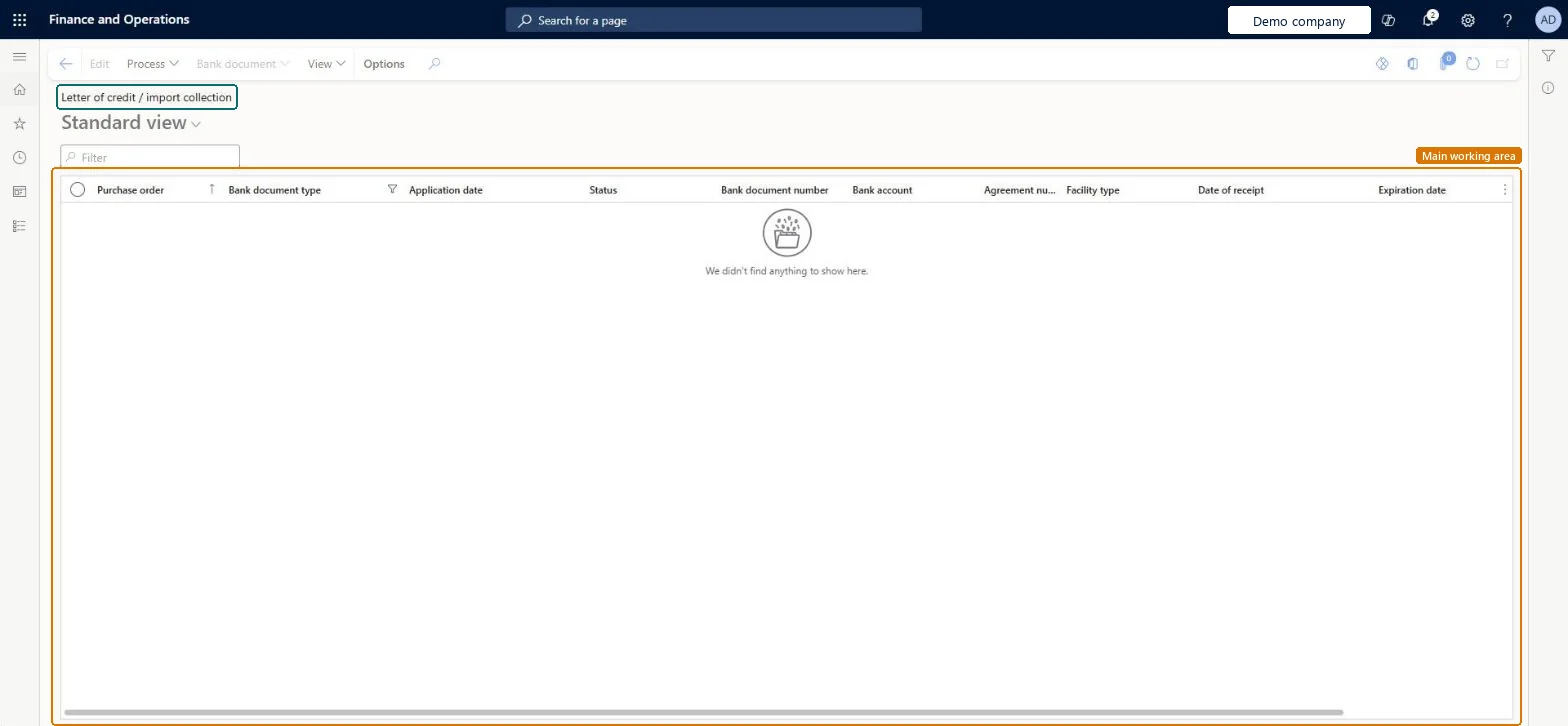
A list page where you track import letters of credit and import collections, where the company is the buyer.
- Used by
- Accounts payable clerk, Accounts payable manager, Chief financial officer and 8 more roles
- Business process
- —
- Menu item
BankLCImportGridView- Main table
BankLCImport- Data entity
- —
- Setup steps
- —
Show what matters for
Everyone
1What it is and why
| What it is | A list page where you track import letters of credit and import collections, where the company is the buyer. |
|---|---|
| What you do here | Used to follow the status of purchases secured by a letter of credit and to print the letter of credit application. |
| Example | For example, after the vendor invoice is paid, the lines show the import letter of credit status Confirmed and the shipment status Paid. |
Functional consultant · Solution architect
2Where it fits
| Business process | — |
|---|---|
| Menu path | Cash and bank management › Letters of credit › Import letter of credit and import collection |
| Set up first | Bank facility agreements Microsoft Learn ↗Cash and bank management parameters Microsoft Learn ↗ |
| Used next by | Bank facilities and utilization report Microsoft Learn ↗ |
| Related pages | Export letter of credit and import collection Microsoft Learn ↗ |
End user · Functional consultant
3How to do it
Microsoft's steps
- Create a purchase order whose Bank document type is Letter of credit.
- On the purchase order, select Manage > Letter of credit / import collection and enter the Application date, Bank document number and Expiration date.
- Select the Advising bank and save.
- On the lines, select Fetch purchase order shipments.
- Confirm the purchase order, and then select Process > Confirm on the letter of credit.
- Post the product receipt and the vendor invoice.
- Go to Cash and bank management > Letters of credit > Import letter of credit and import collection to check the status.
- Select View > Print application to print the letter of credit.
Source: Microsoft Learn ↗
Field guide
| Field | What it means | Worked example | Table column |
|---|---|---|---|
| Advising bank | The bank that carries out the transaction on behalf of the applicant.Microsoft Learn ↗ | — | ImportAdvisingBank |
| Shipment status | Where each shipment is in the process, such as Invoiced or Paid.Microsoft Learn ↗ | — | — |
Functional consultant
4Setup decisions
| Setup step | Recommended value and why | Decision · common mistake · test |
|---|---|---|
| — No setup is made on this page. | ||
Solution architect
5Design impact
| Shared or per company | Per company: each legal entity has its own records. Microsoft data model ↗ |
|---|---|
| Can it be undone | — |
| Feature or country | — |
| If you change it later | If the purchase order price changes after confirmation, the letter of credit must be amended and confirmed again so that the facility balance is updated. Microsoft Learn ↗ |
Technical architect
6Technical
| Menu item | BankLCImportGridView Checked in Dynamics 365 |
|---|---|
| Form | BankLCImport Checked in Dynamics 365 |
| Table | BankLCImportShown as “Letter of credit / import collection import table” in Record infoKey field: PurchTableChecked in Dynamics 365 |
| Data entities | — |
| Who can open it | PrivilegesMaintain letter of credit information BankLCImportMaintainView letter of credit information BankLCImportViewDutiesInquire into import letter of credit BankImportLetterOfCreditInquireMaintain import letter of credit BankImportLetterOfCreditMaintain11 security rolesChief financial officerCompanyChiefFinancialOfficerAccounting manager LedgerAccountingManagerFinancial controller LedgerFinancialController MCRTestUserRoleAccounts payable payments clerk PaymAccountsPayablePaymentsClerkTreasurer PaymTreasurerBuying agent TradeBuyingAgentPurchasing manager TradePurchasingManagerSales clerk TradeSalesClerkAccounts payable clerk VendInvoiceAccountsPayableClerkAccounts payable manager VendInvoiceAccountsPayableManager |
| Actions on the page | Options: Personalize, Page options, ShareChecked in Dynamics 365 |
Developer
7Developer
| Open it directly | https://<your-environment>/?mi=BankLCImportGridView |
|---|---|
| Integrate with | — |
| Table definition | BankLCImport columns and relations Microsoft data model ↗ |
Everyone
8Sources and checks
- learn.microsoft.com/dynamics365/finance/cash-bank-management/letters-of-credit-import-collections
- learn.microsoft.com/dynamics365/finance/cash-bank-management/tasks/import-letter-credit
- learn.microsoft.com/common-data-model/schema/core/operationscommon/tables/finance/bank/worksheetheader/banklcimport
- learn.microsoft.com/dynamics365/finance/cash-bank-management/tasks/set-up-bank-facilities-posting-profiles-letter-credit
- Checked in a working Dynamics 365 system, version 10.0.49: the menu item, form, table and security, the page.