SETUP GUIDEHow to set it up8 sections. Choose a role to highlight what matters to you.
Everyone
1What it is and why
What it is
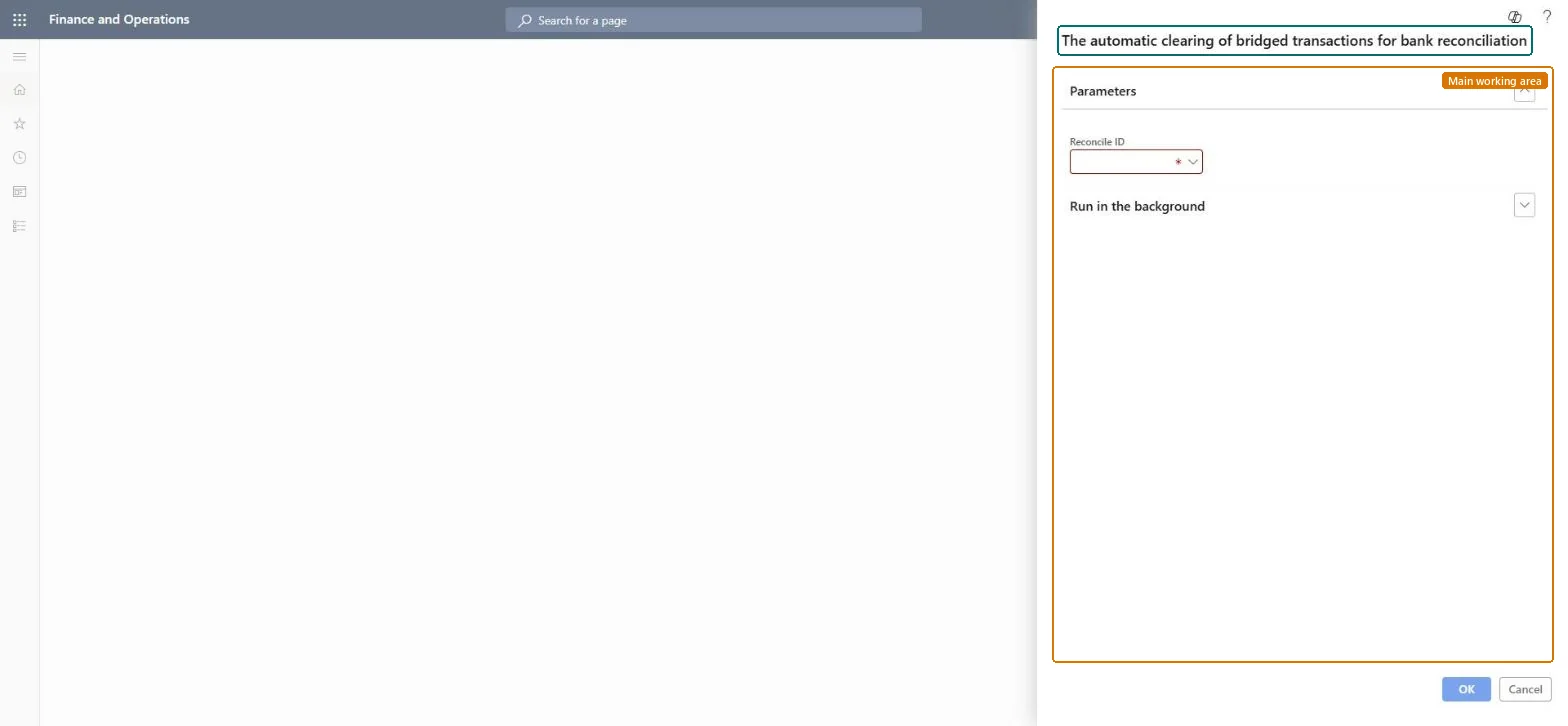
A periodic job that reruns the clearing of bridging payments for a bank reconciliation as a batch job.
What you do here
Use this periodic task after fixing clearing journal posting errors from bank reconciliation, to clear the bridging payments again.
Example
For example, BEAT marks reconciliation REC-000231 as reconciled but the clearing journal for 3 bridged payments fails because the Clearing journal name wasn't set; after the parameter is set, the job is run for REC-000231 and the 3 payments move to the bank main account.
The page in Dynamics 365. page title tab to open what to set or check
About the examples: Examples and screenshots in this guide use BEAT, a demo company in a Dynamics 365 test environment. Use your own company's codes and values instead of copying them.
When to run it
When to run it
After you mark a bank reconciliation as reconciled and its clearing journals failed to post, once the cause of the errors is fixed.
How often
On demand, only when clearing journals from a reconciliation fail.
Batch settings
It always runs as a batch job, one run per Reconciliation ID.
What the output shows
Posted clearing journals that move the bridging payment amounts from the bridging account to the bank main account. The bank transactions get the earlier of the cut-off date and the system date as posting date.
The bank reconciliation whose bridging payments you want to clear.Microsoft Learn
REC-000231
Common errors and fixes
Message
What to do
The clearing journals fail to post when the worksheet is marked as reconciled
Set the Clearing journal name on the Bank reconciliation tab of the parameters and fix the other posting errors, then run this job for the Reconciliation ID. Microsoft Learn
Test checklist
The bridging account balance for the cleared payments is zero.
The bank main account shows the cleared payment amounts.
Fix the cause first (usually the Clearing journal name), then run the job once per failed Reconciliation ID.The job posts the same clearing journals the reconciliation would have posted; it only works after the posting error is fixed.
Per company: it clears the bridged payments of one reconciliation in the current legal entity. Microsoft Learn
Can it be undone
No: Clearing journals post to the general ledger.
If you change it later
Posts clearing journals to the general ledger that move bridged payments from the bridging account to the bank main account. Microsoft Learn
Technical architect
6Technical
Menu item
action:BankReconBridgedAutoClearingChecked in Dynamics 365
Form
SysOperationTemplateFormChecked in Dynamics 365
Roles to set it up and use it
To use itTreasurer PaymTreasurerAccountant LedgerAccountantGive people one of these roles. On this system, 2 roles can run this page.Checked in Dynamics 365
Load order: Clear bridged transactions has no data entity in Data management, so it can't be loaded from a file or a configuration template. It is a job that posts clearing journals for a reconciliation in the current environment.Microsoft Learn
Checked in a working Dynamics 365 system, version 10.0.49: the menu item, form, table and security, the page.
To cite this step: CB-JOB-110, Rerun the clearing of bridged payments. Beyond ERP Atlas Hub, 2026-11-11. https://www.beyonderp.cloud/atlas/step/CB-JOB-110