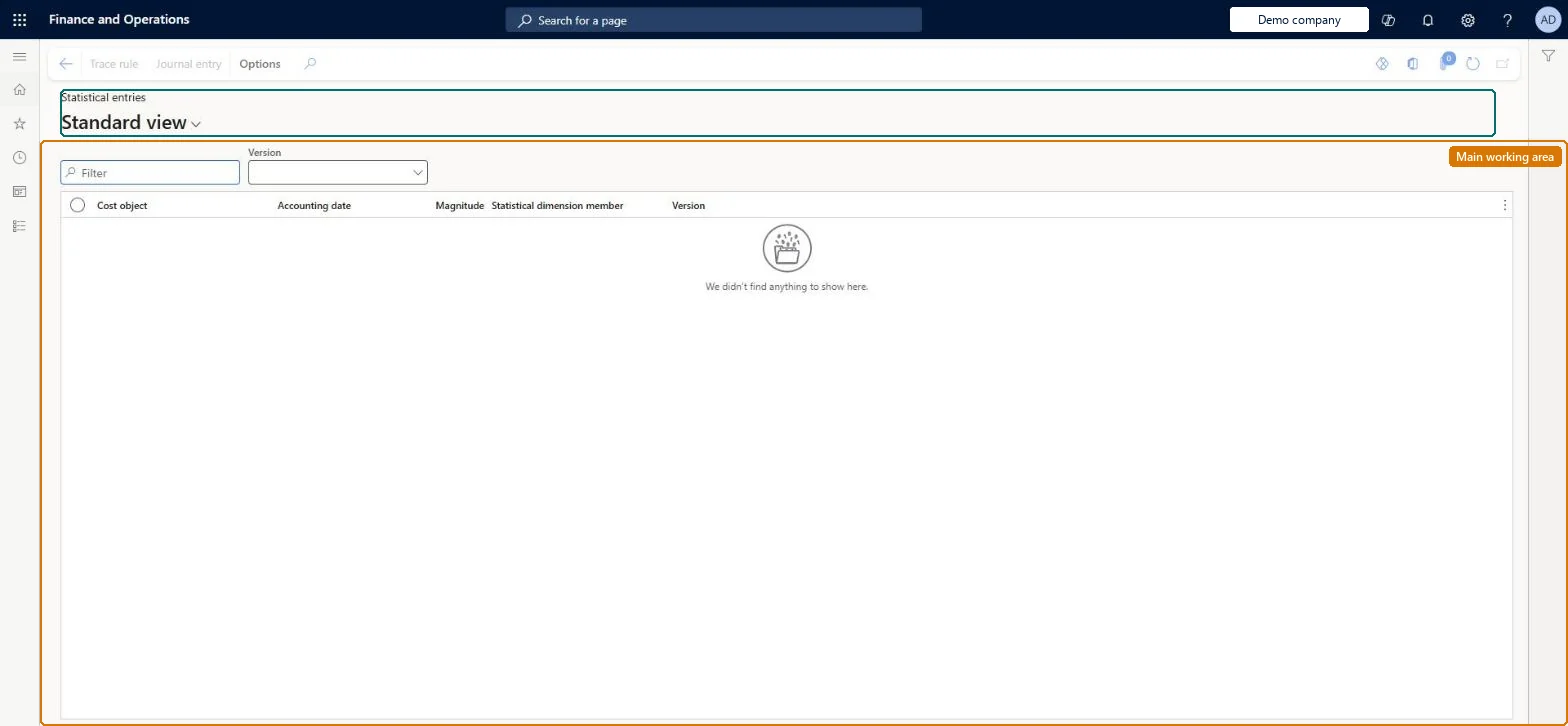
An inquiry page that lists the nonmonetary statistical entries in a cost accounting ledger, showing for each cost object and statistical dimension member the accounting date and the magnitude (for example a head count or kilowatt hours).
PAGE GUIDEWhat the page does and how to use it8 sections. Choose a role to highlight what matters to you.
Everyone
1What it is and why
What it is
An inquiry page that lists the nonmonetary statistical entries in a cost accounting ledger, showing for each cost object and statistical dimension member the accounting date and the magnitude (for example a head count or kilowatt hours).
What you do here
Use this page to review the nonmonetary measures that source data processing has registered per cost object, which policies use as allocation bases and which can be reported as consumption.
Example
For example, after electricity consumption is imported and processed, the page shows 2,450.00 kWh on cost center CC001, 4,100.00 on CC002 and 15,000.00 on CC003 for the Electricity statistical dimension member.
The page in Dynamics 365. page title tab to open what to set or check
About the examples: Examples and screenshots in this guide use BEAT, a demo company in a Dynamics 365 test environment. Use your own company's codes and values instead of copying them.
Setup steps on this page
Check statistical magnitudes before allocation
Confirm the magnitudes per cost object that allocation bases will use.
Steps from Microsoft
Go to Cost accounting > Inquiries and reports > Statistical entries.
Select the Version to show.
Use the Filter box to find an entry.
Review the Cost object, Accounting date, Magnitude, Statistical dimension member and Version columns.
Select Trace rule or Journal entry on the Action Pane to see where a selected entry came from.
The cost object (for example a cost center or product group) the measure is registered on.Microsoft Learn
CostObject
Accounting date
The date the measure is accounted for in the cost accounting ledger.Microsoft Learn
AccountingDate
Statistical dimension member
The statistical element being measured, such as FTEs or Electricity.Microsoft Learn
StatisticalDimensionMember
Magnitude
The nonmonetary quantity registered (a count or a sum).Microsoft Learn
Magnitude
Common errors and fixes
Message
What to do
Imported statistical measures create no statistical entries
In the data provider configuration, enter the import source identifier and name the cost object dimensions to match against the imported rows, then process the source data again. Microsoft Learn
Statistical dimension members can't be brought in through the Dynamics 365 Finance data connector
Statistical dimension members can only come from the Imported transactions data connector. Enter them by hand or load them with the Imported statistical dimension members entity. Microsoft Learn
Test checklist
Process the statistical measures for one period.
Filter on the member, for example Electricity, and the period.
Compare the magnitude per cost object with the source file or table.
Filter on the statistical dimension member and the period, and check the magnitudes before you run the overhead calculation.Distribution and allocation rules divide cost in proportion to these magnitudes, so a missing or doubled measure moves cost to the wrong cost objects.
Cost accounting has four roles: Cost accounting manager (Activity licence), Cost accountant and Cost accountant clerk (Operations licence), and Cost object controller (Team members licence). Cost accountants and cost accountant clerks read statistical entries. No Feature management feature needs to be turned on for this page.
Shared: Cost accounting setup isn't kept per legal entity. It is the same from every company, and one cost accounting ledger can collect data from several legal entities. Checked in Dynamics 365
Can it be undone
Reversible: The inquiry changes no data. Correct a measure at its source and process it again. Microsoft Learn
If you change it later
Statistical entries are the magnitudes that allocation bases use. Processing new measures changes the allocation factors of every rule that uses the member at the next overhead calculation. Microsoft Learn
Technical architect
6Technical
Menu item
CAMCostObjectStatisticalEntryChecked in Dynamics 365
Form
CAMCostObjectStatisticalEntryChecked in Dynamics 365
Table
CAMDataCostObjectStatisticalEntryShown as “STATISTICAL ENTRIES” in Record infoChecked in Dynamics 365
Data entities
CAMAggregatedStatisticalEntryWithHierarchiesEntityAggregated statistical entries with dimension hierarchies Microsoft data model CAMAggregatedStatisticalEntryWithDefaultCostObjectHierarchyEntityAggregated statistical entries with the default cost object hierarchy Microsoft data model
Who can open it
3 security roles. Select a role to see its duties and privileges.
RoleCost accountantCAMCostAccountant
DutyInquire into cost object entriesCAMCostObjectEntriesInquire
To use itInquire into cost object entries CAMCostObjectEntriesInquireGive people a role that holds these duties. On this system, 3 roles give access to this page.Checked in Dynamics 365
Actions on the page
(Action Pane without tabs): Trace rule, Journal entryChecked in Dynamics 365
Load order: A statistical entry has no data entity in Data management, so it can't be loaded from a file or a configuration template. Statistical entries are created by processing, so process the measures again in the new environment.Microsoft Learn