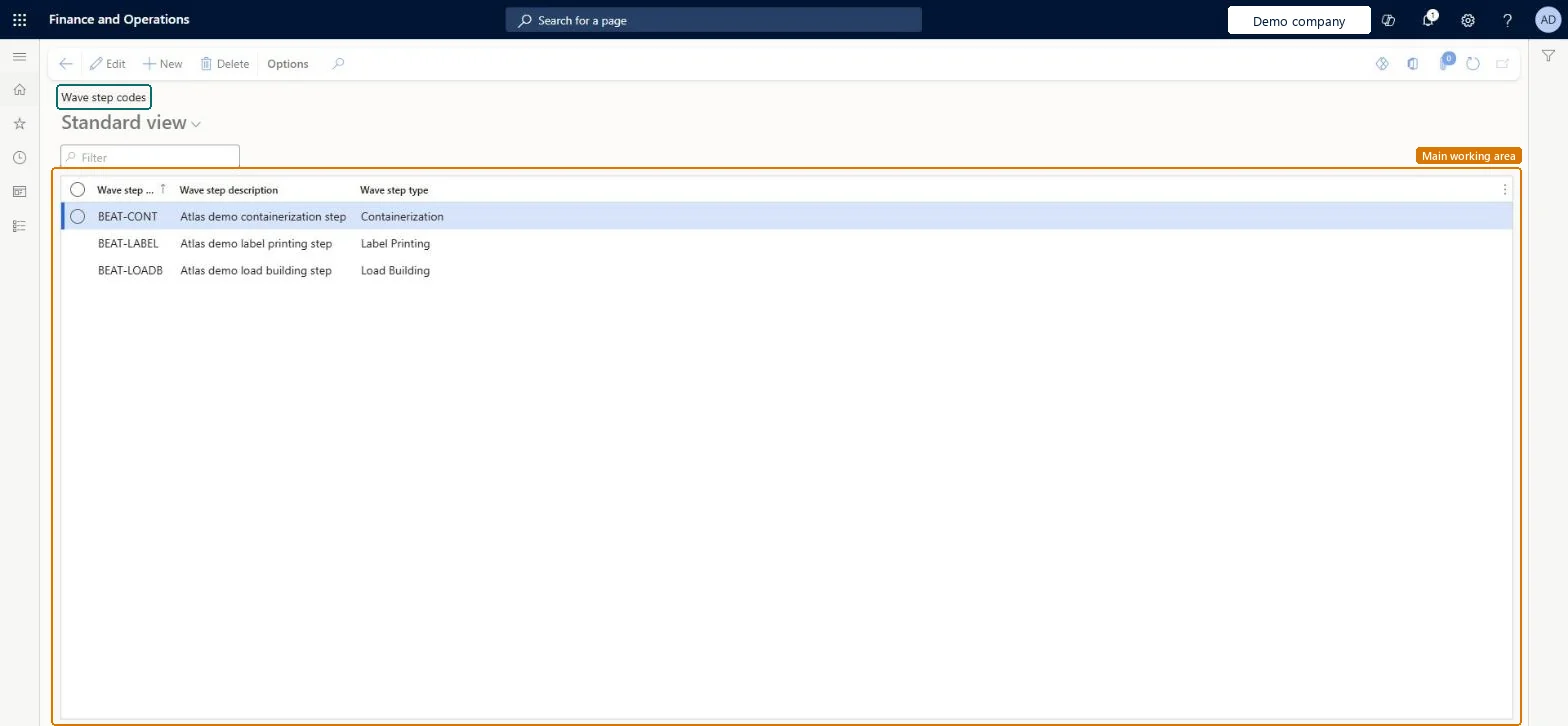
Setup step on the Wave step codes page · Warehouse management
Set up Wave step codes
Use this page to define the codes that link wave methods in a wave template to the matching replenishment, containerization, label printing, load building or sorting template.
SETUP GUIDEHow to set it up8 sections. Choose a role to highlight what matters to you.
Everyone
1What it is and why
What it is
A list page where you create and delete wave step codes, each with a description and a wave step type.
What you do here
Use this page to define the codes that link wave methods in a wave template to the matching replenishment, containerization, label printing, load building or sorting template.
Example
For example, a replenishment wave step code ties the Replenishment method in a wave template to the replenishment template that you created.
The page in Dynamics 365. page title tab to open what to set or check
About the examples: Examples and screenshots in this guide use BEAT, a demo company in a Dynamics 365 test environment. Use your own company's codes and values instead of copying them.
Setup steps on this page
Set up Wave step codes
Use this page to define the codes that link wave methods in a wave template to the matching replenishment, containerization, label printing, load building or sorting template.
Steps from Microsoft
Go to Warehouse management > Setup > Waves > Wave step codes.
Select New to add a wave step code.
Enter the Wave step code, the Wave step description and the Wave step type.
Make sure the code is unique across all wave step types.
Select the same code in the target template and in the Wave step code field of the matching method in the wave template.
One wave step code per target template (replenishment, load building, sorting, containerization, wave label), each with its wave step type, selected on the wave template method instead of free textSelecting a code from a list removes the free-text matching that is prone to errors; the code must match between the wave template method and the target template.
Free-text step values that don't exactly match the target template, so the template isn't applied when the wave runs.
PrivilegesMaintain wave step codes WHSMaintainWaveStepCodesView wave step codes WHSViewWaveStepCodesDutiesMaintain warehouse planning WHSWarehousePlanningMaintainInquire into warehouse planning master data WHSWarehousePlanningMasterInquire1 security roleWarehouse planner WHSWarehousePlannerChecked in Dynamics 365
Roles to set it up and use it
To set it up or change itWarehouse planner WHSWarehousePlannerGive people one of these roles. On this system, 1 role can open this page.Checked in Dynamics 365