BeyondERP.Newsletter
Menu

Setup step on the Wave label types page · Warehouse management

Set up Wave label types

Use this page to create the wave label types that link wave label templates to units on unit sequence group lines.

Used by
Field Service Integration User, Production supervisor, Process engineer and 3 more roles
Business process
Manage warehouse operations
Menu item
WHSWaveLabelType
Main table
WHSWaveLabelType
Setup steps
1 on this page
Show what matters for
SETUP GUIDEHow to set it up8 sections. Choose a role to highlight what matters to you.
Everyone

1What it is and why

What it isA setup page where you define wave label types, each with a description.
What you do hereUse this page to create the wave label types that link wave label templates to units on unit sequence group lines.
ExampleFor example, a warehouse that needs separate labels for cartons and pallets creates one label type for each.
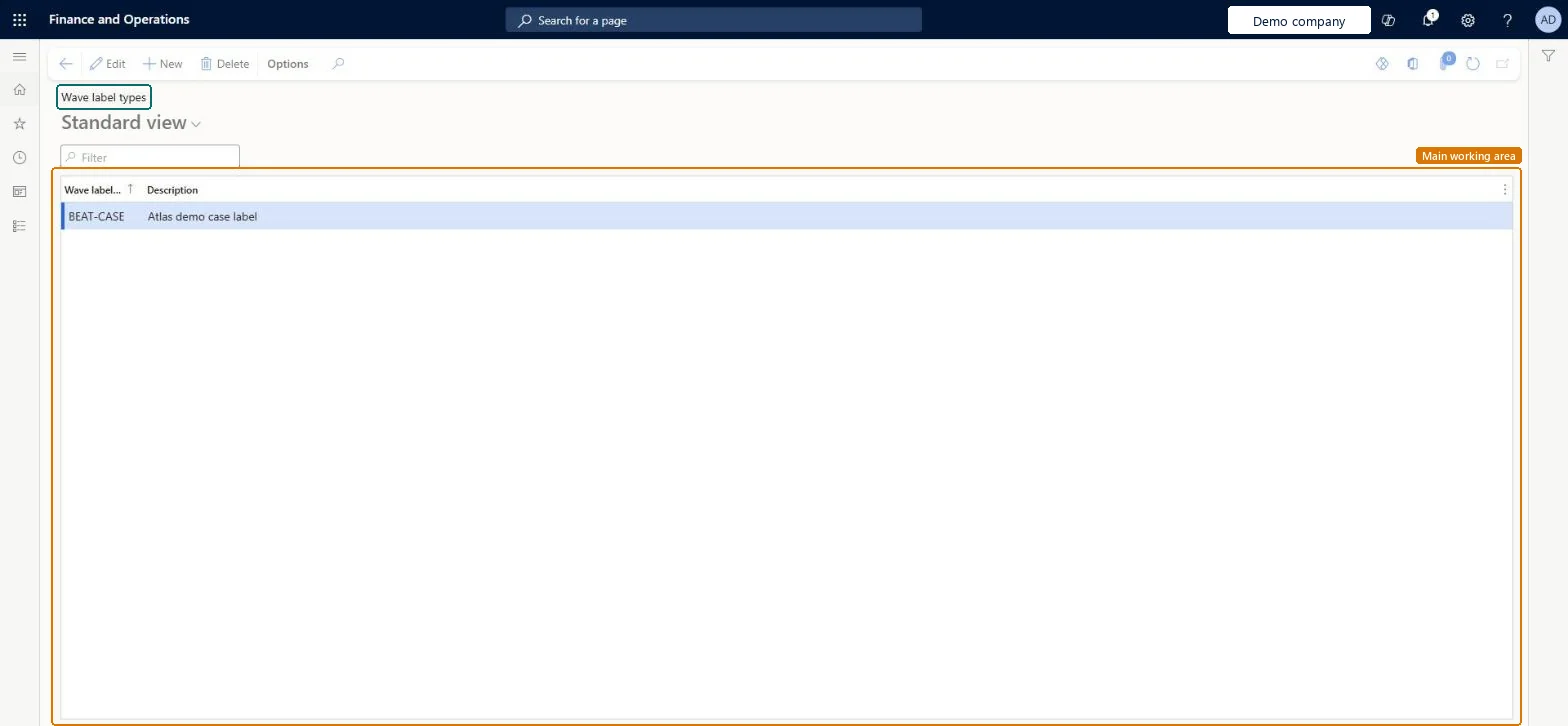
Wave label types page in Dynamics 365
The page in Dynamics 365. page title tab to open what to set or check
Functional consultant · Solution architect

2Where it fits

Business processManage warehouse operations
Menu pathWarehouse management › Setup › Document routing › Wave label types
Used next byWave label templates Microsoft Learn Unit sequence groups Microsoft Learn
In this process Set up LTL classes · Set up Warehouse app field names
End user · Functional consultant

3How to do it

About the examples: Examples and screenshots in this guide use BEAT, a demo company in a Dynamics 365 test environment. Use your own company's codes and values instead of copying them.

Setup steps on this page

Set up Wave label types

Use this page to create the wave label types that link wave label templates to units on unit sequence group lines.

Steps from Microsoft

  1. Go to Warehouse management > Setup > Document routing > Wave label types.
  2. Select New to add a wave label type.
  3. Enter the Wave label type and a Description.
  4. On the Unit sequence groups page, set the Wave level type on the unit line that the label type applies to.

Source: Microsoft Learn

Test checklist

  1. Create wave label types Carton and Pallet.
  2. Set Carton on the Box line and Pallet on the PL line of the unit sequence group.
  3. Link each type to its own wave label template and wave step code.
  4. Release a sales order and check the count of carton labels and pallet labels matches the boxes and pallets.

Source: Microsoft Learn

Functional consultant

4Setup decisions

Setup stepRecommended value and whyDecision, common mistake and test
Set up Wave label typesOne wave label type per label tier (for example Carton and Pallet), set as the Wave level type on the matching unit sequence group lineThe type links a wave label template to a unit; separate types let carton and pallet labels print from separate templates in the same wave.Setting the type on too small a unit. Wave label records are created per unit, so a type on Ea for a box of ten Ea creates ten labels.
Solution architect

5Design impact

Shared or per companyPer company: each legal entity has its own records. Microsoft data model
Can it be undoneReversible: Types are read when wave labels are generated; changing the unit sequence group line affects later waves.
Technical architect

6Technical

Menu itemWHSWaveLabelType Checked in Dynamics 365
FormWHSWaveLabelType Checked in Dynamics 365
TableWHSWaveLabelTypeShown as “WAVE LABEL TYPE” in Record infoChecked in Dynamics 365
Who can open itPrivilegesMaintain wave label types WHSWaveLabelTypeMaintainView wave label types WHSWaveLabelTypeViewDutiesInquire into warehouse operation master WMSWarehouseOperationMasterInquireMaintain warehouse operation master WMSWarehouseOperationMasterMaintain
6 security rolesField Service Integration User FieldServiceIntegrationUserProduction supervisor ProdProductionSupervisorProcess engineer RouteProcessEngineerProcess engineering manager RouteProcessEngineeringManagerWarehouse planner WHSWarehousePlannerWarehouse manager WMSWarehouseManager
Checked in Dynamics 365
Roles to set it up and use itTo set it up or change itWarehouse manager WMSWarehouseManagerProcess engineer RouteProcessEngineerTo use itWarehouse planner WHSWarehousePlannerProduction supervisor ProdProductionSupervisorProcess engineering manager RouteProcessEngineeringManagerField Service Integration User FieldServiceIntegrationUserGive people one of these roles. On this system, 6 roles can open this page.Checked in Dynamics 365
Developer

7Developer

Open it by URLhttps://<your-environment>/?mi=WHSWaveLabelType
Table definitionWHSWaveLabelType columns and relations Microsoft data model
Everyone

8Sources

To cite this step: WM-LABEL-060, Set up Wave label types. Beyond ERP Atlas Hub, 2026-11-11. https://www.beyonderp.cloud/atlas/step/WM-LABEL-060