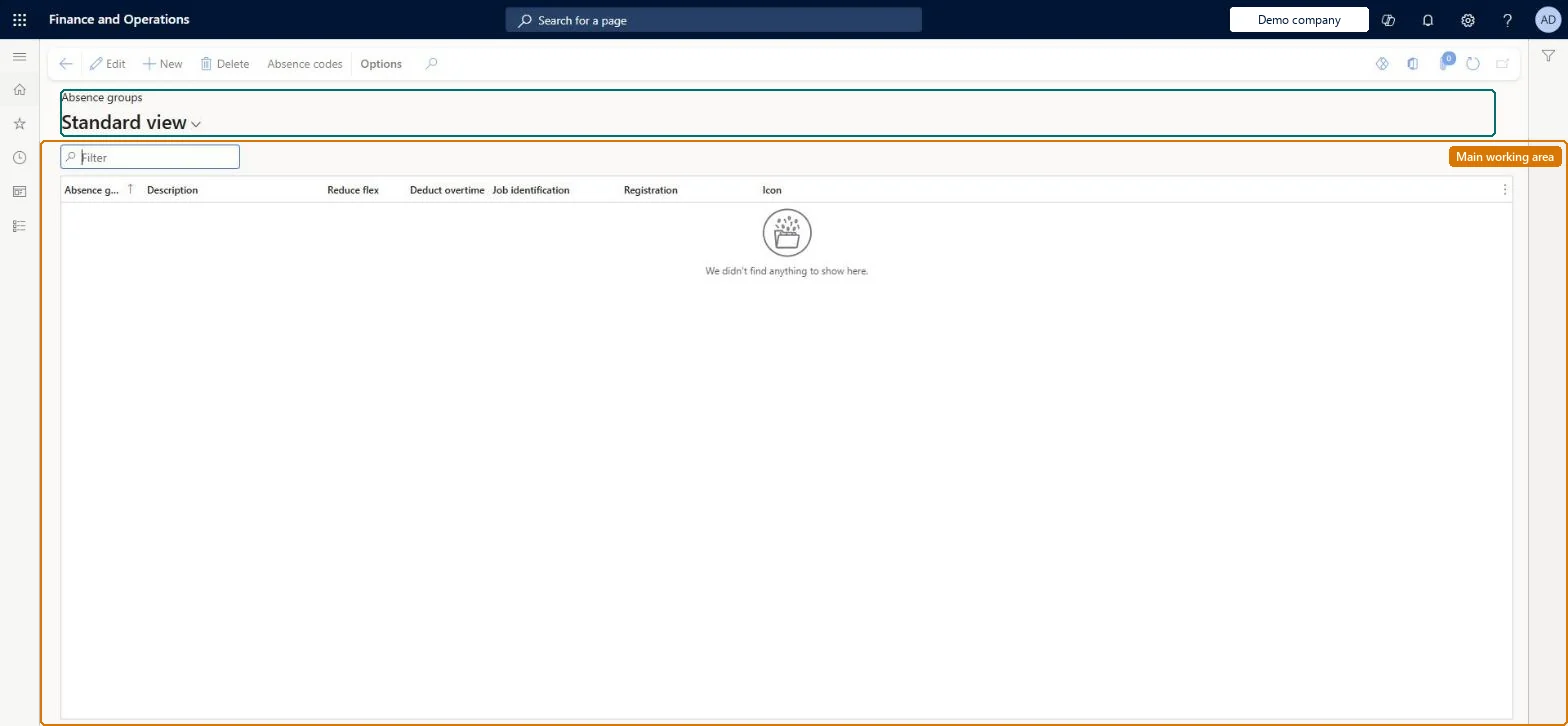
Setup step on the Absence groups page · Time and attendance
Set up Absence groups
Use this page to control how absence registrations affect workers' flex balance, overtime and pay, and whether workers can register on the codes in the group.
Compensation and benefits manager, Human resource assistant, Human resource manager and 1 more role
Business process
Manage time and attendance
Menu item
HRMAbsenceCodeGroup
Main table
HRMAbsenceCodeGroup
Data entity
HcmAbsenceCodeGroupEntity
Setup steps
1 on this page
Show what matters for
SETUP GUIDEHow to set it up8 sections. Choose a role to highlight what matters to you.
Everyone
1What it is and why
What it is
A setup page where you group absence codes with common characteristics and set whether absence in the group reduces flex time or deducts overtime.
What you do here
Use this page to control how absence registrations affect workers' flex balance, overtime and pay, and whether workers can register on the codes in the group.
Example
For example, you select Deduct overtime on a group for late arrival so that a worker who comes in late and works later does not get overtime pay for those hours.
The page in Dynamics 365. page title tab to open what to set or check
About the examples: Examples and screenshots in this guide use BEAT, a demo company in a Dynamics 365 test environment. Use your own company's codes and values instead of copying them.
Setup steps on this page
Set up Absence groups
Use this page to control how absence registrations affect workers' flex balance, overtime and pay, and whether workers can register on the codes in the group.
Steps from Microsoft
Go to Time and attendance > Setup > Groups > Absence groups.
Select New.
Enter a name and description for the absence group.
Select Reduce flex if absence in the group should reduce the flex balance.
Select Deduct overtime if absence in the group should reduce overtime hours.
Select Registration to let workers register absence with codes in the group.
Separate groups for legal and illegal absence: Deduct overtime only on illegal-absence groups (such as late arrival), Reduce flex only on groups that convert absence to flex, never both on the same group; Registration selected for codes workers may pickDeduct overtime makes illegal absence reduce overtime pay, Reduce flex lets absence be taken from the flex balance, and Learn advises against selecting both because the hours are taken from overtime and flex at once.
Time and attendance roles come from the security read in the Technical section. On this system the page is opened with roles such as Human resource assistant, Human resource manager, Payroll administrator and 1 more. The Microsoft Learn article for this page names no Feature management feature to turn on.
Per company: each legal entity has its own absence groups. Checked in Dynamics 365
Can it be undone
Reversible: The settings are read when registrations are calculated and transferred; changes apply to later days.
If you change it later
Selecting both flex reduction and overtime deduction for the same absence means the hours are taken from overtime and the flex balance at the same time, which Microsoft does not recommend. Microsoft Learn
Technical architect
6Technical
Menu item
HRMAbsenceCodeGroupChecked in Dynamics 365
Form
HRMAbsenceCodeGroupChecked in Dynamics 365
Table
HRMAbsenceCodeGroupShown as “ABSENCE GROUPS” in Record infoChecked in Dynamics 365
Data entities
HcmAbsenceCodeGroupEntityAbsence groups Checked in Dynamics 365
Who can open it
PrivilegesMaintain absence groups HRMAbsenceCodeGroupMaintainView absence groups HRMAbsenceCodeGroupViewDutiesEnable absence process HcmAbsenceEnableInquire into absence process HcmAbsenceProcessInquireInquire into time and attendance policies JmgTimeAttendancePoliciesInquire4 security rolesCompensation and benefits manager HcmCompensationAndBenefitsManagerHuman resource assistant HcmHumanResourceAssistantHuman resource manager HcmHumanResourceManagerPayroll administrator HcmPayrollAdministratorChecked in Dynamics 365
Roles to set it up and use it
To set it up or change itCompensation and benefits manager HcmCompensationAndBenefitsManagerHuman resource assistant HcmHumanResourceAssistantTo use itPayroll administrator HcmPayrollAdministratorHuman resource manager HcmHumanResourceManagerGive people one of these roles. On this system, 4 roles can open this page.Checked in Dynamics 365
Actions on the page
(Action Pane without tabs): Absence codesChecked in Dynamics 365
HcmAbsenceCodeGroupEntity data entity Checked in Dynamics 365
Data migration
HcmAbsenceCodeGroupEntity (Absence groups): per company.HcmAbsenceCodeEntity (Absence codes): per company; load after the groups.Load order: Load absence groups before absence codes, because each code selects its group.Microsoft Learn