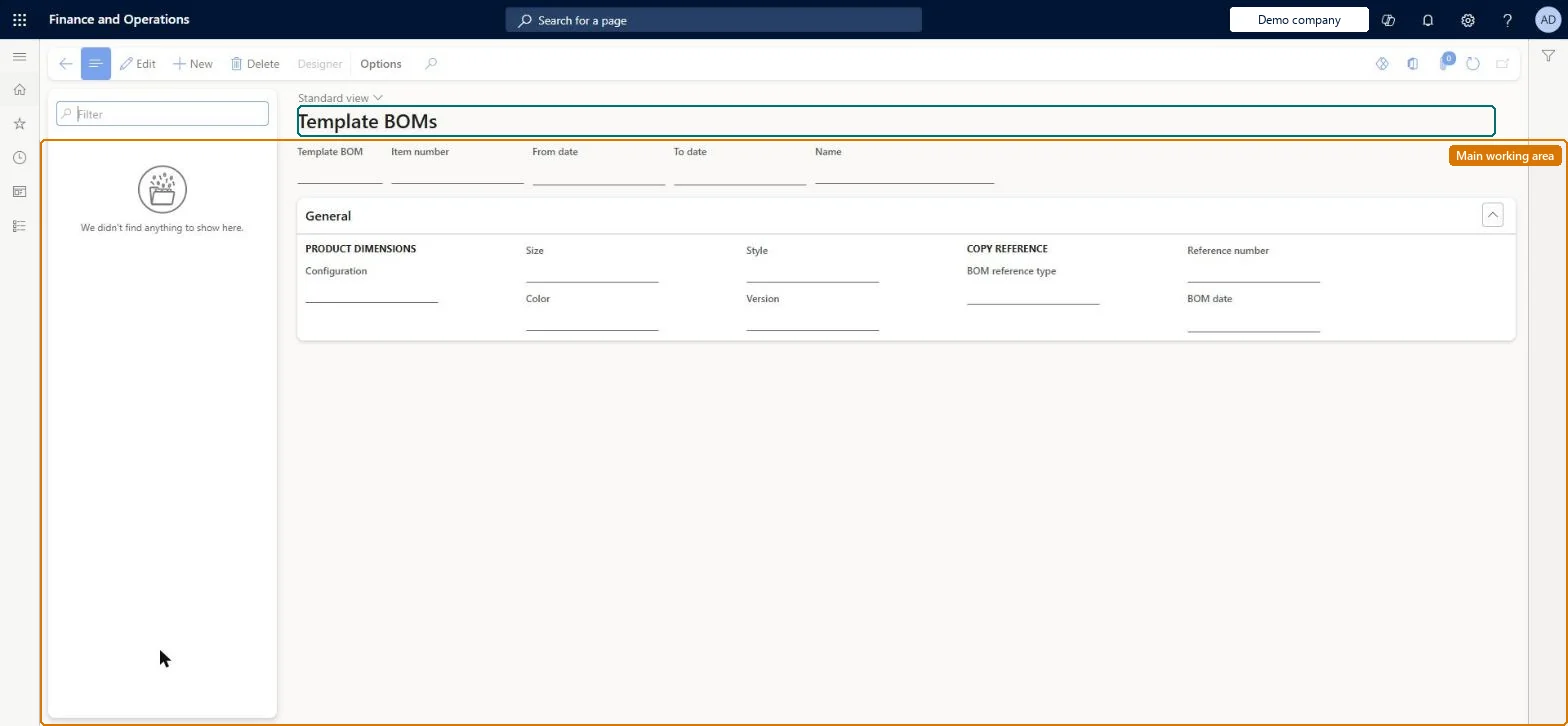
Setup step on the Template BOMs page · Service management
Set up Template BOMs
Use this page to define the component list that is attached to a service object relation on a service agreement or service order, so that replaced subcomponents are recorded in a service BOM history.
Process engineer, Process engineering manager, Service dispatcher and 3 more roles
Business process
Receive service requests
Menu item
SMATemplateBOMTable
Main table
SMATemplateBOMTable
Data entity
SMAServiceBillOfMaterialTemplateEntity
Setup steps
1 on this page
Show what matters for
SETUP GUIDEHow to set it up8 sections. Choose a role to highlight what matters to you.
Everyone
1What it is and why
What it is
A setup page where you create and maintain template bills of materials: standard lists of the components of a service object that is serviced regularly, created manually or copied from an item BOM, a production BOM or another template.
What you do here
Use this page to define the component list that is attached to a service object relation on a service agreement or service order, so that replaced subcomponents are recorded in a service BOM history.
Example
For example, under a three-year service agreement for a customer's car, the replaced parts are recorded against the template BOM and the history can be copied to the renewal agreement.
The page in Dynamics 365. page title tab to open what to set or check
About the examples: Examples and screenshots in this guide use BEAT, a demo company in a Dynamics 365 test environment. Use your own company's codes and values instead of copying them.
Setup steps on this page
Set up Template BOMs
Use this page to define the component list that is attached to a service object relation on a service agreement or service order, so that replaced subcomponents are recorded in a service BOM history.
Steps from Microsoft
Go to Service management > Setup > Service objects > Template BOMs.
Select New to open the Create template BOM page.
Under Copy BOM lines from reference, select Manual, Template BOM, BOM or Production.
For a copied template, select the source in the Reference number field; for a manual template, enter an item of the type BOM in the Item number field.
Copy from the item BOM for standard serviced equipment; use Production only if you run production and need the as-built list; Manual when you know which spare parts are usually replacedLearn describes the item BOM as a static component list, the production BOM as a current detailed list for production environments, and manual templates as a way to reflect actual workplace replacement needs.
Attaching the template to a service object before its lines are final. After it is attached, only the local service BOM can be changed, and each service object can have only one template BOM.Test: Template BOM locks after it is attached
Solution architect
5Design impact
Can it be undone
Hard to reverse: Lines can be edited or deleted only until the template is attached to a service object; after that you change the local version or create a new template from it.
If you change it later
Lines can be edited or deleted only while the template is not attached to a service object; afterwards only the local service BOM can be changed, and each service object can have only one template BOM. Microsoft Learn
Technical architect
6Technical
Menu item
SMATemplateBOMTableChecked in Dynamics 365
Form
SMATemplateBOMTableChecked in Dynamics 365
Table
SMATemplateBOMTableShown as “TEMPLATE BOMS” in Record infoChecked in Dynamics 365
PrivilegesMaintain template BOMs SMATemplateBOMTableMaintainView template BOMs SMATemplateBOMTableViewDutiesInquire into service object master SMAServiceObjectMasterInquireMaintain service object master SMAServiceObjectMasterMaintainMaintain service orders SMAServiceOrdersMaintain6 security rolesProcess engineer RouteProcessEngineerProcess engineering manager RouteProcessEngineeringManagerService dispatcher SMADispatcherField service technician SMAFieldServiceTechnicianService delivery manager SMAServiceDeliveryManagerCustomer service representative TradeCustomerServiceRepresentativeChecked in Dynamics 365
Roles to set it up and use it
To set it up or change itService delivery manager SMAServiceDeliveryManagerService dispatcher SMADispatcherField service technician SMAFieldServiceTechnicianCustomer service representative TradeCustomerServiceRepresentativeProcess engineer RouteProcessEngineerTo use itProcess engineering manager RouteProcessEngineeringManagerGive people one of these roles. On this system, 6 roles can open this page.Checked in Dynamics 365
Actions on the page
(Action Pane without tabs): DesignerChecked in Dynamics 365