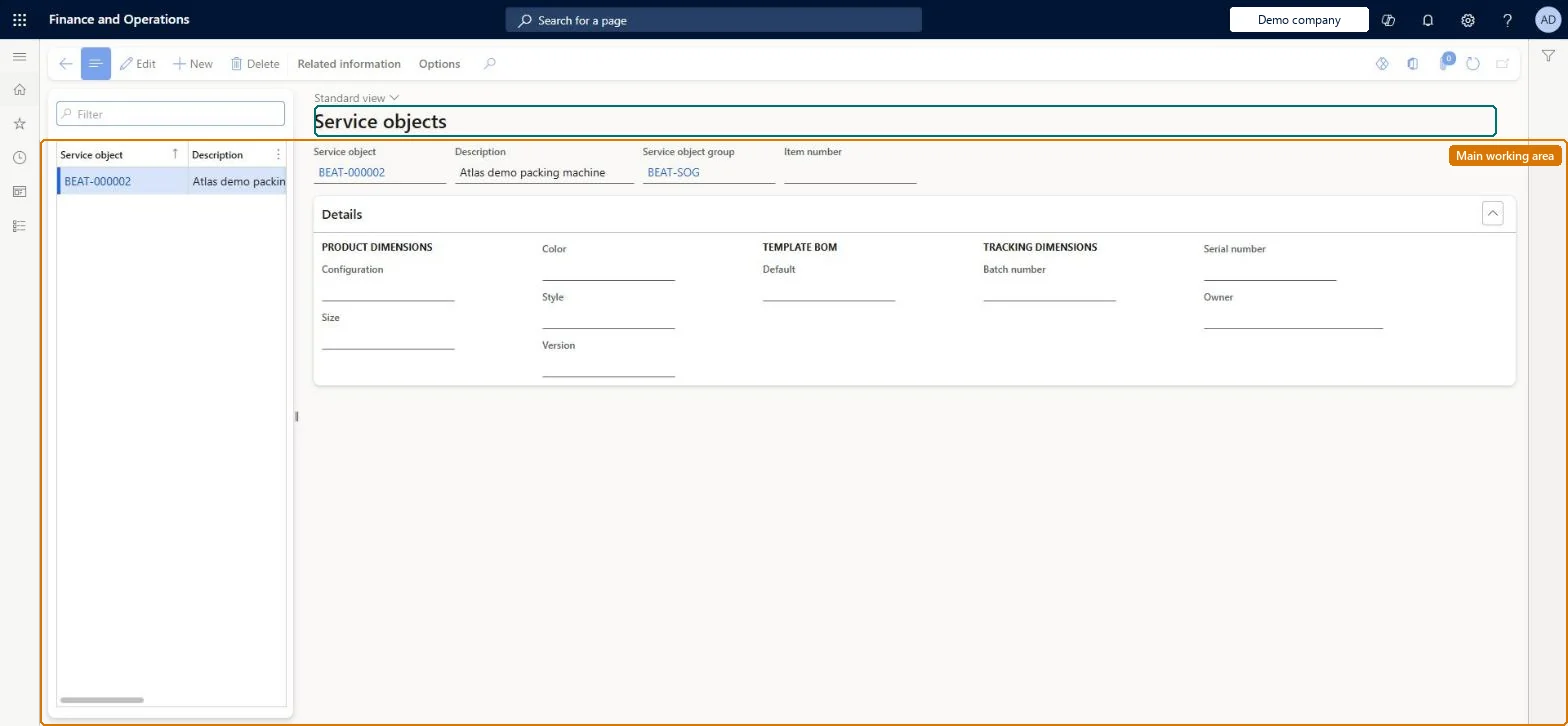
A setup page where you register the customer assets and products (tangible or intangible) that your company services, each with a description, a service object group and optionally an inventory item or template BOM.
Chief executive officer, Process engineer, Process engineering manager and 1 more role
Business process
Receive service requests
Menu item
SMAServiceObjectTable
Main table
SMAServiceObjectTable
Data entity
SMAServiceObjectEntity
Setup steps
1 on this page
Show what matters for
PAGE GUIDEWhat the page does and how to use it8 sections. Choose a role to highlight what matters to you.
Everyone
1What it is and why
What it is
A setup page where you register the customer assets and products (tangible or intangible) that your company services, each with a description, a service object group and optionally an inventory item or template BOM.
What you do here
Use this page to create and maintain the service objects that are later attached to service agreements and service orders through object relations, and that repair lines refer to.
Example
For example, an accounting firm sets up a football club's accounts as an intangible service object and creates agreement lines for weekly bookkeeping and an annual audit.
The page in Dynamics 365. page title tab to open what to set or check
About the examples: Examples and screenshots in this guide use BEAT, a demo company in a Dynamics 365 test environment. Use your own company's codes and values instead of copying them.
Setup steps on this page
Set up Service objects
Use this page to create and maintain the service objects that are later attached to service agreements and service orders through object relations, and that repair lines refer to.
Steps from Microsoft
Go to Service management > Setup > Service objects > Service objects.
On the Action Pane, select New.
In the Description field, enter a description of the object.
In the Service object group field, select the group that the object belongs to.
Optionally, select an item for the service object line, or select a template bill of materials (BOM).
For tangible items you must track individually, link the service object to the released item with an inventory dimension group that includes the serial numberDepending on the item's dimension group, a service object can be defined down to the serial number, which lets you track the exact unit being serviced.
Registering a tool kit or other non-stock asset as an inventory item; Microsoft notes such objects can be service objects without being inventory items.
Number sequences
Reference
Shared or per company
Note
Service object
Per company
New records on this page take their Service object from the SMAServiceObjectId reference; BEAT uses number sequence Serv_23. Checked in Dynamics 365
Solution architect
5Design impact
Can it be undone
Reversible: Edit the object, its group or its item at any time. Service agreements and orders that already reference the object keep that reference. Microsoft Learn
If you change it later
Whether the same item and dimensions may appear on more than one service object is controlled by a parameter, so duplicates may be rejected unless it is enabled. Microsoft Learn
Technical architect
6Technical
Menu item
SMAServiceObjectTableChecked in Dynamics 365
Form
SMAServiceObjectTableChecked in Dynamics 365
Table
SMAServiceObjectTableShown as “SERVICE OBJECTS” in Record infoKey field: ServiceObjectIdChecked in Dynamics 365
PrivilegesMaintain service objects SMAServiceObjectTableMaintainView service objects SMAServiceObjectTableViewDutiesReview service agreement process performance SMAServiceAgreementProcessPerfReviewInquire into service object master SMAServiceObjectMasterInquireMaintain service object master SMAServiceObjectMasterMaintain4 security rolesChief executive officer CompanyChiefExecutiveOfficerProcess engineer RouteProcessEngineerProcess engineering manager RouteProcessEngineeringManagerService delivery manager SMAServiceDeliveryManagerChecked in Dynamics 365
Roles to set it up and use it
To set it up or change itService delivery manager SMAServiceDeliveryManagerProcess engineer RouteProcessEngineerTo use itChief executive officer CompanyChiefExecutiveOfficerProcess engineering manager RouteProcessEngineeringManagerGive people one of these roles. On this system, 4 roles can open this page.Checked in Dynamics 365