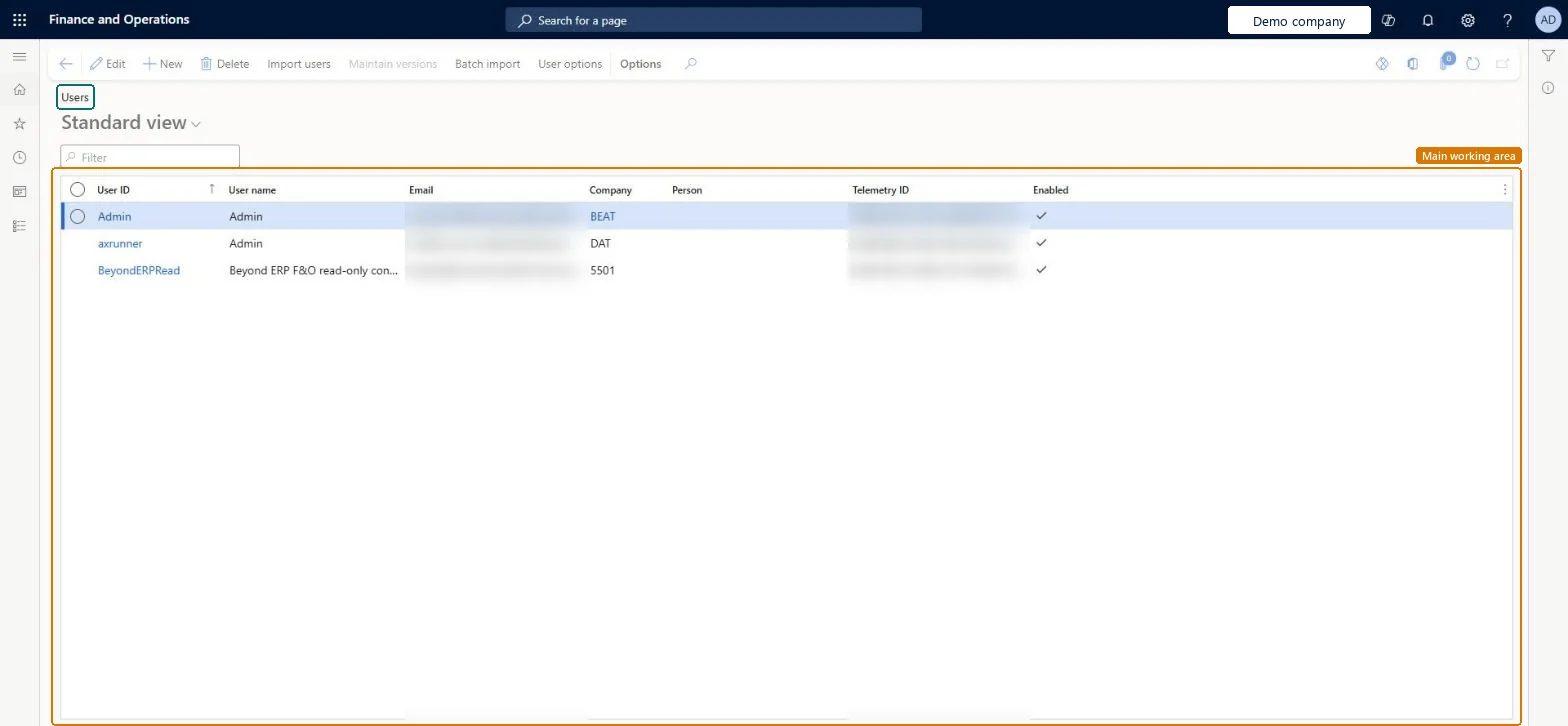
About the examples: Examples and screenshots in this guide use BEAT, a demo company in a Dynamics 365 test environment. Use your own company's codes and values instead of copying them.
Setup steps on this page
Set up Users
Use this page to import users from Microsoft Entra ID or add them by hand, and to keep their details such as email and default company up to date.
Steps from Microsoft
Go to System administration > Users > Users.
Select New.
In the User ID field, enter a unique ID for the user.
In the User name field, enter the user's name.
In the Provider field, keep the default value for internal users, or add the guest user's Entra ID tenant name for external users.
In the Email field, enter the user's full email or user principal name.
In the Company field, select the company the user starts in.
Select Save, and then assign roles and organizations.
Import users from Microsoft Entra ID with Import users; when you add a user by hand, keep the default Provider for internal users and enter the full email or user principal nameEvery user must exist in your Microsoft Entra ID tenant: since March 2024 users who aren't in Entra ID can't be onboarded or sign in. On save, the Telemetry ID is filled from the user's Entra object ID, which sign-in depends on.
How are users created?Importing users while the administrator is in the wrong company. The admin's current session company becomes each imported user's Company, so users start in the wrong legal entity until it's corrected.Test: A new user can sign in
Feature management and licence
Licence or add-in
On this system the page opens for Security administrator and Copilot service role. Security administrators maintain users. No Feature management feature needs to be turned on for this page.
Shared: a user exists once for the environment; the Company field only sets the company the user starts in. Microsoft Learn
Can it be undone
Hard to reverse: A user ID can be changed only by renaming the primary key (Record info > Rename), which updates every reference in the database and can take time for existing users.
If you change it later
Changing a user ID renames the key in the database and updates every reference to it, which can take some time for existing users. Microsoft Learn
Technical architect
6Technical
Menu item
SysUserInfoPageChecked in Dynamics 365
Form
SysUserManagementChecked in Dynamics 365
Table
UserInfoShown as “User Information” in Record infoChecked in Dynamics 365
Data entities
SystemSecurityRoleEntitySystem Security Role (only the security roles shown with the user; Open in Excel offers it on this page) Checked in Dynamics 365SystemUserEntityUser information (the user records) SystemSecurityUserRoleAssociationEntitySecurity user role association (only the roles assigned to each user) DirPersonUserEntityUser to person relationship (only the link between a user and a person in the address book)
Who can open it
PrivilegesMaintain users SysUserInfoMaintainDutiesCopilot service operations AppCopilotServiceDutyMaintain security settings SysSecSecurityMaintain2 security rolesCopilot service role AppCopilotServiceRoleSecurity administrator SysSecSecurityAdministratorChecked in Dynamics 365
Roles to set it up and use it
To set it up or change itSecurity administrator SysSecSecurityAdministratorCopilot service role AppCopilotServiceRoleGive people one of these roles. On this system, 2 roles can open this page.Checked in Dynamics 365
Actions on the page
Options: Personalize, Page options, ShareChecked in Dynamics 365
Developer
7Developer
Open it by URL
https://<your-environment>/?mi=SysUserInfoPage
Data migration
SystemUserEntity (User information): shared by all companies, in Microsoft's default template 010 - System Setup.DirPersonUserEntity (User to person relationship): shared by all companies, in Microsoft's default template 010 - System Setup.SystemSecurityUserRoleAssociationEntity (Security user role association): shared by all companies, in Microsoft's default template 010 - System Setup.Load order: Microsoft's default template 010 - System Setup loads User information at level 10, sequence 230, User to person relationship at sequence 240 and Security user role association at sequence 250, so users exist before their person link and their roles.Load first: the people (Global address book) the users are linked toChecked in Dynamics 365