BeyondERP.Newsletter
Menu

Page · System administration

Invalid users

A list page that shows users who need an administrator's attention because they may fail to sign in.

Used by
Security administrator
Business process
Administer system features
Menu item
SysUserInvalidUsersPage
Main table
SysUserInvalidUsers
Setup steps
1 on this page
Show what matters for
PAGE GUIDEWhat the page does and how to use it8 sections. Choose a role to highlight what matters to you.
Everyone

1What it is and why

What it isA list page that shows users who need an administrator's attention because they may fail to sign in.
What you do hereUse this page to find and fix users who are missing from Microsoft Entra ID, have wrong or duplicate telemetry IDs, or share an email address.
ExampleFor example, users whose email address still carries an old "MAIL#" prefix appear here so that an administrator can remove the prefix.
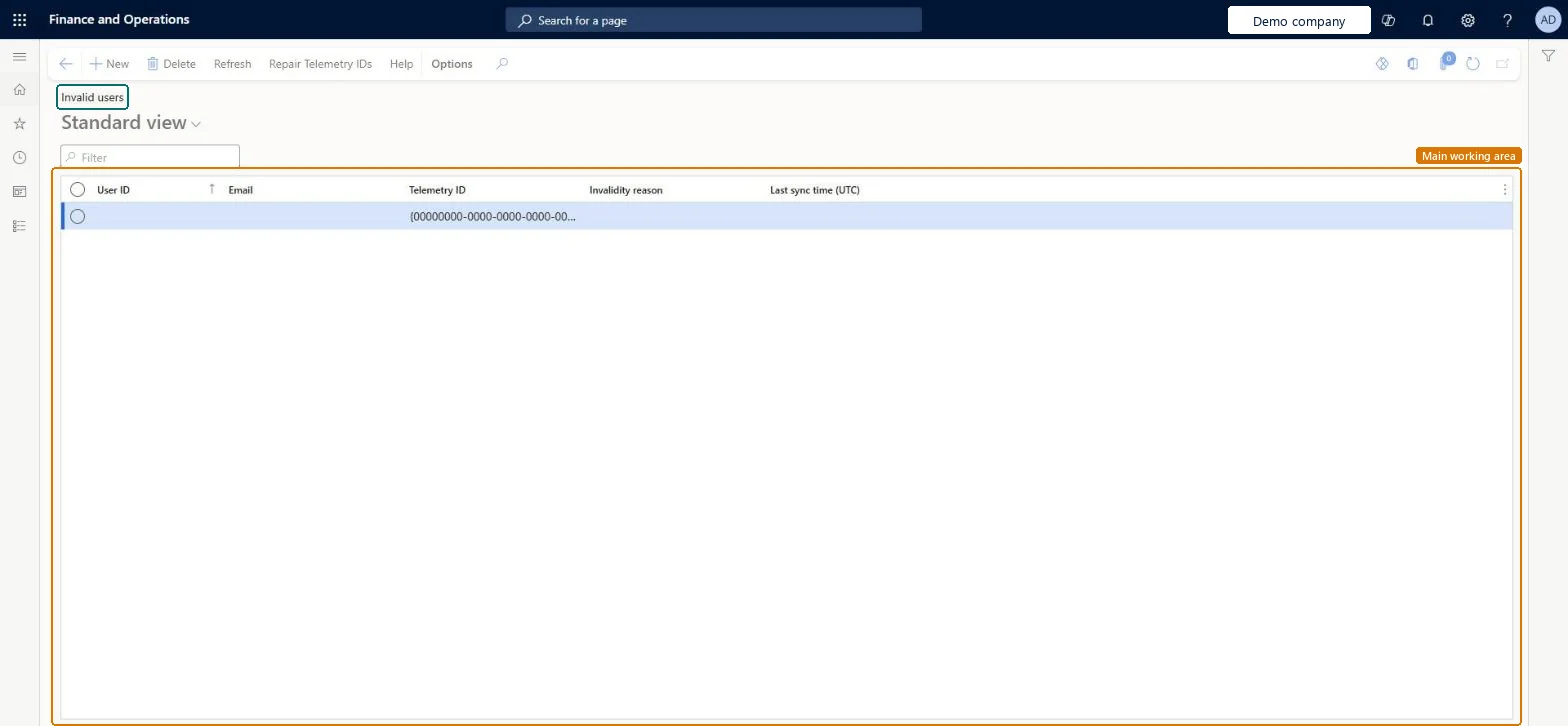
Invalid users page in Dynamics 365
The page in Dynamics 365. page title tab to open what to set or check
Functional consultant · Solution architect

2Where it fits

Business processAdminister system features
Menu pathSystem administration › Users › Invalid users
Set up firstUsers Microsoft Learn
Used next byUsers Microsoft Learn
Related pagesMicrosoft Entra ID applications Microsoft Learn
End user · Functional consultant

3How to do it

About the examples: Examples and screenshots in this guide use BEAT, a demo company in a Dynamics 365 test environment. Use your own company's codes and values instead of copying them.

Setup steps on this page

Clear the Invalid users list after an environment copy

Use Invalid users after a database copy or tenant change to find users who will fail to sign in.

Steps from Microsoft

  1. Go to System administration > Users > Invalid users.
  2. Select Refresh to list the users who need attention.
  3. Review why each user is listed.
  4. Select Repair telemetry IDs to fix some problems automatically.
  5. Fix any users that remain by hand, for example on the Users page.

Source: Microsoft Learn

Fields on the page

FieldWhat it meansExample
User IDThe user who needs attention.Microsoft Learn
ReasonWhy the user is listed: not in Microsoft Entra ID, telemetry ID mismatch, a MAIL# prefix on the email, a duplicate telemetry ID or a duplicate email.Microsoft Learn Duplicate email

Common errors and fixes

MessageWhat to do
After Repair telemetry IDs a user can't sign in any moreThe repair turned off a duplicate user or cleared the telemetry ID of a user not found in Entra ID. Add the user to Entra ID or remove the duplicate, then run the repair again. Microsoft Learn

Test checklist

  1. Open Invalid users and select Refresh.
  2. For each user listed, note the type of problem (not in Entra ID, telemetry ID mismatch, MAIL# prefix, duplicate telemetry ID, duplicate email).
  3. Before deleting and reimporting a user, record their roles so you can add them back.
  4. Fix the users, then select Refresh again and check that the page is blank.

Source: Microsoft Learn

Functional consultant

4Setup decisions

Setup stepRecommended value and whyDecision, common mistake and test
Clear the Invalid users list after an environment copyRun Refresh after every environment copy and before go-live, record the roles of any user you delete and reimport, then use Repair telemetry IDsUsers missing from Entra ID or with duplicate telemetry IDs can't sign in, and deleting a user removes their role assignments.When is Invalid users reviewed?Deleting and reimporting a user without noting their roles first, so they come back with no access.Test: No invalid users remain

Feature management and licence

Licence or add-inOn this system the page opens for Security administrator. No Feature management feature needs to be turned on for this page.

Microsoft Learn

Solution architect

5Design impact

Shared or per companyShared: users exist once for the environment. Microsoft Learn
Can it be undoneHard to reverse: Repair telemetry IDs can disable duplicate users and set the telemetry ID to null for users not found in Entra ID, so those users can't sign in until you add them to Entra ID (or remove duplicates) and run the repair again. Microsoft Learn
If you change it laterRepair telemetry IDs can turn off some invalid users and clear their telemetry ID, so those users can't sign in until they are fixed. Microsoft Learn
Technical architect

6Technical

Menu itemSysUserInvalidUsersPage Checked in Dynamics 365
FormSysUserInvalidUsers Checked in Dynamics 365
TableSysUserInvalidUsersChecked in Dynamics 365
Who can open itPrivilegesMaintain invalid users. SysUserInvalidUsersMaintainDutiesMaintain security settings SysSecSecurityMaintain
1 security roleSecurity administrator SysSecSecurityAdministrator
Checked in Dynamics 365
Roles to set it up and use itTo set it up or change itSecurity administrator SysSecSecurityAdministratorGive people one of these roles. On this system, 1 role can open this page.Checked in Dynamics 365
Actions on the pageOptions: Personalize, Page options, ShareChecked in Dynamics 365
Developer

7Developer

Open it by URLhttps://<your-environment>/?mi=SysUserInvalidUsersPage
Data migrationLoad order: Invalid users has no data entity in Data management, so it can't be loaded from a file or a configuration template. The list is rebuilt with Refresh from the users of each environment; fix users on the Users page or with User information.Checked in Dynamics 365
Everyone

8Sources