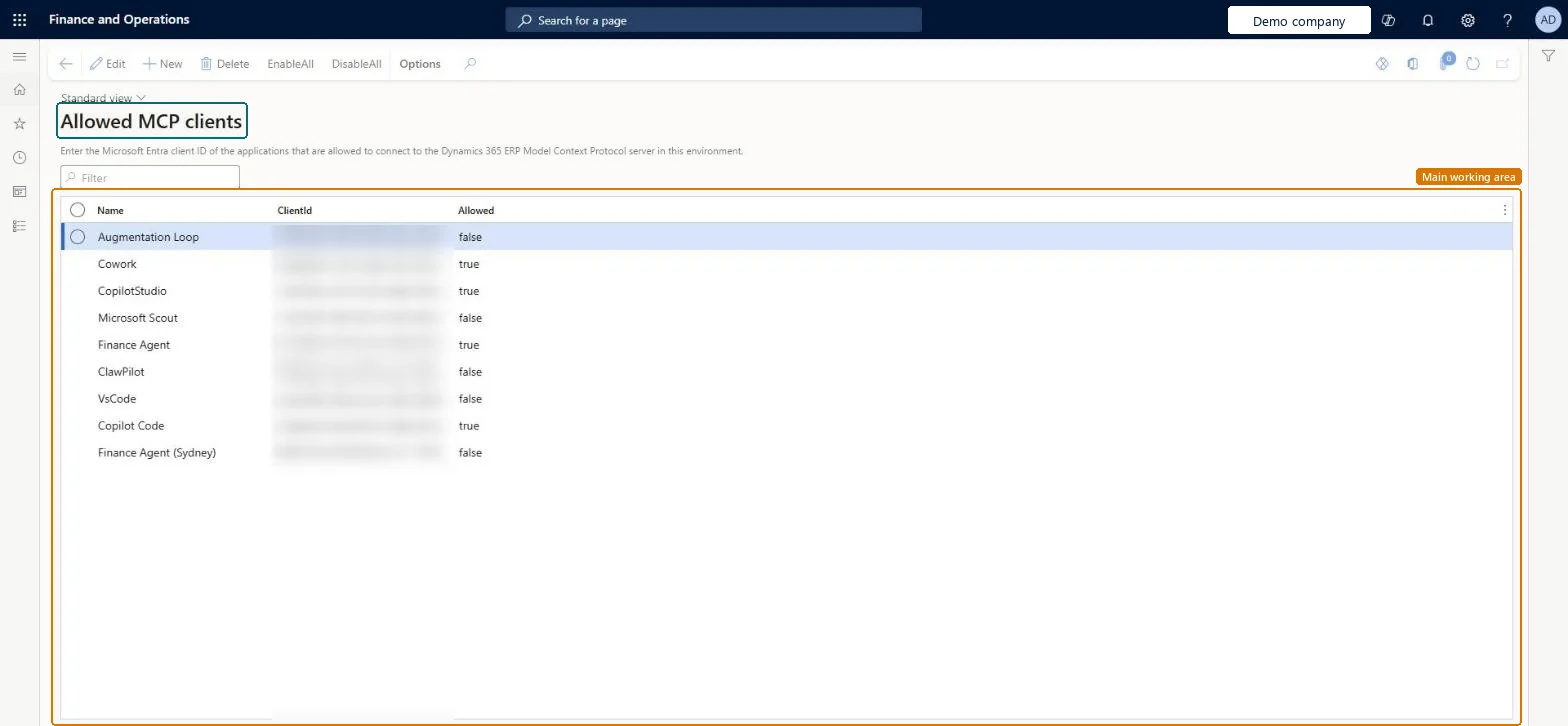
About the examples: Examples and screenshots in this guide use BEAT, a demo company in a Dynamics 365 test environment. Use your own company's codes and values instead of copying them.
Setup steps on this page
Set up Allowed MCP clients
Use this page to allow more agent platforms, such as a newly registered app, to use the MCP server.
Steps from Microsoft
Go to System administration > Setup > Allowed MCP clients.
Select New.
In Name, enter a name for the MCP connection.
In ClientId, enter the Application (client) ID of the registered app.
Keep the default platforms and add only the client IDs of Entra apps registered for agent platforms your organization has approved, with Allowed set to trueThis list controls which agent clients can connect to the Dynamics 365 ERP MCP server; it doesn't change what users can do, because each request runs under the user's own roles.
Applies to the environment's Dynamics 365 ERP MCP server: a client allowed here can connect, and every request still runs under the signed-in user's own security roles. Microsoft Learn
Can it be undone
Reversible: Set Allowed back to false at any time to stop a client from connecting.
If you change it later
Allowing a client doesn't widen access: users still can only do what their security roles allow. Microsoft Learn
Technical architect
6Technical
Menu item
McpAllowedClientChecked in Dynamics 365
Form
McpAllowedClientChecked in Dynamics 365
Table
MCPAllowedClientTableShown as “Allowed MCP clients” in Record infoChecked in Dynamics 365
Who can open it
PrivilegesMcpAllowedClientDutiesMaintain system settings SysServerSettingsMaintain1 security roleInformation technology manager SysServerITManagerChecked in Dynamics 365
Roles to set it up and use it
To set it up or change itInformation technology manager SysServerITManagerGive people one of these roles. On this system, 1 role can open this page.Checked in Dynamics 365
Actions on the page
Options: Personalize, Page options, ShareChecked in Dynamics 365
Developer
7Developer
Open it by URL
https://<your-environment>/?mi=McpAllowedClient
Data migration
Load order: Allowed MCP clients has no data entity in Data management, so it can't be loaded from a file or a configuration template. Add the client IDs by hand in each environment.Checked in Dynamics 365