About the examples: Examples and screenshots in this guide use BEAT, a demo company in a Dynamics 365 test environment. Use your own company's codes and values instead of copying them.
Setup steps on this page
Review failed messages
Find and resolve messages that failed to process.
Steps from Microsoft
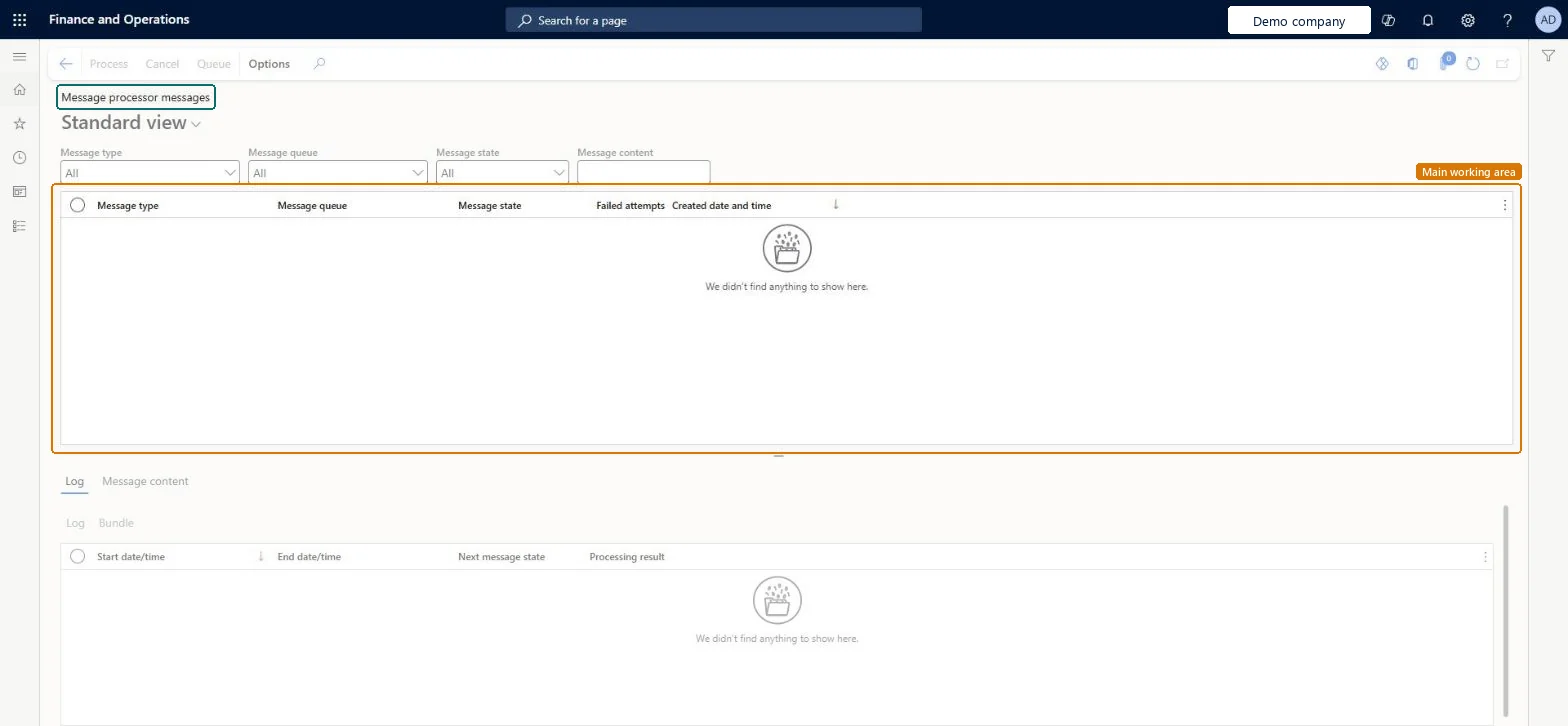
Go to System administration > Message processor > Message processor messages.
Filter by message type, queue, state or content.
Select a message and open the Log tab to see why it failed.
Select Process or Cancel on the Action Pane.
To requeue a canceled message, select it and select queue.
On this system the page opens for Information technology manager, Scale unit administrator and Sales manager. No Feature management feature needs to be turned on for this page.
Messages from every queue are listed together; filter on Message queue to see one feature's messages. Microsoft Learn
Can it be undone
Hard to reverse: A canceled message can be requeued; processed messages have done their work.
If you change it later
Process and Cancel act on the message itself: a processed message has done its work (for example posting), and canceled or processed messages are deleted after the days set on Message queue setup. Microsoft Learn
Technical architect
6Technical
Menu item
SysMessageProcessorMessageChecked in Dynamics 365
Form
SysMessageProcessorMessageChecked in Dynamics 365
Table
SysMessageShown as “Messages” in Record infoChecked in Dynamics 365
Who can open it
PrivilegesProcess messages SysMessageProcessProcess trade CDS messages TradeCDSMessageProcessDutiesMaintain the runtime of scale units. ScaleUnitRuntimeMaintainMaintain system settings SysServerSettingsMaintainProcess trade CDS messages TradeCDSMessageProcess3 security rolesScale unit administrator ScaleUnitRuntimeAdminInformation technology manager SysServerITManagerSales manager TradeSalesManagerChecked in Dynamics 365
Roles to set it up and use it
To set it up or change itInformation technology manager SysServerITManagerScale unit administrator ScaleUnitRuntimeAdminSales manager TradeSalesManagerGive people one of these roles. On this system, 3 roles can open this page.Checked in Dynamics 365
Actions on the page
Options: Personalize, Page options, ShareChecked in Dynamics 365
Load order: Message processor messages has no data entity in Data management, so it can't be loaded from a file or a configuration template. Messages are created by the features that use the message processor; they aren't moved between environments.Checked in Dynamics 365