SETUP GUIDEHow to set it up8 sections. Choose a role to highlight what matters to you.
Everyone
1What it is and why
What it is
A periodic job that processes the messages in a selected message processor queue, on demand or on a schedule.
What you do here
Use this periodic task to set up a regular schedule for processing each queue.
Example
For example, BEAT turns on deferred production posting, so the administrator creates one recurring Message processor job for the Production queue and one for the Warehouse queue, and checks Message processor messages for Failed messages each morning.
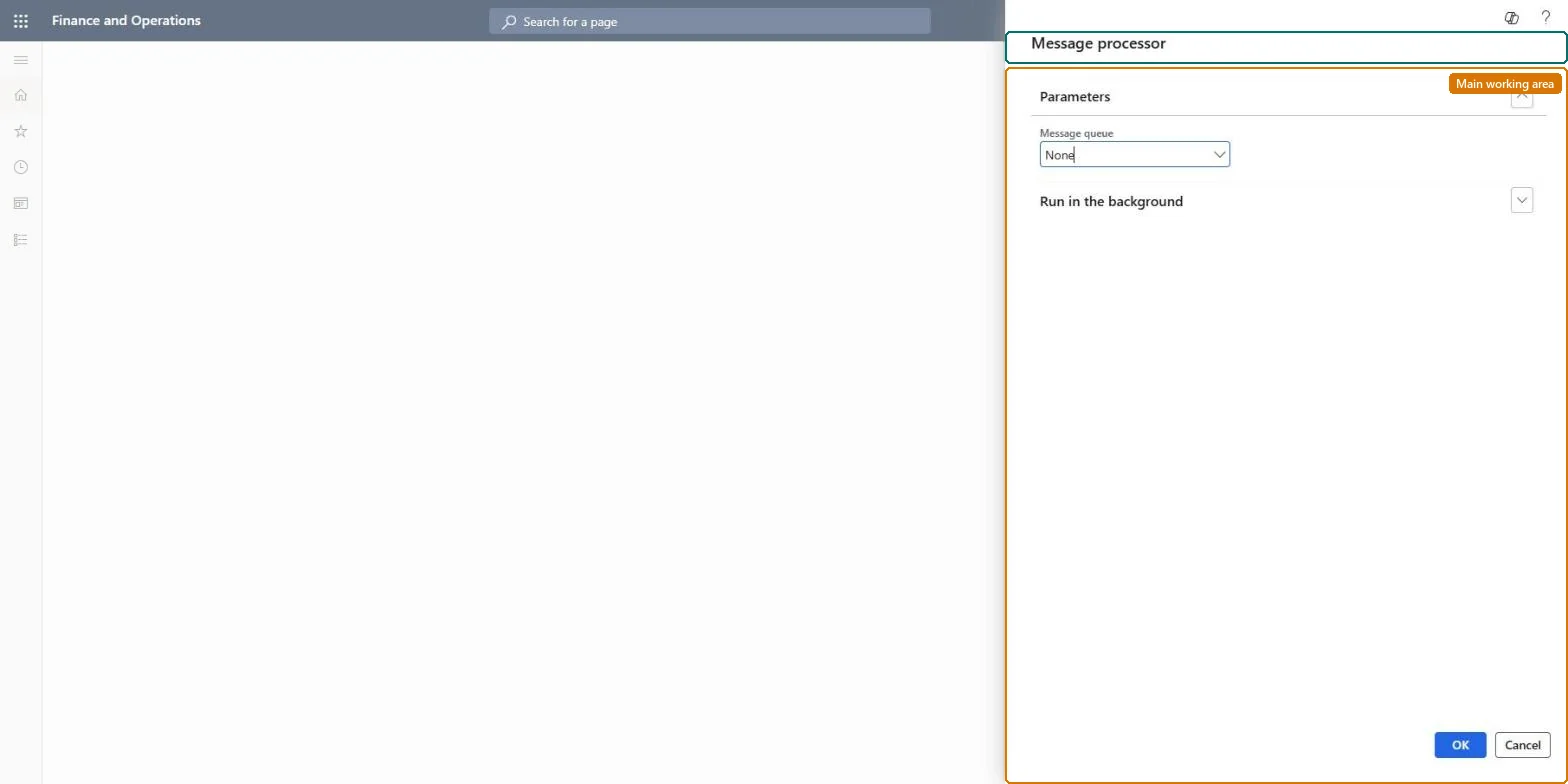
The page in Dynamics 365. page title tab to open what to set or check
About the examples: Examples and screenshots in this guide use BEAT, a demo company in a Dynamics 365 test environment. Use your own company's codes and values instead of copying them.
When to run it
When to run it
When a feature that uses the message processor is turned on, for example MES integration, deferred production posting or Warehouse management only mode.
How often
On a fixed recurring schedule for each queue, plus on-demand runs when a queue must be cleared at once.
Batch settings
Create one recurring batch job per message queue.
What the output shows
Queued messages in the selected queue processed in the right order, ending in state Processed or Failed. Messages that stay Queued usually mean no job is scheduled for that queue.
Go to System administration > Message processor > Message processor.
In Message queue, select the queue to process. The queue depends on the feature that created the messages, for example Production for deferred production posting or Warehouse for packing slip posting at container close.
On the Run in the background FastTab, set up the batch and schedule options.
Set up one job for each queue you use, usually on a fixed regular schedule; you can still run any queue on demand.
Afterwards, open Message processor messages, filter on the queue and look for messages in state Failed; select Log to see why they failed.
On this system the page opens for Information technology manager and Scale unit administrator. No Feature management feature needs to be turned on for this page.
One job per message queue: each run processes the messages of the queue you select, whatever feature created them. Microsoft Learn
Can it be undone
No: Processed messages have already done their work, such as posting.
If you change it later
Processes the messages of the selected queue, which can post journals, packing slips or shipment orders, depending on the feature that created them. Microsoft Learn
Technical architect
6Technical
Menu item
action:SysMessageProcessorChecked in Dynamics 365
Roles to set it up and use it
To use itInformation technology manager SysServerITManagerScale unit administrator ScaleUnitRuntimeAdminGive people one of these roles. On this system, 2 roles can run this page.Checked in Dynamics 365
Load order: Message processor has no data entity in Data management, so it can't be loaded from a file or a configuration template. It is a periodic job; schedule one per queue in each environment.Checked in Dynamics 365
Checked in a working Dynamics 365 system, version 10.0.49: the menu item, form, table and security, the page.
To cite this step: SA-MSG-810, Schedule one message processor job per queue. Beyond ERP Atlas Hub, 2026-11-11. https://www.beyonderp.cloud/atlas/step/SA-MSG-810