About the examples: Examples and screenshots in this guide use BEAT, a demo company in a Dynamics 365 test environment. Use your own company's codes and values instead of copying them.
Setup steps on this page
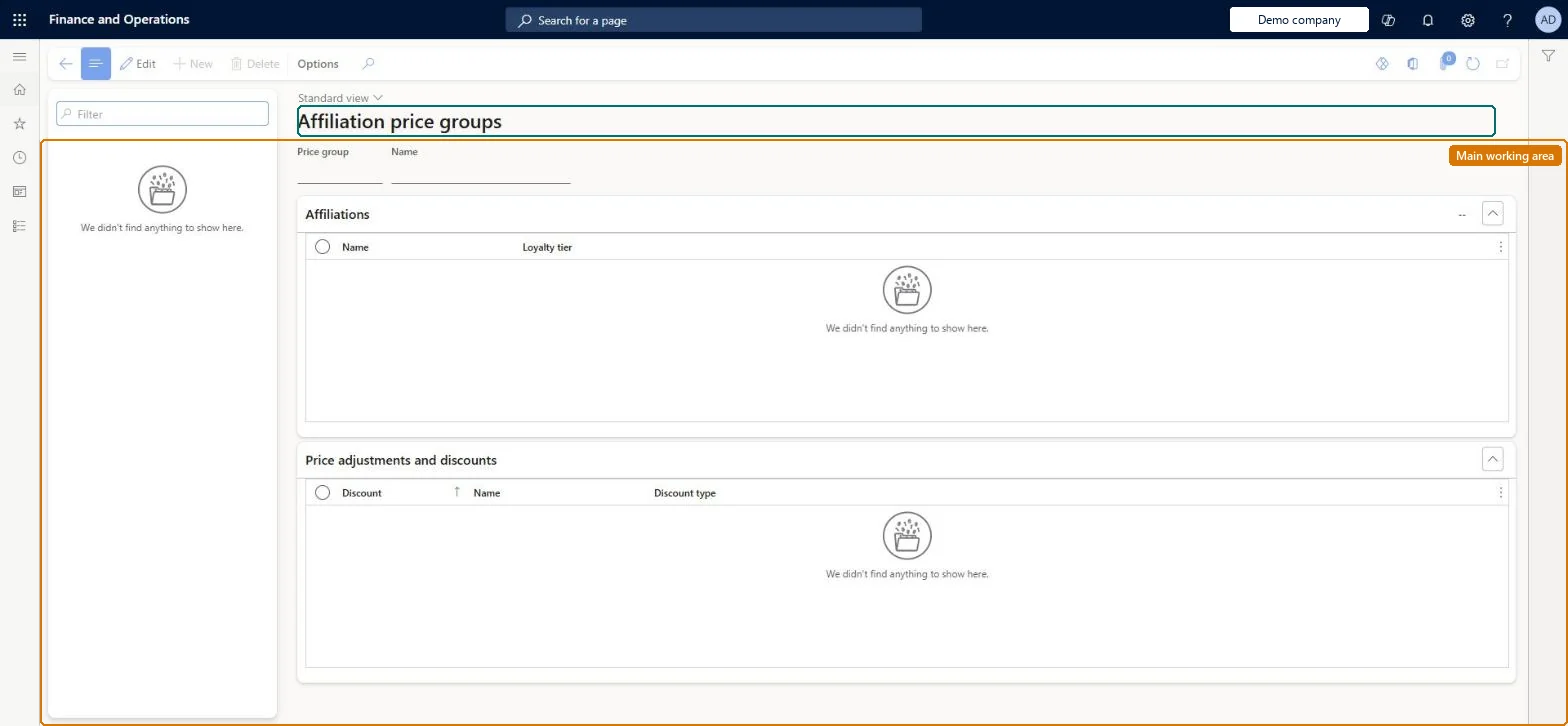
Set up Affiliation price groups
Use this page to see which price groups give an affiliation such as students, seniors or employees its prices and discounts.
How to use it
Go to Retail and Commerce > Pricing and discounts > Price groups > Affiliation price groups.
Use the Filter box to find a price group; the list shows the price groups of this type.
Under Affiliations, review which affiliations the price group is assigned to.
Under Price adjustments and discounts, review the discounts and price adjustments that use the price group.
Price groups are created on All price groups; New and Delete are disabled here.
Source: Checked in Dynamics 365
Test checklist
Link a Student affiliation price group and a Houston store price group to a discount and turn on Match all associated price groups.
Enable the discount and run the distribution jobs.
Add the Student affiliation to a sale in the Houston store and check the discount applies.
Repeat in another store and check it doesn't apply.
One price group per affiliation; to limit an affiliation discount to one store, link the affiliation and store price groups to the discount and turn on Match all associated price groupsWith Match all associated price groups on, the discount is only considered when every linked price group applies to the transaction, which restricts affiliation discounts to chosen stores.
Linking two or more channel price groups to a discount with Match all associated price groups on. A transaction belongs to only one store, so the discount never applies.
Reversible: Price group links and the Match all option can be changed on the discount while it is disabled.
If you change it later
Combining an affiliation price group with a store price group on a discount and enabling Match all associated price groups limits the affiliation discount to that store. Microsoft Learn
Technical architect
6Technical
Menu item
RetailPriceDiscGroupAffiliationsChecked in Dynamics 365
Form
RetailPriceDiscGroupChecked in Dynamics 365
Table
PriceDiscGroupShown as “PRICE GROUPS” in Record infoKey field: GroupIdChecked in Dynamics 365
Data entities
PriceDiscLineDiscountCustomerGroupEntityLine discount customer groups Microsoft data model PriceDiscLineDiscountProductGroupEntityLine discount item groups Microsoft data model PriceDiscLineDiscountVendorGroupEntityLine discount vendor groups Microsoft data model PriceDiscMultilineDiscountCustomerGroupEntityMultiline discount customer groups Microsoft data model PriceDiscPriceCustomerGroupEntityPrice customer groups Microsoft data model PriceDiscPriceVendorGroupEntityPrice vendor groups Microsoft data model PriceDiscTotalDiscountCustomerGroupEntityTotal discount customer groups Microsoft data model PriceDiscTotalDiscountVendorGroupEntityTotal discount vendor groups Microsoft data model PriceDiscMultilineDiscountProductGroupEntityMultiline discount item groups Microsoft data model PriceDiscMultilineDiscountVendorGroupEntityMultiline discount vendor groups Microsoft data model MCRPostageDiscountCustomerGroupEntityPostage discount customer groups Microsoft data model
To set it up or change itRetail service RetailServiceRetail operations manager RetailOperationsManagerRetail merchandising manager RetailMerchandisingManagerTo use itRetail store manager RetailStoreManagerGive people one of these roles. On this system, 4 roles can open this page.Checked in Dynamics 365
Checked in a working Dynamics 365 system, version 10.0.49: the menu item, form, table and security, the page.
To cite this step: RC-PRICEGRP-040, Set up Affiliation price groups. Beyond ERP Atlas Hub, 2026-11-11. https://www.beyonderp.cloud/atlas/step/RC-PRICEGRP-040