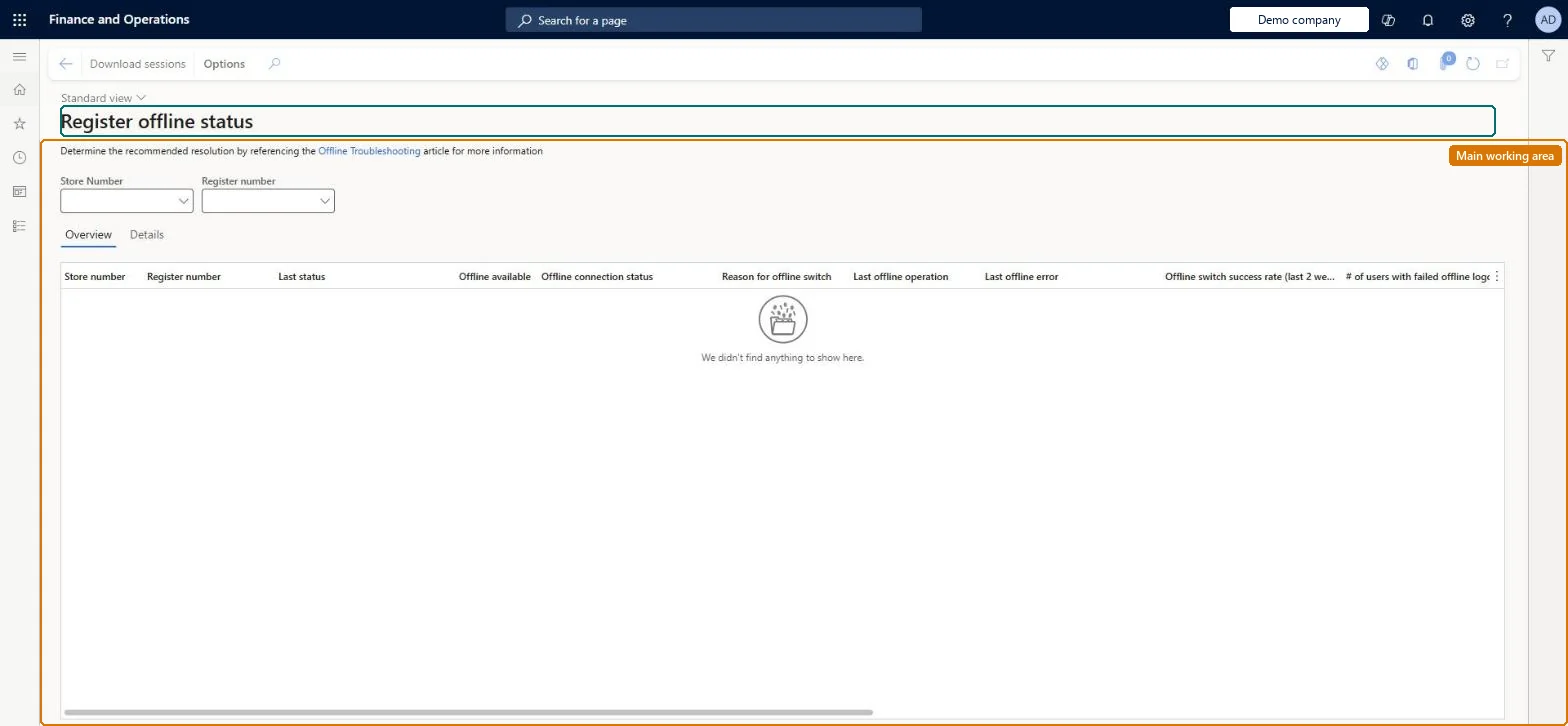
Setup step on the Register offline status page · Retail and Commerce
Set up Register offline status
Use this page to monitor the health of offline synchronisation across registers; it works only after the Modern POS offline monitoring feature is enabled and the 1110 distribution schedule job has run.
Retail operations manager, Retail service, Retail store manager and 1 more role
Business process
Manage sales channels
Menu item
RetailOfflineTerminalStatusDashBoard
Main table
RetailOfflineTerminalSta
Data entity
RetailStoreEntity
Setup steps
1 on this page
Show what matters for
SETUP GUIDEHow to set it up8 sections. Choose a role to highlight what matters to you.
Everyone
1What it is and why
What it is
A dashboard page that shows, for each POS device with an offline database, the latest offline status, any error, and details of the offline database.
What you do here
Use this page to monitor the health of offline synchronisation across registers; it works only after the Modern POS offline monitoring feature is enabled and the 1110 distribution schedule job has run.
Example
For example, after a store loses connectivity you open this dashboard to see which registers report an offline error or stale offline database details.
The page in Dynamics 365. page title tab to open what to set or check
About the examples: Examples and screenshots in this guide use BEAT, a demo company in a Dynamics 365 test environment. Use your own company's codes and values instead of copying them.
Setup steps on this page
Set up Register offline status
Use this page to monitor the health of offline synchronisation across registers; it works only after the Modern POS offline monitoring feature is enabled and the 1110 distribution schedule job has run.
Steps from Microsoft
Go to Retail and Commerce > Channel setup > POS setup > Register offline status.
If the dashboard is empty, turn on the Modern POS offline monitoring feature in the Feature management workspace.
Run the 1110 distribution schedule job.
Review the offline status, error and database details reported for each device.
Turn on the Modern POS offline monitoring feature and run the 1110 job before relying on this dashboardThe dashboard only shows offline status, errors and database details once that feature is on and job 1110 has run.
Opening the dashboard without the feature or job 1110 and reading an empty page as 'no offline problems'.
PrivilegesMaintain retail POS terminals RetailPosTerminalsMaintainDutiesMaintain retail registers RetailTerminalsMaintain4 security rolesRetail operations manager RetailOperationsManagerRetail service RetailServiceRetail store manager RetailStoreManagerInformation technology manager SysServerITManagerChecked in Dynamics 365
Roles to set it up and use it
To set it up or change itRetail service RetailServiceRetail operations manager RetailOperationsManagerRetail store manager RetailStoreManagerInformation technology manager SysServerITManagerGive people one of these roles. On this system, 4 roles can open this page.Checked in Dynamics 365
Actions on the page
(Action Pane without tabs): Download sessionsChecked in Dynamics 365