Setup step on the Cost configuration page · Retail and Commerce
Set up Cost configuration
Use this page to add cost components other than distance, such as shipping, handling and packaging cost, so that DOM picks fulfillment locations on cost rather than distance alone. Each cost factor must be added to a fulfillment profile before DOM considers it.
Retail and CommerceDistributed order managementSetup
DOMFlexibleCostConfiguration
Used by
DOM administrator
Business process
Manage sales channels
Menu item
DOMFlexibleCostConfiguration
Main table
DOMCostFactor
Setup steps
1 on this page
Show what matters for
SETUP GUIDEHow to set it up8 sections. Choose a role to highlight what matters to you.
Everyone
1What it is and why
What it is
A setup page where you define DOM cost factors (Shipping costs with Simple or Tiered calculation, and Other costs at sales order, sales line or location level) that the DOM solver uses to choose the cheapest fulfillment location.
What you do here
Use this page to add cost components other than distance, such as shipping, handling and packaging cost, so that DOM picks fulfillment locations on cost rather than distance alone. Each cost factor must be added to a fulfillment profile before DOM considers it.
Example
For example, set a tiered shipping cost per mode of delivery so that overnight shipping is costed higher than three-day shipping over the same distance.
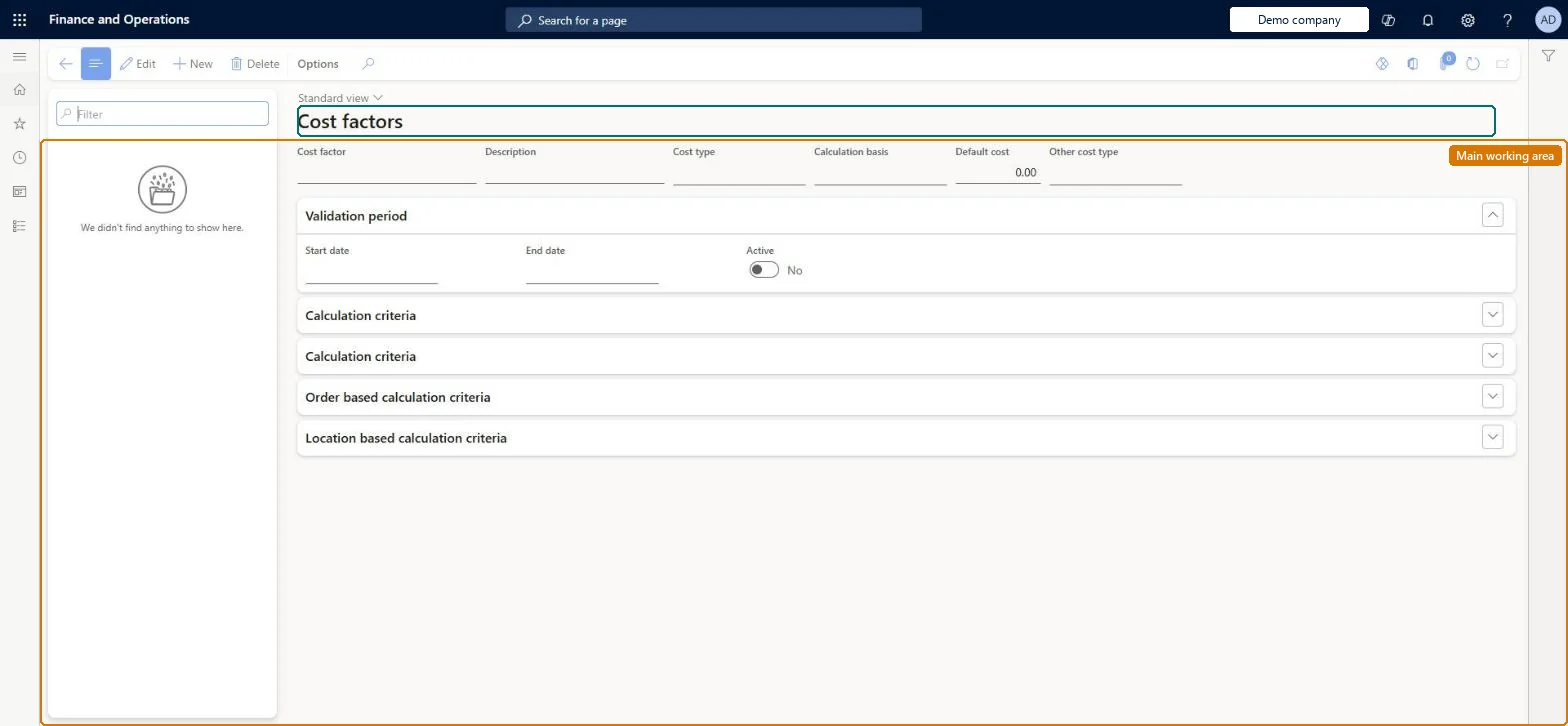
The page in Dynamics 365. page title tab to open what to set or check
About the examples: Examples and screenshots in this guide use BEAT, a demo company in a Dynamics 365 test environment. Use your own company's codes and values instead of copying them.
Setup steps on this page
Set up Cost configuration
Use this page to add cost components other than distance, such as shipping, handling and packaging cost, so that DOM picks fulfillment locations on cost rather than distance alone. Each cost factor must be added to a fulfillment profile before DOM considers it.
How to use it
Go to Retail and Commerce > Distributed order management > Setup > Cost configuration.
Use the Filter box to find a cost factor.
Select New and enter the Cost factor and Description, and choose the Cost type, Calculation basis, Default cost and Other cost type.
Under Validation period, enter the Start date and End date and set Active; expand the calculation criteria FastTabs to enter the order-based and location-based criteria.
Select Save; select Delete to remove a selected cost factor.
Either no cost factors (DOM optimises on distance) or a complete cost model added to the fulfillment profileOnce any cost component is configured, DOM uses only the cost definitions and no longer treats distance as a cost.
Reversible: Factors can be changed or made inactive; with no cost components DOM goes back to distance.
If you change it later
Once any cost component is configured, DOM stops using distance as the cost and relies only on the cost definitions; removing all cost components makes it fall back to distance. Microsoft Learn
Technical architect
6Technical
Menu item
DOMFlexibleCostConfigurationChecked in Dynamics 365
Form
DOMFlexibleCostConfigurationChecked in Dynamics 365
Table
DOMCostFactorShown as “DOM COST FACTORS” in Record infoKey field: CostFactorId, DescriptionChecked in Dynamics 365
Who can open it
PrivilegesMaintain DOM DOMMaintainDutiesMaintain DOM DOMMaintain1 security roleDOM administrator DOMAdministratorChecked in Dynamics 365
Roles to set it up and use it
To set it up or change itDOM administrator DOMAdministratorGive people one of these roles. On this system, 1 role can open this page.Checked in Dynamics 365