SETUP GUIDEHow to set it up8 sections. Choose a role to highlight what matters to you.
Everyone
1What it is and why
What it is
A setup page where you define vendor payment retention terms: the share of vendor invoices your organization holds back until a project reaches a set stage of completion.
What you do here
Use this page to set the retention percentage for vendor payments and the share of retained amounts to release at each completion level.
Example
For example, BEAT's term for the trainer V-0520 retains 20.00 percent until 50.00 percent of the ordered hours are delivered and releases it at 100.00 percent, so of the first 15,000.00 invoice BEAT pays 12,000.00 and holds 3,000.00.
The page in Dynamics 365. page title tab to open what to set or check
About the examples: Examples and screenshots in this guide use BEAT, a demo company in a Dynamics 365 test environment. Use your own company's codes and values instead of copying them.
Step by step, with screenshots
Set up Vendor payment retention terms1 screen
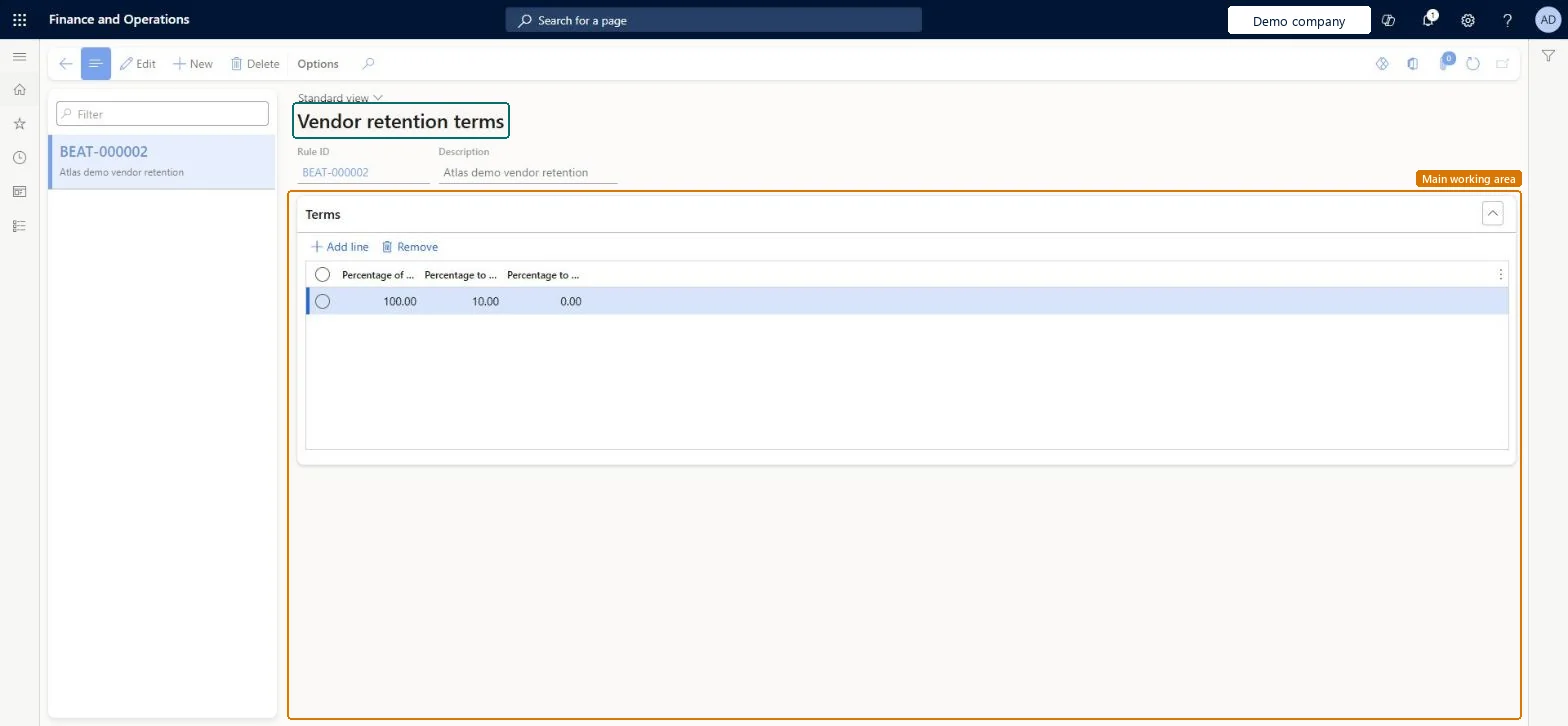
Use this page to set the retention percentage for vendor payments and the share of retained amounts to release at each completion level.
Screen 1
Create a vendor retention term
Go to Project management and accounting > Setup > Retention > Vendor payment retention terms
Select New
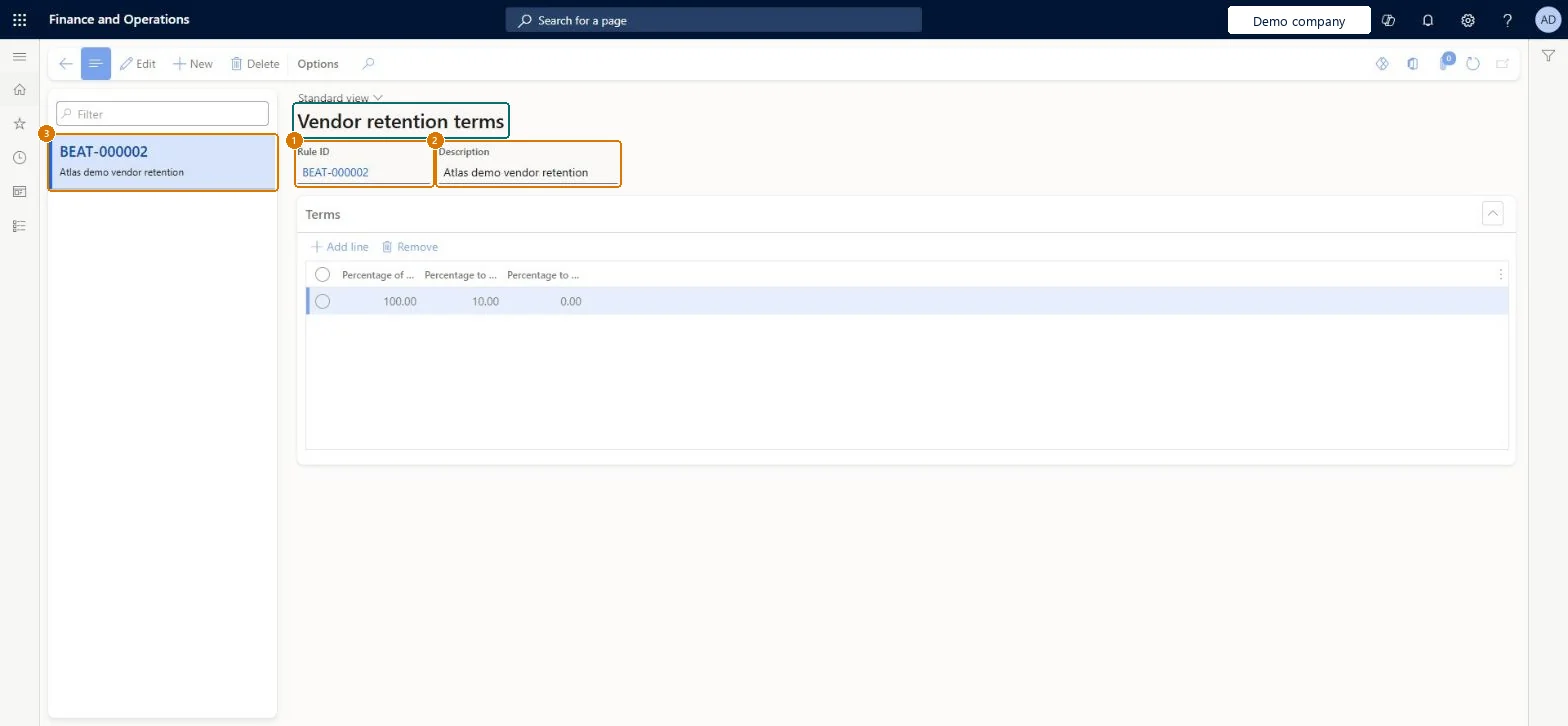
Enter a description (the rule ID is assigned automatically)
Select Add line in the terms
Enter the percentage of units delivered and the percentage to retain
Leave Percentage to release at 0 on the first line, and use it on later lines to release retained amounts
Select Save
2Description
Vendor retention
Percentage of units delivered
100.00
Percentage to retain
10.00
Percentage to release
0.00
Show the full screen page title tab to open what to set or check
Steps from Microsoft
Go to Project management and accounting > Setup > Retention > Vendor payment retention terms.
Select New; the Rule ID is filled in for you.
In the Description field, enter a short description.
On the Terms FastTab, select Add line.
Enter the Percentage of units delivered and the Percentage to retain.
Add lines for the Percentage to release at each completion level.
One retention term per agreed retention pattern, with a separate line for each completion milestone (Percentage of units delivered) and its own Percentage to retain and Percentage to release, ending with a 100% line that releases what is still heldLearn says to enter a separate term line for each level of project completion, each with its own retain and release percentage. The Learn example ends with a 100% line that retains nothing and releases 100%, so the vendor is paid in full at completion.
Hard to reverse: You can edit the term, but amounts already held back on posted vendor invoices stay held until a release line is reached. The term also appears on purchase orders created for the vendor, so check open purchase orders after a change.
If you change it later
Vendor invoices for projects whose vendor agreement uses the term retain the percentage until delivery reaches each level, and release earlier retention by the release percentage. Microsoft Learn
Technical architect
6Technical
Menu item
PSAVendorRetentionTermsChecked in Dynamics 365
Form
PSAVendorRetentionTermsChecked in Dynamics 365
Table
PSAVendorRetentionTermsTableShown as “Retainage schedule” in Record infoChecked in Dynamics 365
To set it up or change itProject manager ProjProjectManagerGive people one of these roles. On this system, 1 role can open this page.Checked in Dynamics 365
Actions on the page
Options: Personalize, Page options, ShareChecked in Dynamics 365
ProjVendorRetentionTermEntity (Project vendor retention term): loaded for each company, in Microsoft's default template 650 - Project accounting.Load order: Microsoft's default template 650 - Project accounting loads Project vendor retention term at execution unit 1, level 30, sequence 10. Lower levels load first, and entities at the same level load in sequence order.Load first: the default templates at lower levels (System setup to General ledger)Microsoft Learn
Checked in a working Dynamics 365 system, version 10.0.49: the menu item, form, table and security, the page, the demo records and the values in the screenshots.
To cite this step: PM-SETUP-430, Set up Vendor payment retention terms. Beyond ERP Atlas Hub, 2026-11-11. https://www.beyonderp.cloud/atlas/step/PM-SETUP-430