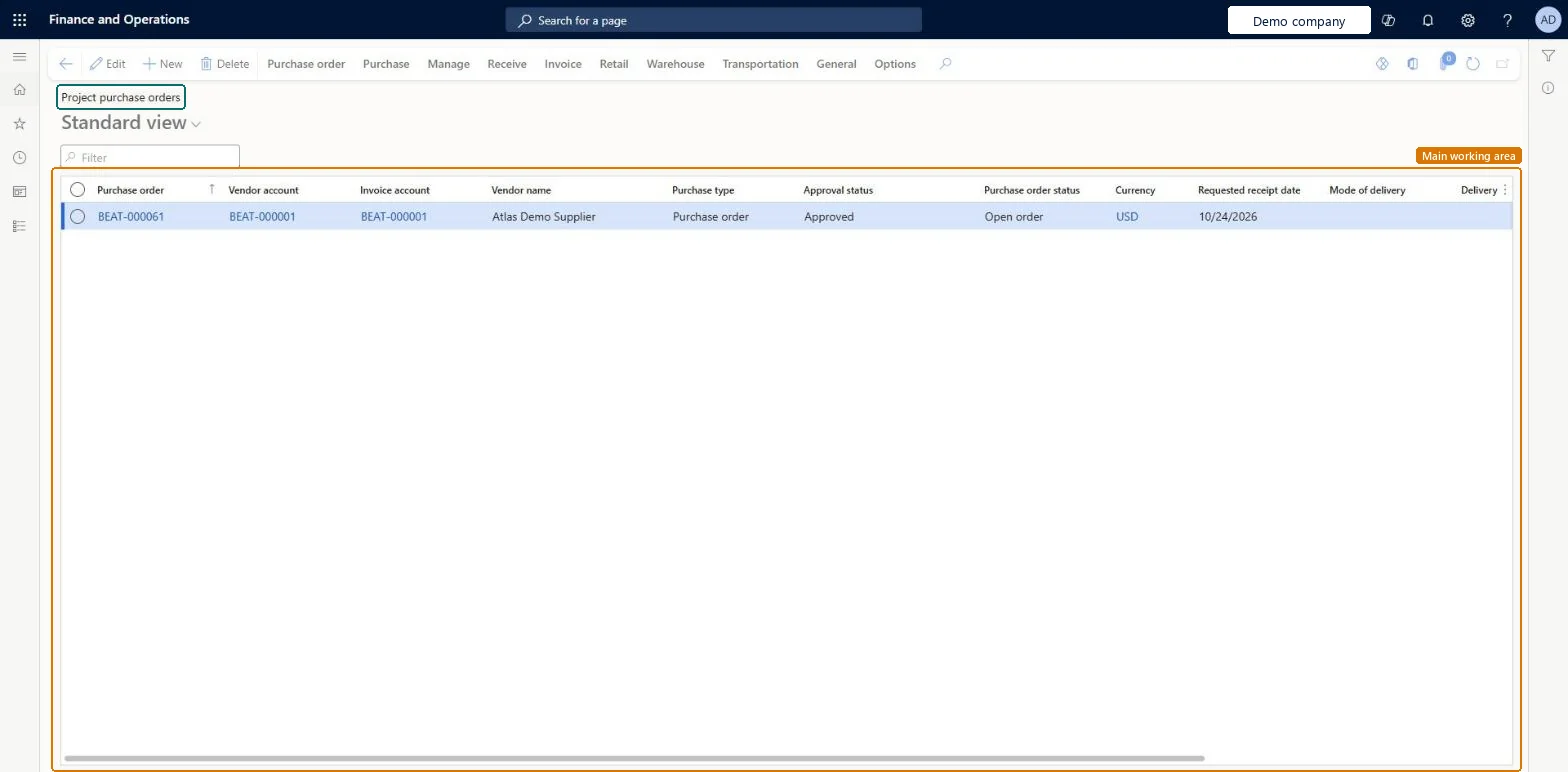
The list of purchase orders that buy items or services from vendors for a project; the order's purpose decides when the cost is charged to the project.
PAGE GUIDEWhat the page does and how to use it8 sections. Choose a role to highlight what matters to you.
Everyone
1What it is and why
What it is
The list of purchase orders that buy items or services from vendors for a project; the order's purpose decides when the cost is charged to the project.
What you do here
Use it to see and create project purchase orders and to check the project, line property and prices on each line.
Example
For example, BEAT orders 4 site cabins at 1,250.00 each from vendor V-3002 for PRJ-0042 from the project; the line property CHARGE makes the 5,000.00 billable to the customer.
The page in Dynamics 365. page title tab to open what to set or check
About the examples: Examples and screenshots in this guide use BEAT, a demo company in a Dynamics 365 test environment. Use your own company's codes and values instead of copying them.
Setup steps on this page
Choose how a project purchase reaches the project
Decide whether to buy through an item requirement or directly.
Steps from Microsoft
Go to Project management and accounting > Item tasks > Project purchase orders to review the open orders.
To create one, open the project from All projects and on the Action Pane select Manage, then Item task, then Purchase order.
In the Vendor account field, select the vendor, optionally a site and warehouse, and select OK.
On the line, select an item or a procurement category and enter the quantity.
Expand Line details and, on the Project tab, check the sales price, cost price and line property, then select Save.
Confirm the order and post the product receipt, which charges the cost to the project.
For stocked items, create the purchase order from the item requirement; for direct purchases, create it from the project and check the line property on the Project tab.The purchase order's purpose decides when the items are charged to the project: on the item requirement packing slip, or on the receipt or invoice.
Hard to reverse: Once the receipt or invoice posts, the project cost exists; correct it with a credit or a project adjustment. Microsoft Learn
If you change it later
For a purchase order linked to an item requirement, updating its vendor invoice or packing slip prompts you to update the item requirement's packing slip too. Microsoft Learn
Technical architect
6Technical
Menu item
PurchTableListPageProjectChecked in Dynamics 365
Form
PurchTableChecked in Dynamics 365
Table
PurchTableShown as “Purchase orders” in Record infoKey field: PurchId, PurchaseOrderHeaderCreationMethodChecked in Dynamics 365
To set it up or change itProject assistant ProjProjectClerkRental manager RentalManagerRental coordinator agent RentalCoordinatorAgentRetail service RetailServicePurchasing Agent - Public Sector VendPurchasingAgent_PSNTo use itProject manager ProjProjectManagerProject supervisor ProjProjectSupervisorProject accountant ProjProjectAccountantField Service Integration User FieldServiceIntegrationUserService delivery manager SMAServiceDeliveryManagerGive people one of these roles. On this system, 29 roles can open this page.Checked in Dynamics 365
PurchPurchaseOrderHeaderV2Entity (Purchase order headers V2): loaded for each company.Load order: Load vendors, projects and released products first, then open purchase order headers and their lines.Load first: Vendors, Projects, Released productsMicrosoft Learn