Project management and accountingInquiries and reportsRetention inquiries
PSACustomerPaymentRetentionInquiry
Used by
Project accountant, Project assistant, Project manager and 1 more role
Business process
Analyze project performance
Menu item
PSACustomerPaymentRetentionInquiry
Main table
PSATmpRetentionReleaseLine
Setup steps
1 on this page
Show what matters for
SETUP GUIDEHow to set it up8 sections. Choose a role to highlight what matters to you.
Everyone
1What it is and why
What it is
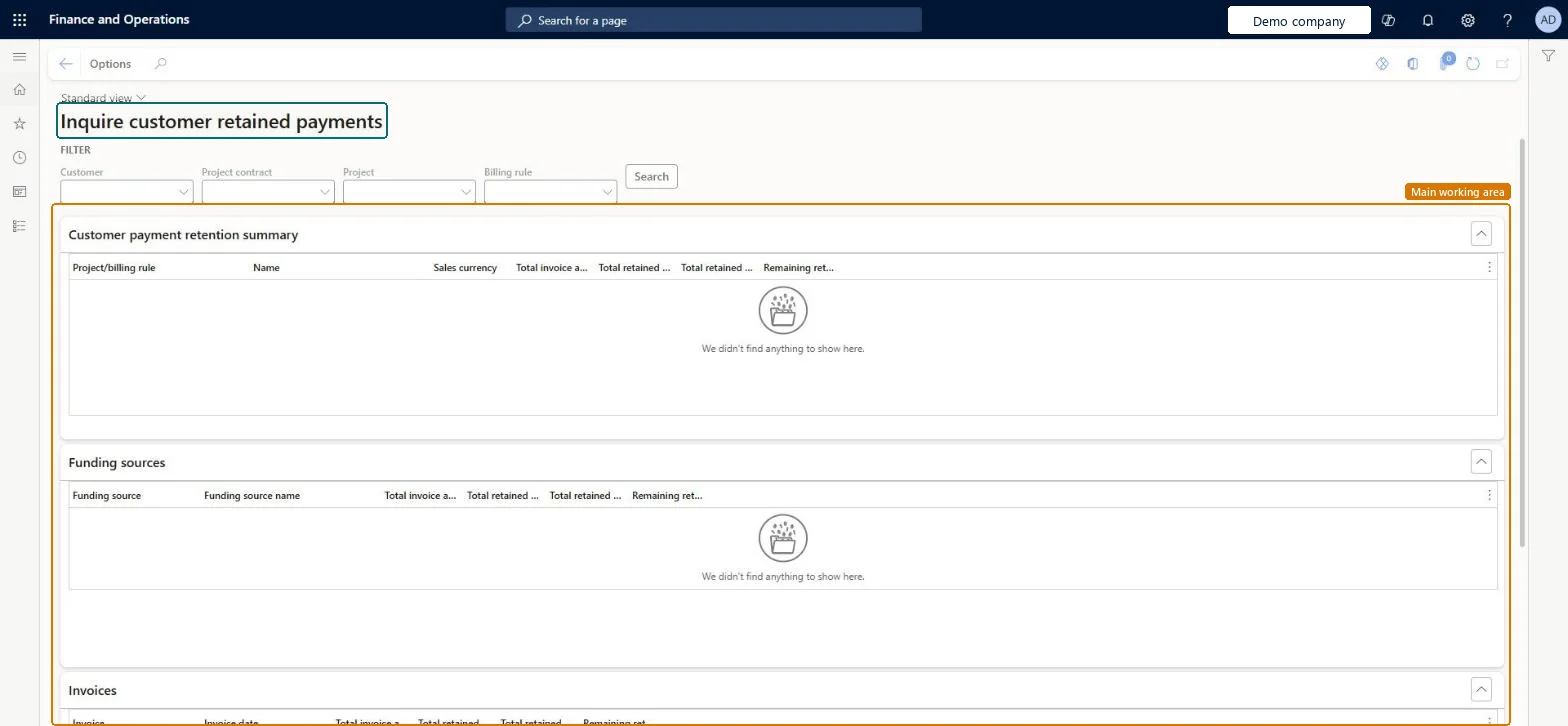
An inquiry, titled Inquire customer retained payments, that shows how much customers have retained on project invoices, by project or billing rule, by funding source and by invoice: invoiced, retained, retained amount invoiced and remaining.
What you do here
Use it to answer 'how much does the customer still hold back, and how much can we invoice when the agreed stage is reached?'
Example
Contract CON-0107 keeps back 10.00 percent of each BEAT invoice; after invoices of 120,000.00 EUR the inquiry shows 12,000.00 EUR retained, 4,000.00 EUR already invoiced as a release and 8,000.00 EUR remaining.
The page in Dynamics 365. page title tab to open what to set or check
About the examples: Examples and screenshots in this guide use BEAT, a demo company in a Dynamics 365 test environment. Use your own company's codes and values instead of copying them.
Setup steps on this page
Check retained amounts before releasing them
See what the customer still holds back before you invoice the release.
Steps from Microsoft
Go to Project management and accounting > Inquiries and reports > Retention inquiries > Customer retained payments.
Select the Customer, Project contract, Project or Billing rule, then Search.
Read the Customer payment retention summary, then the Funding sources and Invoices sections for the split by funder and by invoice.
When the agreed stage is reached, release the remaining amount on the next project invoice proposal.
Search by Project contract, then read the summary, funding sources and invoices sections.Retention is deducted per invoice and per funding source; the remaining amount is what you can release.
On the live system, Project manager, Project supervisor, Project accountant and Project assistant view this page.
Checked in Dynamics 365
Solution architect
5Design impact
Shared or per company
Per company: retained amounts belong to the legal entity of the project and its contract. Microsoft data model
Can it be undone
Reversible: Reading the page changes no data.
If you change it later
The retention percentage is set on the billing rule and deducted from each customer invoice until the agreed stage; changing it affects only invoices created afterwards. Microsoft Learn
Technical architect
6Technical
Menu item
PSACustomerPaymentRetentionInquiryChecked in Dynamics 365
Form
PSACustomerPaymentRetentionInquiryChecked in Dynamics 365
Table
PSATmpRetentionReleaseLineShown as “Retainage records at the project/task level for a proposal” in Record infoChecked in Dynamics 365
To use itProject manager ProjProjectManagerProject supervisor ProjProjectSupervisorProject accountant ProjProjectAccountantProject assistant ProjProjectClerkGive people one of these roles. On this system, 4 roles can open this page.Checked in Dynamics 365
Actions on the page
Options: Personalize, Page options, ShareChecked in Dynamics 365
Load order: The Customer retained payments inquiry has no data entity in Data management: it fills a temporary table from posted invoices. Retention terms load with ProjCustomerRetentionTermEntity; retained amounts come only from invoices posted in the system.Load first: Project customer retention term (ProjCustomerRetentionTermEntity)Microsoft data model