Project management and accountingInquiries and reportsCommitted costs inquiries
CostControlCommittedCost
Used by
Purchasing agent, Purchasing Agent - Public Sector, Budget clerk and 6 more roles
Business process
Analyze project performance
Menu item
CostControlCommittedCost
Main table
CostControlTransCommittedCost
Setup steps
1 on this page
Show what matters for
SETUP GUIDEHow to set it up8 sections. Choose a role to highlight what matters to you.
Everyone
1What it is and why
What it is
An inquiry that lists committed cost lines on projects: costs the company has committed to pay, such as confirmed project purchase orders, that are not yet actual costs.
What you do here
Use it to answer 'how much have we already promised to spend on this project?' so the project manager sees cost before the vendor invoice arrives, and cost control can add actual, committed and remaining budget.
Example
BEAT confirms purchase order PO-0901 for 4,800.00 EUR of cabling on PRJ-0042; the inquiry shows an open committed cost line with origin Purchase order. When the pending vendor invoice is created, that line closes and a new 4,800.00 EUR line with origin Vendor invoice appears.
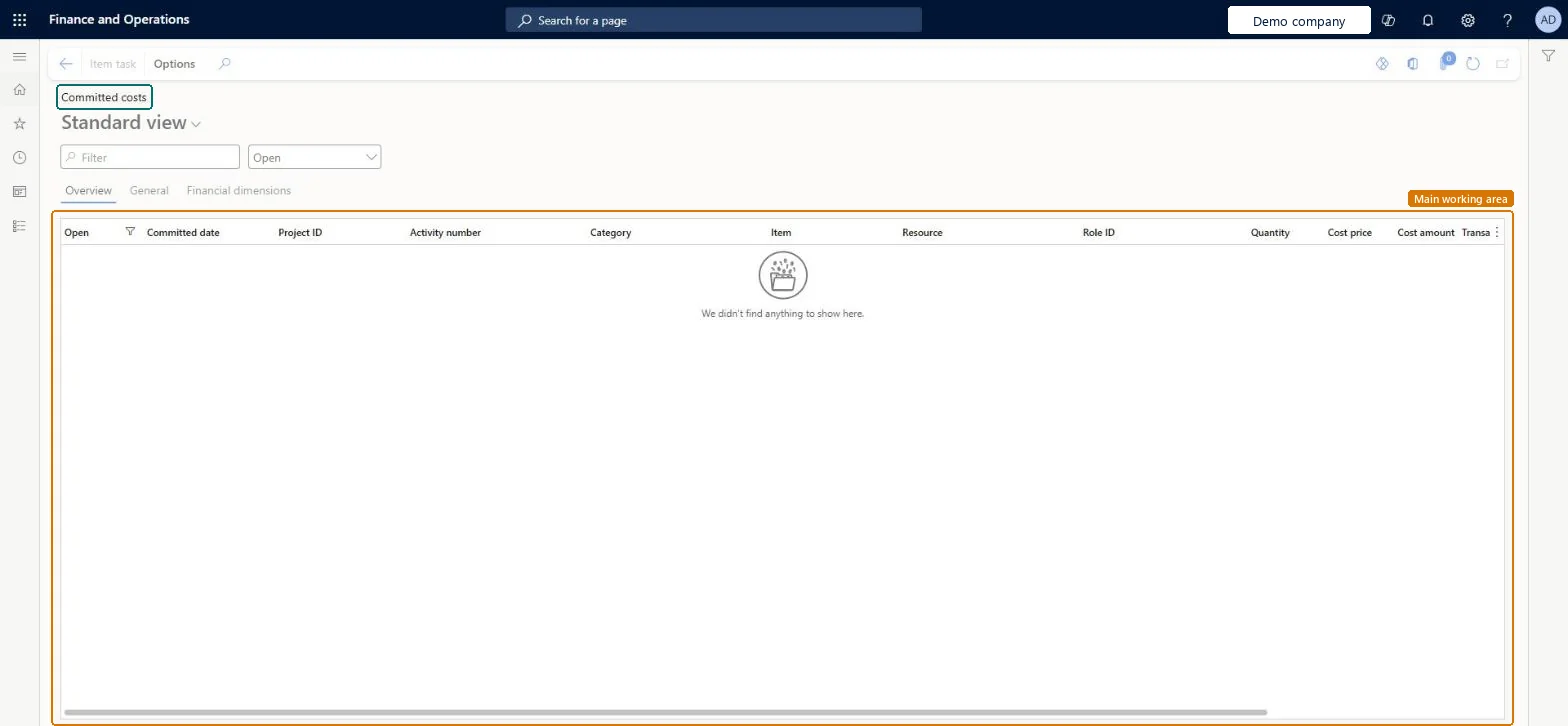
The page in Dynamics 365. page title tab to open what to set or check
About the examples: Examples and screenshots in this guide use BEAT, a demo company in a Dynamics 365 test environment. Use your own company's codes and values instead of copying them.
Setup steps on this page
Read open commitments for a project
See the costs committed but not yet incurred on a project.
Steps from Microsoft
Go to Project management and accounting > Inquiries and reports > Committed costs inquiries > Committed costs.
Keep the list on Open, so commitments already replaced by a vendor invoice or actual cost drop out.
Filter on Project ID and read Committed date, Category, Quantity and Cost amount on the Overview tab.
Compare the open total with the committed cost on the project's Cost control page; if a source document is missing, rebuild the lines with Generate committed costs.
The document that created the commitment: Purchase order when the order is confirmed, Vendor invoice once a pending vendor invoice replaces it.Microsoft Learn
Purchase order
CommittedCostOrig
Committed date
The date the cost was committed.Checked in Dynamics 365
2026-10-14
Cost amount
The committed amount; for general budget reservations it is an amount with quantity 1.Microsoft Learn
4,800.00
Open filter
The list next to the Filter box; Open shows only commitments that are not yet closed by a later document.Checked in Dynamics 365
Open
Common errors and fixes
Message
What to do
A received purchase order still shows as committed, not actual.
A product receipt doesn't update project data; create a pending vendor invoice to move the commitment on. Microsoft Learn
Test checklist
Confirm a project purchase order of 4,800.00 EUR on PRJ-0042.
Open the inquiry on Open filtered on PRJ-0042 and check one line with origin Purchase order.
Create a pending vendor invoice for the order.
Check that the first line is closed and a new 4,800.00 EUR line has origin Vendor invoice.
Keep the view on Open and filter on Project ID.A purchase order's commitment is closed and replaced when its vendor invoice arrives; without the Open view you count it twice.
On the live system, Project manager, Project supervisor, Project accountant, Project assistant and Field Service Integration User are among the 9 roles that view this page; Budget clerk and the purchasing roles also have it.
Committed costs feed the Cost control page, where total cost is actual plus committed plus remaining budget; a missing commitment makes the project look under budget. Microsoft Learn
Technical architect
6Technical
Menu item
CostControlCommittedCostChecked in Dynamics 365
Form
CostControlCommittedCostChecked in Dynamics 365
Table
CostControlTransCommittedCostShown as “Committed cost updates” in Record infoChecked in Dynamics 365
Who can open it
PrivilegesView general budget reservations BudgetReservationView_PSNView committed costs CostControlCommittedCostViewDutiesInquire into general budget reservation status BudgetReservationInquire_PSNInquire into project transaction status ProjProjectTransactionStatusInquireMaintain all purchase requisitions PurchReqPurchaseRequisitionMaintainAll9 security rolesBudget clerk BudgetBudgetClerkField Service Integration User FieldServiceIntegrationUserProject accountant ProjProjectAccountantProject assistant ProjProjectClerkProject manager ProjProjectManagerProject supervisor ProjProjectSupervisorPurchasing manager TradePurchasingManagerPurchasing agent VendPurchasingAgentPurchasing Agent - Public Sector VendPurchasingAgent_PSNChecked in Dynamics 365
Roles to set it up and use it
To use itProject manager ProjProjectManagerProject supervisor ProjProjectSupervisorProject accountant ProjProjectAccountantProject assistant ProjProjectClerkField Service Integration User FieldServiceIntegrationUserGive people one of these roles. On this system, 9 roles can open this page.Checked in Dynamics 365
Actions on the page
Options: Personalize, Page options, ShareChecked in Dynamics 365
Load order: The Committed costs inquiry has no data entity in Data management: lines are created from purchase orders, vendor invoices and budget reservations. After migrating open purchase orders, run Generate committed costs to rebuild them.Microsoft Learn