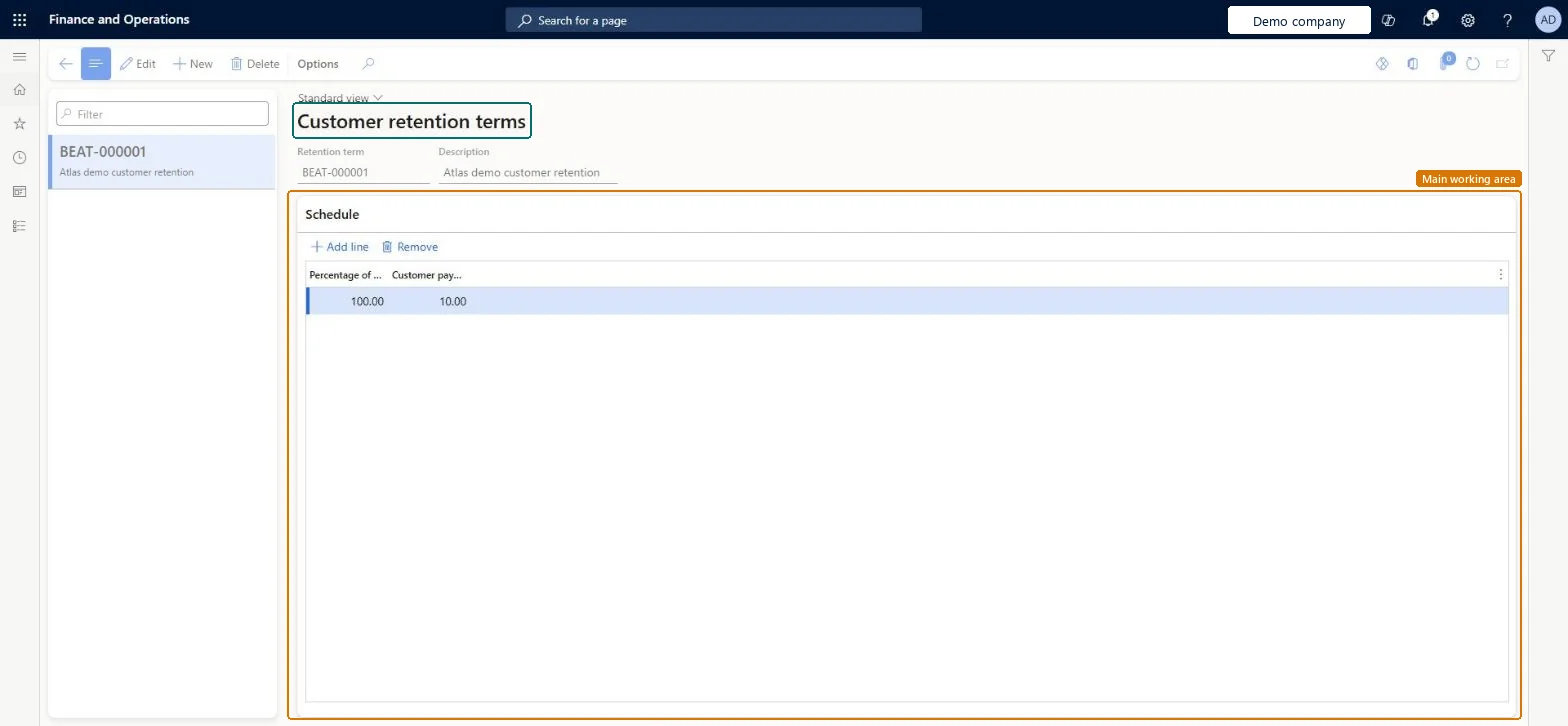
A setup page where you define customer payment retention terms: the share of each project invoice that the customer holds back until the project reaches a set stage of completion.
Project accountant, Project assistant, Project manager and 1 more role
Business process
Manage project contracts
Menu item
PSACustomerRetentionTerms
Main table
PSACustomerRetentionTermTable
Data entity
ProjCustomerRetentionTermEntity
Setup steps
1 on this page
Show what matters for
PAGE GUIDEWhat the page does and how to use it8 sections. Choose a role to highlight what matters to you.
Everyone
1What it is and why
What it is
A setup page where you define customer payment retention terms: the share of each project invoice that the customer holds back until the project reaches a set stage of completion.
What you do here
Use this page to have the retention amount worked out and taken off project invoices automatically.
Example
For example, BEAT's term RET-10 holds back 10.00 percent of each invoice until the project is 50.00 percent complete, so on a 20,000.00 invoice for PRJ-0042 the customer is billed 18,000.00 and 2,000.00 is retained.
The page in Dynamics 365. page title tab to open what to set or check
About the examples: Examples and screenshots in this guide use BEAT, a demo company in a Dynamics 365 test environment. Use your own company's codes and values instead of copying them.
Step by step, with screenshots
Set up Customer payment retention terms1 screen
Use this page to have the retention amount worked out and taken off project invoices automatically.
Screen 1
Create a customer retention term
Go to Project management and accounting > Setup > Retention > Customer payment retention terms
Select New
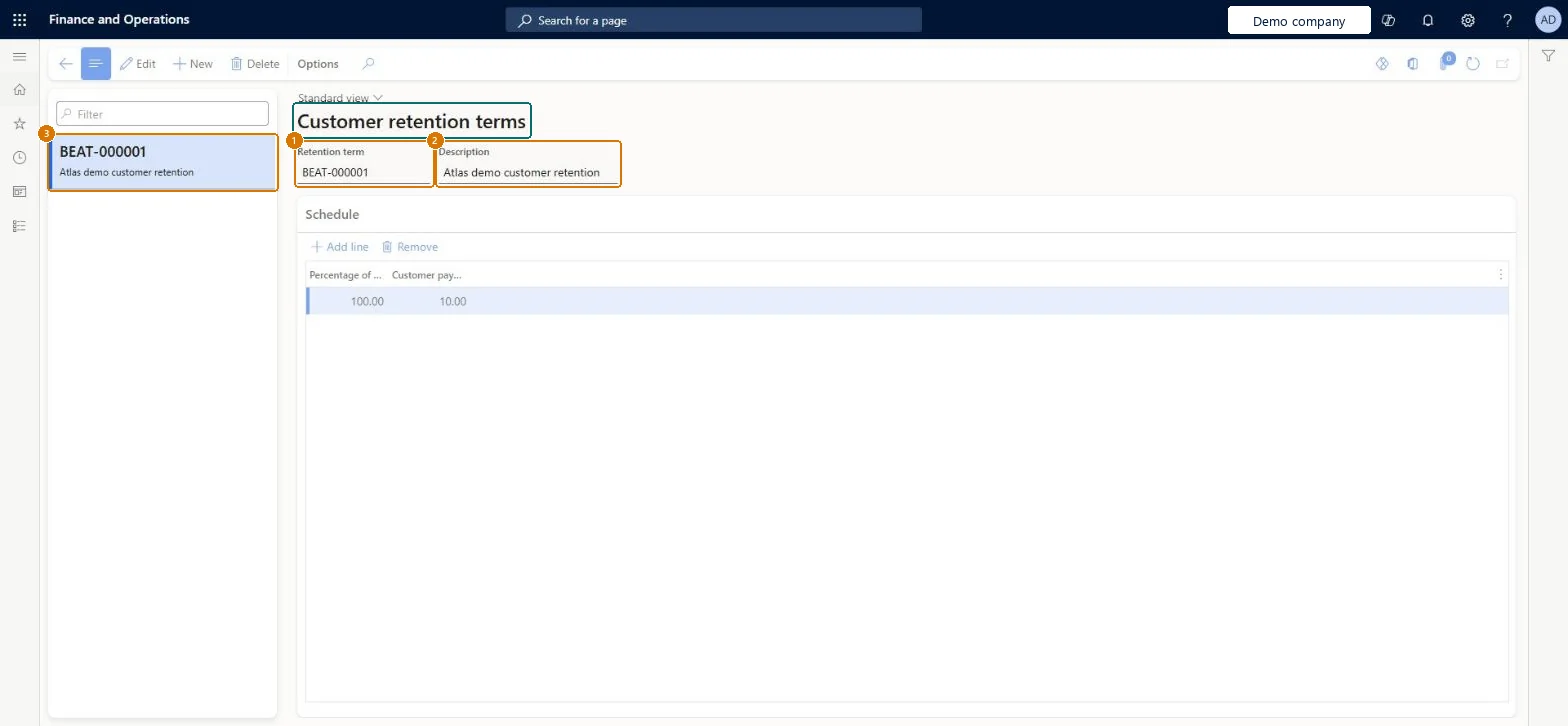
Enter a description (the retention term number is assigned automatically)
Select Add line in the schedule
Enter the percentage of work complete and the customer payment retention percentage
Select Save
2Description
Customer retention
Percentage of work complete
100.00
Customer payment retention percentage
10.00
Show the full screen page title tab to open what to set or check
Steps from Microsoft
Go to Project management and accounting > Setup > Retention > Customer payment retention terms.
Select New and enter a Description for the term.
In the Schedule section, select Add line and enter the Percentage of work complete and the Customer payment retention percentage.
Add a line for each completion level the contract names.
Select the term on the billing rule of the project contract, then create an invoice proposal.
The term isn't on the contract's billing rule, or the project has passed the completion level. Check the billing rule and the term lines. Microsoft Learn
Test checklist
Create term RET-10: 10.00 percent until 50.00 percent complete.
Select it on the billing rule of contract CON-0018.
Create an invoice proposal of 20,000.00 for PRJ-0042.
Check that 2,000.00 is retained and 18,000.00 is billed.
One term per retention pattern used in contracts, with a line for each completion level the contract namesThe retention percentage is deducted from customer invoices until the project reaches the agreed stage, so the term must mirror the contract.
New records on this page take their Retention term from the PSAProjRetainScheduleId reference; BEAT uses number sequence Proj_107. Checked in Dynamics 365
Feature management and licence
Licence or add-in
On the live system, Project manager and Project assistant maintain this page; Project supervisor and Project accountant can open it.
Hard to reverse: A term can be edited, but retention already deducted on posted invoices is only billed when it is released. Microsoft Learn
If you change it later
Invoice proposals of contracts that use the term deduct the retention from the total of the invoice lines until the project reaches the completion level. Invoices already posted keep their retention. Microsoft Learn
Technical architect
6Technical
Menu item
PSACustomerRetentionTermsChecked in Dynamics 365
Form
PSACustomerRetentionTermsChecked in Dynamics 365
Table
PSACustomerRetentionTermTableShown as “Customer retention terms” in Record infoKey field: RetentionTermId, Description, CustAccount, Contract, ProjId, TransDate, BillingRuleIdChecked in Dynamics 365
To set it up or change itProject manager ProjProjectManagerProject assistant ProjProjectClerkTo use itProject supervisor ProjProjectSupervisorProject accountant ProjProjectAccountantGive people one of these roles. On this system, 4 roles can open this page.Checked in Dynamics 365
Actions on the page
Options: Personalize, Page options, ShareChecked in Dynamics 365
ProjCustomerRetentionTermEntity Term headers, loaded for each company.ProjCustomerRetentionTermScheduleEntity Term schedule lines, loaded after the headers.Load order: Microsoft's default template 650 - Project accounting loads Project customer retention term at execution unit 1, level 650, sequence 40. Load the schedule lines after the term headers.Load first: Project contractsMicrosoft Learn
Checked in a working Dynamics 365 system, version 10.0.49: the menu item, form, table and security, the page, the demo records and the values in the screenshots.