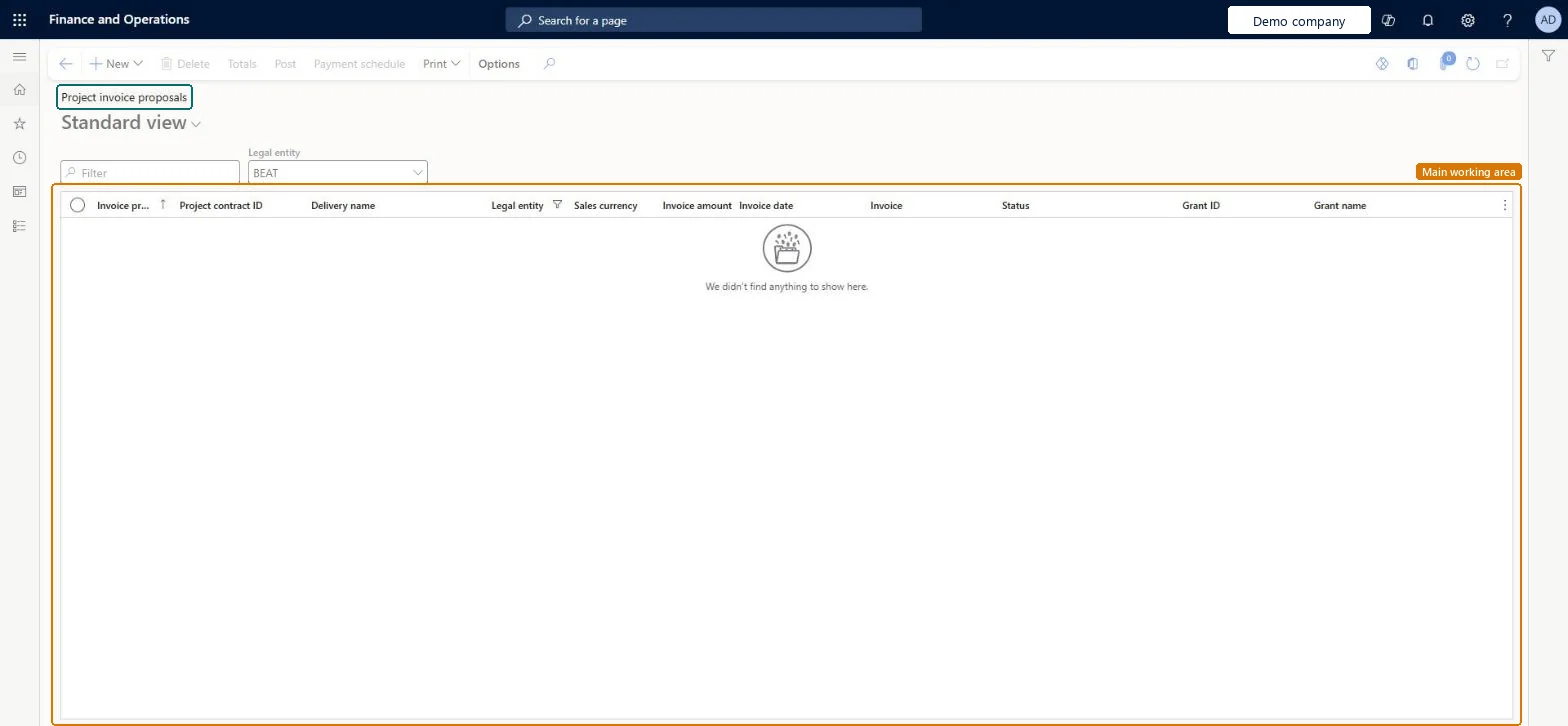
The list of project invoice proposals: preliminary invoices that collect the billable project transactions of a contract's funding source for review before the project invoice is posted.
Chief executive officer, Accounts receivable clerk, Accounts receivable centralized payments clerk and 6 more roles
Business process
Manage project financials
Menu item
ProjInvoiceProposalListPage
Main table
ProjProposalJour
Data entity
ProjInvoiceProposalEntity
Setup steps
1 on this page
Show what matters for
PAGE GUIDEWhat the page does and how to use it8 sections. Choose a role to highlight what matters to you.
Everyone
1What it is and why
What it is
The list of project invoice proposals: preliminary invoices that collect the billable project transactions of a contract's funding source for review before the project invoice is posted.
What you do here
Use it to review a proposal's lines, totals, sales tax and due date, format the printout, preview it as pro forma and post the invoice.
Example
For example, BEAT's December proposal IP-000214 for contract PC-0017 holds 46.00 hours at 120.00 and an expense of 420.00, 5,940.00 before tax; the accountant previews it as pro forma, then posts it.
The page in Dynamics 365. page title tab to open what to set or check
About the examples: Examples and screenshots in this guide use BEAT, a demo company in a Dynamics 365 test environment. Use your own company's codes and values instead of copying them.
Setup steps on this page
Review proposals as pro forma before posting
Send correct project invoices.
Steps from Microsoft
Go to Project management and accounting > Project invoices > Project invoice proposals.
Open the invoice proposal and review the lines; add or remove transactions as needed.
Select Print > Format invoice proposal if the printout should group transactions in sections.
In the Details group, select Totals and check the invoice totals and sales tax.
To preview, clear the Posting check box; to print, select Print invoice.
Select Post, then check the invoice on Project invoices.
In Project Operations integrated deployments this blocks posting; turn on actuals validation so invalid actuals are caught at import from staging. Microsoft Learn
Test checklist
Create a proposal for PRJ-0042 with 46.00 billable hours.
Clear Posting and select Post to see the pro forma.
Post the proposal.
Check Project invoices lists one new invoice with the proposal's total.
Check Totals and sales tax, print a pro forma with Posting cleared, then post.A posted project invoice can only be corrected with a credit note; the proposal is the last point to change prices and lines.
Do invoice proposals need approval?Changing prices on the proposal and expecting reports to show the old ones: changed prices flow into the project reports and history when posted.Test: Post a proposal
Feature management and licence
Licence or add-in
On the live system, Project manager, Project accountant, Project assistant and Service delivery manager use this page.
PrivilegesMaintain invoice proposals ProjInvoiceProposalMaintainView invoice proposals ProjInvoiceProposalViewDutiesMaintain project invoice proposal ProjInvoiceProposalMaintainInquire into project invoices ProjProjectInvoiceInquireMaintain project invoices ProjProjectInvoiceMaintainApprove project transactions ProjProjectTransactionApproveReview service order process performance SMAServiceOrderProcessPerfReviewApprove posting of service orders SMAServiceOrdersJournalize9 security rolesChief executive officer CompanyChiefExecutiveOfficerAccounts receivable clerk CustInvoiceAccountsReceivableClerkAccounts receivable centralized payments clerk PaymAccountsReceivableCentralPaymClerkAccounts receivable payments clerk PaymAccountsReceivablePaymentsClerkProject accountant ProjProjectAccountantProject assistant ProjProjectClerkProject manager ProjProjectManagerProject supervisor ProjProjectSupervisorService delivery manager SMAServiceDeliveryManagerChecked in Dynamics 365
Roles to set it up and use it
To set it up or change itProject manager ProjProjectManagerProject accountant ProjProjectAccountantProject assistant ProjProjectClerkService delivery manager SMAServiceDeliveryManagerAccounts receivable clerk CustInvoiceAccountsReceivableClerkTo use itProject supervisor ProjProjectSupervisorChief executive officer CompanyChiefExecutiveOfficerAccounts receivable centralized payments clerk PaymAccountsReceivableCentralPaymClerkAccounts receivable payments clerk PaymAccountsReceivablePaymentsClerkGive people one of these roles. On this system, 9 roles can open this page.Checked in Dynamics 365
Actions on the page
Options: Personalize, Page options, ShareChecked in Dynamics 365
ProjInvoiceProposalEntity (Project invoice proposal): loaded for each company.Load order: Proposals are created from posted transactions, not migrated. Post or delete open proposals in the old system before cut-over.Load first: Posted project transactionsMicrosoft Learn