Project management and accountingInquiries and reportsTransactions inquiries
ProjTransItem
Used by
Chief executive officer, Field Service Integration User, Project accountant and 4 more roles
Business process
Analyze project performance
Menu item
ProjTransItem
Main table
ProjItemTrans
Setup steps
1 on this page
Show what matters for
SETUP GUIDEHow to set it up8 sections. Choose a role to highlight what matters to you.
Everyone
1What it is and why
What it is
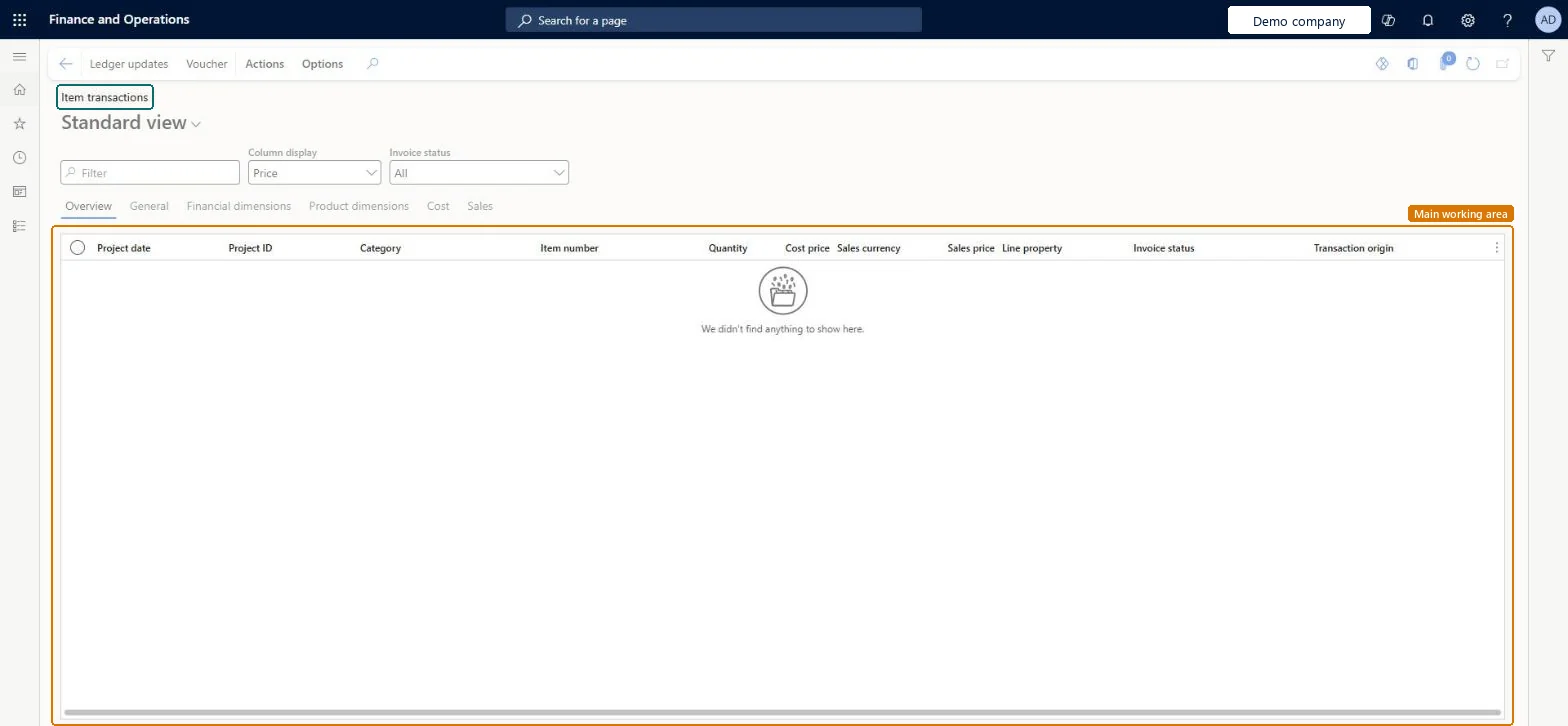
An inquiry that lists posted item transactions on projects, with project date, project, category, item, quantity, cost price, sales price, line property, invoice status and transaction origin.
What you do here
Use it to answer 'which materials did the project consume, when, and at what cost and price?'
Example
The BEAT warehouse posted the packing slip for an item requirement on PRJ-0042; the inquiry now shows 25.00 units of CABLE-10 at a cost price of 4.20 EUR, 105.00 EUR in total, chargeable at a sales price of 6.50 EUR.
The page in Dynamics 365. page title tab to open what to set or check
About the examples: Examples and screenshots in this guide use BEAT, a demo company in a Dynamics 365 test environment. Use your own company's codes and values instead of copying them.
Setup steps on this page
Confirm when items were consumed
Check that project item costs land in the right period for the ordering method used.
Steps from Microsoft
Go to Project management and accounting > Inquiries and reports > Transactions inquiries > Item.
Filter on Project ID and Item number.
Read Transaction origin and the date: items are consumed when the packing slip, vendor invoice or customer invoice is posted, depending on how they were ordered.
Open the Product dimensions tab to check the site and warehouse the items came from.
Filter on Project ID and Item number, then read Transaction origin and date.Item requirements consume at packing slip, project purchase orders at vendor invoice, sales orders at customer invoice.
On the live system, Project accountant and Project assistant maintain this page; Project manager, Project supervisor, Chief executive officer, Field Service Integration User and Service delivery manager view it.
The consumption date follows the ordering method, so the same item can reach the project in different periods; an adjustment reverses and reposts the line. Microsoft Learn
Technical architect
6Technical
Menu item
ProjTransItemChecked in Dynamics 365
Form
ProjTransItemChecked in Dynamics 365
Table
ProjItemTransShown as “Project item transactions” in Record infoKey field: TransDate, ProjId, ActivityNumber, CategoryId, ItemId, LinePropertyIdChecked in Dynamics 365
Who can open it
PrivilegesMaintain all posted project transactions ProjPostedProjectTransactionsMaintainView all posted project transactions ProjPostedProjectTransactionsViewView item transactions ProjTransItemViewDutiesMaintain project transactions ProjProjectTransactionsMaintainMaintain project transactions ProjProjectTransactionsMaintainNoPostReview project transactions ProjProjectTransactionsReviewInquire into project transaction status ProjProjectTransactionStatusInquireApprove posting of service orders SMAServiceOrdersJournalize7 security rolesChief executive officer CompanyChiefExecutiveOfficerField Service Integration User FieldServiceIntegrationUserProject accountant ProjProjectAccountantProject assistant ProjProjectClerkProject manager ProjProjectManagerProject supervisor ProjProjectSupervisorService delivery manager SMAServiceDeliveryManagerChecked in Dynamics 365
Roles to set it up and use it
To set it up or change itProject accountant ProjProjectAccountantProject assistant ProjProjectClerkTo use itProject manager ProjProjectManagerProject supervisor ProjProjectSupervisorChief executive officer CompanyChiefExecutiveOfficerField Service Integration User FieldServiceIntegrationUserService delivery manager SMAServiceDeliveryManagerGive people one of these roles. On this system, 7 roles can open this page.Checked in Dynamics 365
Load order: The Item transactions inquiry has no data entity in Data management that writes posted transactions: lines are created by posting journals, timesheets or source documents. Open item costs from a former system are loaded as beginning balance journal lines (ProjBeginningBalanceCostSaleEntity).Microsoft Learn