Field Service Integration User, Machine operator, Shop supervisor and 3 more roles
Business process
Manage project delivery
Menu item
InventJournalTableProject
Main table
InventJournalTable
Data entity
ProjectItemJournalTableEntity
Setup steps
1 on this page
Show what matters for
PAGE GUIDEWhat the page does and how to use it8 sections. Choose a role to highlight what matters to you.
Everyone
1What it is and why
What it is
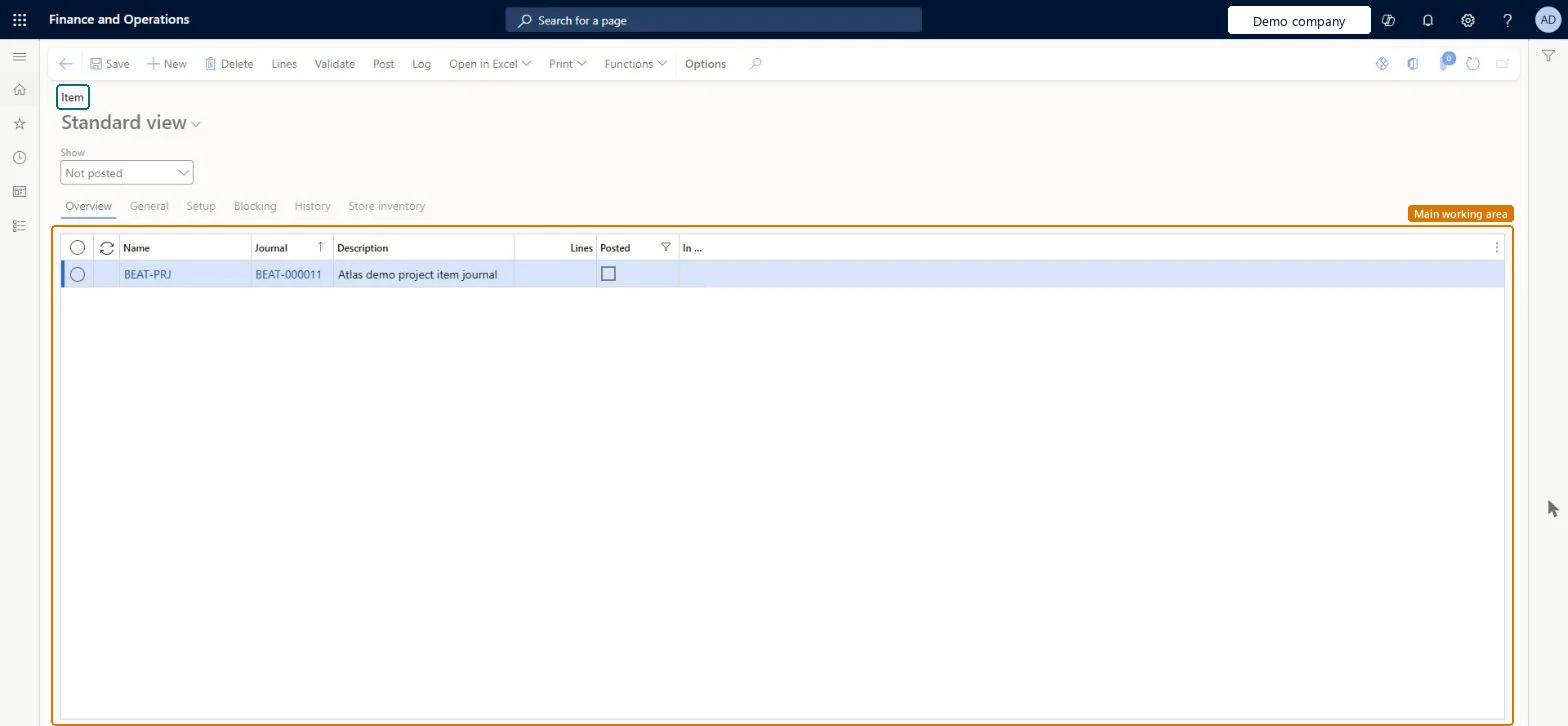
The project item journal: an inventory journal that consumes items from the warehouse on a project when it is posted.
What you do here
Use it to enter and post item consumption for a project quickly, for example from a printed pick list, without an item requirement.
Example
For example, BEAT consumes 30.00 m of cable CAB-200 on PRJ-0042 through item journal IJ-000077; the project cost posts at the weighted average of 6.10 per metre, 183.00, and is adjusted to the FIFO cost when inventory recalculation runs.
The page in Dynamics 365. page title tab to open what to set or check
About the examples: Examples and screenshots in this guide use BEAT, a demo company in a Dynamics 365 test environment. Use your own company's codes and values instead of copying them.
Setup steps on this page
Choose the item journal only for immediate consumption
Consume items on the project at the right time.
Steps from Microsoft
Go to Project management and accounting > Journals > Item.
Select New, select the journal name and enter a description, then select Lines.
Select New and enter the project, item number, site and warehouse, and the quantity.
Check the category and line property, then select Post.
Check the item transaction on Posted project transactions at weighted average cost.
After Inventory recalculation or close, check the adjustment to the item's own costing method.
Use the item journal for items consumed at once; use item requirements for items consumed later or in partial deliveries.Items in the item journal are consumed when the journal is posted, while item requirements post on the packing slip.
Hard to reverse: Items are consumed when the journal is posted. The project cost posts at weighted average first and is adjusted to the item's own costing method only when Inventory recalculation or close runs. Microsoft Learn
If you change it later
Items are consumed when the journal is posted; the project cost is adjusted later by inventory recalculation or close. Microsoft Learn
Technical architect
6Technical
Menu item
InventJournalTableProjectChecked in Dynamics 365
Form
InventJournalTableChecked in Dynamics 365
Table
InventJournalTableShown as “Inventory journal table” in Record infoKey field: JournalId, JournalType, JournalNameId, DescriptionChecked in Dynamics 365
To set it up or change itProject manager ProjProjectManagerProject accountant ProjProjectAccountantProject assistant ProjProjectClerkField Service Integration User FieldServiceIntegrationUserMachine operator JmgMachineOperatorGive people one of these roles. On this system, 6 roles can open this page.Checked in Dynamics 365
Actions on the page
Options: Personalize, Page options, Edit, ShareChecked in Dynamics 365
ProjectItemJournalTableEntity (Project item journal header): loaded for each company.Load order: Load journal names, projects and released products with on-hand stock first, then the journal headers. Open journals are usually posted in the old system.Load first: Inventory journal names, Projects, Released productsMicrosoft Learn