BeyondERP.Newsletter
Menu

Setup step on the Project purchase requisitions page · Project management and accounting

Raise project purchases as requisitions

Get project purchases approved before they are ordered.

Used by
Accounts receivable clerk, Field Service Integration User, Accountant and 11 more roles
Business process
Manage project delivery
Menu item
ProjPurchReqTable
Main table
PurchReqTable
Data entity
PurchaseRequisitionHeaderV2Entity
Setup steps
1 on this page
Show what matters for
SETUP GUIDEHow to set it up8 sections. Choose a role to highlight what matters to you.
Everyone

1What it is and why

What it isThe list of purchase requisitions that carry a project ID: internal requests to buy goods or services for a project before a purchase order exists.
What you do hereUse it to see and create the requisitions raised for projects, follow their approval status and see the project cost commitment they create.
ExampleFor example, a BEAT site lead raises requisition PR-000318 for PRJ-0042 for 2 safety harnesses at 180.00 each; while it waits for approval the project shows a commitment of 360.00.
Project purchase requisitions page in Dynamics 365
The page in Dynamics 365. page title tab to open what to set or check
Functional consultant · Solution architect

2Where it fits

End user · Functional consultant

3How to do it

About the examples: Examples and screenshots in this guide use BEAT, a demo company in a Dynamics 365 test environment. Use your own company's codes and values instead of copying them.

Setup steps on this page

Raise project purchases as requisitions

Get project purchases approved before they are ordered.

Steps from Microsoft

  1. Go to Project management and accounting > Item tasks > Project purchase requisitions.
  2. Select New, enter a name and select the project the purchase is for.
  3. Add the lines with item or procurement category, quantity and price.
  4. Submit the requisition to its approval workflow.
  5. After approval, release it to a purchase order and check the order on Project purchase orders.

Source: Microsoft Learn

Fields on the page

FieldWhat it meansExample
Project IDThe project the requisition is for; it makes the requisition a project requisition.Checked in Dynamics 365PRJ-0042
StatusWhere the requisition is in its review, for example Draft, In review or Approved.Checked in Dynamics 365In review
Requisition purposeWhether the requisition is for consumption or replenishment.Checked in Dynamics 365Consumption
PreparerThe person who entered the requisition.Checked in Dynamics 365Site lead

Common errors and fixes

MessageWhat to do
The project commitment from a requisition is still open after the purchase order is created.With the matching feature on, the commitment stays open until the purchase order is confirmed; confirm the order. Microsoft Learn

Test checklist

  1. Create a requisition for PRJ-0042 with one line of 360.00.
  2. Submit and approve it.
  3. Check the committed cost for PRJ-0042 shows 360.00.
  4. Release it to a purchase order and confirm the order, then check the requisition commitment is closed.

Source: Microsoft Learn

Functional consultant

4Setup decisions

Setup stepRecommended value and whyDecision, common mistake and test
Raise project purchases as requisitionsEnter the project ID on the requisition so the request carries the project from the start.The project ID makes the requisition a project requisition and creates the project cost commitment.How are project purchases requested?Leaving the project blank and adding it on the purchase order: the commitment and the approval trail don't show on the project.Test: Requisition creates a project commitment

Feature management and licence

Licence or add-inOn the live system, Project manager, Project supervisor, Project accountant and Project assistant use this page.

Checked in Dynamics 365

Solution architect

5Design impact

Shared or per companyShared: purchase requisitions are listed as shared by all companies in Data management, and each line carries the buying legal entity and project. Checked in Dynamics 365
Can it be undoneReversible: A draft requisition can be changed or canceled.
If you change it laterWith the matching feature on, a project cost commitment from a requisition stays open until the purchase order is confirmed. Microsoft Learn
Technical architect

6Technical

Menu itemProjPurchReqTable Checked in Dynamics 365
FormPurchReqTableListPage Checked in Dynamics 365
TablePurchReqTableShown as “Purchase requisitions” in Record infoKey field: PurchReqId, PurchReqName, PurchReqTypeChecked in Dynamics 365
Data entitiesPurchaseRequisitionHeaderV2EntityPurchase requisitions V2 Microsoft data model
Who can open itPrivilegesView item tasks ProjItemTransactionPartDutiesInquire into estimate project master ProjEstimateProjectMasterInquireMaintain estimate project master ProjEstimateProjectMasterMaintainInquire into project invoices ProjProjectInvoiceInquireMaintain project invoices ProjProjectInvoiceMaintainInquire into project master ProjProjectMasterInquireMaintain project master ProjProjectMasterMaintain
14 security rolesAccounts receivable clerk CustInvoiceAccountsReceivableClerkField Service Integration User FieldServiceIntegrationUserAccountant LedgerAccountantAccounting manager LedgerAccountingManagerAccounting supervisor LedgerAccountingSupervisorFinancial controller LedgerFinancialControllerAccounts receivable centralized payments clerk PaymAccountsReceivableCentralPaymClerkAccounts receivable payments clerk PaymAccountsReceivablePaymentsClerkProject accountant ProjProjectAccountantProject assistant ProjProjectClerkProject manager ProjProjectManagerProject supervisor ProjProjectSupervisorService delivery manager SMAServiceDeliveryManagerSales manager TradeSalesManager
Checked in Dynamics 365
Roles to set it up and use itTo use itProject manager ProjProjectManagerProject supervisor ProjProjectSupervisorProject accountant ProjProjectAccountantProject assistant ProjProjectClerkField Service Integration User FieldServiceIntegrationUserGive people one of these roles. On this system, 14 roles can open this page.Checked in Dynamics 365
Actions on the pagePurchase requisition: Maintain, Actions, Summary, Copy, History, External catalogsFinancialsOptions: Personalize, Page options, ShareChecked in Dynamics 365
Developer

7Developer

Open it by URLhttps://<your-environment>/?mi=ProjPurchReqTable
Integrate withPurchaseRequisitionHeaderV2Entity data entity Microsoft data model
Data migrationPurchaseRequisitionHeaderV2Entity (Purchase requisitions V2): shared by all companies.Load order: Open requisitions are usually recreated rather than loaded. If loaded, load projects, vendors and products first, then the headers, then the lines.Load first: Projects, Products and procurement categoriesMicrosoft Learn
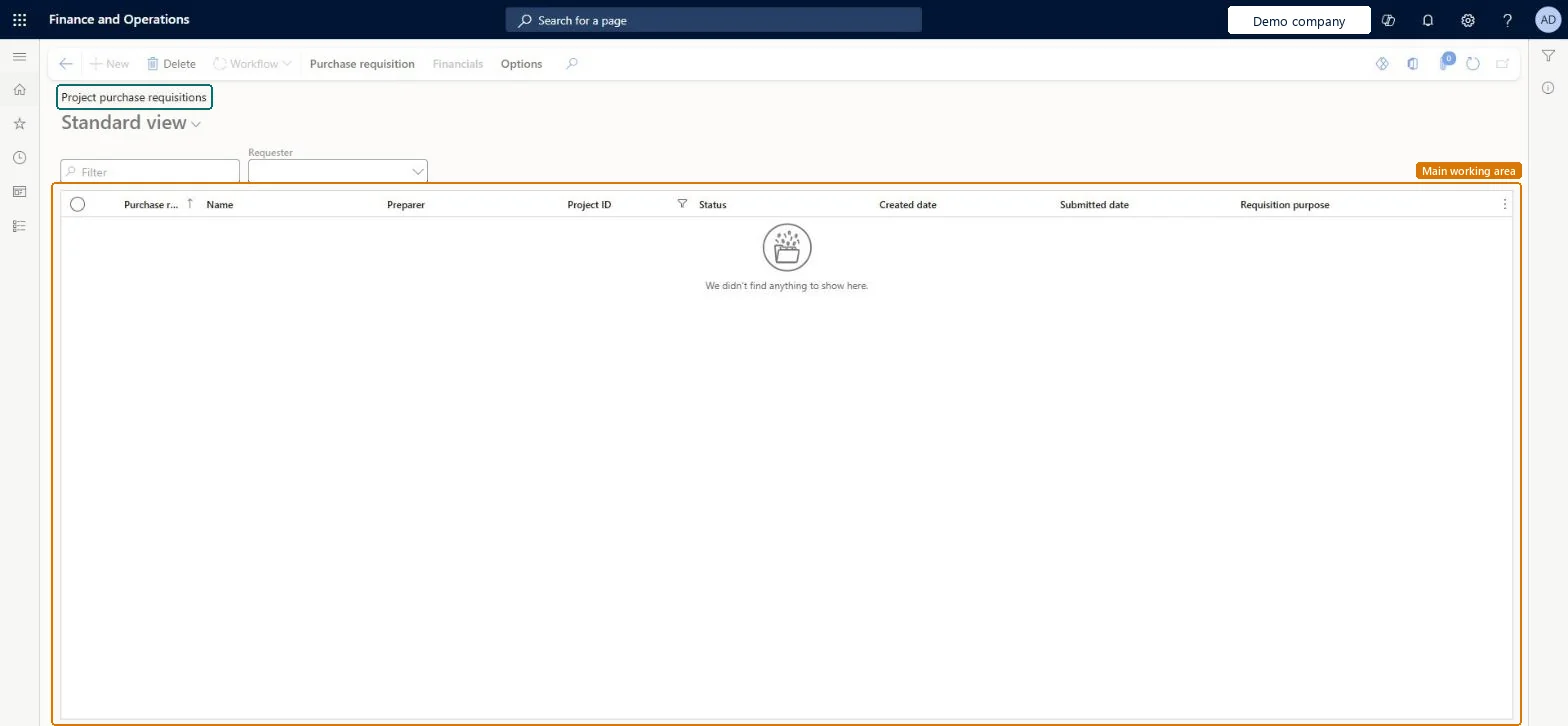
Table definitionPurchReqTable columns and relations Microsoft data model
Everyone

8Sources

To cite this step: PM-OPS-100, Raise project purchases as requisitions. Beyond ERP Atlas Hub, 2026-11-11. https://www.beyonderp.cloud/atlas/step/PM-OPS-100