Project management and accountingPeriodicProject invoices
action:ProjInvoiceProposalRulePeriodic
Business process
Manage project financials
Menu item
action:ProjInvoiceProposalRulePeriodic
Data entity
ProjInvoiceProposalEntity
Setup steps
1 on this page
Show what matters for
SETUP GUIDEHow to set it up8 sections. Choose a role to highlight what matters to you.
Everyone
1What it is and why
What it is
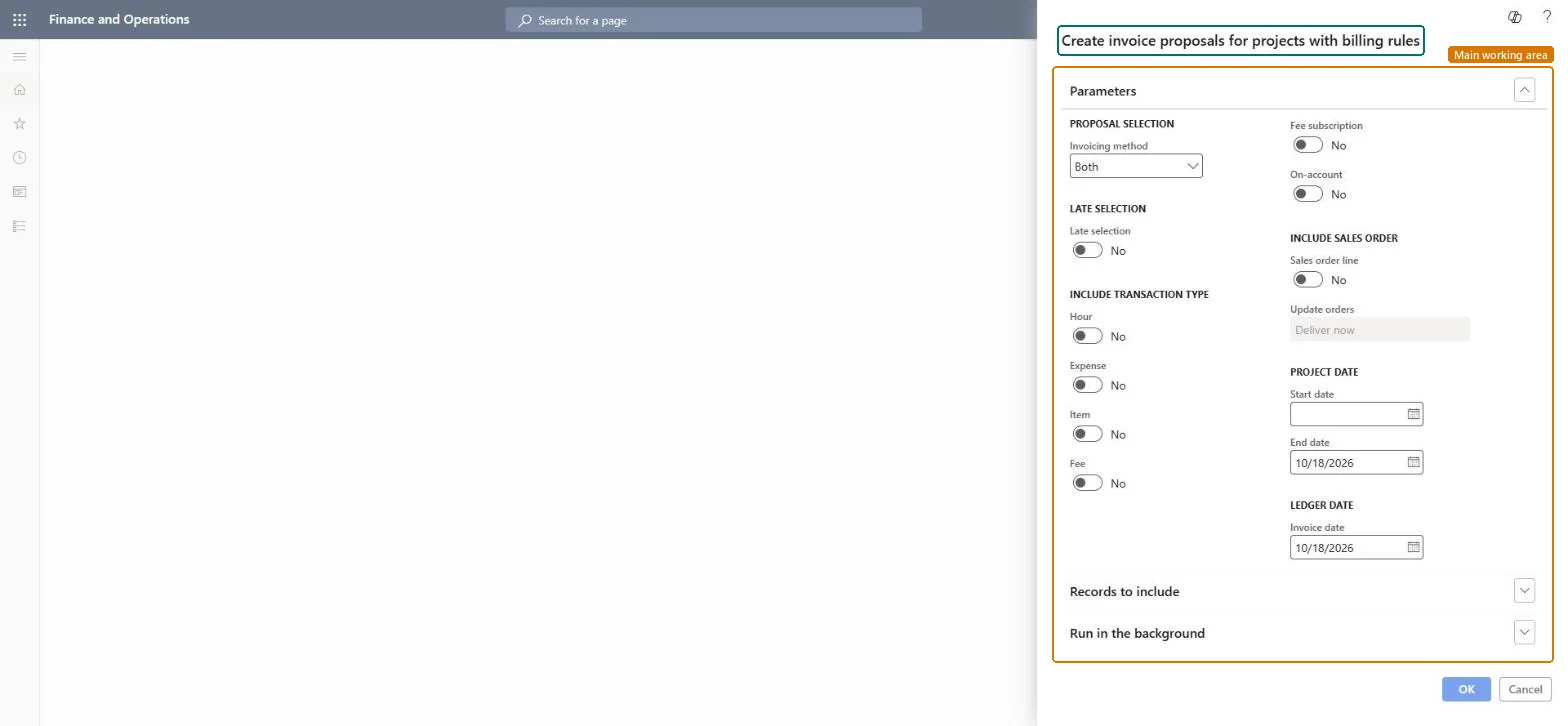
A periodic job, titled Create invoice proposals for projects with billing rules, that creates invoice proposals for projects whose contracts use billing rules, so the amounts come from the billing rules rather than from the transaction lines alone.
What you do here
Use it to bill contracts by their billing rules, such as milestones or progress billing, for many contracts at once.
Example
BEAT's contract CON-0107 bills five training sessions at 10,000.00 each through a billing rule. After session 3 is delivered on 09/30/2026, the job creates a 10,000.00 invoice proposal less the 5 percent retention of 500.00.
The page in Dynamics 365. page title tab to open what to set or check
About the examples: Examples and screenshots in this guide use BEAT, a demo company in a Dynamics 365 test environment. Use your own company's codes and values instead of copying them.
When to run it
When to run it
At the billing dates that the contracts' billing rules set, for example when a milestone is complete.
How often
Monthly, or at each contract billing date.
Batch settings
Schedule it as a recurring batch job with Late selection on, so each run picks up newly due billing rules.
What the output shows
Invoice proposals whose amounts come from the billing rules, with retention deducted where set.
Run as a recurring batch job with Late selection on, filtered on contracts with billing rules.Late selection picks up contracts and rules that became due after the job was scheduled.
To use itProject manager ProjProjectManagerProject accountant ProjProjectAccountantProject assistant ProjProjectClerkService delivery manager SMAServiceDeliveryManagerAccounts receivable clerk CustInvoiceAccountsReceivableClerkGive people one of these roles. On this system, 5 roles can run this page.Checked in Dynamics 365
ProjContractEntity Migrate contracts and their billing rules; then run this job in the target system.Load order: Load project contracts and billing rules first; run this job after cutover for due billing rules.Load first: ProjContractEntityMicrosoft Learn
Checked in a working Dynamics 365 system, version 10.0.49: the menu item, form, table and security, the page.
To cite this step: PM-JOB-110, Bill contracts by their billing rules. Beyond ERP Atlas Hub, 2026-11-11. https://www.beyonderp.cloud/atlas/step/PM-JOB-110