Project accountant, Project manager, Resource manager and 4 more roles
Business process
Manage project financials
Menu item
ProjCostPriceExpense
Main table
ProjCostPriceExpense
Data entity
ProjCostPriceExpenseEntity
Setup steps
1 on this page
Show what matters for
SETUP GUIDEHow to set it up8 sections. Choose a role to highlight what matters to you.
Everyone
1What it is and why
What it is
A setup page where you set cost prices for project expenses.
What you do here
Use this page to set default cost prices for project expense transactions by date and, if needed, by project, category and worker.
Example
For example, BEAT sets a cost price of 0.58 per kilometer for the expense category MILEAGE from 01/01/2026, so a 120-kilometer trip on PRJ-0042 costs 69.60.
The page in Dynamics 365. page title tab to open what to set or check
About the examples: Examples and screenshots in this guide use BEAT, a demo company in a Dynamics 365 test environment. Use your own company's codes and values instead of copying them.
Step by step, with screenshots
Set up Cost price (expense)1 screen
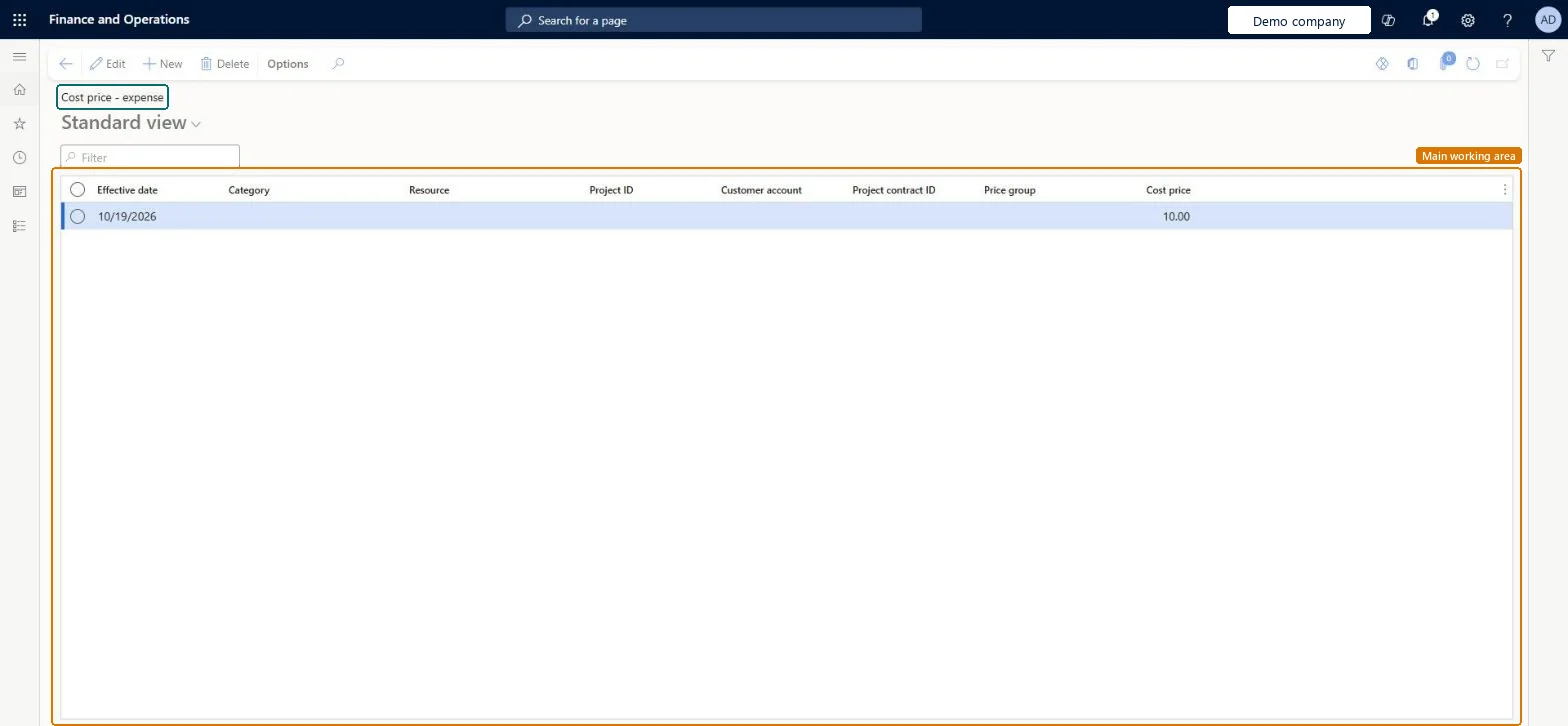
Use this page to set default cost prices for project expense transactions by date and, if needed, by project, category and worker.
Screen 1
Set a default expense cost price
Go to Project management and accounting > Setup > Prices > Cost price (expense)
Select New
Enter the effective date
Leave the category, worker and project blank for a default price, or select them for a narrower price
Enter the cost price
Select Save
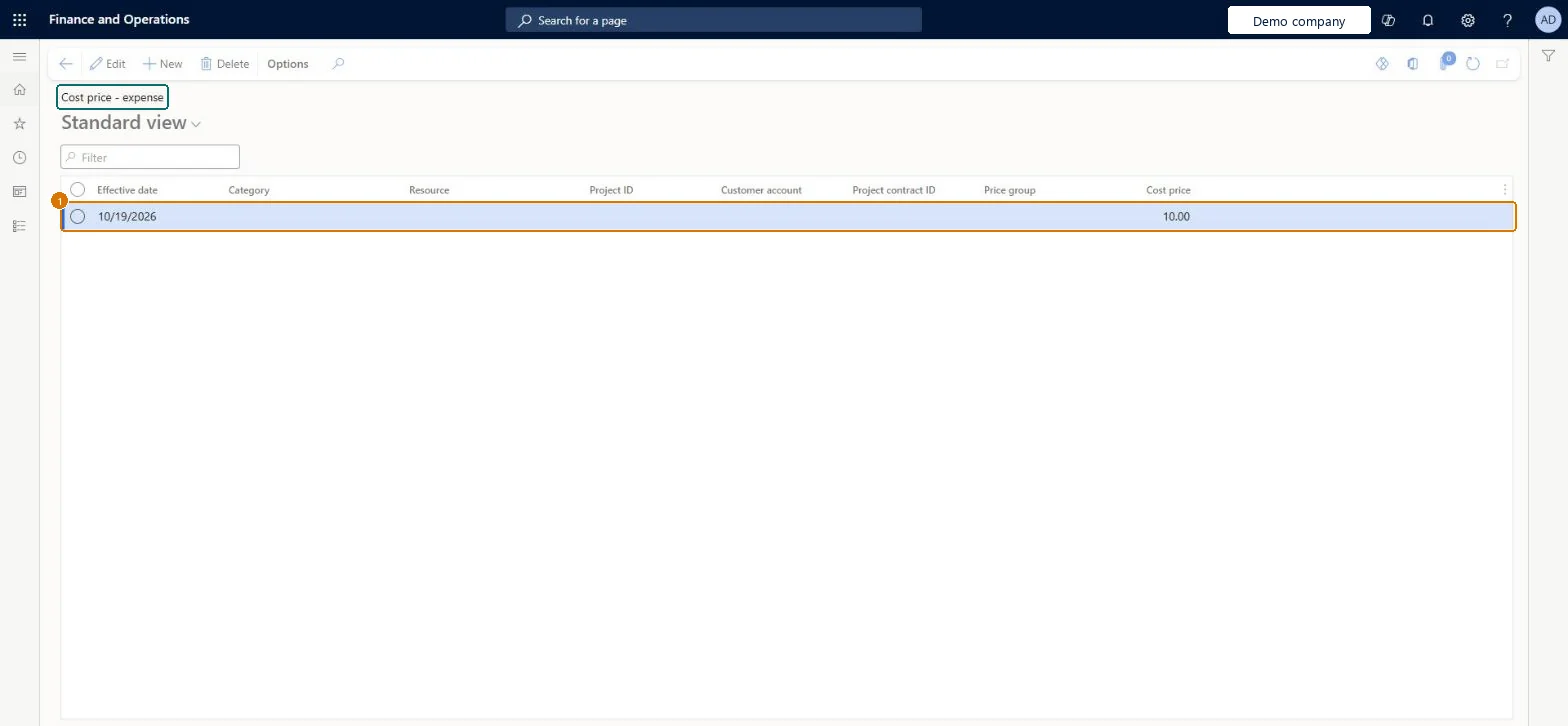
1Effective date
10/19/2026
Cost price
10.00
Show the full screen page title tab to open what to set or check
Steps from Microsoft
Go to Project management and accounting > Setup > Prices > Cost price (expense).
Select New and enter the Effective date; with the Cost price it is the least a row needs.
Select the expense category, and a project or worker only if the price differs for them.
Enter the Cost price and save.
Enter an expense journal line on that category and check the defaulted cost.
A cost price row per effective date, refined by project, category or worker only where neededEffective date and cost price are the minimum to save a row; extra criteria narrow it, and the most detailed match is used.
Streamline cost price and sales price calculations (Optional)
Licence or add-in
On the live system, Project accountant and Service delivery manager maintain this page; Project manager, Resource manager and sales roles can open it. The optional Streamline cost price and sales price calculations feature changes how prices are calculated.
PrivilegesMaintain cost prices (expense) ProjCostPriceExpenseMaintainView cost prices (expense) ProjCostPriceExpenseViewMaintain service agreement details SMAAgreementDetailsMaintainView service agreement details SMAAgreementDetailsViewDutiesInquire into project cost pricing master ProjProjectCostPricingMasterInquireMaintain project cost pricing master ProjProjectCostPricingMasterMaintainResource manager ProjResourceManagerInquire into service agreement master SMAServiceAgreementMasterInquireMaintain service agreement master SMAServiceAgreementMasterMaintainEnable service agreement process SMAServiceAgreementProcessEnable7 security rolesProject accountant ProjProjectAccountantProject manager ProjProjectManagerResource manager ProjResourceManagerService dispatcher SMADispatcherService delivery manager SMAServiceDeliveryManagerSales manager TradeSalesManagerSales representative TradeSalesRepresentativeChecked in Dynamics 365
Roles to set it up and use it
To set it up or change itProject accountant ProjProjectAccountantService delivery manager SMAServiceDeliveryManagerTo use itProject manager ProjProjectManagerSales representative TradeSalesRepresentativeSales manager TradeSalesManagerResource manager ProjResourceManagerService dispatcher SMADispatcherGive people one of these roles. On this system, 7 roles can open this page.Checked in Dynamics 365
Actions on the page
Options: Personalize, Page options, ShareChecked in Dynamics 365
ProjCostPriceExpenseEntity Project - expense cost price, loaded for each company.Load order: Load expense cost prices after project categories, workers and projects, because a price row refers to them.Load first: Project categories, ProjectsMicrosoft Learn
Checked in a working Dynamics 365 system, version 10.0.49: the menu item, form, table and security, the page, the demo records and the values in the screenshots.
To cite this step: PM-SETUP-180, Set up Cost price (expense). Beyond ERP Atlas Hub, 2026-11-11. https://www.beyonderp.cloud/atlas/step/PM-SETUP-180