Project management and accountingPeriodicProject invoices
action:ProjFormLetter_Invoice
Business process
Manage project financials
Menu item
action:ProjFormLetter_Invoice
Setup steps
1 on this page
Show what matters for
PAGE GUIDEWhat the page does and how to use it8 sections. Choose a role to highlight what matters to you.
Everyone
1What it is and why
What it is
A periodic job that posts project invoice proposals that are ready, at once or on a recurring batch schedule.
What you do here
Use it to post all reviewed invoice proposals in one run, so customer invoices are created.
Example
BEAT reviews 27 October proposals by 11/03/2026. A recurring job with Late selection posts every proposal that is ready at 18:00 each day; on 11/03 it posts 25, and the 2 still waiting for workflow approval stay listed.
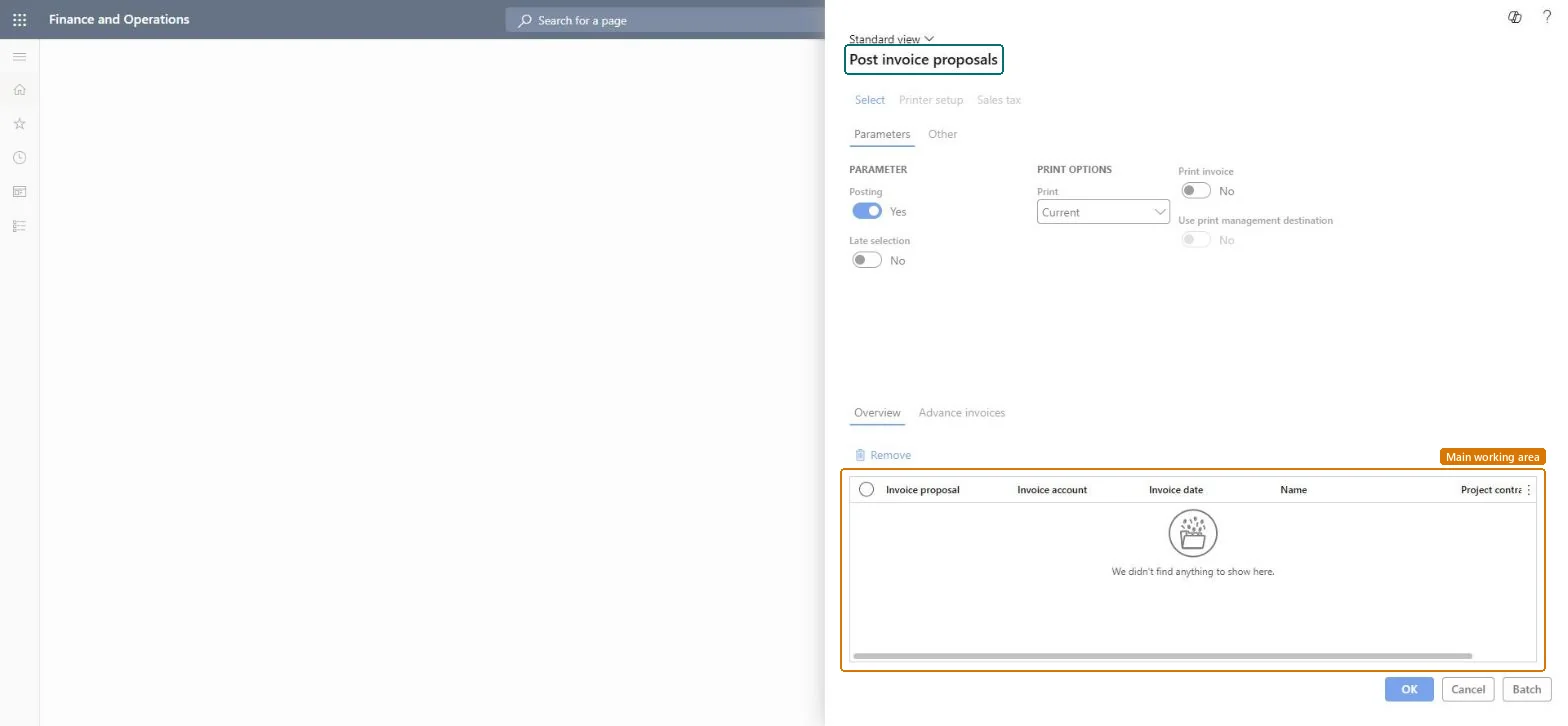
The page in Dynamics 365. page title tab to open what to set or check
About the examples: Examples and screenshots in this guide use BEAT, a demo company in a Dynamics 365 test environment. Use your own company's codes and values instead of copying them.
When to run it
When to run it
After invoice proposals are reviewed and approved.
How often
Daily or at month end, as a recurring batch job.
Batch settings
Schedule it as a recurring batch job with Late selection on.
What the output shows
Customer invoices for every proposal that was ready. Proposals that fail or wait for workflow approval stay listed.
On the live system, Project manager, Project accountant and Service delivery manager use this page.
Checked in Dynamics 365
Solution architect
5Design impact
Shared or per company
Per company: it posts the proposals of the legal entity you run it in. Microsoft data model
Can it be undone
No: Posted invoices can't be unposted. Correct them with a credit note. Microsoft Learn
If you change it later
Posts the proposals as customer invoices, which updates the customer balance, project revenue and the ledger, and reverses accrued revenue where it was posted. Microsoft Learn
Technical architect
6Technical
Menu item
action:ProjFormLetter_InvoiceChecked in Dynamics 365
Form
ProjInvoiceEditLinesChecked in Dynamics 365
Roles to set it up and use it
To use itProject manager ProjProjectManagerProject accountant ProjProjectAccountantService delivery manager SMAServiceDeliveryManagerGive people one of these roles. On this system, 3 roles can run this page.Checked in Dynamics 365
Load order: Post project invoice proposals has no data entity in Data management: it is a periodic job and keeps no records of its own. Post or delete open proposals before cutover; posted invoices are migrated as open customer balances.Microsoft data model