SETUP GUIDEHow to set it up8 sections. Choose a role to highlight what matters to you.
Everyone
1What it is and why
What it is
A periodic job that moves the remaining project budget amounts of a fiscal year to the next fiscal year, and can create budget register entries in the general ledger.
What you do here
Use it at fiscal year end for multiyear projects, first to review the remaining amounts and then to carry them forward.
Example
BEAT's multiyear project PRJ-0042 has 74,250.00 of budget left at 12/31/2026. At year end the project accountant reviews the remaining amount, carries it to fiscal year 2027 in carry-forward period January 2027, and creates the matching budget register entries in model BUD-2027.
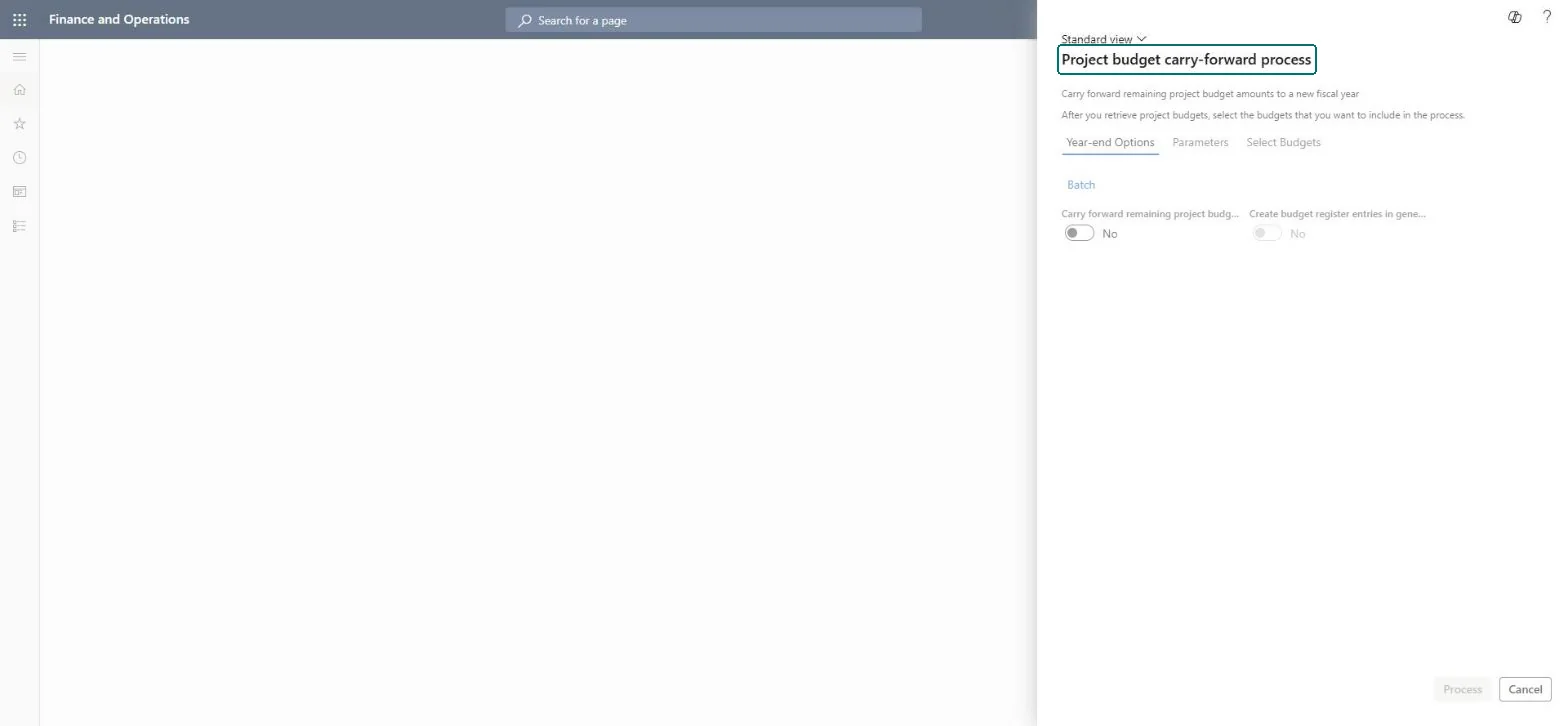
The page in Dynamics 365. page title tab to open what to set or check
About the examples: Examples and screenshots in this guide use BEAT, a demo company in a Dynamics 365 test environment. Use your own company's codes and values instead of copying them.
When to run it
When to run it
At fiscal year end, after the year's project transactions are posted, for multiyear projects that still have budget left.
How often
Once a year.
Batch settings
The page processes the marked projects when you select Process; review first with the carry-forward option off.
What the output shows
Remaining amounts moved to the opening fiscal year and, if selected, budget register entries in the carry-forward period.
Move unused budget of multiyear projects to the next year.
Steps from Microsoft
Go to Project management and accounting > Periodic > Budgets > Carry forward budgets.
Select Year-end and first run it with Carry forward remaining project budget amounts turned off, to review the remaining budgets only.
On the Parameters tab, select the Project budget year and the Profit and loss, WIP and Payroll options for the ledger transactions to create.
Select the Opening fiscal year and the Carry-forward period (usually the first period of the new year), then the From forecast model and To ledger budget model.
On the Select Budgets tab, retrieve the budgets, mark the projects to process and select Process.
Open a processed project's budget and the budget register entries to check that the remaining amount is in the new year.
Run once in review mode (carry-forward off), then process the marked projects with the carry-forward on and register entries in the first period of the new year.The review shows the amounts that will move before anything changes; the job has no undo.
On the live system, Project manager and Project accountant use this page.
Checked in Dynamics 365
Solution architect
5Design impact
Shared or per company
Per company: the job processes the project budgets of the legal entity you run it in. Microsoft Learn
Can it be undone
Irreversible: The carry-forward isn't reversed by the job.
If you change it later
Moves remaining project budget into the next fiscal year and can create budget register entries in the general ledger, which budget reports and budget control read. Microsoft Learn
Technical architect
6Technical
Menu item
action:ProjYearEndProcessChecked in Dynamics 365
Form
ProjYearEndProcessChecked in Dynamics 365
Roles to set it up and use it
To use itProject manager ProjProjectManagerProject accountant ProjProjectAccountantGive people one of these roles. On this system, 2 roles can run this page.Checked in Dynamics 365
Load order: Carry forward budgets has no data entity in Data management: it is a periodic job and keeps no records of its own. Migrate project budgets and ledger budgets with their own entities and run the carry-forward in the target system at year end.Microsoft Learn