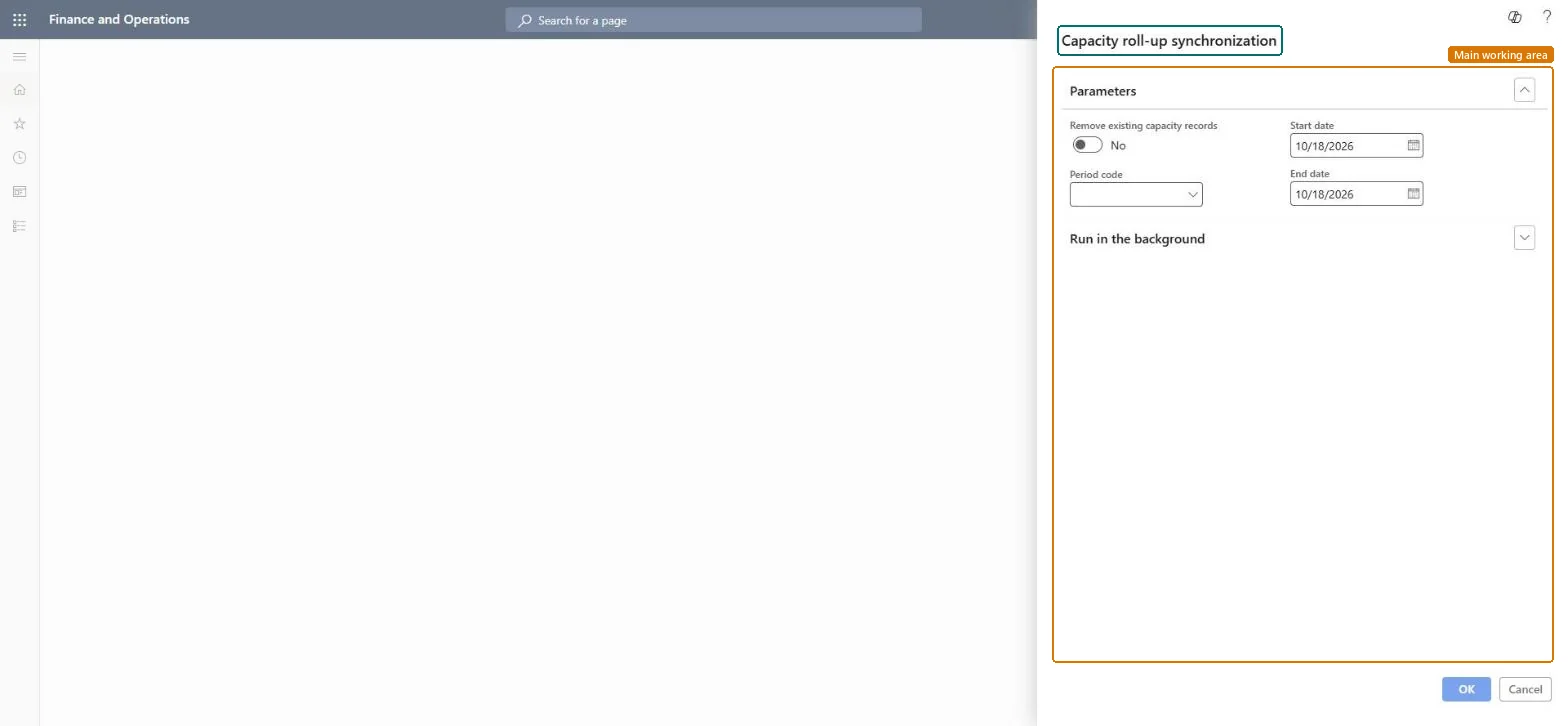
Decide whether the capacity roll-up is still needed
Project management and accountingPeriodicCapacity synchronization
action:ResRollUpSynchronizationBatch
Business process
Plan projects
Menu item
action:ResRollUpSynchronizationBatch
Main table
ResRollup
Setup steps
1 on this page
Show what matters for
SETUP GUIDEHow to set it up8 sections. Choose a role to highlight what matters to you.
Everyone
1What it is and why
What it is
A periodic job that synchronizes resource calendar information into the capacity roll-up table (ResRollup) used by resource availability. It is only needed when the resource scheduling performance feature is turned off; that feature is on by default from 10.0.36 and no longer uses the roll-ups.
What you do here
Use it only in companies that turned off Enable project resource scheduling performance enhancement feature, so calendar changes and new project resources reach resource availability.
Example
BEAT turned the scheduling performance feature off while a customization is fixed. After adding the 12/24/2026 holiday to calendar BEAT-STD, the resource manager runs the roll-up from 11/01/2026 to 12/31/2027 with Remove existing capacity records set to Yes, and availability shows 0.00 hours on 12/24.
The page in Dynamics 365. page title tab to open what to set or check
About the examples: Examples and screenshots in this guide use BEAT, a demo company in a Dynamics 365 test environment. Use your own company's codes and values instead of copying them.
When to run it
When to run it
After calendar changes or new project resources, only when the scheduling performance feature is off.
How often
As a recurring batch, so the synchronized dates have no gaps.
Batch settings
Run as a batch job in one legal entity; it fills the roll-up data for all companies.
What the output shows
Updated ResRollup data used by all Resource availability views.
Keep the scheduling performance feature on and don't schedule this job; use Synchronize resource calendars capacity across all companies instead.From 10.0.36 the feature is on by default and the roll-up table is no longer used.
On the live system, Project manager and Resource manager use this page. Learn: this job is only used when the feature Enable project resource scheduling performance enhancement feature is turned off.
Cross-company: run in one legal entity, it distributes the roll-up data to all companies. Microsoft Learn
Can it be undone
Reversible: Rebuild by rerunning.
If you change it later
With the resource scheduling performance feature on (the default from 10.0.36), this roll-up isn't used. Without running it, the system builds ResRollup data on the fly, which can take time. Microsoft Learn
Technical architect
6Technical
Menu item
action:ResRollUpSynchronizationBatchChecked in Dynamics 365
Form
DialogChecked in Dynamics 365
Table
ResRollupChecked in Dynamics 365
Roles to set it up and use it
To use itProject manager ProjProjectManagerResource manager ProjResourceManagerGive people one of these roles. On this system, 2 roles can run this page.Checked in Dynamics 365
Load order: Synchronize resource capacity roll-ups has no data entity in Data management: it is a periodic job and keeps no records of its own. Nothing is migrated; the roll-up is rebuilt from calendars in the target system.Microsoft Learn
Checked in a working Dynamics 365 system, version 10.0.49: the menu item, form, table and security, the page.
To cite this step: PM-JOB-320, Decide whether the capacity roll-up is still needed. Beyond ERP Atlas Hub, 2026-11-11. https://www.beyonderp.cloud/atlas/step/PM-JOB-320