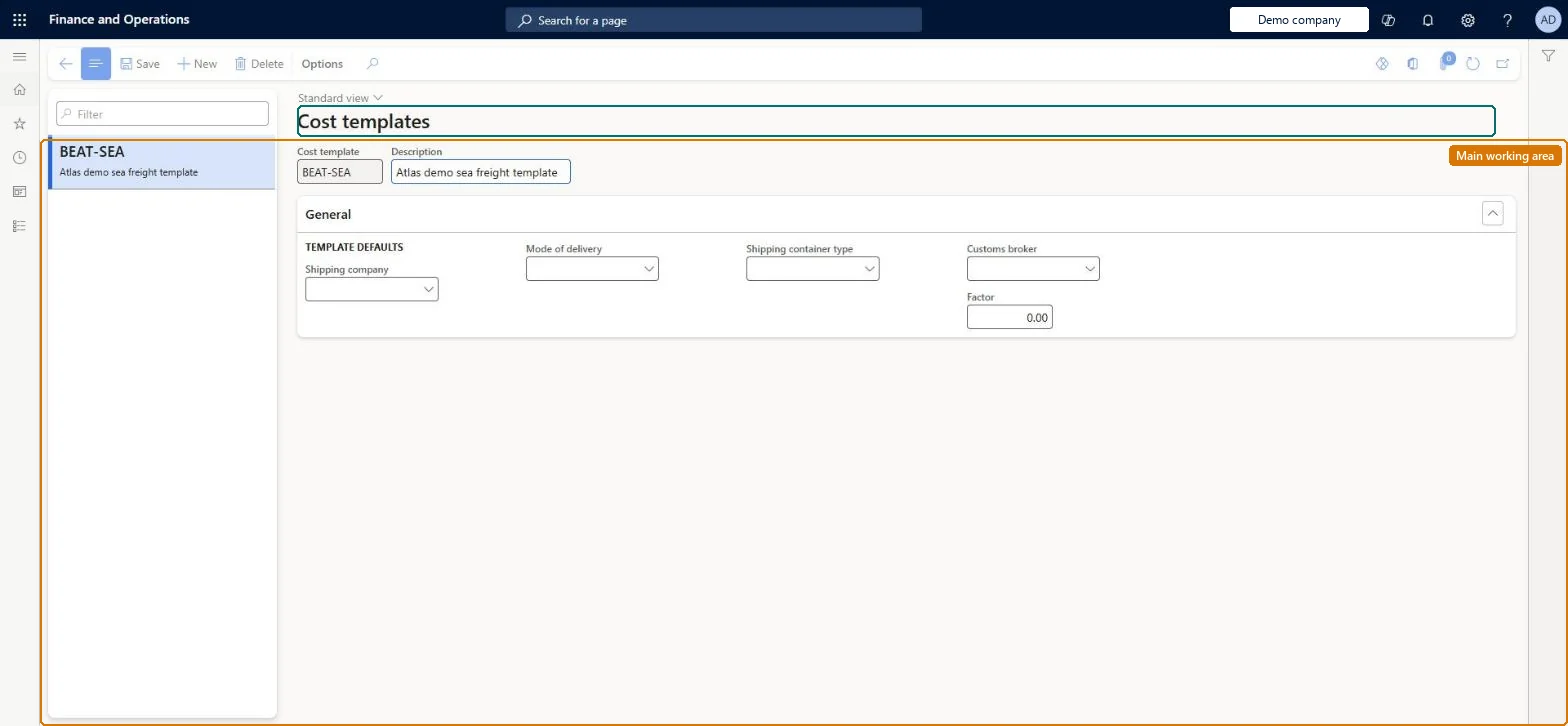
Setup step on the Cost templates page · Landed cost
Set up Cost templates
Use this page to add, edit and remove cost templates so that users running the Cost estimate task do not have to know every setting. The template's values determine which auto costs are applied to the estimate.
SETUP GUIDEHow to set it up8 sections. Choose a role to highlight what matters to you.
Everyone
1What it is and why
What it is
A setup page where you define cost templates that hold default shipping company, mode of delivery, container type, customs broker and factor values used when a landed cost estimate is run.
What you do here
Use this page to add, edit and remove cost templates so that users running the Cost estimate task do not have to know every setting. The template's values determine which auto costs are applied to the estimate.
Example
For example, you create a Sea 40ft template with your usual shipping company, Ocean as mode of delivery, the 40-foot container type and a factor of 1.10 to add 10 percent to the calculated estimate.
The page in Dynamics 365. page title tab to open what to set or check
About the examples: Examples and screenshots in this guide use BEAT, a demo company in a Dynamics 365 test environment. Use your own company's codes and values instead of copying them.
Setup steps on this page
Set up Cost templates
Use this page to add, edit and remove cost templates so that users running the Cost estimate task do not have to know every setting. The template's values determine which auto costs are applied to the estimate.
Steps from Microsoft
Go to Landed cost > Costing setup > Cost templates.
Select New on the Action Pane.
Enter a unique Cost template name and a Description.
Select the Shipping company, Mode of delivery, Shipping container type and Customs broker the template should use.
Enter a Factor, for example 1.10 to add 10 percent to the estimate.
One template per typical shipping route set-up (shipping company, mode of delivery, shipping container type, customs broker), with Factor used only for a known uplift, for example 1.10 for 10 percentThese fields decide which auto costs land on the cost estimate, so users running the estimate don't need to know them; Factor multiplies the final estimate.
Leaving mode of delivery, container type or customs broker blank so the auto costs that depend on them aren't found and the estimate is understated.
Solution architect
5Design impact
Can it be undone
Reversible: Templates can be edited or removed; a change applies the next time a cost estimate is generated from the template.
If you change it later
Changing a template changes which auto costs and which factor are applied the next time a cost estimate is generated from it; estimates are mainly used to set standard costs, so the estimate feeds the item's standard cost. Microsoft Learn
Technical architect
6Technical
Menu item
ITMCostTemplateTableChecked in Dynamics 365
Form
ITMCostTemplateTableChecked in Dynamics 365
Table
ITMCostTemplateTableShown as “COST TEMPLATES” in Record infoKey field: CostTemplateIdChecked in Dynamics 365
To set it up or change itLanded cost manager ITMManagerLanded cost agent ITMAgentGive people one of these roles. On this system, 2 roles can open this page.Checked in Dynamics 365